Minecraft Create Mod: A Practical How-To Guide
Learn how to install and use the Minecraft Create mod to automate tasks, design moving contraptions, and optimize builds with practical, step-by-step instructions.


By following this guide, you will learn how to install and use the Minecraft Create mod to design moving machines, conveyors, and automated systems for your builds. The steps cover installation, core components, example contraptions, and practical troubleshooting to help you start creating functional, resourceful machines in your world. This quick answer is a hook, with full details in the main body.
What is the Minecraft Create Mod
The Minecraft Create mod adds an expansive toolkit of mechanical blocks that let you build moving machines, conveyor systems, and factory-style contraptions inside vanilla Minecraft. It emphasizes modular, hand-crafted automation rather than magic blocks or cheats. With gears, shafts, belts, and rotating components, Create invites builders to choreograph motion—turning simple inputs into complex outputs. The mod is designed to feel intuitive for players who enjoy redstone, but it opens possibilities beyond traditional circuitry by focusing on physics-like interactions and tangible mechanics. When you start using minecraft create mod in your world, you’ll notice a shift from static builds to dynamic, kinetic designs that respond to player input and resource flow.
Core Concepts: Rotors, Gears, Belts, and Conveyors
At the heart of the Create mod are rotating parts and connected systems that transfer motion and items. Rotors and shafts transmit rotational energy, while gears modulate speed and torque. Belts and conveyors move items between machines, enabling automated collection, processing, and transport. Multiblock structures can be designed to perform complex tasks—think of a simple grinder connected to a belt line that feeds items into a sorter. Conceptually, most projects in minecraft create mod revolve around a few core elements: a source of motion, a way to translate that motion into useful work, and a method to manage item flow. Practically, this means starting with a single mechanism, then expanding into linked modules tied together with timing and synchronization.
Getting Started: Installation and Setup
Getting started with minecraft create mod requires a few prerequisites and a methodical approach. First, install the Forge (or a compatible mod loader) for your Minecraft version, then download the Create mod file and place it into your mods directory. Launch Minecraft to verify the mod loads correctly. It’s wise to test in a fresh world or a dedicated test area where you can experiment without risking your main builds. Keep your game version and mod version compatible, and be mindful of other mods that might conflict with Create’s mechanical blocks.
Building Your First Contraption: A Simple Mill
A beginner-friendly project is a small mill that converts in-game movement into a rotating output. Start with a power source (an axle connected to a crank or a hand wheel), attach a spindle, then link a simple belt to a rotating gear. A few rounds of testing will show you the belt speed and how items feed into the system. The goal is to observe how motion is converted into a mechanical action, then expand by adding a belt feed and output chute to collect processed items. This process reinforces how timing, placement, and orientation affect performance in the minecraft create mod.
Understanding Flow: Timing, Redstone, and Conduits
Conveyors and belts enable fluid item transport, but timing is everything. Use small cogs and slow belts to manage the pace of item flow and avoid jams. Redstone signals can control start/stop behavior or gating, letting you synchronize multiple modules. As you build, keep a mental map of how items move from input to processing to output. A typical workflow in minecraft create mod involves a conveyor feeding items into a processing block, with a return path that recirculates or diverts finished products to storage.
Advanced Mechanisms: Sorting, Farming Automations, and Multiblock Factories
Once you’re comfortable with basic parts, you can scale up to more ambitious systems. Sorting lines use multiple belts and chutes to direct different items to distinct outputs. Automated farms can combine rotating mechanisms with water or piston-assisted blocks to collect crops, process them, and push items toward storage. Multiblock factories pack several subsystems into a single space, requiring careful planning of space, alignment, and power routing. The minecraft create mod is designed to encourage iterative development: build a small prototype, test it, and expand in modular steps.
Troubleshooting Tips and Performance Considerations
Common issues include gear misalignment, belt slippage, or items getting stuck on conveyors. Ensure all axes are properly aligned, belts are correctly oriented, and there’s a stable power source feeding the system. If you experience lag or frequent crashes, verify compatibility with other mods and reduce the number of moving parts in one area. Performance improves when you design modular segments and keep busy components away from chunk borders that load slowly. Regularly save your world and back up critical contraptions before large expansions.
Compatibility and World Design Tips
Minecraft create mod plays nicely with many content packs, but some mods that alter world generation or item IDs can lead to conflicts. If you plan a large automation hub, consider keeping critical systems in a single, well-tested region of your world to reduce loading issues. Aesthetics matter too: arrange contraptions along a clean rail or platform, tiered for visibility, so you can monitor motion and item flow. Always respect Minecraft’s performance limits and your device’s capacity by avoiding excessively dense networks in compact spaces.
Next Steps and Practice Projects
To grow confidence with minecraft create mod, set small, progressive goals. Start with a basic mill, then add a conveyor belt, a sorter, and finally a compact automation room. Document your designs with simple diagrams and labels so you can replicate or adjust them later. For ongoing learning, explore community builds, experiment with different gear ratios, and compare results. The more you prototype, the more you’ll understand how time, space, and motion interact inside your creations.
Tools & Materials
- Minecraft Java Edition(Single-player or server; ensure version compatibility with Create mod)
- Forge mod loader(Recommended for most Create mod setups)
- Create mod file(Download from a reputable mod source; ensure compatibility with your Minecraft version)
- Optional: compatibility mods(Use if you plan to integrate with other automation or tech mods)
- In-game building blocks(Wood, stone, rails, chests, and other standard blocks for prototyping)
- Test world or creative sandbox(Helpful to trial machines without risking your main world)
Steps
Estimated time: 60-90 minutes
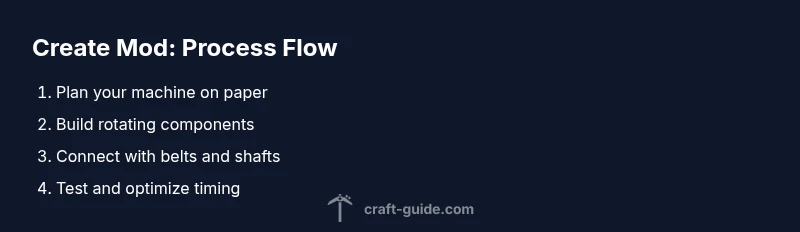
- 1
Prepare your workspace and install the mod loader
Create a clean test world and install Forge. Verify that the Minecraft client launches with the Create mod present. This avoids surprises during more complex builds.
Tip: Double-check version compatibility before launching; mismatches cause crashes. - 2
Install the Create mod and confirm load
Place the Create mod file into the mods folder, start Minecraft, and check the mods screen for Create. If it’s not listed, re-check your file placement and launcher profile.
Tip: Use a fresh profile to prevent conflicts with other mods. - 3
Build a basic rotating arm
Place a crank or axle powered by a simple source, connect a rotor, and attach a small output side. This introduces you to rotational motion and basic alignment.
Tip: Align the arm perpendicular to the output to maximize range. - 4
Add a belt feed for items
Attach a belt or conveyor line to move items from one module to another. Observe item flow and adjust belt speed using gear ratios as needed.
Tip: Test with a single item type first to avoid confusion during debugging. - 5
Create a simple output sorter
Install a basic sorter that diverts items to different chests based on simple criteria. This demonstrates how flow control leads to organized storage.
Tip: Label outputs to simplify future maintenance and troubleshooting. - 6
Expand into a compact automation loop
Combine your mill, belt, and sorter into a small loop that processes an input into finished output. Add a gate or reset mechanism for reliability.
Tip: Build in modules so you can test each part independently. - 7
Test, optimize, and document
Run multiple cycles, note bottlenecks, and adjust gear ratios or conveyor speed. Document schematic layouts for future reference.
Tip: Keep a screenshot or diagram handy for future builds.
People Also Ask
What is the Minecraft Create mod?
The Minecraft Create mod adds mechanical blocks like gears, belts, and shafts to build moving contraptions and automated systems in Minecraft. It emphasizes tangible automation, modular design, and kinesthetic feedback.
The Create mod adds gears and belts for moving machines, turning Minecraft into a toolkit for automated builds.
Is Create mod compatible with other mods?
Create generally plays well with many mods, especially those that don’t drastically alter item IDs or world generation. Always test in a dedicated world to confirm compatibility before serious builds.
Create works with many mods, but test first to avoid conflicts.
Do I need a server to use Create mod effectively?
You do not strictly need a server; you can experiment in single-player worlds. A server is helpful for collaborative builds and large automation projects, provided all players have the mod installed.
No server is required; you can start in single-player and move to multiplayer if you want to collaborate.
How do I troubleshoot a conveyor that won’t move items?
Check alignment of belts, ensure rotation direction is correct, and verify power feeds are active. If items collect at a junction, test step-by-step to locate the bottleneck.
Check belt direction, alignment, and power; test each segment to locate bottlenecks.
Which Minecraft versions support the Create mod?
Create supports recent Minecraft versions, with updates aligning to new game patches. Always verify version compatibility on the mod’s page before installing.
The mod supports recent Minecraft versions; check compatibility before installing.
Watch Video
The Essentials
- Master basic machines first, then scale.
- Conveyors simplify item transport.
- Use belts, rotors, and gearboxes to choreograph timing.
- Test incrementally to avoid crashes.
- Integrate with Redstone for hybrid designs.