Make Mod for Minecraft: A Practical Beginner's Guide
Learn how to make mod for Minecraft with Forge or Fabric, set up your Java dev environment, and build a simple mod from plan to distribution. Step-by-step guidance, safe practices, and learning paths for beginners to advanced modders.


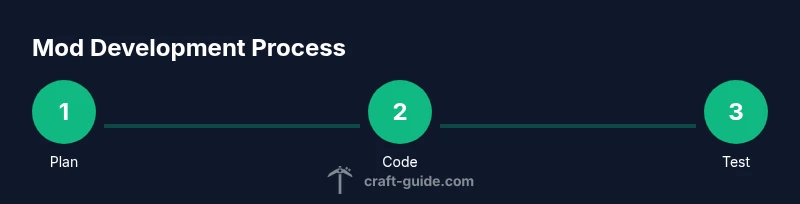
Make mod for Minecraft by planning a small feature, choosing a loader (Forge or Fabric), and setting up a Java development environment. This guide walks you through a practical, step-by-step process—from concept to testing—so you can create your first mod with confidence. The Craft Guide team provides a structured, beginner-friendly path.
What it means to make a mod for Minecraft
Making a mod for Minecraft means extending the game with new content or behavior that isn’t part of the base game. Modding lets you add items, blocks, machines, or new game rules, and it can range from small quality-of-life tweaks to complete gameplay overhauls. For beginners, the most important idea is to start small and iteratively test your changes. According to Craft Guide, modding is a practical, hands-on way to learn Java concepts, game architecture, and software project workflows. You’ll gain familiarity with dependency management, version compatibility, and community norms as you grow your project. In short: a mod is your own customized layer on top of Minecraft that runs inside the game’s engine.
Understanding mod loaders: Forge vs Fabric
Before you write a single line of code, you must choose a mod loader. Forge has a large, well-established ecosystem with many ready-made APIs and a vast mod landscape, making it a solid default for most projects. Fabric is lighter and faster to set up, with a modular architecture that favors quick iteration, smaller mods, and frequent updates. Your choice will influence how you structure your code, how dependencies are managed, and which community resources you’ll rely on. Craft Guide analysis shows that beginners often start with Forge for its mature tooling, then explore Fabric if they want leaner builds or faster version cycles. Consider your Minecraft version, target features, and long-term maintenance when deciding.
Planning your mod: scope, goals, and features
Effective mod projects start with a clear plan. Define the core feature first (e.g., a new block, a device, or a gameplay rule) and sketch out how players will interact with it. Set a minimal viable product (MVP) to test a basic version quickly, then outline milestones for adding content, GUI, localization, and compatibility checks. For each feature, write a short spec: what it does, how it looks, and what data it uses. This planning saves time during coding and helps you communicate progress to others. Remember to document assumptions and decisions as you go, because future-you will thank you when revisiting late-stage changes.
Setting up your development environment
A stable development environment is the foundation of a successful mod. Install a supported Java Development Kit (JDK) version compatible with your chosen loader and Minecraft version. Install an Integrated Development Environment (IDE) such as IntelliJ IDEA or Eclipse, plus a build tool (Gradle is common for both Forge and Fabric). Create a new project using the Forge MDK or Fabric Loom setup, then import the project into your IDE. Configure a run/debug profile to launch Minecraft with your mod loaded, so you can test changes quickly. Keep your environment organized with a dedicated workspace and version control from day one.
Creating a mod skeleton: packages, classes, and resources
Every mod starts with a skeleton that defines the package structure, main mod class, and resource paths. Create a base package (for example com.yourname.modid) and a main class annotated to initialize your mod. Add a simple resource directory for textures and localization (assets and lang files). Establish a consistent naming convention for blocks, items, and events, then create placeholder assets to verify build tooling. A clean skeleton makes future features easy to plug in and helps you understand how the mod integrates with the game engine and loader.
Writing core mod code: events, blocks, and items
Core mod code responds to game events, registers new content, and defines behavior. Start with a small feature, such as a new block with a custom texture and basic interaction. Learn how to register items and blocks, link textures, and handle right-click or contact events in the game. You’ll also learn about data-driven systems and how to reuse existing APIs. Writing modular code with clean interfaces makes adding upgrades and enhancements more manageable. Cadence of the development cycle improves as you test, refactor, and document.
Building and testing locally: run configurations
Testing is essential. Configure a local Minecraft run to load your mod in a controlled environment. Use separate runs for development builds and for testing edge cases (like playing with other mods). Validate core functionality, check for crashes, and verify compatibility with the chosen loader. Regularly run your mod in a dedicated profile to catch issues early. Automated tests, where feasible, help catch regressions and speed up iteration.
Handling dependencies and version compatibility
Mods depend on libraries, the loader, and Minecraft itself. Always match the mod’s target Minecraft version with the loader version you’re building against. Manage dependencies with the build tool, and pin versions to avoid breaking changes. When updating Minecraft or loader, re-run build and test cycles to catch subtle issues, such as API deprecations or changed data formats. Plan a compatibility strategy for popular Minecraft versions to minimize user friction.
Packaging, distribution, and licensing
Once you’re confident in stability, package your mod into a distributable JAR with metadata that explains its purpose, features, and requirements. Choose a suitable open-source license and include a LICENSE file to set expectations for usage, distribution, and attribution. Consider creating a simple README with installation instructions, a changelog, and links to your project repository. If you intend to share your mod publicly, respect Minecraft’s and the loader’s terms and community guidelines.
Safety, security, and anti-cheat considerations
Modding communities value safety and fair play. Avoid implementing unauthorized server-side cheats or intrusive hooks that alter gameplay without user consent. Keep your code clean and free of known security flaws, and avoid collecting sensitive data from users. Respect server rules and consider adding a licensing or verification step to prevent distribution of materially unsafe builds. Proactively document security considerations so players know what your mod does and does not access.
Community resources and learning paths
There is a thriving ecosystem of tutorials, sample projects, and community forums. Start with official documentation for Forge or Fabric, then explore tutorial series that walk through basic mod concepts and common pitfalls. Practice by contributing small features or fixes to open-source mod projects, which accelerates learning and builds your portfolio. Craft Guide recommends following structured beginner projects, pairing hands-on coding with incremental learning to build confidence and competence.
Advanced topics and next steps
As you gain confidence, explore data packs, advanced world generation, and interoperability with other mods. Learn about networking (client-server synchronization), custom world generation pipelines, and performance profiling to optimize your mod. Experiment with dimension data, custom loot tables, and compatibility shims to support multiple Minecraft versions. The path from first mod to a polished project involves refining UX, expanding features, and engaging with the modding community for feedback and collaboration.
Tools & Materials
- Java Development Kit (JDK 17+)(Ensure compatibility with Minecraft version and loader)
- IntelliJ IDEA or Eclipse(Code editing, debugging, and project management)
- Forge MDK or Fabric Loom setup(Project scaffolding and build integration)
- Gradle or Maven(Dependency management and build automation)
- Git for version control(Track changes and collaborate)
- Texture editor (GIMP, Photoshop, or Aseprite)(Create and edit textures for blocks/items)
- Basic knowledge of Java (syntax, OOP)(Essential for mod development)
- A Minecraft launcher for testing(Run Minecraft with your mod from IDE)
Steps
Estimated time: 2-6 hours
- 1
Define mod concept
Outline the feature, target Minecraft version, and success criteria. Create a one-page spec detailing functionality and UX.
Tip: Keep scope small to validate core idea quickly. - 2
Choose loader and setup project
Pick Forge or Fabric based on version support and ecosystem. Initialize your project skeleton in the IDE and configure build scripts.
Tip: Follow the official setup guide for your chosen loader. - 3
Create mod skeleton
Establish base package, main mod class, and registration points for blocks/items. Prepare resources directory for textures and localization.
Tip: Use a consistent naming scheme for all assets. - 4
Register content
Register a simple block or item and its textures. Implement basic interaction to verify registration flow works.
Tip: Check logs for registration errors and fix naming mismatches. - 5
Implement behavior
Add event handlers to respond to game events. Hook into tick events or player interactions for dynamic behavior.
Tip: Keep event handlers small and test frequently. - 6
Build and run in IDE
Configure a run profile to launch Minecraft with your mod. Test basic creation and interaction in a fresh world.
Tip: Run in a clean environment to isolate issues. - 7
Add assets and localization
Enhance visuals with textures and language files. Localize names to support multiple languages if desired.
Tip: Verify paths and keys in code match assets. - 8
Test compatibility
Check compatibility with the loader version and Minecraft version. Resolve API changes or deprecations.
Tip: Maintain a changelog for version bumps. - 9
Package and distribute
Create a distributable JAR with metadata. Choose a license and provide installation instructions.
Tip: Include attribution and dependencies clearly in README. - 10
Engage with the community
Share your mod, gather feedback, and iterate on improvements. Consider adding a basic issue tracker.
Tip: Be active in forums and follow community guidelines.
People Also Ask
Do I need to know Java to make a Minecraft mod?
Yes, most Minecraft mods require a basic to intermediate understanding of Java and object-oriented programming. Start with Java fundamentals and small practice projects before tackling mod-specific APIs.
Yes, you should know Java basics. Start with introductory Java tutorials and gradually apply them to modding concepts.
Which mod loader should I choose, Forge or Fabric?
Forge offers a large ecosystem and mature tooling, making it a good default for many mods. Fabric is lighter and faster to iterate on, ideal for small, frequent updates. Your choice depends on the Minecraft version and intended features.
Forge is great for a broad ecosystem; Fabric is lean and quick to iterate. Choose based on your version and goals.
Can I mod Minecraft on Bedrock Edition?
Most mods built for Java Edition do not work on Bedrock Edition due to a different architecture. Bedrock has its own modding approaches and marketplaces. If you’re on PC, Java Edition remains the primary modding platform.
Bedrock uses a different system, so most Java mods won’t work there. Look for Bedrock-specific tools if you’re on that edition.
Is there a risk of getting banned for modding on servers?
Modding itself isn’t typically banned, but server rules vary. Avoid cheats or mods that alter gameplay unfairly. Always check server policies before joining with mods enabled.
Mods aren’t universally banned, but cheating mods are. Check server rules before you play with mods.
Where can I learn more after this guide?
Continue with official Forge or Fabric docs, follow beginner-friendly tutorials, and study open-source mod projects. Practice by building small features and gradually expanding your modding toolkit.
Read the official docs, watch tutorials, and study open-source mods to keep improving.
Watch Video
The Essentials
- Define a clear mod goal before coding.
- Forge vs Fabric: choose based on version and ecosystem.
- Set up a solid dev environment early.
- Test frequently and document your process.
- Distribute responsibly with licensing and clear instructions.