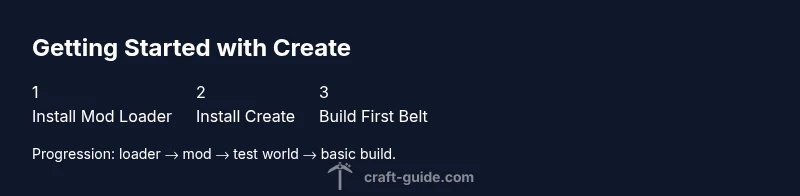
How to Get Started in Minecraft Create Mod
Learn how to install the Create mod, set up a test world, and build your first automated contraptions. This beginner-friendly guide covers installation, core concepts, practical projects, and troubleshooting to help you master the Create workflow in Minecraft.


In this guide, you’ll learn how to get started in minecraft create mod, from installation to your first contraption. According to Craft Guide, the mod unlocks practical, aesthetic builds by teaching basic mechanical systems. Follow the steps to install, set up a test world, and craft a simple conveyer belt system. This quick overview sets you up for successful experimentation and safe testing.
Why Get Started with Create Mod in Minecraft?
The Create mod adds a whole toolkit of mechanical blocks that let you move, rotate, and assemble parts of the world into functioning machines. Instead of relying on simple redstone tricks, you learn to harness shafts, gears, belts, and pulleys to make automations that feel tangible and repeatable. This approach appeals to players who want visible, hands-on problem solving and reliable, repeatable results in both survival and creative worlds. Craft Guide analysis shows that players who start with a few basic components gain intuition about timing and energy flow, making it easier to scale up to more complex builds. By starting small and testing often, you’ll see how different pieces interact and where adjustments matter most for efficiency and reliability. This guide focuses on practical, beginner-friendly steps that respect your time and curiosity while revealing the satisfying physics of Create.
-## Prerequisites and Install Guide
Before you dive into Create, make sure your base setup is ready. Start with Minecraft Java Edition and decide whether to use Forge or Fabric as your mod loader—Create is compatible with both, but you’ll need the matching version of the mod. Download the Create mod from its official page and place the jar file into your mods folder. Launch Minecraft once, verify that the mod loads in the game’s mod list, and create a fresh world in Creative mode for experimentation. If you’re new to modding, consider starting with a clean profile to avoid conflicts with other mods or resource packs. Keep your game version stable during the initial learning phase. With the loader and mod in place, you’re ready to explore Create’s core components and start building your first contraptions. Craft Guide’s early observations emphasize keeping a simple scope at first to minimize debugging time while you learn the basic energy flow.
-## Core Concepts: Blocks, Mechanisms, and Energy
The Create mod introduces three core ideas that drive most builds: components, energy flow, and material transport. Components like shafts, cogwheels, gears, and gearboxes transfer rotational energy from a source to other parts of a machine. Belts and conveyors move items to storage or processing areas, while mechanical arms and pistons enable precise item handling. Energy in Create is often described as kinetic energy, transmitted through rotors, wind turbines, water wheels, or hand cranks. Clarity comes from small, repeatable sequences: power from a source, transfer through a series of gears, and a predictable result at the end of the line. Redstone can be used to trigger or synchronize actions, but many of Create’s most impressive systems work with simple mechanical logic. As you practice, sketch your layout, then replicate it in-game to verify that each connection aligns and that power travels in the intended path. This mental model will prevent misaligned components and wasted space.
-## Your First Simple Build Concept: Conveyors and Shafts
A great starting project is a small conveyer belt system that moves items from one chest to another, powered by a windmill or a simple crank. This setup teaches the basic flow: a power source feeds a shaft, which turns a gearbox, driving the belt and carrying items along a straight path. Start with a single belt, a straight shaft, and a storage chest. Observe how items move, where jams occur, and how adjusting belt orientation changes flow. Keep the system compact so you can observe the whole loop at a glance. As you experiment, you’ll learn to layer in a sorter or a filter, which adds a tiny amount of logic without overwhelming the design. The goal is to build confidence in how energy travels and how components connect, not to create a mega build on day one. Small, repeatable steps are the key to long-term success with the Create mod.
-## Troubleshooting Common Issues in Create Builds
New builders often stumble on a few familiar problems. Items can stall on a belt if the belt isn’t powered or is misaligned. If your machine stops producing expected results, check the energy source: is the windmill turning, is the crank advancing, and is power reaching the shaft? Misplaced blocks or incorrect belt orientation can also block flow. Another frequent mistake is trying to run too many components from a single power source, which reduces speed and reliability. Chunk loading can cause peculiar behavior if your contraption sits on the edge of a loaded area. Finally, ensure you’re testing in Creative mode or with sufficient FPS; random crashes, while rare, can corrupt a build and waste time. By verifying each segment from source to output, you’ll isolate issues faster and keep your project progressing.
-## Design Ideas: Practical Automations for Survival and Creative Worlds
Once you’ve mastered basic movement, you can scale to practical automations. Build a small ore sorting line that uses belts to feed items into chests based on component position, or automate item disposal with a simple hand crank feeding a crushing wheel. Try a compact farming automator that harvests and refills crops using rotating shafts and timed belts. For a deeper challenge, design a compact ore-processing station that uses crushing wheels to transform raw ore into processable items, all within a tight footprint. Each project reinforces cause-and-effect reasoning, while giving you visible, satisfying results you can show off in your world.
-## Performance, Compatibility, and Safe Testing Habits
In modded worlds, performance is a real consideration. Create’s machines tend to be visually exciting but can tax your system if poorly optimized. Allocate more RAM to Minecraft if you plan to run several machines or large belts, and disable unneeded background applications. Always back up worlds before experimenting with new contraptions to avoid loss from crashes. If you use multiple mods, ensure they are meant to work together on your chosen Minecraft version, and prefer core mods with well-documented compatibility notes. Testing in a dedicated test world helps keep your main worlds safe while you iterate on designs. Craft Guide’s approach to testing emphasizes incremental builds and frequent saves so you learn faster and lose less progress in case of errors.
-## Next Steps: Projects to Try and Where to Learn More
After you’ve built a few basic setups, challenge yourself with a small automation pipeline: an ore-processing line that uses belt transport, a sorter, and a storage hub. Document each change you make, so you can revert to a previous version if needed. Look for community designs and tweak them to your liking, using them as references to learn new components and configurations. For further learning, consult the official Create wiki, join Minecraft modding communities, and watch tutorials that break down the mechanics in digestible steps. Craft Guide’s ongoing research shows that learners who mix hands-on practice with reference materials tend to retain how energy flows and how to think in terms of modular systems.
-## Common Pitfalls to Avoid and How Craft Guide Recommends You Proceed
Avoid overcomplicating your first build; keep your system small and modular so you can reason about each part. Always start with a clear power source, then add a shaft, a gearbox, and a belt in a straight line before experimenting with branches. If you encounter frequent jams, pause to redraw your layout and verify each connection is properly aligned. Remember to save frequently and maintain separate test worlds to avoid corrupt data. The Craft Guide team recommends starting with a simple, repeatable project and gradually increasing complexity as you master the core energy flow. Learning by iteration helps you become more confident and inventive over time.
Tools & Materials
- Minecraft Java Edition(Ensure it’s up-to-date for your chosen Create version.)
- Mod Loader (Forge or Fabric)(Choose the loader compatible with your Minecraft version.)
- Create Mod Jar(Download the version matching your Minecraft and loader.)
- Test World (Creative)(Use a fresh world to isolate issues.)
- Optional Resource Pack(Helpful for visuals and clarity.)
- Adequate RAM Allocation(4–8 GB recommended for modded worlds.)
Steps
Estimated time: 60-75 minutes
- 1
Install Forge/Fabric and Create Mod
Install your chosen mod loader (Forge or Fabric) and drop the Create mod jar into the mods folder. Launch the game to verify the mod loads in the mods list before proceeding.
Tip: Double-check compatibility with your Minecraft version to avoid crashes. - 2
Create a Fresh Test World
Open Minecraft, create a new world in Creative mode, and ensure the world is isolated from other saves. This gives you a clean slate for experimentation without risking important builds.
Tip: Disable risky settings (like experimental features) until you’re ready. - 3
Explore Core Components
Place basic Create blocks—shaft, cogwheel, and belt—and observe how energy travels from a source to a simple belt. Adjust orientation to see how direction affects flow.
Tip: Draw a quick diagram to visualize connections before placing blocks. - 4
Build a Basic Conveyer System
Create a short belt that moves a stack of items from one chest to another. Power from a windmill or hand crank should drive the shaft and belt. Watch item movement and identify jams early.
Tip: Keep the path straight at first to simplify troubleshooting. - 5
Power and Timing Basics
Experiment with different energy sources and belt speeds. Notice how timing affects item throughput and how adding a gearbox can slow or speed movement.
Tip: Start with one source and add components incrementally to isolate issues. - 6
Document and Back Up
Save your world frequently and keep a written or visual log of what changes you make. If a design fails, you can revert to a known-good version quickly.
Tip: Create a versioned save so you can compare iterations easily.
People Also Ask
What versions of Minecraft work with Create mod?
Create mod supports multiple Minecraft versions, with the mod being updated by its developers to align with major releases. Always download the version that matches your installed Minecraft and loader (Forge or Fabric).
Create mod works with several Minecraft versions; pick the one that matches your launcher and loader, then install accordingly.
Is Create mod compatible with Forge and Fabric?
Yes. Create is available for both Forge and Fabric. Choose the loader based on your preferred mod ecosystem and the Create version you want to use. Both paths are well-supported by the community.
Create works with both Forge and Fabric, so pick the loader you’re most comfortable with.
Do I need redstone knowledge to use Create effectively?
Redstone can enhance Create builds, but it’s not required for basic automation. Start with mechanical systems to understand energy flow, then add redstone triggers for synchronization if you want more control.
No, you can start with mechanical play first and add redstone later if you want more control.
Can Create cause performance issues in Minecraft?
Moderate use typically runs fine on a modern PC. As systems grow, RAM and frame rate may be affected. Optimize by testing in a dedicated world and reducing unnecessary parts.
It can affect performance if your world gets too large; test in a separate world and upgrade RAM if needed.
What is a good first project for beginners?
A simple conveyor system with a single belt and a small sorting setup is ideal. It teaches energy flow, basic assembly, and provides a tangible reward as items move from point A to B.
Start with a simple belt system to learn the basics before expanding.
Where can I find official Create documentation?
Look for the official Create wiki and community guides in modding forums. Documentation helps explain component behavior, compatibility notes, and advanced configurations.
Check the official wiki and community guides for detailed component behavior.
Watch Video
The Essentials
- Install Forge or Fabric and the Create mod correctly
- Learn core components: shafts, gears, belts, and energy flow
- Build a simple conveyor system to grasp movement and timing
- Iterate with small, repeatable projects for faster mastery
- Follow Craft Guide recommendations to start small and scale up