Create in Minecraft: Practical Mod Builds Guide
Master the Create mod in Minecraft with this practical, beginner-friendly guide. Install the mod, build starter factories, and scale automation from ore processing to finished items with clear steps and Build ideas from Craft Guide.


Learn to create in minecraft with the Create mod by building a starter factory and expanding into fully automated workflows. This guide covers installation, setup, and practical building ideas that scale from ore processing to finished items. You’ll need Minecraft Java Edition, the Create mod, and a compatible mod loader. Follow the steps for beginner-friendly automation.
What Create is and why it matters for builders
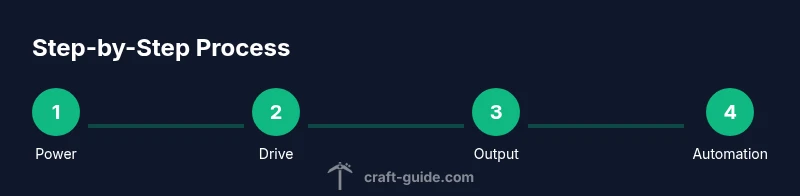
Create is a Minecraft mod that introduces kinetic energy-based automation: gears, shafts, belts, wind-up devices, and multi-block contraptions. It transforms simple resources into moving systems, letting players design machines that transport items, power machinery, and automate tasks without relying solely on redstone. Builders can chain components to create compact factories, expand them over a hillside, or weave them into a decorative build. According to Craft Guide, the core strength of Create is not just speed but modularity: you can swap in new modules without reworking every connection. This mindset encourages deliberate planning, clean layouts, and incremental improvements. For beginners, start by identifying the four pillars: power (drives), transfer (gears and shafts), movement (belts), and processing (milling, crushing, or crafting sequences). Practice with a single rotating wheel turning a belt, then add a second, then connect a storage chest. The moment you see items moving along a belt when you flip a lever, you’ll understand the primary appeal of Create and feel the satisfaction of a well-tuned mechanism.
Tools & Materials
- Minecraft Java Edition(Baseline game to run mods.)
- Create mod(Install a version compatible with your Minecraft build.)
- Mod loader (Forge recommended)(Ensure it matches your Create mod version.)
- Test world (creative or backup)(Practice builds safely without risking a survival world.)
- Planning tools (graph paper or in-game map)(Helpful for laying out larger systems.)
Steps
Estimated time: 2-4 hours
- 1
Prepare your world and install the mod
Create a new test world and verify your Minecraft version aligns with the Create mod and Forge. Install Forge, place the Create mod in the mods folder, and launch Minecraft to confirm it loads. If you’re unsure, recheck the mod version and dependencies before proceeding to avoid crashes.
Tip: Back up your world before modifying with mods. - 2
Set up a basic power source
Place a small power source, such as a water wheel or similar generator, to drive your initial belt. Attach a simple shaft and belt to transfer motion to a starter module. Ensure the timing feels responsive and that you can observe motion clearly.
Tip: Start with a single motor and test belt tension before expanding. - 3
Create a simple transfer line
Add a short belt line that moves items from an input chest to a processing block. Keep the path straight and avoid tight corners that can slow or halt items. Observe how items flow and where jams occur, so you can plan future routing improvements.
Tip: Use clear indicators or signs to mark input/output directions. - 4
Add a basic processing module
Incorporate a basic processing block (like milling or crushing) into the line. Feed items from the belt into the module and collect finished goods on the output side. Confirm the module processes items as expected and adjust belt speed if needed.
Tip: Match belt speed to processing throughput to prevent item pileups. - 5
Incorporate storage and routing
Link the processed items to a small storage system and use simple routing to separate different products. A basic sorter helps keep outputs organized and prevents cross-contamination of streams.
Tip: Label storage lanes to keep future expansions clean. - 6
Test for reliability
Run the line for several in-game minutes, watching for jams or stalled segments. If issues appear, re-check belt direction, power output, and alignment. Document failures to learn how to avoid them later.
Tip: Test changes in small increments to isolate causes. - 7
Plan for expansion
Now you’ve built a reliable starter, sketch a modular plan for scaling. Design additional modules that can attach to the same power and belt network, keeping interfaces consistent for easy upgrades.
Tip: Aim for interchangeable modules to simplify future growth.
People Also Ask
What is Create mod?
Create is a Minecraft mod that introduces moving mechanical contraptions, gears, belts, and automated processing. It enables players to build modular factories controlled by kinetic energy rather than relying solely on redstone.
Create adds moving machines to Minecraft, letting you automate tasks with gears and belts.
Do I need Forge to use Create?
Yes, Create is typically used with Forge (or another compatible loader). Make sure the mod version matches your Minecraft version and other installed mods to avoid conflicts.
Yes, Forge is commonly required for Create.
Can Create work in multiplayer?
Create can work in multiplayer when all players have the same mod and version installed. Server side support may require syncing mod configurations across players.
Yes, with the same mods and versions on the server and client.
What are common performance issues?
Large automation setups can tax the game. Break complex systems into smaller modules, limit long conveyor lines, and avoid excessive rendering of moving parts.
Big automations can slow things down; keep modules modular and efficient.
How do I troubleshoot belt jams?
Check belt direction, ensure belts aren’t crossing incorrectly, verify there’s power at the drive, and confirm input/output paths aren’t blocked. Start with a minimal loop and expand gradually.
If belts jam, verify direction and power, then simplify the path.
Watch Video
The Essentials
- Plan layouts before building to avoid wasteful rewiring
- Create is modular—swap, upgrade, or relocate modules easily
- Power management matters for reliable automation
- Start small, test often, then scale thoughtfully