Cactus Farm Minecraft: A Practical Step-by-Step Guide
Learn to build an efficient cactus farm in Minecraft with a modular, scalable layout. This practical guide covers growth mechanics, layout design, automation options, and troubleshooting for players from beginner to advanced.


Learn how to build an efficient cactus farm in Minecraft. This guide covers the required materials, a compact layout, and a reliable harvesting setup that scales from small to large farms. By following the steps, you’ll maximize cactus drops for trading, dyes, and decorative blocks. This quick-start assumes Java Edition; differences for Bedrock are noted.
Why a cactus farm makes sense in Minecraft
Cacti are a low-maintenance resource in Minecraft that can yield cactus blocks useful for green dye, decorative builds, and trading with wandering traders or librarians. A well-planned cactus farm provides a steady supply without demanding complex redstone or constant maintenance. According to Craft Guide, cactus farms excel in survival modes because they require minimal lighting, water, or powerful mechanisms to stay productive. A compact farm can run in the background while you work on other projects, and it scales quickly as you add modules. In this section, we’ll establish the core benefits and what to expect from a modular cactus farm, including material efficiency, space planning, and long-term maintenance considerations. The goal is steady output with minimal attention, so you can focus on building grander Minecraft projects while still stockpiling cactus drops for dyes and trades.
Key takeaways from crafting and testing indicate that cactus farms perform best when they minimize bottlenecks, keep harvesters literacy-simple, and maintain clear collection pathways for drops. This approach minimizes downtime and maximizes overall uptime across the farm. Craft Guide’s practical guidance emphasizes a modular mindset: design one repeating unit that can be copied to grow the farm without re-engineering the entire layout. This block will translate those ideas into a concrete, actionable plan you can implement in your world.
note
Tools & Materials
- Sand blocks(Base planting surface for each cactus; ensure sand is level and evenly spaced in your layout)
- Cactus blocks(One cactus per sand block; avoid placing cactus pieces without sand beneath)
- Glass blocks (optional for separation)(Use between rows to prevent side-adjacency that can affect growth)
- Water buckets(Create a collection channel or back-flow to transport drops toward hoppers)
- Solid building blocks(Use for framing and to build offshoot sections; any durable block works)
- Hopper(s) (optional for automation)(Direct cactus drops into chests if you’re building an automated system)
- Chest(s) or furnace-compatible storage (optional)(Store cactus drops and dyes; recommended if you’re not using a full automation setup)
- Pistons or observers (optional for automation)(Alternative ways to automate harvesting; requires redstone knowledge)
Steps
Estimated time: 60-120 minutes
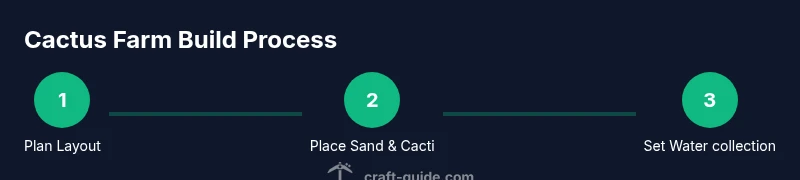
- 1
Plan the modular layout
Decide on a repeating unit size (e.g., 3x3 sand blocks with cactus on top) and sketch the grid. A grid-based plan makes expansion straightforward and helps you standardize harvest collection.
Tip: Draw a quick map of modules so you can copy-paste the same pattern when you scale up. - 2
Prepare the foundation
Clear the chosen area and lay a solid foundation. Place sand blocks in the planned pattern, ensuring each cactus has sand beneath and air above.
Tip: Keep the surface level and free of other blocks directly beside each cactus row to avoid growth complications. - 3
Place cactus on sand
Put one cactus on top of each sand block. Ensure there is air directly above every cactus so growth can proceed normally.
Tip: Double-check that no block sits adjacent to the cactus sides; adjacency can prevent growth or drops. - 4
Create a collection path
Build a water channel or use a back-row to collect cactus drops. If you’re using hoppers, connect them to a chest for storage.
Tip: Water flows are most effective when placed behind or beneath the cactus line to sweep drops to a single collection point. - 5
Optional automation setup
For automation, wire a simple system with pistons/observers or use a manual approach with a timer to occasionally trigger harvesting.
Tip: Test your redstone setup in a safe area first; ensure it doesn’t interfere with plant blocks or collection paths. - 6
Test growth and harvest
Let the farm run for a few in-game days to observe cactus growth and drop collection. Adjust spacing or water flow if drops aren’t reaching storage.
Tip: If growth stalls, re-check adjacency—one blocked side can prevent proper growth. - 7
Scale up modularly
Add more modules in the same pattern to expand your output. Maintain the same spacing and collection logic across all modules.
Tip: Keep modules compact but repeatable; this makes troubleshooting much easier if something goes wrong.
People Also Ask
What is the simplest cactus farm design that works in Survival mode?
A compact plan using sand blocks with cacti on top and a back water channel for collection is the simplest working design in Survival mode. It requires minimal redstone and no complex pistons.
The simplest cactus farm uses sand blocks with cacti and a backwater channel to collect drops, which works well in Survival mode.
Can I automate cactus farming without redstone knowledge?
Yes. You can automate harvesting using simple mechanisms like pistons triggered by observers, but a manual setup with water collection is also effective and accessible to beginners.
Automation can be done with simple components. If you’re new to redstone, start with a manual water collection setup and expand later.
Do cactus farms work differently in Bedrock vs Java?
Growth mechanics are largely similar, but some redstone and block behavior can differ between Bedrock and Java Edition. Plan for small differences when porting designs.
Most cactus farms function similarly across editions, but be aware of edition-specific redstone and block interaction differences.
Why isn’t my cactus growing even though there’s sand and air above?
Check that none of the cactus sides have blocks adjacent. A single adjacent block can prevent a cactus from growing. Also ensure the space above is truly air and not bedrock or other solid blocks.
If your cactus isn’t growing, inspect side adjacency and confirm the block above is empty.
How big should a cactus farm be for steady drops?
Start with a small modular unit and expand gradually. A well-structured module pattern scales efficiently, providing steady drops without over-committing resources.
Begin with one module and add more as you collect materials; gradual expansion keeps farming efficient.
Watch Video
The Essentials
- Plan modular layouts for easy scaling and maintenance
- Use sand + cactus on sand blocks with air above
- Collect drops efficiently with water channels and storage
- Optional automation can save time, but is not required