How to Buy Minecraft: A Practical 2026 Guide
Learn where to buy Minecraft, compare Java vs Bedrock editions, understand pricing ranges, and complete a secure purchase with practical setup tips from Craft Guide.


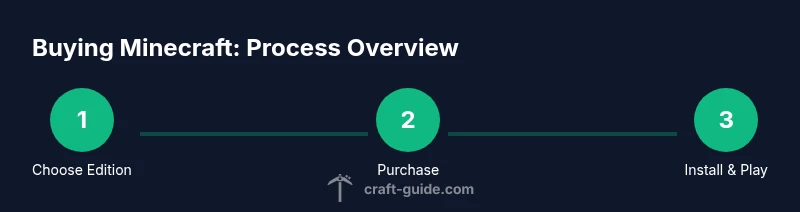
You choose Java or Bedrock, buy on the official Minecraft site or your platform store, verify compatibility and cross-play, then download and install to start playing right away today with ease.
Why buying Minecraft matters
Minecraft is a creative platform with endless worlds to build and adventures to explore. The moment you purchase the game, you unlock access to regular updates, community-created content, and cross-device play where applicable. For new players, understanding edition and platform choices ensures you get features that fit your play style. According to Craft Guide, starting with the right edition helps you avoid surprises later and sets you up for long-term enjoyment. The decision also affects updates, mods, and multiplayer options, so choosing wisely pays off in time saved and fewer compatibility headaches. In this guide, we’ll walk you through how to approach the purchase with confidence and clarity for 2026.
Editions and platform explained
There are two main editions of Minecraft: Java Edition and Bedrock Edition. Java Edition runs on PC/Mac/Linux and has a vast modding community and Java-based performance tweaks, while Bedrock Edition runs on Windows 10/11, consoles, and mobile devices, offering cross‑play between platforms. This distinction matters for players who want cross‑play with friends on different devices. The Craft Guide team found that Bedrock’s cross-platform compatibility appeals to mixed device households, whereas Java remains popular for its extensive world editing, server mods, and classic feel. When deciding, consider whether you want cross‑play with friends on consoles and phones, or access to the largest mod ecosystem on PC.
Where to buy and how to pay
The official route to buying Minecraft is the official website for Java Edition and the Bedrock storefront on supported platforms. You can also purchase Minecraft through platform-specific stores like the Microsoft Store for Windows and Xbox marketplaces, or the respective console stores for PlayStation, Nintendo, and mobile devices. Payment methods typically include major credit/debit cards, PayPal, and platform gift cards. Gift cards can be handy for gifting or budgeting, and some regions support local payment methods. Always complete purchases on trusted sites to guard against counterfeit codes and scams. Craft Guide emphasizes using official sources to avoid licensing issues and scams.
Regional pricing and platform differences
Prices for Minecraft vary by edition, platform, and region. For example, Java Edition on PC may carry a different price than Bedrock on console, and regional taxes or promotions can affect final cost. Craft Guide analysis shows that understanding these variations helps you budget accurately and avoid overpaying. Before you buy, check the current price in your store, read any bundled content notes, and verify what is included (base game, skin packs, or future updates). Some bundles or sales occur seasonally, so patience can pay off. Remember that regional differences can affect currency and tax, so compare options in your local storefront.
Cross-play and account setup basics
Bedrock Edition supports cross‑play across Windows, consoles, and mobile devices, enabling a shared world with friends on different platforms. Java Edition is primarily PC-based and incompatible with Bedrock cross‑play. To play smoothly, create or sign in to a dedicated Minecraft account tied to the edition you chose. Link your account on the platform where you plan to play to ensure synchronization of purchases, saves, and profiles. If you’re new, take a moment to set your privacy and online safety preferences during setup. Craft Guide notes that keeping your account secure is essential for long-term access to your purchases.
Security, scams, and authentic stores
Always buy from official stores or authorized retailers to avoid license or security issues. Be wary of third‑party sellers offering dramatically lower prices or vague codes. Enable two‑factor authentication on your account if available, and keep your login credentials in a password manager. If you ever encounter suspicious links, report them to the platform’s support team and verify the source before entering payment details. These steps reduce risk and protect your new purchase. Craft Guide reminds readers that trusted sources are worth the extra click.
After purchase: download, install, and initial setup
Once your purchase is confirmed, download the installer from the official store, then run the installer and follow the on‑screen prompts. When first launching, sign in with your account, accept the terms of service, and configure basic settings (graphics, controls, and sound). If you’re opting for Bedrock, ensure cross‑play features are enabled and sign in to the correct Microsoft account. A quick setup checklist can help you finish in under 30 minutes and start building or exploring right away. The Craft Guide team recommends keeping your game files organized and backing up saves regularly.
Authority sources
- Minecraft official store: https://www.minecraft.net/en-us/store
- BBC technology: https://www.bbc.com/news/technology
- The Verge technology: https://www.theverge.com/tech
Tools & Materials
- Active Minecraft/Mojang account(Email used for login; ensure you can sign in)
- Payment method(Card, PayPal, or platform gift card)
- Compatible device(PC/Mac with supported OS, console, or mobile device)
- Stable internet connection(Reliable broadband; download size varies)
- Gift cards (optional)(Region-appropriate gift cards can speed purchase)
- Two-factor authentication(Enable for account security)
Steps
Estimated time: 30-60 minutes
- 1
Choose edition and platform
Decide between Java Edition (PC-focused, rich mod scene) and Bedrock Edition (cross‑platform, console/phone support). Confirm your friends’ devices to maximize cross‑play potential if that matters to you. You’re laying the foundation for the play experience you want.
Tip: Ask friends which edition they use to ensure seamless multiplayer. - 2
Check pricing and regional availability
Look up current prices in your local store. Be aware that region, edition, and any bundles affect cost. If you’re patient, wait for seasonal sales or bundles that add value without increasing risk.
Tip: Compare the same edition across platform stores to spot genuine price differences. - 3
Create or sign in to your account
Set up the account that will hold your purchase. If you already have a Mojang account, check that it’s linked to your preferred edition. For Bedrock, ensure your Microsoft account is ready for cross‑play features.
Tip: Use a strong password and enable 2FA where available. - 4
Complete the purchase
Proceed to checkout on the chosen storefront, review the product details (edition, platform, included content), and confirm payment. After payment, you should receive a purchase confirmation and a download link.
Tip: Keep a record of the order number in a secure location. - 5
Download and install
Open the official store page, start the download, and run the installer. Follow prompts for installation location and initial setup. Ensure storage space is available before starting.
Tip: Use a wired connection during download for stability. - 6
Launch and personalize settings
Launch Minecraft, sign in, and adjust graphics, controls, and audio. Enable cross‑play if applicable and link the game to your account for saves and profiles.
Tip: Spend a few minutes configuring accessibility and control preferences.
People Also Ask
What editions are available and how do they differ?
Minecraft offers Java Edition (PC-focused with mods) and Bedrock Edition (cross‑platform, console/mobile). They differ in multiplayer reach, mod support, and device compatibility. Choose based on whether you want broad cross‑play or a rich mod ecosystem on PC.
There are two editions: Java for PC with mods, and Bedrock for cross‑platform play across devices.
Can I buy Minecraft as a gift?
Yes. You can purchase Minecraft for someone else via gift codes or gifting features on supported platforms. Ensure you select the correct edition and platform for the recipient.
You can buy Minecraft as a gift through official stores and gift codes.
Do prices vary by region?
Yes. Prices differ by region and platform due to localization, taxes, and promotions. Always check local storefronts for the most accurate price.
Prices vary by region and platform, so check your local store.
Is Minecraft cross‑playable across editions?
Bedrock Edition supports cross‑play across Windows, consoles, and mobile. Java Edition does not cross‑play with Bedrock. Plan based on who you want to play with.
Bedrock supports cross‑play; Java does not cross with Bedrock.
What payment methods are accepted?
Most platforms accept major credit/debit cards, PayPal, and platform gift cards. Choose the method you’re most comfortable with and ensure it’s region‑supported.
Most platforms accept cards, PayPal, or gift cards.
Watch Video
The Essentials
- Choose the edition that fits your devices and play style.
- Check regional pricing and platform differences before purchase.
- Use a valid account and enable security features like 2FA.
- Buy from official stores to avoid scams and licensing issues.
- Download and configure settings promptly to start playing smoothly.