Minecraft Buy the Game: A Practical Guide for 2026
Discover how to buy Minecraft, compare Java and Bedrock editions, verify licenses, and choose trusted sources with this data-driven guide from Craft Guide.


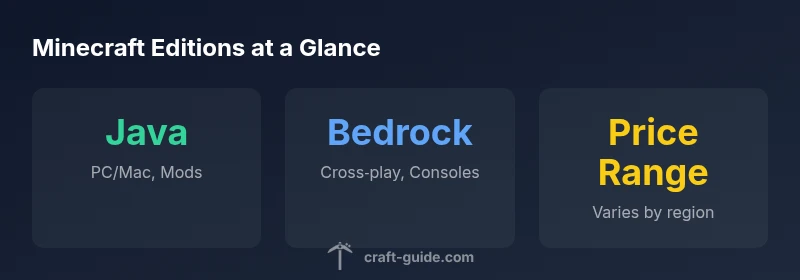
Choosing the right edition is the first step in buying Minecraft. Java Edition delivers extensive modding and classic mechanics on PC, while Bedrock Edition offers cross‑platform play across Windows, consoles, and mobile. Buy only from official sources to ensure a legitimate license and ongoing support; prices vary by platform and region.
Edition Overview: Java vs Bedrock
Minecraft buy the game hinges on edition choice. Java Edition is the longtime home for PC players who value robust modding, classic crafting systems, and a large community ecosystem. Bedrock Edition, by contrast, is built for cross‑platform play, letting you build with friends on Windows, consoles, and mobile devices. Performance can vary by hardware and platform, so your decision should align with how you want to play—whether you crave mods and custom maps or broad device compatibility and shared worlds. Craft Guide Team analysis emphasizes that the edition you choose shapes access to servers, add-ons, and content libraries, so it’s worth weighing your goals before you buy.
Buying Channels: Official Sources and Trusted Retailers
The safest path to buying Minecraft is through official channels: the Minecraft official site for Java Edition and the Microsoft Store for Bedrock Edition. Authorized retailers may offer gift codes or bundles, but avoid unknown marketplaces that could provide invalid licenses. Craft Guide Analysis notes that purchases from official stores ensure you receive legitimate access, ongoing updates, and license management across devices. When in doubt, start at the official source and verify regional availability; prices fluctuate with sales and currency differences.
Editions and Platform Coverage
Java Edition is available on PC and Mac, focusing on a rich modding ecosystem and traditional Java gameplay. Bedrock Edition covers Windows, Xbox, PlayStation, mobile, and Nintendo platforms, enabling cross‑play with friends on different devices. This cross‑compatibility is a defining feature for groups that play together across devices, while Java remains the hub for modders and custom content creators. Understanding this distinction helps you anticipate server compatibility, content availability, and community activity when you decide how to buy the game.
Pricing Dynamics in 2026
Pricing for Minecraft editions varies by edition, platform, and regional promotions. In general, base prices fall within a broad range and sales can introduce meaningful discounts. The Craft Guide Analysis indicates that typical price bands reflect regional pricing and occasional bundles rather than a single fixed price. If you monitor sales timing—especially around major holidays or platform-specific events—you can secure a better value without compromising license legitimacy.
Licensing, Accounts, and Data Transfer
Licensing for Minecraft is edition-specific and tied to a user account, most commonly a Microsoft account today. Java Edition previously used a Mojang account; the migration to Microsoft accounts has streamlined license management and cross‑system access. When you buy Bedrock, you’ll gain access across supported devices under that same account, while Java users may enjoy platform-unique features and mods. Always review the license terms at purchase to understand transferability and account linking.
Practical Buying Checklist for New Players
- Decide between Java Edition (modding focus) or Bedrock Edition (cross‑play across devices).
- Confirm you are buying from official sources (Minecraft.net or Microsoft Store).
- Check regional price ranges and upcoming sales.
- Ensure you have a Microsoft account ready for Bedrock licensing.
- Consider whether you want bundle offers or gift options for gifting a copy to someone else.
- Review system requirements to match your hardware and planned play style.
After Purchase: Setup and First Steps
Once purchased, download and install the launcher or game client from the official source. Create or log in with your Microsoft account, pick your edition, and adjust settings for optimal performance. Connect with friends on the same edition, join a server, or explore single-player worlds. If modding is your goal, start with Java Edition and explore reputable modding communities and maps to expand your experience.
Common Pitfalls and How to Avoid Them
Avoid untrusted sellers and keys from third‑party marketplaces that may be invalid or revoked. Misunderstanding edition capabilities—such as assuming cross‑play is available in Java—can lead to disappointment. Always verify the edition you’re purchasing aligns with your devices and intended use, and read the terms of sale for licensing and transferability.
Scenarios: Buying for Family or Friends
If buying for beginners or younger players, Bedrock Edition often offers smoother cross‑play and simpler access across devices. For a family with PC enthusiasts and modding interest, Java Edition provides a robust ecosystem of mods and community tutorials. Use official gift options when gifting, and consider family‑sharing policies or bundles that fit your household needs.
Edition and platform snapshot
| Edition | Platform Availability | Cross-Platform | Estimated Price Range | Modding Support |
|---|---|---|---|---|
| Java Edition | PC/Mac | No | varies by region: typically $20-$40 | High |
| Bedrock Edition | Windows, consoles, mobile | Yes | varies by region: typically $20-$40 | Moderate |
People Also Ask
Do I need a Microsoft account to buy Minecraft?
Yes. You purchase and manage your license through a Microsoft account. If you already had a Mojang account, migration may apply.
Yes, you needed a Microsoft account to buy Minecraft; licenses are managed there.
Is Java Edition cheaper than Bedrock?
Base prices are similar across editions, but regional sales and bundles can create price differences.
Prices are similar, but sales can vary by edition and region.
Can I upgrade from Java to Bedrock if I own Java?
Upgrades between editions are not universal; you may need to purchase Bedrock separately or look for bundled offers.
Upgrading isn't automatic; you often need to buy Bedrock separately or check bundles.
Can I gift Minecraft to someone else?
Yes, many official stores offer gift codes or keys; check the retailer's gifting options.
Yes, you can gift a Minecraft code from official stores.
Are there regional price differences?
Yes, price varies by country or region and by store promotions.
Prices vary by region and seller.
Is there a trial or demo?
There isn't a standard free trial, but some demos exist on certain platforms.
There isn't a standard free trial, but some demos exist.
“Choosing between Java and Bedrock is less about price and more about play style and ecosystem. The right edition aligns with your platform, friends, and modding goals.”
The Essentials
- Decide edition based on platform and modding goals.
- Buy only from official stores to avoid scams.
- Prices vary by edition and sale; plan for deals.
- Bedrock supports cross‑play; Java excels at mods.
- Check license terms before purchase.