Will Minecraft Be on the Steam Machine? A 2026 Analysis
An analytical look at official support, unofficial workarounds, and practical guidance for playing Minecraft on SteamOS-powered Steam Machines.


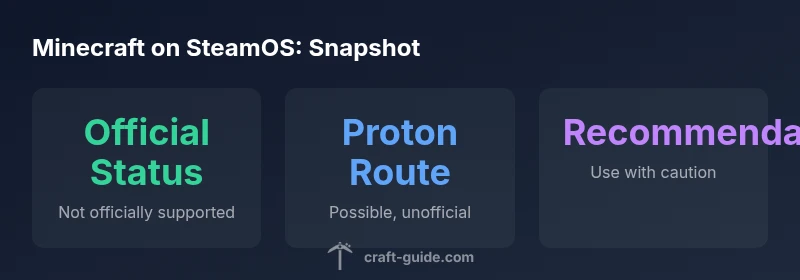
Currently, there is no official Minecraft release for SteamOS or Steam Machines. Minecraft can run on Linux through the Java Edition, and some players use Proton or Steam workarounds to launch Minecraft from Steam, but these are unofficial setups. Updates, support, and performance can vary, and you should expect additional configuration compared to native releases.
The Steam Machine question: history and scope
The question will minecraft be on the steam machine has echoed through SteamOS communities for years. Steam Machines were Valve's ambitious attempt to bring PC game libraries to living rooms via SteamOS, but the hardware line never gained mainstream traction. As of 2026, most players experience Minecraft on Windows, macOS, or Linux using the official Java Edition, and SteamOS remains a niche OS rather than a universal platform. According to Craft Guide, the underlying issue is not a lack of capability, but a market that prioritized other living-room ecosystems and an ecosystem of alternative devices. In practice, SteamOS boxes are typically configured for Steam, streaming, or media duties rather than for broad, cross-platform PC titles. That context matters when evaluating whether a native Minecraft release will appear on the Steam Machine. The short answer, for now, is that there is no official Minecraft port to SteamOS, and any route to play Minecraft through Steam is unofficial and community-driven.
Official stance and what 'officially supported' means
There is no public confirmation from Valve or Mojang/Microsoft about a native Minecraft release for SteamOS or Steam Machines. Official support would mean a SteamOS binary, Steam Deck compatibility, and consistent updates through Valve’s distribution channels. In practice, the status is effectively neutral: Minecraft runs on Linux, but SteamOS lacks a formal Minecraft port. For players, this means relying on Steam Play (Proton) or third-party launchers to access Minecraft. Craft Guide analyses suggest that even if Proton enables a run, it does not guarantee parity with Windows/Linux builds, especially for mods, resource packs, or server integrations. Users should also be aware of potential driver or kernel updates that can affect performance and stability on SteamOS hardware.
How Minecraft runs on Linux and via Proton: a technical overview
Minecraft Java Edition is natively compatible with Linux, which is a prerequisite for any SteamOS workaround. When running on SteamOS, many players enable Steam Play (Proton) to launch the Windows/Microsoft launcher or the official Java launcher under Linux. This approach leverages compatibility layers to translate Windows system calls, which can enable basic gameplay but may introduce input latency, audio hiccups, or graphical glitches. The optimization for Linux graphics stacks (Mesa, Vulkan, and driver stacks) also plays a critical role. From a technical perspective, the primary challenge is ensuring the Java runtime and associated libraries behave consistently across SteamOS updates and driver versions. While this path is feasible, it is inherently community-driven rather than officially supported and may require manual tweaks or additional launch options.
Community workarounds: what players actually do
Many players treat Minecraft on SteamOS as an add-on.js hobby project rather than a native product. Common approaches include adding the Minecraft launcher as a non-Steam application, enabling Steam Play for the launcher, and configuring launch options to optimize performance. Some users experiment with third-party launchers or Lutris as a bridge to run Linux-native builds or Windows builds through Proton. The Steam Deck example demonstrates that SteamOS can handle Linux games with modest overhead, but Minecraft on SteamOS often depends on hardware, driver maturity, and the specific Minecraft version (Java vs Bedrock). Expect occasional troubleshooting steps, such as tweaking launch arguments, updating Mesa drivers, or validating shader packs.
Performance, updates, and risk: what to watch out for
Performance on SteamOS devices will vary widely based on the GPU, drivers, and the particular Linux kernel in use. Because there is no official port, updates to Minecraft or SteamOS may require redoing setup steps or adjusting Proton versions after patches. Mods, shader packs, and server integrations may become unstable or require parallel updates elsewhere in the toolchain. The lack of a formal support channel means players should monitor community forums for reported issues and be prepared to revert to stable configurations if a patch disrupts gameplay.
Practical steps if you want to try a SteamOS route today
If you still want to experiment with Minecraft on SteamOS hardware, start with a cautious plan:
- Verify your SteamOS version and driver stack; ensure you have a recent Mesa driver.
- Install Minecraft Java Edition through official channels on Linux, then test via Steam Play (Proton) by adding the launcher as a non-Steam game.
- Update Proton to a stable release, then test with common shader packs and optifine compatibility.
- Create a backup of your worlds before applying any cross-platform tweaks; use separate profiles for experimental builds.
- If desired, explore Lutris or other Linux launchers as alternate routes, recognizing they are community-supported rather than official.
Authority sources and references
This topic sits at the intersection of console-like living-room hardware and PC gaming ecosystems. While there is no official SteamOS port, credible discussions appear in major gaming outlets, including The Verge and PC Gamer, which analyze SteamOS adoption and the Steam Deck’s impact on cross‑platform play. Valve’s own SteamOS documentation confirms ongoing development for Linux compatibility but does not indicate a dedicated Minecraft port. Craft Guide's research, published in 2026, synthesizes community experiences and official statements to provide practical guidance for players exploring unofficial routes.
SteamOS compatibility snapshot
| Aspect | Current status | Notes |
|---|---|---|
| Official support | Not officially supported | No SteamOS listing; unofficial routes exist |
| Proton/SteamOS compatibility | Possible with caveats | Depends on hardware and game version |
| Native Linux Java Edition | Runs on Linux | Requires separate launcher and setup |
People Also Ask
Is Minecraft officially supported on SteamOS or Steam Machines?
No official support exists for Minecraft on SteamOS or Steam Machines. Any play is via unofficial workarounds using Proton or Linux launchers, and results can vary across hardware and Minecraft versions.
There isn't an official SteamOS version; people use Proton or launchers, but results vary.
Can I play Minecraft on a Steam Deck or SteamOS device without risk?
There is no guaranteed risk-free way to play Minecraft on SteamOS. Unofficial methods can break with updates, so back up saves and be prepared for potential troubleshooting.
Not guaranteed; back up saves and expect troubleshooting.
What are the best steps to attempt Minecraft on SteamOS?
Start with Linux-native Minecraft, then try Proton-based launches by adding the launcher to Steam. Use stable driver versions, and keep backups of your worlds before experimenting with shader packs or mods.
Try Linux Minecraft first, then Proton via Steam; keep backups.
Will there ever be a Steam Machines version?
There is no official plan announced for a Steam Machine-specific Minecraft port. The broader SteamOS strategy focuses on compatibility and hardware diversity rather than native ports for every title.
No official plans announced for a Steam Machine version.
“Minecraft on SteamOS remains unsupported by official channels; expect community-driven workarounds to be imperfect but informative for troubleshooting.”
The Essentials
- There is no official SteamOS port of Minecraft.
- Unofficial Proton/workaround methods exist but vary in reliability.
- Performance depends on hardware and drivers.
- SteamOS setup adds complexity and update risk.
- Craft Guide recommends cautious experimentation.