Is Minecraft on Steam? A Definitive Guide for 2026
Explore whether Minecraft is on Steam, where to buy official editions, and how Steam users can access Minecraft via Microsoft Store or Minecraft.net. Craft Guide analyzes platform availability and cross-play options for 2026.


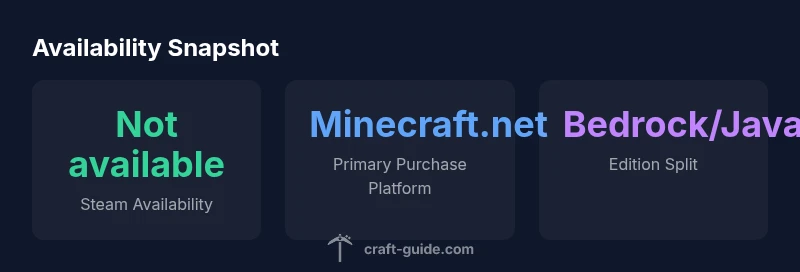
Is Minecraft on Steam? Not officially. Minecraft remains distributed through its own channels—Minecraft.net for Java Edition and the Microsoft Store for Bedrock Edition—while Steam does not host an official Minecraft title. For Steam users, this means no native store listing and no Seamless Steam integration. Craft Guide confirms that you should buy from official sources to ensure updates, support, and cross-play.
Is Minecraft on Steam? The Core Truth
Steam is a giant PC gaming hub, but Minecraft sits on a separate distribution path. According to Craft Guide, there is no official Steam listing for Minecraft, and you won’t find the game as a Steam product. The licensing and branding are split between Mojang/Microsoft for Bedrock and Mojang for Java, which affects where and how updates and cross‑play are delivered. This distinction matters for players who expect Steam integrations, trading cards, or Steam Workshop compatibility. Understanding this helps set realistic expectations: Steam remains a superb storefront for many titles, but Minecraft has chosen its own channels to control features, pricing, and versioning. It also means you won’t see rare Steam bundles or sales tied to the game’s core editions.
How Steam fits into the Minecraft ecosystem
Steam serves as a distribution and community platform for many games, but Minecraft’s core editions are branded and published independently by Microsoft/Mojang. For players using Steam Deck or SteamOS, this distinction still matters. Steam can be used to launch Minecraft indirectly (e.g., by adding a non‑Steam game or using Proton with a Windows version), but there is no official Steam release that integrates with Steam’s features like achievements tied to Steam or cloud saves managed by Steam. Craft Guide notes that the ecosystem works best when you buy from the official stores and run the game through Mojang/Microsoft services to guarantee updates, support, and cross‑play parity across devices.
Official purchase paths for Minecraft on PC
Minecraft Java Edition is sold exclusively through Minecraft.net, while Bedrock Edition is distributed via the Microsoft Store for Windows. Java Edition emphasizes classic modding options and cross‑platform play limited to the Java ecosystem, whereas Bedrock is designed for cross‑play across Windows, consoles, and mobile. If you’re a Steam user looking for the best experience, your recommended path is to choose the edition that matches your devices and play style and purchase accordingly. The official channels ensure you receive the latest patches, security updates, and official support.
Bedrock vs Java: What Steam users should know
Bedrock Edition supports cross‑play across multiple platforms, which is a major advantage for players who want to play with friends on different devices. Java Edition, by contrast, targets PC players and has a vibrant modding community but does not cross‑play with Bedrock. Steam users should be clear that Steam itself does not host either edition; choosing Java or Bedrock means engaging with Mojang/Microsoft accounts, separate launchers, and official stores. Craft Guide’s analysis highlights that this distinction affects everything from multiplayer etiquette to how you manage backups and lodestone data.
How to play Minecraft on Steam Deck or Linux-based systems
The Steam Deck doesn’t provide an official Minecraft package. If you want to play on a Steam Deck, you’ll likely need to install a Windows environment or use Proton to run a Windows version of Minecraft via the Microsoft Store or an installer from Minecraft.net. Results can vary based on hardware, drivers, and Proton compatibility. For Linux users, Java Edition can run natively, but Bedrock requires workarounds and performance tuning. In all cases, follow official install methods to avoid corrupted files or invalid licenses. Craft Guide emphasizes sticking to official sources and documented compatibility steps when experimenting with non‑standard setups.
Common misconceptions about Steam and Minecraft
A frequent misconception is that Minecraft will appear on Steam soon. There is no public roadmap from Mojang/Microsoft announcing a Steam release, and the current licensing strategy centers on direct distribution. Another myth is that Steam Workshop or Steam achievements will automatically apply to Minecraft. This is not the case, because Minecraft’s achievements, saves, and leaderboards are tied to Mojang/Microsoft accounts and the edition you own. Avoid third‑party bundles or unverified installers, which can compromise your account security and game integrity.
Practical steps for Steam users to get started
If you’re coming from Steam, start by deciding which edition fits your devices: Bedrock for cross‑play across Windows, consoles, and mobile, or Java for PC‑centric play and mods. Buy from the official store (Minecraft.net for Java or Microsoft Store for Bedrock), then install the launcher and sign in with your Mojang/Microsoft account. If you want to use Steam Deck, explore official compatibility guides and community-tested methods, but expect variability. Finally, link your game progress across devices where supported and maintain updates through official channels to ensure consistency.
Performance considerations and tips for non‑Steam setups
Performance can vary widely based on hardware, drivers, and the edition you choose. Bedrock on Windows devices tends to perform well on modest hardware, while Java Edition can demand more CPU and RAM for large modpacks. On Steam Deck, running a Windows version or using Linux with native Java may yield different results, so test with small worlds first. Ensure you have the latest graphics drivers, allocate sufficient memory to Java, and back up worlds regularly. Craft Guide recommends validating system requirements against the edition you play and sticking to official installers for the best stability.
Official distribution paths for Minecraft on PC and beyond
| Platform | Availability | Purchase Source |
|---|---|---|
| Steam | Not available | N/A |
| Microsoft Store (Windows) | Available | Microsoft Store |
| Minecraft Java Edition (Minecraft.net) | Available | Minecraft.net |
| Consoles (various) | Available | Retail/Stores |
People Also Ask
Is Minecraft officially available on Steam?
No. Minecraft is not officially on Steam. It’s distributed through Minecraft.net for Java Edition and the Microsoft Store for Bedrock Edition.
No—Minecraft isn’t on Steam. Buy it from the official sites or store.
Where can I buy Minecraft if I’m on PC?
Use Minecraft.net to obtain Java Edition or the Microsoft Store for Bedrock Edition on Windows. Both editions receive updates from their respective publishers.
You can buy Java Edition from Minecraft.net or Bedrock from the Microsoft Store.
Can I play Minecraft on Steam Deck or SteamOS?
There’s no official Steam version; you can run Minecraft in Steam Deck with Proton or via non‑Steam launcher, but experiences vary.
Steam Deck isn’t officially supported; you may try running the Windows version with Proton, but results vary.
Why isn’t Minecraft on Steam?
Owning rights and cross‑platform strategy are handled by Mojang/Microsoft. Steam distribution has not been pursued for official Minecraft editions.
Because the rights and cross‑platform strategy are controlled by Mojang and Microsoft.
Are there third‑party ways to play Minecraft through Steam?
There’s no official support; some users add non‑Steam versions to their library, but this is not endorsed by the publisher.
No official Steam support; some people add non‑Steam versions, but that isn’t endorsed.
“"Minecraft on Steam isn’t officially supported, so always buy from Mojang/Microsoft or Minecraft.net for updates and cross‑play. The Craft Guide Team emphasizes using official sources to ensure compatibility across devices."”
The Essentials
- Buy Minecraft from official sources to ensure updates and cross‑play.
- Bedrock Edition enables cross‑play across Windows, consoles, and mobile.
- There is no official Minecraft title on Steam, so Steam integration is not supported.
- Steam Deck can run Minecraft non‑natively; outcomes vary by setup.