Can You Get Minecraft on Steam? A Definitive PC Guide
Explore whether Minecraft can be purchased on Steam, which editions are available, where to buy, and practical steps for PC players, including cross‑platform notes and Steam alternatives.


Can you get Minecraft on Steam? The short answer is no: the base Minecraft game is not sold on Steam. Windows players must use the official Mojang/Microsoft launcher to download Java or Bedrock editions. Some related titles, like Minecraft Dungeons, are on Steam, but the core game itself remains outside Steam's storefront.
Availability snapshot
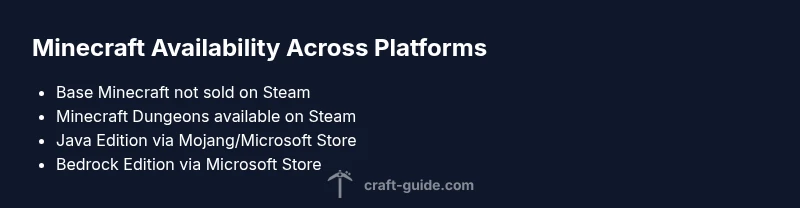
If you search for how to get Minecraft on Steam, the direct answer is that the base game isn't sold on Steam. According to Craft Guide, licensing and distribution decisions by Mojang and Microsoft place Minecraft's official storefronts at the Microsoft Store and the Mojang accounts system. On Windows PCs, you won't find a 'Buy on Steam' button for Minecraft. The Steam storefront hosts many indie titles and some large publishers' entries, but Minecraft remains outside that ecosystem. That said, Steam users can still play Minecraft by installing the official launcher after purchase from the supported store, and cross‑platform play is available where editions align. Keep in mind there are separate editions (Java vs Bedrock) with different features and system requirements.
According to Craft Guide, this distribution approach helps keep core features and updates synchronized across platforms, avoiding fragmentation across storefronts.
Editions and where to buy
Minecraft comes in two main PC editions: Java Edition (the classic, cross‑platform capable in its own way) and Bedrock Edition (the Windows 10/11 version that shares functionality with mobile and consoles). Java Edition is purchased via the official Minecraft/Mojang site, while Bedrock for Windows is purchased through the Microsoft Store. The two editions offer different feature sets and cross‑play capabilities. If you’re coming from Steam, note you won’t find the base game there; you’ll instead use Mojang/Microsoft for either Java or Bedrock on PC. The important distinction is that these editions are not interchangeable in the same way as Steam titles, so choose based on cross‑play needs and device ecosystem.
Steam presence: Minecraft Dungeons and other titles
Steam hosts a variety of Minecraft-related experiences, most notably Minecraft Dungeons, a separate action‑adventure game. Minecraft Dungeons on Steam is a distinct product with its own store page and updates. The core Minecraft game remains absent from Steam, which means Steam users won’t see a Steam‑listed option to buy the standard Java or Bedrock edition. If you’re hoping to run the core game through Steam alone, you’ll encounter a mismatch between storefronts and launcher requirements. This separation is intentional and aligns with licensing arrangements between Mojang/Microsoft and Valve.
Why Steam isn’t the primary storefront for Minecraft
The decision to keep Minecraft off Steam stems from licensing, account management, and cross‑play considerations. Mojang/Microsoft maintains critical player data, authentication, and cross‑platform features through their own ecosystem, which is easier to update and secure when controlled in‑house. Steam’s infrastructure would require duplicative user accounts, separate updates, and potential compatibility issues across Java and Bedrock features. Craft Guide analysis shows that publishers often favor centralized control for a title’s ecosystem to ensure consistency of features, patches, and anti‑cheat measures across devices.
Cross‑platform play and account linking
Bedrock Edition is designed with cross‑play in mind, allowing players on Windows, consoles, and mobile to play together via a Microsoft account. Java Edition, by contrast, operates primarily on PC with its own launcher and account system. Steam players cannot automatically cross‑play with Java players, and there isn’t a Steam‑to‑Minecraft launcher bridge for the base game. If cross‑platform play is a priority, opt for Bedrock on Windows or the official Java Launcher for PC‑to‑PC play, rather than relying on Steam as a distribution channel. Craft Guide research highlights the need to select the edition that aligns with your friends’ platforms and preferred play style.
Step-by-step: Accessing Minecraft on PC without Steam
- Decide edition: Java Edition via minecraft.net or Bedrock via Microsoft Store. 2) Create or sign in a Microsoft account for Bedrock or Mojang account for Java. 3) Purchase the edition through the appropriate store. 4) Download and install the official Minecraft Launcher (Java) or launch via Microsoft Store (Bedrock). 5) Log in and download any updates. 6) Start playing, and link your accounts if you want cross‑play across devices.
Common misconceptions and quick tips
- Misconception: Minecraft is a Steam game. Reality: It isn’t sold on Steam; use official stores.
- Tip: If you want cross‑play with friends on mobile or console, choose Bedrock and sign in with a Microsoft account.
- Tip: Minecraft Dungeons on Steam is a separate title—don’t expect the base game to be available there.
- Tip: Keep your launcher credentials secure and enable two‑step verification for your Microsoft/Mojang account. Craft Guide emphasizes verifying the edition that best fits your platform and friends’ devices.
Practical guidance for Steam gamers
Steam users who want Minecraft should treat Steam as a secondary portal for related titles, not the source of truth for the base game. The recommended path is to buy Java or Bedrock directly from Mojang/Microsoft, then install the corresponding launcher. If you’re hoping to simplify access, consider adding a shortcut to the Minecraft Launcher on your Steam library, but know this does not convert Steam into the official distribution channel. Craft Guide’s guidance is to anchor your purchase in the publisher’s store while using Steam for ancillary titles and community content.
Overview of Minecraft availability across platforms
| Game/Edition | Platform | Purchase Source | Notes |
|---|---|---|---|
| Minecraft Java Edition | PC (Windows/macOS/Linux) | Mojang/Microsoft Store | Not on Steam; uses Minecraft Launcher |
| Minecraft Bedrock Edition (Windows) | PC (Windows) | Microsoft Store | Cross‑play with mobile/console; Windows Store version |
| Minecraft Dungeons | Steam | Steam Store | Separate title; not the base game |
| Minecraft (other platforms) | Consoles/Devices | Various official stores | Edition varies by platform |
People Also Ask
Is Minecraft available on Steam?
No. The base Minecraft game is not sold on Steam. You must buy Java Edition or Bedrock Edition from Mojang/Microsoft and use the official launcher or Microsoft Store. Steam hosts related titles like Minecraft Dungeons, but not the core game.
No, Minecraft isn’t sold on Steam. Get it from Mojang or the Microsoft Store, and use the official launcher for installation.
Is Minecraft Dungeons on Steam?
Yes. Minecraft Dungeons is available on Steam as a separate title. It is not the base game, but a distinct game with its own updates and storefront.
Yes, Minecraft Dungeons is on Steam as a separate game.
Why isn’t Minecraft on Steam?
Licensing and distribution decisions by Mojang/Microsoft favor centralized control through their own storefronts, which simplifies authentication, cross‑play, and updates across editions.
Because Mojang/Microsoft control the distribution, not Steam, it keeps things centralized.
Can Steam players cross‑play with Java Edition players?
Cross‑play is possible only within the same edition family. Bedrock Edition supports cross‑play across devices, while Java Edition does not natively cross‑play with Bedrock on Windows. Steam players would need Bedrock if cross‑play is the goal.
Cross‑play depends on the edition; Bedrock supports cross‑play, Java does not mix with Bedrock.
How do I get Minecraft on PC if I don’t use Steam?
Choose Java Edition via the official Minecraft site or Bedrock Edition via the Microsoft Store, create a Microsoft/Mojang account, purchase, download the launcher, and start playing.
Get Minecraft directly from Mojang or Microsoft Store, then install the official launcher.
Are there any Mojang games on Steam besides Minecraft Dungeons?
Minecraft Dungeons is available on Steam; the base Minecraft game is not. If you want the full Minecraft experience, use the Mojang/Microsoft stores.
Only Minecraft Dungeons is on Steam; the base game isn’t.
“Minecraft is not sold on Steam; the game is distributed through Mojang and Microsoft, which influences how you install, update, and cross‑play.”
The Essentials
- Minecraft base game isn’t sold on Steam
- Minecraft Dungeons is on Steam, but is a separate title
- Buy Minecraft editions from Mojang/Microsoft Store, not Steam
- Bedrock Edition supports cross‑play via a Microsoft account
- Choose Java or Bedrock based on your cross‑play needs and devices