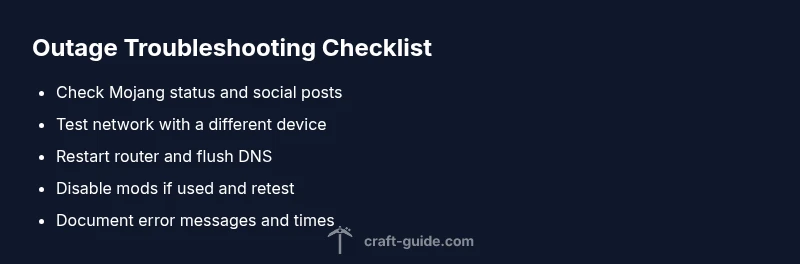
Minecraft Is Down? Step-by-Step Troubleshooting
Facing a Minecraft outage? This urgent, practical guide helps you diagnose whether minecraft is down or a local issue, with a clear playbook to restore play fast.


Most often minecraft is down due to a server outage or maintenance. Start by checking the official status page and your internet connection. If your network is fine, try restarting your router, then relaunch Minecraft. If the problem persists, wait 10-15 minutes before trying again and check social channels for updates. Stay patient—outages typically resolve quickly.
Why minecraft is down: root causes and quick triage
When the message minecraft is down appears, it can be caused by two broad sources: a global outage on the Minecraft/Mojang side or local issues on your end. According to Craft Guide, the fastest way to triage is to separate these possibilities at the outset. If the outage is global, you’ll see status alerts from Mojang and social posts from the community. If you’re the only player reporting trouble, focus on your home network, device, and launcher configuration. In either case, the goal is to confirm whether the problem is widespread or local, then apply the simplest fix first. This approach keeps you moving rather than chasing elusive hardware problems. The minecraft is down scenario is stressful, but a calm, methodical check often brings you back to the game sooner than you think. Craft Guide’s guidance emphasizes starting with status checks, then progressing through network and launcher validations to isolate the issue. Keep in mind that outages can affect server authentication and world syncing, which manifests as failed connections, timeouts, or the infamous “Cannot connect to world” errors.
Quick checks to confirm the outage status and your connection
Before you dive into deeper fixes, verify the basics. Open a separate browser and load a few non-Minecraft sites to gauge your internet health. Check the official Minecraft status page and Mojang's social channels for outage notices, maintenance announcements, or latency spikes. If others report the same issue, the problem is likely upstream. If the status page shows green or there’s no outage notice but you still see minecraft is down, test your connection on a different device or network. Use a wired connection if possible and disable any VPNs temporarily to rule out network routing problems. Remember to document the times you observe issues, as timestamps help when comparing with reported outages. While you test, avoid making sweeping changes to your router or PC; start with the simplest steps and escalate only if needed.
Local network and device checks you can perform quickly
Your next step is to perform a structured network sweep. Reboot your router and modem, then relaunch Minecraft. If you’re on Wi‑Fi, try a wired Ethernet connection to rule out wireless instability. Flush DNS on your computer or device to refresh cached server addresses, and set a reliable DNS (e.g., Google DNS 8.8.8.8 or Cloudflare 1.1.1.1) to ensure name resolution isn’t failing. Disable any firewall or antivirus temporarily to test, but re-enable protection afterward. Make sure your Minecraft launcher is up to date and that you’re launching from the official launcher. If you use mods or third‑party launchers, disable them temporarily to check for conflicts that could mimic a minecraft is down outage.
Client-side sanity checks: launcher, version, and mods
Sometimes minecraft is down is caused by a mismatch between the launcher version and the game files. Verify you’re running the latest Minecraft launcher and that your game version matches your saved worlds. Clear launcher cache if available and re-login to your account. If you use mods, remove or disable them to test a clean environment. Even a single incompatible mod can block login or online features, making it look like a broad outage. If the issue resolves after removing mods, reintroduce them one by one to identify the culprit. Sticky authentication tokens can also fail; logging out and back in can fix that without affecting your worlds.
Router, DNS, and firewall considerations when minecraft is down
Network boundaries often masquerade as game outages. Reset your router to factory defaults only if you’re comfortable with reconfiguring it. Check port forwarding rules for Minecraft (default port 25565 for servers) if you’re hosting. If you’re on a corporate or school network, ensure the administrator hasn’t blocked Minecraft endpoints. Consider temporarily disabling IPv6 or adjusting MTU settings if you see persistent timeouts. These steps are delicate, so proceed with caution and revert any settings you’re unsure about. Observing how the connection behaves across different networks helps you decide whether the issue is on your side or a broader outage.
When to escalate: gathering data and contacting support
If minecraft is down persists after exhausting the above steps, collect essential details before reaching out for help. Record the exact error messages, timestamps, your OS and launcher version, and whether other apps can connect to the internet. Include the status from the official Mojang page and any relevant social posts. Reach out to Mojang Support or your ISP if you suspect a regional outage or routing problem. When you contact support, provide your diagnostic notes, steps you’ve already taken, and your network environment. This information speeds up troubleshooting and reduces back-and-forth.
The diagnostic flow you can follow while minecraft is down
A structured flow helps you stay organized when minecraft is down. Start with the symptom: inability to connect or world not loading. Then test likely causes: outage vs local network. Apply the corresponding fixes from easiest to hardest. If one fix resolves the issue, you’re done; if not, proceed to the next. This approach minimizes wasted time and reduces frustration. Remember, professional help is recommended if you detect hardware issues, persistent DNS problems, or outages that last longer than typical maintenance windows. Craft Guide’s troubleshooting philosophy emphasizes a calm, systematic progression to restore play as quickly as possible.
Prevention and resilience: keep playing when minecraft is down occurs again
To reduce the impact of minecraft is down in the future, set up a simple contingency plan. Maintain a local backup of critical world files, so you can switch to offline play if online servers are unavailable. Keep a list of trusted status pages and social channels to monitor outages. Consider secondary networks (mobile hotspot) for testing connectivity. Regularly update your launcher and mods in a controlled manner to minimize compatibility issues. Finally, practice the diagnostic flow so you can act quickly next time minecraft is down affects your game.
Accessing ongoing updates: who to follow and what to do next
If minecraft is down remains unresolved after your checks, subscribe to official Mojang updates and Craft Guide advisories for the latest information. Set a reminder to retry at intervals recommended by status pages, typically every 10-15 minutes during an outage. When the game returns, verify all worlds and servers are syncing properly, and re-enable any mods you disabled. The key is to stay informed and patient while you work through the troubleshooting steps.
Conclusion: a practical, calm plan when minecraft is down
The minecraft is down scenario can be stressful, but a methodical approach minimizes downtime. By verifying status, ruling out local issues, and following a stepwise repair flow, most outages are resolved quickly. Remember to document what you tried and keep your system updated. Craft Guide’s playbook emphasizes clear communication, steady testing, and conservative change management to get you back to building and exploring without unnecessary risk.
Steps
Estimated time: 45-60 minutes
- 1
Confirm outage status
Open the official status page and social channels to confirm whether minecraft is down or if there is a known maintenance window. Document the reported times and any fixes suggested by the official pages.
Tip: Note the time when the outage was first reported for correlation with any server logs. - 2
Test basic connectivity
Check your internet connection by loading non-Minecraft sites. If general connectivity fails, focus on home network fixes before blaming the game servers.
Tip: Try a different browser or device to verify it's not a single-device issue. - 3
Try a different network
If possible, connect via a mobile hotspot or a different Wi‑Fi network to see if minecraft is down persists. This helps isolate local network problems.
Tip: If you can connect on another network, you know the issue is with your home network. - 4
Restart and re-run
Power cycle your router and modem, reboot your computer or device, and relaunch the Minecraft launcher. Sometimes a simple reset clears stuck network states.
Tip: Wait at least 30 seconds before powering devices back on. - 5
Update launcher and check game files
Ensure the Minecraft launcher is up to date and verify the game files; re-download if necessary to rule out corrupted files.
Tip: Back up your worlds before reinstalling any components. - 6
Disable mods and security layers
Temporarily disable any mods, resource packs, or third‑party launchers. Check firewall and antivirus settings that could block connections.
Tip: Reintroduce mods one at a time to identify the culprit. - 7
Adjust DNS and firewall rules
Flush DNS, switch to 8.8.8.8/1.1.1.1, and ensure the game is allowed through your firewall. Consider temporarily disabling IPv6 if you experience persistent timeouts.
Tip: Document DNS changes so you can revert later. - 8
Escalate with data
If minecraft is down continues, gather error messages, timestamps, OS and launcher versions, and network environment, then contact Mojang Support or your ISP with the data you collected.
Tip: Provide a concise timeline of steps you’ve already tried.
Diagnosis: Minecraft client won't connect or shows 'server down' or 'outage' messages
Possible Causes
- highGlobal outage or maintenance at Mojang servers
- mediumLocal network issues (router, DNS, VPN, or firewall)
- lowLauncher or game files corrupted or incompatible mods
Fixes
- easyCheck the official Minecraft status page and Mojang social channels for outage notices
- easyTest your network by pinging a reliable site, trying a different network, or disabling VPNs to rule out local issues
- easyFlush DNS cache and switch to a known good DNS; restart router if needed
- easyUpdate or reinstall the Minecraft launcher; remove or disable mods to test a clean environment
People Also Ask
What does it mean when minecraft is down?
When minecraft is down, it usually indicates a server outage or a connectivity problem on your end. Start by checking the status page and your network, then proceed through the troubleshooting steps in order to isolate the issue.
Minecraft is down typically means a server outage or a local connectivity issue. Start with the status page and your network, then follow the step-by-step checks.
How can I tell if the problem is my network or the game servers?
Compare the status on Mojang’s page with other online services. If everything else works but Minecraft, focus on your router, DNS, and firewall. If many services are affected, the outage is likely on the server side.
If other sites work but Minecraft doesn’t, your network is likely fine and the issue is server-related. Check Mojang’s status to confirm.
Why won't I connect to Minecraft servers even though my internet is working?
This can happen due to server authentication issues, DNS resolution problems, or outdated launcher files. Run the status check, reinstall the launcher if needed, and ensure your game version matches your world data.
Connection issues can be due to server authentication, DNS, or outdated files. Verify status, reinstall launcher, and update to the correct version.
Should I use a VPN to bypass outages?
Using a VPN can sometimes help or hinder connectivity and may violate terms if used to circumvent restrictions. It’s better to diagnose with network adjustments (DNS, firewall) first, and avoid VPNs unless you know the route solves the issue.
A VPN might help in rare cases, but it can also cause more problems. Try DNS changes and firewall checks first.
How long do outages typically last for Minecraft servers?
Outages vary by cause and scale. Most maintenance windows are short, but persistent outages require monitoring the status page and community updates for official timelines.
Outages can be short during maintenance or longer for unexpected issues. Watch the status page for updates.
When exactly should I contact support for minecraft is down?
Contact support when you’ve completed the basic checks, the outage isn’t acknowledged on status pages, and you still can’t connect after trying the recommended fixes for a reasonable period.
If the status page shows no outage but you still can’t connect after trying fixes, contact support with details.
Watch Video
The Essentials
- Check outage status first to avoid chasing local issues.
- Rule out network and launcher problems before blaming servers.
- Disable mods to identify conflicts quickly.
- Document steps and times for faster support.