How to fix Minecraft memory leak: a practical, step-by-step guide
Learn to fix Minecraft memory leaks with a practical, step-by-step approach. Update software, adjust heap memory, profile usage, and prevent future leaks with best practices. Craft Guide provides a clear, repeatable remediation process for stable Minecraft performance.


Goal: reduce Minecraft memory leaks by identifying leaking mods, adjusting memory allocation, and applying practical fixes. Start by updating Java and mods, verifying heap size, and enabling garbage-collection logs. If leaks persist, profile memory with a tool, disable problematic mods, and optimize datapacks to restore stable performance. Document changes for future reference.
Understanding memory leaks in Minecraft
Memory leaks in Minecraft occur when the game or a loaded component holds onto objects longer than necessary, gradually consuming RAM and causing lag, stutter, or crashes. In vanilla Minecraft, leaks are rare, but modded environments, large resource packs, and heavy datapacks can create long-lived references that prevent the garbage collector from reclaiming memory. According to Craft Guide, most leaks stem from outdated or poorly optimized mods, plugins, and custom content that fail to reset caches after use. This section explains how memory is managed in Java, what symptoms look like, and why leaks matter for both single-player worlds and servers. Recognizing symptoms early helps you apply targeted fixes and keep your world running smoothly.
Common culprits: mods, datapacks, and resource packs
Mod interactions are the #1 source of memory leaks in many players' Minecraft setups. Outdated or incompatible mods can retain references to textures, entities, or GUI elements even after unloading chunks. Datapacks that modify world generation or tick events can inadvertently accumulate data, while resource packs with high-resolution textures increase memory pressure on each load. Craft Guide analysis shows that large mod collections, combined with aggressive texture packs, most often trigger leaks during world loading or chunk generation. The best approach is to reduce complexity: disable all but essential mods, test with a clean profile, and gradually reintroduce components while monitoring memory usage. Always verify that your server and client use compatible versions across the board to prevent cross-mod leaks.
Prerequisites: backups, logs, and a baseline test
Before making changes, back up your world and server data. Enable GC logging and memory profiling to capture a baseline snapshot. Ensure you have a stable test environment (a separate copy of your world) to reproduce the leak without risking your main save. Collect crash reports, Java logs, and heap dumps if available. This step helps you distinguish between a temporary spike in memory usage and a true leak, and it gives you actionable data to inform subsequent steps. Craft Guide Team recommends documenting each change and its impact for future reference.
Step-by-step remediation workflow (high-level)
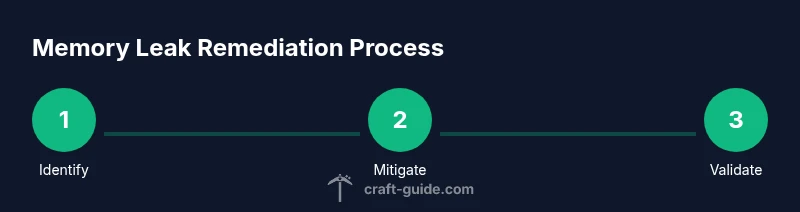
This workflow is designed to be methodical and testable so you can identify the culprit and apply a fix without guesswork. Start by updating the game, launcher, and all mods, then increase the allocated heap within safe limits. Run a memory profile to identify objects that persist across regions or cycles, and iteratively disable components until memory usage stabilizes. Maintain a rolling backup as you test each change, and verify performance over a multi-hour play session to confirm stability. Craft Guide's approach emphasizes data-driven decisions and reproducible tests.
Profiling tools and how to read memory usage
Effective memory leak debugging relies on profiling tools that can show heap growth, GC activity, and object retention. VisualVM, jvisualvm, and similar tools can attach to the running Java process from the Minecraft launcher. With a heap dump, you can identify classes or mods that hold references longer than expected. Look for steadily increasing live objects without corresponding GC pressure, or for patterns like caches that never flush. Reading memory graphs may seem intimidating at first, but focusing on hot spots—where allocations occur—often reveals the root cause. The Craft Guide Team suggests starting with a simple baseline and then drilling into suspect modules.
Addressing common culprits: mods, datapacks, and resource packs
For mods, update to the latest compatible version or temporarily remove suspected offenders. If the leak diminishes after removing a mod, you have your culprit. For datapacks, disable or revert changes that hook into server ticks and data collection. For resource packs, test with a minimal texture set and progressively reintroduce textures while watching memory usage. Documentation notes and changelogs from mod authors often contain memory-related fixes that can resolve leaks without deep debugging. Craft Guide recommendations emphasize incremental testing and keeping a clean, reproducible baseline.
Optimization tips for stability and longevity
Beyond removing culprits, you can optimize how Minecraft consumes memory. Enable verbose GC logs to understand GC efficiency and adjust -Xmx and -Xms flags conservatively. Reduce loaded chunks or distance, especially on servers, to ease memory pressure. Use fewer entities on busy farms or automated systems, and replace heavy redstone contraptions with more efficient designs. Consider updating to shader packs and resource packs that balance quality with memory usage. Craft Guide notes that small, consistent improvements across updates compound into a much smoother experience over time.
Testing and validating fixes
After applying fixes, test in a controlled environment for several hours or days, depending on your world activity. Record memory usage, GC pauses, and any anomalies you observe. If the leak reappears, revisit the profiling results and iterate the process. When you reach stability, run a longer play-through with friends or a server to confirm the fix in real-world conditions. The Craft Guide Team emphasizes that reliability comes from repeated testing and careful documentation.
Long-term prevention and maintenance
Preventing future memory leaks involves proactive maintenance. Schedule regular updates for Java, the launcher, Minecraft, and all mods. Establish a monitoring routine with GC logs and sporadic heap dumps to catch early memory growth. Keep a clean mod list and consistent world backups, and consider incremental world generation changes to minimize stress on memory. Finally, foster a habit of testing updates in a sandbox environment before applying them to your main world. Craft Guide's verdict is that disciplined maintenance saves time and preserves player enjoyment.
Tools & Materials
- 64-bit Java installed and up-to-date(Ensure Java Version is compatible with your Minecraft launcher and mods)
- Minecraft launcher with mod management(Have backup profiles and clean installation ready)
- Heap size configuration flags(Examples: -Xmx4G -Xms2G (adjust to system RAM))
- Memory profiler (VisualVM, jProfiler, etc.)(Helpful for heap-dump analysis)
- World/server backup tool(Back up before changes)
- Crash logs and GC logs collection(Keep for post-change analysis)
- Test world/data set(A separate copy to reproduce leaks)
Steps
Estimated time: 60-180 minutes
- 1
Identify symptoms and baseline data
Observe memory usage patterns during normal play and during peak activity. Note any persistent growth, long GC pauses, or crashes. Collect baseline GC logs and heap metrics to distinguish temporary spikes from leaks.
Tip: Run in a dedicated test world when collecting data to avoid impacting your main save. - 2
Update game, launcher, and mods
Update Minecraft, the launcher, and all mods to their latest compatible versions. Incompatible or stale components are common leak sources. After updating, re-run a baseline to compare memory behavior.
Tip: Always back up before removing or updating components. - 3
Increase heap size within safe limits
Adjust the JVM heap to give Minecraft enough room without exhausting system RAM. Start with a modest increase and monitor GC behavior to avoid long GC pauses or OS swapping.
Tip: Do not exceed what your OS and hardware can comfortably handle. - 4
Run memory profiling and capture a heap dump
Attach a memory profiler and take a heap dump during steady-state play. Look for steadily growing live objects and which classes or mods retain them.
Tip: Capture the dump at a calm moment, not during peak activity. - 5
Isolate culprits by disabling components one at a time
Disable suspect mods, datapacks, or resource packs in a controlled sequence to see if memory usage stabilizes. Re-enable items gradually to identify the exact source.
Tip: Test one change at a time to clearly attribute effects. - 6
Test changes under realistic load
Play for extended sessions with typical player activity to ensure fixes hold under realistic conditions. Watch for memory creep over several hours.
Tip: Document results after each test to build a changelog. - 7
Optimize resource usage and world settings
Reduce heavy textures, lower render distance, and simplify redstone circuits where possible. Consider lighter shader packs and lower-resolution resource packs if needed.
Tip: Balancing visuals and memory helps maintain performance. - 8
Document results and set up ongoing monitoring
Record changes, outcomes, and timings. Establish a routine: periodic memory profiling, backups, and updates to catch future leaks early.
Tip: Make monitoring part of your regular maintenance plan.
People Also Ask
What causes memory leaks in Minecraft?
Memory leaks are typically caused by mods, datapacks, or resource packs that hold references longer than necessary or modify memory-heavy operations. JVM configuration can also influence leak behavior.
Leaks usually come from mods or datapacks that keep memory longer than needed.
How much memory should I allocate for Minecraft?
Allocate memory based on your system resources and whether you play vanilla or modded. Common ranges are 4-8 GB for vanilla and higher for heavily modded setups. Always leave memory for your OS and background apps.
Match Minecraft memory to what your computer can spare.
Can memory leaks be fixed permanently?
Yes, by removing or updating the leaking component and applying the recommended JVM and mod configurations. Some leaks recur if an update reintroduces the issue, so ongoing monitoring is essential.
Yes, with proper identification and ongoing maintenance.
Will memory leak fixes help servers too?
Server memory leaks can cause lag and crashes; applying fixes on both server and client sides helps stability. Always test changes in a controlled environment before deploying to production.
They help servers, but test first.
What tools help diagnose memory leaks?
Tools like VisualVM, jmap, and heap dump analyzers help identify growing memory use and retained objects. Start with baseline profiling, then drill into suspect mods or datapacks.
Use memory profilers and heap dumps to pinpoint leaks.
Is this safe for low-end PCs?
Yes, but be mindful of resource limits. Avoid large heap allocations and optimize world settings to reduce memory pressure. Always backup before experimenting.
It can be done, just adjust expectations and settings.
Watch Video
The Essentials
- Identify leak sources before changes
- Back up and test in a safe environment
- Profile memory to locate culprits
- Test changes with realistic loads
- Maintain ongoing memory monitoring and maintenance