What Minecraft Does PlayStation Have
Learn what Minecraft does PlayStation have, focusing on Bedrock Edition availability on PS4/PS5, cross‑play with Windows, Xbox, Switch, and mobile, and how to set up play on PlayStation.


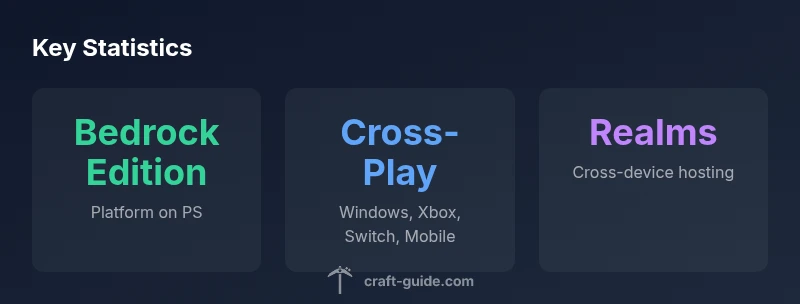
PlayStation consoles run Minecraft Bedrock Edition, not Java. This edition supports cross‑play with Windows PC, Xbox consoles, Nintendo Switch, and mobile devices. On PS4 and PS5, players can join cross‑platform worlds, use Realms, and access Marketplace content. Java Edition is not available on PlayStation.
Overview: What Minecraft does PlayStation have
If you’ve asked what minecraft does playstation have, the straightforward answer is that Sony consoles run Minecraft Bedrock Edition, not Java. According to Craft Guide, Bedrock Edition is the unified version across most modern platforms and is what PlayStation players use to join a shared world with friends on Windows, Xbox, the Nintendo Switch, or mobile. The Craft Guide team found that this edition supports cross‑play, Realms, and in‑game shops, making it the standard option on PlayStation. This means you won’t find a native Java Edition on PS hardware, and the experience is built around cross‑platform play, marketplace content, and consistent updates across devices. For builders and adventurers, this setup unlocks a broad audience to explore, create, and survive together beyond the confines of a single platform.
Bedrock Edition on PlayStation
Bedrock Edition on PlayStation is designed to be the “neighborly” edition—the one that talks to other Bedrock devices. On PS4 and PS5 you’ll find the same core features as on Xbox or Switch: a single codebase, cross‑play with Windows 10/11 players, support for Realms, and access to community marketplaces and add‑ons. The PS edition emphasizes performance, reliable online play, and easy access to marketplace skins, texture packs, and worlds created by other players. When you search what minecraft does playstation have in practice, you’ll see PlayStation owners enjoy a streamlined experience that aligns with other Bedrock platforms, minus the Java‑exclusive modding ecosystem.
Cross‑Platform Play and Realms
Cross‑platform multiplayer is the headline feature. Bedrock Edition on PlayStation communicates with Windows, Xbox, Switch, and mobile devices, allowing friends on different hardware to join the same worlds. To participate, you’ll typically sign in with a Microsoft account, then add friends by their gamertag or Microsoft account. Realms provide a hosted world that stays consistent across devices, which is especially helpful for families or groups that play on multiple platforms. It’s important to remember that certain content from the Marketplace may be limited by device or region, but the core cross‑play experience remains strong on PS4 and PS5.
PS4 vs PS5: Differences and Upgrades
Both PS4 and PS5 run Bedrock Edition, but the PS5 benefits from faster load times, smoother frame rates, and improved texture rendering thanks to its more powerful hardware. The Bedrock codebase remains the same across both generations, so cross‑play remains seamless when you upgrade to a newer console. If you’re deciding on which PlayStation to buy for Minecraft, the deciding factors are your desire for performance, load times, and any potential future features that the PS5 may leverage. Regardless of generation, the Bedrock experience on PlayStation is designed to be feature‑complete, with cross‑play, Realms, and access to Marketplace content.
Setup: Getting Started on PlayStation
Getting started is straightforward: purchase Minecraft from the PlayStation Store, install the game, and launch. On first run you’ll be prompted to sign in with a Microsoft account or create one to enable cross‑play. Once linked, you can add friends and join cross‑platform worlds. If you want to host a persistent world without inviting strangers, consider a Realms subscription. Finally, explore the in‑game Marketplace for skins, textures, and behavior packs to customize your PS experience while keeping everything aligned with Bedrock Edition rules.
Content and Modding on PlayStation
On PlayStation, traditional PC mods are not supported. Bedrock Edition supports a curated set of add‑ons and Marketplace content that can alter gameplay and visuals within officially supported boundaries. This keeps the experience stable across devices and minimizes compatibility issues. If you’re coming from a Java‑edition modding mindset, you’ll find that Bedrock’s add‑ons and marketplace assets offer a polished alternative, with new content being released in tandem with platform updates. This approach aligns with the PS ecosystem’s emphasis on stability and cross‑play across devices.
Tips for Playing with Friends on PlayStation
To maximize your cross‑platform fun on PlayStation, coordinate with friends to decide which platform they’ll use and ensure all participants sign in with their Microsoft accounts. Create a shared world or a Realm to avoid frequent invites and to keep progression synced. Use in‑game features like skins and Marketplace packs to personalize the experience without running into platform incompatibilities. Finally, keep your system software and Minecraft version updated to ensure you benefit from the latest cross‑play optimizations and content tweaks.
Minecraft on PlayStation: Bedrock Edition across PS4 and PS5
| Platform | Edition | Cross-Platform Availability | Notes |
|---|---|---|---|
| PlayStation 4 | Bedrock Edition | Yes (Windows, Xbox, Switch, Mobile) | Cross‑play supported across Bedrock devices |
| PlayStation 5 | Bedrock Edition | Yes (Windows, Xbox, Switch, Mobile) | Enhanced performance |
People Also Ask
Is Java Edition available on PlayStation?
No. Java Edition is exclusive to PC and is not available on PlayStation consoles. PlayStation players use Bedrock Edition for cross‑play and access to Marketplace content.
Java isn’t available on PlayStation; Bedrock is the version you’ll use.
Can PlayStation players play with PC players?
Yes. Bedrock Edition on PlayStation supports cross‑play with Windows PC players as well as other Bedrock platforms like Xbox, Switch, and mobile.
Yes, Bedrock enables cross‑play with PC and other devices.
Do I need PS Plus to play online on PlayStation?
Online multiplayer on PlayStation generally requires a PlayStation Network subscription (PS Plus). However, some single‑player features or offline play do not need it.
Online multiplayer usually needs PS Plus.
How do I enable cross‑play on PlayStation?
In Minecraft, sign in with a Microsoft account, then ensure cross‑play is enabled in the settings. Add friends by their Microsoft account and join cross‑platform worlds.
Sign in with Microsoft and turn on cross‑play in settings.
Is there a separate PS4 vs PS5 Bedrock edition?
Bedrock Edition is the same core version on both PS4 and PS5; the PS5 offers better performance, faster load times, and higher fidelity due to hardware.
Bedrock is the same on both; PS5 simply runs it smoother.
Can I transfer worlds between PlayStation and PC?
Direct world transfers between PS and PC aren’t supported. Use Realms to access a shared world across devices, or re‑upload content if you create a new world.
Direct transfers aren’t supported; Realms is the cross‑device option.
“Cross‑platform play on PlayStation unlocks multiplayer across Windows, Xbox, Switch, and mobile with Bedrock Edition. This expands what Minecraft players can do with friends across devices.”
The Essentials
- Confirm Bedrock Edition on PS, not Java
- Enable cross‑play to connect with friends on other platforms
- Use Realms for cross‑device worlds
- Java Edition isn’t available on PlayStation
- Keep PS and Minecraft updated for best performance