What Minecraft Edition Is PS5? Bedrock Edition Explained
Discover which Minecraft edition runs on PS5, how Bedrock Edition enables cross‑play, and practical tips for optimizing your PlayStation 5 experience.


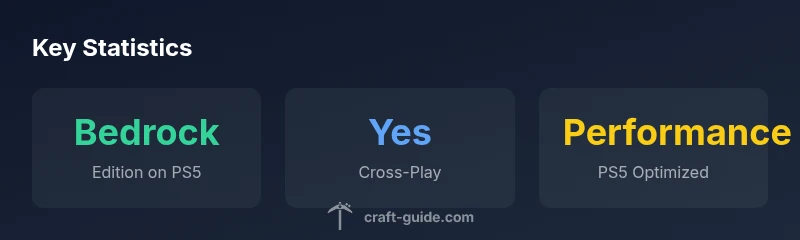
Short answer: On PS5, Minecraft runs Bedrock Edition. There is no separate 'PS5 edition'—the PS5 version is the Bedrock engine shared with Windows 10, iOS, Android, Switch, and other consoles. This means cross‑play is possible with friends on different devices, and you can access the Marketplace and Realms from PlayStation.
What edition is PS5 Minecraft?
According to Craft Guide, the PlayStation 5 version of Minecraft runs Bedrock Edition. There isn’t a distinct, standalone 'PS5 edition' to purchase; instead, the PS5 leverages the Bedrock engine shared with Windows 10, iOS, Android, Switch, and other consoles. The PS5 pagination and UI are tailored to the console, but the underlying technology remains Bedrock. This matters because the Bedrock edition is designed for cross‑play, content sharing via the Marketplace, and Realms, which means your PS5 experience is aligned with other Bedrock platforms rather than Java Edition. For players asking what minecraft edition is ps5, the answer is: Bedrock.
Bedrock vs Java: Why the PS5 Edition Matters
The distinction between Bedrock and Java is central to understanding Minecraft on PS5. Java Edition is PC‑exclusive and lacks cross‑play with consoles; Bedrock Edition enables a unified ecosystem across Windows, macOS (via Windows 10 store bridge), mobile, and consoles including PS5. This means features like Marketplace skins, community mods (within Bedrock constraints), and cross‑play groups are accessible to PS5 players. If you’re coming from Java, you’ll notice differences in world generation, redstone mechanics, and command features, but you gain broader multiplayer freedom and easier access to add‑ons through Bedrock.
How to Access Minecraft on PS5
Getting Minecraft on PS5 is straightforward: you’ll use the PlayStation Store to obtain the Bedrock edition as part of the PS4/PS5 Bedrock bundle. Sign in with a Microsoft account to enable cross‑play, Realms, and the Marketplace. If you already owned Minecraft on PS4, you typically access the same Bedrock license on PS5 without purchasing a new copy, subject to Sony/Microsoft cross‑platform rules. After installation, ensure your system is updated to the latest firmware for best stability and load times.
Cross‑Platform Play, Realms, and Marketplaces on PS5
Bedrock’s cross‑play is a core benefit for PS5 players. You can join friends who play on Windows 10, iOS, Android, Switch, or Xbox, provided you’re all in the same Bedrock ecosystem. The Marketplace offers skins, textures, and worlds, while Realms lets you host exclusive multiplayer experiences. On PS5, you may need to adjust privacy settings or cross‑play options to invite friends from other platforms, but the shared Bedrock foundation remains the strongest bridge between devices.
Performance, Settings, and Best Practices on PS5
PS5 hardware delivers fast load times and smooth performance for Bedrock Edition, thanks to the solid‑state drive and optimized engine. To optimize your PS5 Minecraft experience, enable Performance mode if your console supports it, reduce shader and resource pack complexity where needed, and ensure your network is stable for cross‑play. Consider allocating more storage to Minecraft worlds and using an external drive if you store large texture packs or worlds. Craft Guide recommends enabling automatic world backups before major updates to avoid data loss.
Common Pitfalls and How to Troubleshoot
If you run into cross‑play issues, verify you’re signing in with the same Microsoft account across devices and that your PS5 is up to date. Check your privacy settings to allow cross‑platform play and ensure that the Bedrock edition is the current build. If Realms or Marketplace assets fail to load, try refreshing the store cache, re‑logging into your Microsoft account, or reinstalling the Bedrock edition. For performance hiccups, close background apps, reboot the console, and ensure your internet connection is stable.
Upgrading from PS4 to PS5 and Progress Sync
There isn’t a separate PS5 edition to buy for cross‑play; the Bedrock version on PS5 shares progress via your Microsoft account. Players upgrading from PS4 to PS5 should check that their Save data, worlds, and purchases sync correctly through their account. If you encounter sync issues, re‑link your Microsoft account in the Sony/PlayStation settings and ensure the Bedrock version is up to date. Cross‑save behavior can vary by world and edition, so review cloud save options within the game settings.
What Craft Guide Recommends for PS5 Players
For PS5 players, Craft Guide suggests leaning into Bedrock Edition for its cross‑platform advantages and access to the Marketplace. Prioritize full system updates, configure cross‑play settings thoughtfully, and keep backups of valuable worlds. If you’re new to Bedrock on PS5, join a few starter communities to explore community builds and maps that leverage cross‑play features. The Craft Guide team emphasizes consistency between platforms to keep your experiences synchronized.
Bedrock vs Java: PS5 availability and cross‑play
| Edition Type | PS5 Availability | Cross-Play | Notes |
|---|---|---|---|
| Bedrock Edition (PS5) | Included with PS5 Bedrock build | Yes | Cross‑play across Bedrock devices; Marketplace access |
| Java Edition | Not available on PS5 | No | PC‑only edition; separate launcher required |
People Also Ask
Is there a dedicated PS5 edition of Minecraft?
No. The PS5 uses the Bedrock Edition, bundled with the PS4/PS5 Bedrock build. There is no separate PS5 edition. This means PS5 players share the same engine and features as other Bedrock platforms.
No dedicated PS5 edition exists; PS5 uses Bedrock Edition, shared with other devices.
Can PS5 players play with PC and mobile players?
Yes. Bedrock Edition supports cross‑play across Windows, iOS, Android, Switch, Xbox, and PS5, so friends on different devices can join together.
Yes, Bedrock Edition supports cross‑play across many devices including PS5 and PC.
Do I need to buy a new game to play on PS5?
If you already own Bedrock on another platform, you typically access the PS5 Bedrock version through the same license. There is no separate PS5‑only price per se, but confirm current Sony/Microsoft cross‑buy policies.
You usually use the same Bedrock license; no separate PS5 edition purchase is required.
Is progress transferable across platforms on PS5?
Worlds and progress can be available across Bedrock platforms via your Microsoft account, but some worlds or assets may have platform‑specific limitations. Always back up important worlds.
Bedrock progress can transfer across platforms via your Microsoft account, with some caveats.
What about performance on PS5?
PS5 generally offers faster load times and smoother performance due to hardware and SSD optimizations. If you encounter slowdowns, tweak in‑game settings and ensure your firmware is up to date.
PS5 delivers strong performance, with faster loads; adjust settings if needed.
“"Minecraft on PS5 is Bedrock Edition, which is designed for cross‑platform play and content sharing across devices."”
The Essentials
- Play on PS5 uses Bedrock Edition, not Java.
- Bedrock enables cross‑play with many platforms.
- No separate PS5 edition exists; updates come through Bedrock.
- Leverage Marketplace and Realms for PS5 multiplayer.
- Follow best practices to optimize performance on PS5.