Is Minecraft on PS5: Complete Guide for Players
A comprehensive guide to Minecraft on PS5, covering Bedrock Edition availability, upgrade paths from PS4, cross‑play, performance tips, and practical setup for Sony's console.


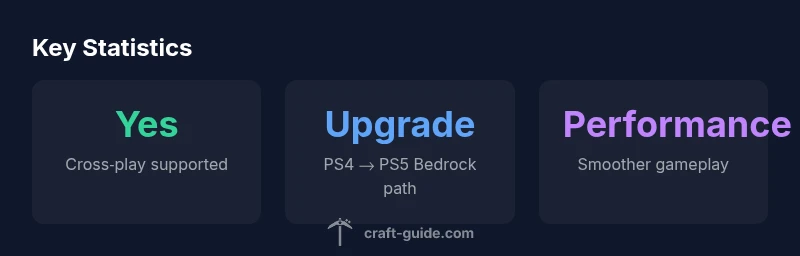
Yes. Minecraft runs on PS5 through the Bedrock Edition, delivering enhanced performance, faster load times, and smoother gameplay compared to older consoles. PS5 players can access cross‑play with Windows, Xbox, mobile, and Nintendo Switch, using the same worlds and servers. If you own the PS4 Bedrock Edition, you’ll typically be able to upgrade via the PlayStation Store upgrade path.
What Minecraft on PS5 Means for Players
Is Minecraft on PS5? Yes—the PS5 version uses the Bedrock Edition, a platform designed for cross‑play across Windows, consoles, mobile, and more. The Craft Guide team notes that this edition provides a smoother experience on Sony's console with quicker load times and more responsive controls, thanks to the PS5's hardware. For many players, this means one shared universe you can jump into on almost any platform without starting over. The Bedrock Edition on PS5 preserves the core survival, creative, and adventure modes, while enabling add‑ons, marketplace content, and multiplayer servers. This cross‑platform capability unifies Minecraft across ecosystems, so your friends on different devices can join your worlds as easily as on your PC or Xbox. While Bedrock makes console worlds more interoperable, Java Edition remains a separate track that is not available on PS5.
Accessing Minecraft Bedrock on PS5
To play Minecraft on PS5, open the PlayStation Store and install Minecraft Bedrock Edition for PS5. You’ll typically sign in with a Microsoft account to access cross‑play features, Realms, and the marketplace. If you already own the PS4 Bedrock Edition, there is generally a path to upgrade through the Store, but ensure you check for the latest options in the PS5 store page. After installation, launch Minecraft and select the Bedrock edition to access worlds you’ve saved on other devices. Keep your Microsoft account secure and linked so you don’t lose access to purchased content or servers.
Cross‑Play, Worlds, and Realms
With Bedrock on PS5, you can join friends on Windows, Xbox, mobile, and Nintendo Switch. Worlds created on other devices can be loaded on PS5, provided you’re signed into the same Microsoft account. Realms subscriptions work on PS5 as they do on other platforms, allowing you to host or join persistent worlds. Console players rely on the official Bedrock marketplace and add‑ons rather than Java mods, so the ecosystem remains cohesive across devices. This cross‑play capability is a core strength of Bedrock Edition and helps keep communities connected, even as hardware and control schemes differ. If you run into content limitations, remember that some marketplace items are platform‑specific.
Upgrading from PS4 and Account Practices
Players moving from PS4 to PS5 Bedrock Edition should expect a smooth transition, with most progress linked to your Microsoft account. Ensure your account is linked properly before upgrading so you don’t lose saved worlds or skins. The upgrade path is typically handled through the PlayStation Store, often appearing as a cross‑buy option or upgrade banner. After upgrading, you can continue playing with your existing friends and access the same multiplayer servers. As a precaution, verify your cloud saves are synced and that your privacy settings permit cross‑play features.
Performance, Graphics, and Settings on PS5
On PS5, Minecraft Bedrock Edition benefits from faster load times and a smoother experience thanks to the console’s hardware. You can adjust settings to balance performance and visuals, such as choosing a performance mode to stabilize frame rates or a quality mode for richer textures. The PS5 edition supports features like improved UI readability and quicker world generation, depending on the build. While the game supports cross‑play, the PS5 version remains the Bedrock edition, ensuring a consistent experience with other Bedrock platforms. Console players should also consider storage space for worlds, maps, and marketplace content, and regularly back up important saves.
Practical tips for PS5 players
To maximize your PS5 Minecraft experience, keep your system software up to date and ensure your Microsoft account is active for cross‑play features. Use a wired connection when possible to reduce latency in multiplayer world‑sharing and realms. Customize your controls to match your preferred play style, particularly if you switch between Creative and Survival modes. Explore the Marketplace for add‑ons and texture packs that are compatible with Bedrock on PS5, and remember that Java‑only mods won’t run on PS5 Bedrock. Finally, monitor storage usage since large builds, shaders (where supported), and world data can occupy significant space over time.
Minecraft on PS5 vs other platforms
| Platform | Edition/Notes | Cross-play |
|---|---|---|
| PS5 | Bedrock Edition (PS5) | Yes across major platforms |
| PS4 | Bedrock Edition (PS4) | Cross-play supported; upgrade path available |
| PC/Xbox/Mobile | Bedrock Edition | Yes |
People Also Ask
Is Minecraft available on PS5?
Yes. Minecraft is available on PS5 through the Bedrock Edition, which supports cross‑play and a unified feature set across platforms. You can play with friends on Windows, Xbox, and mobile using the same account.
Yes—Minecraft on PS5 uses Bedrock Edition, so you can play with friends on other devices and access shared worlds.
Which edition should I use on PS5?
For PS5, you’ll use the Bedrock Edition. It provides cross‑play, a marketplace, and realms, and is distinct from the Java Edition that runs on PC.
PS5 uses Bedrock Edition, not Java, for cross‑play with other platforms.
Can I play with friends on other platforms?
Yes. Bedrock Edition on PS5 supports cross‑play with Windows, Xbox, mobile, and Nintendo Switch, so you can join friends who are on different devices.
Yes, cross‑play is supported across major platforms with Bedrock Edition.
How do I upgrade from PS4 to PS5?
If you own the PS4 Bedrock Edition, look for an upgrade option in the PlayStation Store to move to the PS5 Bedrock Edition. Ensure your Microsoft account is linked to preserve progress and access to realms and marketplace content.
There’s usually a PS4 to PS5 upgrade path in the store; link your Microsoft account to keep your worlds.
Are there differences between PS5 and PS4 versions?
The PS5 edition generally offers improved load times, potential frame‑rate stability, and integration with PS5 features, while remaining true to Bedrock’s cross‑platform experience. Java features and mods are not available on PS5 Bedrock.
PS5 improves loading and stability with Bedrock, but Java mods aren’t available.
“The PS5 version of Minecraft continues Bedrock's cross‑play strengths while delivering cleaner UI and faster load times.”
The Essentials
- Verify Bedrock Edition on PS5 for cross‑play.
- Upgrade PS4 to PS5 Bedrock via Store when available.
- Expect smoother performance and faster loading on PS5.
- Cross‑platform multiplayer is a core feature across devices.