Is Minecraft on PS4? Bedrock Edition, Cross-Play, and Tips
Explore whether Minecraft runs on PS4, how Bedrock Edition shapes multiplayer, cross‑play options, and practical steps to get started on PlayStation 4 with Craft Guide analysis for 2026.


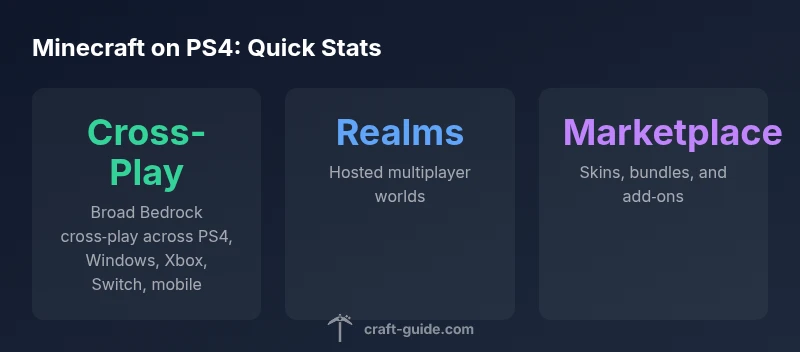
Is minecraft on ps4? If you’re wondering is minecraft on ps4, the answer is yes—the PS4 version now runs the Bedrock Edition, enabling cross‑play with Windows 10/11, Xbox, Switch, and mobile. The legacy PlayStation 4 Edition was retired. Bedrock on PS4 supports Realms and the Marketplace add‑ons. Craft Guide notes this setup delivers a robust multiplayer experience for PS4 players.
is minecraft on ps4
For players asking is minecraft on ps4, the landscape has shifted notably over the last few years. Sony’s platform supports Minecraft via the Bedrock Edition, which unifies the game across consoles, mobile devices, and PC under a single codebase. The move away from the older PlayStation 4 Edition (the legacy variant) to Bedrock was driven by a desire to simplify updates, enable cross‑play, and expand the marketplace with add‑ons, skins, and community content. If you followed the early PS4 ecosystem, you might remember a separate PS4 Edition; today, that version is retired in favor of Bedrock on PS4. Craft Guide emphasizes that upgrading isn’t just about access to new features—it’s about seamless multiplayer integration alongside real cross‑play opportunities. For new players, this means a single Microsoft account can unlock shared worlds, regardless of whether friends are on Xbox, Windows, Switch, or mobile.
Bedrock Edition on PS4: Core Advantages
Bedrock Edition on PS4 brings several advantages over legacy versions. First, cross‑play capability lets PS4 players join friends on Windows 10/11, Xbox platforms, Switch, and mobile without requiring separate builds. Second, the in‑game Marketplace offers add‑ons, skins, and texture packs created by the community, enabling personalized experiences. Third, Realms support makes it easier to run private multiplayer worlds with invited players, maintaining continuity across devices. Regular Bedrock updates ensure parity with other platforms, reducing the gap between PS4 and newer hardware. In short, Bedrock on PS4 turns your console into a portal for a broader Minecraft ecosystem, which Craft Guide views as essential for long‑term engagement.
Cross-Platform Play and Realms on PS4
Cross‑platform play is one of the defining features of Bedrock Edition on PS4. Players can join friends on Windows 10/11, Xbox, Switch, and mobile devices, creating a shared universe that transcends single‑platform boundaries. Realms provide a hosted world that you can invite others to, with automatic backups and updates. To get started, you’ll sign in with a Microsoft account, then add friends through their usernames or Microsoft account email. The ability to move between devices without exporting save files is a major convenience. Craft Guide notes that consistent cross‑platform play is a key driver for persistent communities on PS4, especially for families and friends who use different devices.
How to Get Minecraft on PS4
Getting Minecraft on PS4 is straightforward through the PlayStation Store or via physical disc copies. Look for the Bedrock Edition listing, which is the current standard for PS4. Digital purchases can be downloaded directly to your console, while disc copies install offline and then update online when connected. If you previously owned the legacy PS4 Edition, you should still be able to migrate your account to Bedrock by signing in with your Microsoft account, which unlocks access to cross‑platform worlds. Craft Guide recommends checking regional availability and any bundle deals, especially during seasonal sales, to maximize value.
Linking a Microsoft Account on PS4
Connecting a Microsoft account is essential for cross‑platform play and Realms. On first launch, the PS4 version will prompt you to sign in with a Microsoft account or create one. If you already play on Windows or Xbox, you can use the same credentials to sync your worlds and purchases. If you’re new to Microsoft accounts, you’ll be guided through a simple setup process on screen. This linkage unlocks access to the Marketplace, Friend lists, and shared Realms. Craft Guide highlights that this single sign‑in approach reduces fragmentation and keeps PS4 players aligned with the broader Bedrock ecosystem.
Controls, Settings, and Performance on PS4
The PS4 control scheme for Bedrock is familiar for console players: use the DualShock controller to move, place blocks, and interact with interfaces. In terms of performance, Bedrock Edition on PS4 generally runs smoothly at standard frame rates on most models, though performance can vary with large, highly detailed builds or heavily loaded servers. Settings adjustments—such as particle effects, render distance, and chunk loading—can help optimize performance. You’ll also want to check network settings to ensure stable online sessions, especially during peak times. Craft Guide suggests starting with default settings and then tailoring visuals and network options to your setup for a balanced experience.
Common Issues and Troubleshooting on PS4
PS4 players may encounter occasional connectivity problems or world loading delays. Common fixes include checking the internet connection, ensuring your PSN status is healthy, and confirming Microsoft account sign‑in is active. If Realms won’t load, verify that you have an active subscription and the realm owner has invited you. Server maintenance windows can also affect access, so consulting official Mojang or PlayStation support pages can provide the latest status updates. Craft Guide recommends clearing cache and ensuring the latest Bedrock edition is installed to minimize compatibility hiccups.
Mods, Add-Ons, and Customization on PS4
Modding on PS4 is different from PC; Bedrock Edition supports add‑ons and texture packs via the Marketplace, but external mods are not traditionally supported on PlayStation consoles. This constraint keeps PS4 builds stable and secure but limits some customization avenues available on PC. Instead, you can personalize experiences through official add‑ons, skins, and maps available in the Marketplace. Craft Guide points out that while modding is more restricted on PS4, the curated add‑ons provide a safe and accessible way to refresh your worlds.
Practical Tips for Long-Term PS4 Play
To keep Minecraft on PS4 engaging over years, prioritize community resources like Realms and curated marketplaces. Regularly browse the Marketplace for new skins and texture packs and consider joining a Realm for a structured multiplayer experience. Maintain backups of important worlds and keep your Microsoft account information secure. Schedule periodic world visits with friends to avoid losing momentum, and stay informed about Bedrock updates that may introduce new blocks, biomes, or gameplay features. Craft Guide’s practical guidance emphasizes consistent engagement through cross‑platform opportunities and a steady stream of community content.
PS4 Minecraft editions and cross‑play status
| Edition | Cross-Platform Availability | Online Play | Notes |
|---|---|---|---|
| PlayStation 4 Edition (Legacy) | Limited or deprecated | Yes (legacy security) | Retired; replaced by Bedrock on PS4 |
| Minecraft Bedrock Edition on PS4 | Broad cross‑play | Yes (PS Plus required) | Current standard PS4 version with Realms |
People Also Ask
Is Minecraft available on PS4?
Yes. Minecraft is available on PS4 and runs the Bedrock Edition, which supports cross‑play with other Bedrock platforms. The legacy PS4 Edition is no longer the default version. For the mainstream PS4 experience, Bedrock is recommended.
Yes, Minecraft is on PS4 now via Bedrock Edition, which supports cross‑play across major platforms.
Does PS4 support cross‑play with PC or other consoles?
Yes. The PS4 Bedrock Edition supports cross‑play with Windows 10/11, Xbox, Switch, and mobile devices. To participate, you’ll need a Microsoft account and ensure all players use Bedrock on compatible platforms.
Yes, you can play with friends on PC, Xbox, Switch, and mobile when using Bedrock.
What is the difference between the legacy PS4 Edition and Bedrock on PS4?
The Legacy PS4 Edition is retired and no longer updated. Bedrock on PS4 is the current edition, offering cross‑play, Marketplace access, Realms, and parallel updates with other Bedrock platforms.
The old PS4 edition isn’t kept up; Bedrock on PS4 is the current, cross‑play version.
Do I need PlayStation Plus to play Minecraft online on PS4?
Online multiplayer on PS4 generally requires a PlayStation Plus subscription. Bedrock multiplayer is integrated through online services, so a Plus membership is typically necessary for online worlds.
Yes, you usually need PS Plus for online play on PS4.
How do I enable cross‑play on PS4?
Sign in with a Microsoft account on PS4 and add friends via their Microsoft account or gamertag. Ensure they are also on Bedrock Edition, and you can join each other’s worlds or Realms across platforms.
Get a Microsoft account, link it on PS4, and invite friends by their Microsoft handles.
Can PS4 players join Realms with players on other platforms?
Yes. Realms on Bedrock Edition support cross‑platform access, so PS4 players can join Realms hosted by players on Windows, Xbox, Switch, or mobile. You’ll need to be invited and use a Microsoft account.
Yes, Realms work across platforms with Bedrock on PS4.
“Bedrock Edition on PS4 standardizes features across platforms, making multiplayer more accessible for everyone.”
The Essentials
- Master Bedrock on PS4 for cross‑play access
- Sign in with a Microsoft account to unlock Realms and marketplace content
- Use the official add‑ons marketplace for safe customization
- Expect occasional updates; check connectivity during maintenance windows
- The legacy PS4 Edition is retired; Bedrock is the supported PS4 experience