Survival Server in Minecraft: The Ultimate Setup Guide
Learn how to launch and manage a resilient survival server in Minecraft. This step-by-step guide covers hosting, setup, security, backups, and player onboarding for a thriving multiplayer experience.


By following this guide, you will set up a reliable survival server in Minecraft that supports vanilla play and optional mods. You’ll plan hosting, install software, configure world rules, and establish protections, backup routines, and a welcoming starter kit for players. Craft Guide's team has validated a practical, beginner-friendly approach that scales with your server size and ambitions.
What a survival server really offers
A survival server in Minecraft is a shared world where players gather, explore, and survive together. It focuses on the challenges of resource gathering, building, and coordinating with others rather than competing purely against the environment. According to Craft Guide, a well-run survival server creates a sense of community, encourages collaboration, and scales with player activity as your world grows. You’ll balance vanilla gameplay with optional additions to tailor progression, grief protection, and events that engage both new and veteran players. This foundation helps you understand why a survival server matters and how it can transform a single-player experience into a thriving multiplayer community.
Beyond mere cooperation, a survival server gives admins a chance to design challenges, balance loot, and craft events that feel meaningful. With clear rules and thoughtful progression, players learn cooperation, strategy, and conflict resolution. Craft Guide’s guidance emphasizes starting simple and iterating based on feedback, so your server remains approachable for newcomers while offering depth for seasoned players.
Vanilla vs modded survival: Pros and cons
Vanilla survival offers authentic gameplay with the base mechanics and world rules as designed by Mojang. It tends to be easier to manage and requires fewer resources, making it ideal for small groups or players who value reliability. Modded survival introduces plugins or mods that unlock advanced protections, economy systems, custom mobs, and quality-of-life features. However, mods increase server complexity, require careful version matching, and can introduce compatibility issues. Craft Guide notes that for many players, a hybrid approach—vanilla with a curated set of mods or plugins—strikes a balance between reliability and customization. Decide early whether you want pure survival or a tailored experience, then document rules so everyone understands the expectations.
Hosting options and performance considerations
Your hosting choice shapes performance, stability, and access. A dedicated or VPS host gives you control and predictable resource allocation, but requires more setup and maintenance. A managed hosting plan reduces day-to-day management, at a cost, but improves uptime. Consider network latency to your players; the closer your primary location to most players, the better the experience. Craft Guide's testing suggests starting with a small player base, monitoring TPS (ticks per second) and lag indicators, and expanding resources as the community grows. Use regular backups and security measures to prevent data loss or grief. The right balance of hardware, software, and support determines how smoothly your survival world runs under load.
Security, permissions, and anti-griefing basics
Security is essential in any survival server. Establish a robust permission system, limit who can build or modify critical areas, and enable anti-grief plugins or server-side logs. Create a clear moderation policy, publish it for new players, and train staff on conflict resolution. Regularly audit activity logs and rotate admin credentials. Backups are your safety net in case of corruption or sabotage. Craft Guide emphasizes keeping a clean, well-documented config so new admins can maintain the server without breaking the core experience.
Starter setup blueprint: world rules, backups, and onboarding
Begin with a clean world seed or a curated generator designed for exploration and progression. Configure game rules to balance combat, farming, and resource gathering according to your server’s vision, while preserving the core survival vibe. Set up automatic backups and consider off-site storage to guard against data loss. Create onboarding materials: clear rules, a starter kit, and a simple guide to help new players learn the server quickly. Build a welcoming spawn with helpful signs and a starter chest. Keep the setup flexible so you can iterate as you grow.
Growth paths and long-term maintenance
A survival server scales with players and ambition. Plan for expanding hardware in stages and refining server.properties settings as demand shifts. Introduce events, economy systems, or land-claim features to encourage retention without overcomplicating the core experience. Maintain a rolling schedule for updates, backups, and security reviews. Encourage community feedback and document changes to preserve continuity. Steady, well-communicated growth is the best path for long-term success, according to Craft Guide.
Tools & Materials
- Hosting plan (RAM/CPU allocation)(Choose based on expected player count and activity; start small and scale up as needed)
- Java Edition server software (e.g., Paper or Spigot)(Provides better performance and plugin support than vanilla server)
- Backup solution(Automated daily backups with off-site storage when possible)
- Anti-grief and moderation tools(Plugins or built-in features to log activity and protect builds)
- DNS or domain management (optional)(Helps players find and remember your server address)
- File transfer or management access(FTP/SSH or web-based file manager for server updates)
- Clear server rules and onboarding materials(Publicly visible guidelines, starter kits, and a quick guide)
Steps
Estimated time: Total: 3-5 hours for initial setup; ongoing maintenance weekly
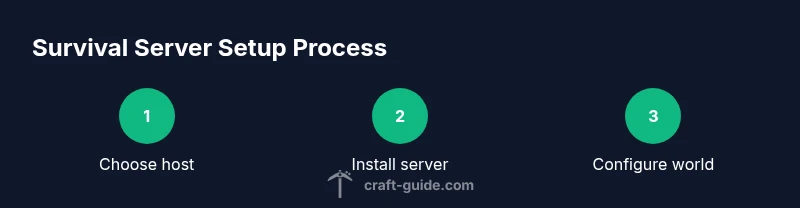
- 1
Choose a hosting plan
Select a hosting plan that fits your initial player base and growth goals. Ensure the plan allows for easy resource scaling and offers a reliable uptime track record. Why: a solid foundation prevents early performance bottlenecks.
Tip: Pick a plan that can scale with player growth and enables easy backups. - 2
Install server software
Install the chosen Java edition server software and keep it updated. Verify that it runs stable on the host’s operating system and that you can access the console remotely. Why: up-to-date software reduces security risks and improves performance.
Tip: Use a stable build and test upgrades on a staging environment when possible. - 3
Create a fresh survival world
Generate a clean world designed for survival with a natural progression curve. Backups before any changes ensure you can revert if necessary. Why: a clean slate helps avoid legacy issues and keeps gameplay balanced.
Tip: Document seed or world generator settings for consistency. - 4
Configure world rules and properties
Adjust game rules to shape the survival experience (e.g., PvP, mob spawning, loot). Update server.properties accordingly and test with a small group. Why: correct rules ensure fairness and reduce chaos.
Tip: Keep a changelog of rule adjustments for staff reference. - 5
Install security and admin tools
Enable anti-grief and logging plugins, set permissions, and create admin groups with limited access. Test permission boundaries with a trusted tester. Why: protection from griefing preserves the community.
Tip: Limit direct access to critical files and rotate credentials periodically. - 6
Set up onboarding and starter kits
Publish clear rules, set up a spawn with a starter kit, and provide a brief guide for newcomers. Ensure chat filters and basic moderation guidelines are visible. Why: good first impressions improve retention.
Tip: Provide a quick-reference welcome book or signs at spawn. - 7
Run a test with a small group
Invite a few trusted players to test the server’s stability and rules. Monitor TPS, server load, and grief reports, then adjust resources as needed. Why: early feedback helps catch issues before wider release.
Tip: Create a public feedback channel and respond promptly to issues. - 8
Back up and secure
Set up automated backups and verify restoration procedures. Schedule regular maintenance windows to apply updates without disrupting play. Why: reliable backups prevent data loss and reassure players.
Tip: Test restore procedures periodically to ensure they work under real conditions. - 9
Launch and promote
Open the server to your community and advertise through appropriate channels. Establish a governance model for rules, events, and staff decisions. Why: a strong launch sets the tone for ongoing engagement.
Tip: Host a small kickoff event to showcase features and welcome new players.
People Also Ask
What is a survival server in Minecraft?
A survival server is a shared world where players gather resources, build, and survive together, following a set of rules and protections to maintain balance and fairness.
A survival server is a shared Minecraft world where players collect resources, build, and work together under defined rules and protections.
Can I run a survival server without mods?
Yes. You can run a vanilla survival server or add a curated set of plugins to enhance protection, economy, and quality-of-life features. Start simple and expand as needed.
You can run it vanilla or with a few careful plugins to improve protections and gameplay quality.
How many players can join a survival server?
Capacity depends on host resources, settings, and plugins. Start with a small group and monitor performance before expanding.
The number of players depends on your host and settings; begin with a small group and scale up as you go.
What are common anti-grief measures?
Use permission systems, build protections, activity logs, and trusted moderators. Regularly review permissions and educate staff.
Common anti-grief measures include permissions, protections, logs, and trained moderators.
How often should I back up the server?
Implement automated backups on a regular schedule and after major events or updates to minimize data loss.
Back up automatically on a schedule and after big events to protect progress.
What should I do if players report issues?
Acknowledge reports promptly, verify the issue, and apply fixes or patches. Communicate transparently about what changed.
Acknowledge, verify, fix, and communicate clearly about the issue and resolution.
Watch Video
The Essentials
- Plan hosting and scale resources with player growth.
- Prioritize backups, security, and clear rules.
- Launch with a simple onboarding flow and gather feedback.
- Grow gradually with curated features and events.