Are Minecraft Realms Free in 2026? An In-Depth Guide
Explore whether Minecraft Realms are free, how pricing works, trials, and budgeting tips. A data‑driven, practical guide from Craft Guide to help players decide between Java vs Bedrock Realms.


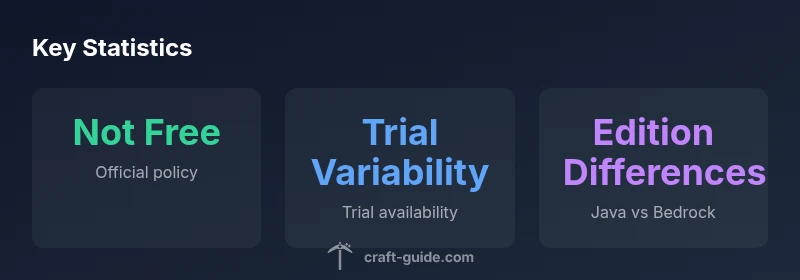
Are minecraft realms free? No. Official Minecraft Realms are a paid multiplayer hosting service with a monthly subscription. Some regions and editions may offer a limited free trial or promotional periods, but there is no ongoing free plan. Craft Guide's analysis shows the value comes from an easy setup, reliable hosting, and cross‑play features, not a free access model.
Are Minecraft Realms Free? A Reality Check
According to Craft Guide, understanding whether are minecraft realms free hinges on distinguishing official Realms from community servers. Realms as a service is not free. The question 'are minecraft realms free' comes up often among players who want a simple, managed experience without hosting headaches. Mojang's Realms is designed to host a world with invited players, maintain backups, apply updates, and provide cross‑play across compatible editions, all from a single, easy interface. That convenience comes with a price matched to the value of a managed service: hosting, updates, and safety features are funded by the subscription. Across Java Edition and Bedrock Edition, the core idea remains the same: you pay to access a hosted, always-on world, not to obtain a free, indefinite server. Craft Guide's review of real-world usage shows that many players appreciate the reliability and reduced setup time, even when a free option would be cheaper in the short term.
How Realms Pricing Works
Realms uses a subscription model rather than a one-time purchase. In practice, you pay a monthly fee for access to one Realm, which includes dedicated hosting, automatic backups, and built‑in moderation and safety features. The price structure is designed to be simple: one Realm per account, with additional per-player capacity and features available in some configurations. Pricing varies by edition (Java vs Bedrock) and by region, but the core concept remains consistent: ongoing access to a hosted world costs money to cover server costs, updates, and support. This straightforward approach reduces the friction of running a public server, but it also means that longer play sessions or larger groups should factor ongoing costs into their planning. Craft Guide's analysis indicates many players appreciate the predictable monthly cadence, even when comparing it to self-hosted servers with variable uptime.
Free Trials and Promotions
Occasionally, Mojang or retailers offer time‑limited trials or promotional terms for Realms; availability depends on edition, platform, and region. A trial can let you test features like cross‑play, access duration, and the invite system before committing to a subscription. Because promotions change, always verify current terms on the official help pages and within your Minecraft launcher. If you cannot access a trial, you can still evaluate value by considering how many friends will regularly play, how often you plan to meet, and whether the convenience of automatic backups and updates justifies the cost. Craft Guide notes that the existence of trials demonstrates the market demand for a low‑risk way to try Realms before paying.
Java vs Bedrock Realms: Are They The Same?
Both Java Realms and Bedrock Realms share the same underlying concept—hosted, managed multiplayer worlds—yet there are important edition‑level differences. Java Realms focuses on Java Edition players and supports features that align with that ecosystem, while Bedrock Realms targets Bedrock players across Windows, consoles, and mobile devices. Cross‑play between editions is not universally available; you must ensure your friends play the same edition or connect through supported cross‑play features if offered. In practice, this means choosing the Realm that matches your primary edition and device set. Craft Guide's comparison highlights how edition alignment can affect world sharing, invite mechanics, and update timing, so plan accordingly.
Alternative Options If You Don't Want to Pay
If paying for Realms doesn’t fit your budget, there are alternatives that can still deliver a satisfying multiplayer Minecraft experience, though they require more setup and ongoing maintenance. Community-run servers, self-hosted options on a PC or Raspberry Pi, or rented hosting from third‑party providers can be cheaper or even free at times, depending on resources and promotions. Be aware that these approaches typically require you to manage backups, security, and server performance yourself. For players who value ease and minimal admin, Realms offers a dependable, plug‑and‑play option, while peers who enjoy tinkering may prefer a DIY server with more control and potential cost trade‑offs. Craft Guide suggests evaluating both paths by measuring time, durability, and your group’s tolerance for setup work.
How to Budget for Realms
Budgeting for Realms means forecasting your group’s engagement and treating the subscription as a shared expense. Start by listing how often you will play together and how many players will join each session. Then compare the cost of Realms to the potential cost of a DIY server, factoring in hosting, internet bandwidth, and time spent maintaining backups and updates. If you have a fixed weekly schedule and a tight group, you may reach a break-even point sooner than you expect. Consider splitting the cost among players to reduce individual expenses, and set a trial period to reassess value after the first month. Craft Guide recommends documenting usage patterns and revisiting the decision every few months, especially when new editions or features are released.
Common Myths About Realms
There are several myths surrounding Realms that influence player decisions. Myths like 'Realms are completely free with Xbox Game Pass' or 'Realms always includes infinite space' can mislead players. In reality, Realms is a paid service with limitations tied to the edition, device, and guest capacity. Another misconception is that Realms will automatically prevent griefing; while Realms includes some moderation tools, players still need to follow community guidelines and use safe invite practices. By separating fact from fiction, players can make better decisions about whether Realms aligns with their play style and budget.
How to Set Up and Manage a Realm Efficiently
Getting started with Realms is designed to be straightforward. In the Minecraft client, choose Realms from the main menu, create a new Realm, and pick a world size. Invite friends by sharing a secure invite link or username, and set permissions to limit who can build or destroy. Regular backups occur automatically, but you should still take manual backups before major in‑game events. Use the Realm's settings page to adjust the world’s rules, configure welcome messages, and monitor activity. Finally, keep your friends informed about maintenance windows and invite status to avoid frustration.
Troubleshooting and Common Issues
Common issues include invites failing, subscription tier mismatches, or delays in world loading after a major update. Start by verifying your account status, connection stability, and whether your friends are using the same edition. If invites don’t arrive, reissue them and check that the recipient’s username is correct. For technical hiccups, check Mojang's official help pages or community forums for known issues and recommended workarounds. Craft Guide suggests keeping a mental checklist: confirm edition alignment, verify region availability, review invite permissions, and ensure your device software is up to date. With a methodical approach, most Realm problems can be resolved quickly, letting your group resume playing.
Realm types and access models
| Realm Type | Access Model | Notes |
|---|---|---|
| Java Realms | Paid monthly subscription | Cross-play with Java edition users |
| Bedrock Realms | Paid monthly subscription | Cross-platform on Bedrock devices |
People Also Ask
What is Minecraft Realms?
Minecraft Realms is Mojang’s hosted, official multiplayer service that lets friends join a world with built‑in protections and automatic updates. It is not a free service and requires a subscription to access.
Minecraft Realms is an official hosted server service. It isn’t free; you pay a monthly subscription to play with friends.
Are Minecraft Realms free?
Realms itself is a paid service, though occasional trials or promotions may exist. Ongoing access generally requires payment.
Realms isn’t free, but you might find a time-limited trial or promotion.
Can I cancel Realms anytime?
Yes. You can cancel a Realms subscription from your account settings and resume or stop access as you wish.
Yes, you can cancel anytime from your account.
Differences between Java and Bedrock Realms?
Java Realms and Bedrock Realms share core hosted multiplayer concepts but differ in edition compatibility and cross‑play options. Ensure you pick the Realm that matches your players’ edition and devices.
Java and Bedrock Realms are similar but work with different editions.
What about free alternatives to Realms?
There are community servers and DIY hosting options that can be cheaper or free, but they require more setup and maintenance.
There are free or cheaper alternatives, but they need more setup and upkeep.
What affects Realms pricing?
Pricing varies by edition (Java vs Bedrock), region, and any promotions or trial terms available at the time.
Pricing varies by edition and region, plus any promotions.
“Realms offers a simple, managed multiplayer experience that suits casual groups, but its value depends on price versus convenience and maintenance needs.”
The Essentials
- Understand that Realms is paid, not free.
- Trial availability varies by region and platform.
- Choose Java or Bedrock Realms based on your edition and devices.
- Budget for monthly costs and plan with your group.
- Explore alternatives only if you’re comfortable with DIY hosting.