Minecraft or Switch: Which Version Is Right for You?
A rigorous, platform‑by‑platform comparison of Minecraft on Nintendo Switch vs PC editions, focusing on mods, performance, cross‑play, and multiplayer to help players pick the right version.


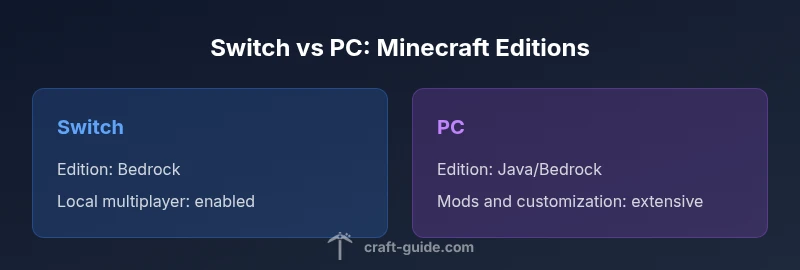
When deciding between minecraft or switch and PC, the quick answer is simple: Switch provides portability and couch co-op, while PC versions offer broader modding, higher performance, and more robust cross‑play options. If you prioritize mods and customization, PC wins; if you value on‑the‑go play and local multiplayer, Switch shines. This page explains the trade-offs in detail.
Platform Ecosystem and Editions
According to Craft Guide, the landscape of minecraft or switch is defined by two primary edition families: Bedrock Edition (which powers the Switch version and other console and mobile builds) and Java Edition (the original PC-focused variant). Switch users enjoy a streamlined, console-friendly experience with built-in split-screen support and a straightforward marketplace. PC players often run Java Edition for its open modding scene and wide compatibility with community-made content. These differences drive the core decision: which ecosystem aligns with your goals for exploration, creativity, and community.
On Switch, you’ll find a tight, curated set of features designed to run reliably on portable hardware and local networks. On PC, you gain access to a broader set of options, including more frequent updates, experimental features, and deeper control over world generation and mods. Craft Guide’s analysis shows that the choice frequently boils down to whether you value portability and family-friendly play or modification potential and long-term customization. However, keep in mind that cross-platform play is largely limited to Bedrock with some caveats for servers and mods.
Performance and Graphics
Performance and visual quality are among the biggest differentiators between minecraft or switch editions. The Nintendo Switch version operates within fixed hardware constraints, which means a consistent, familiar experience across docked and handheld modes, with clear limitations when rendering large, heavily-modified worlds. PC editions, by contrast, scale with your hardware and driver optimizations, offering higher resolutions, smoother frame rates, and richer textures when you have a capable GPU. Craft Guide analysis highlights that players who enjoy resource packs, shader mods, and high‑fidelity worlds typically gravitate toward PC; those who prefer reliable play without tweaking settings often stay with Switch. Additionally, loading times and world detail can vary more on PC due to mod libraries and user-generated content, whereas Switch offers a more predictable baseline performance.
Modding and Content Availability
Modding is a cornerstone of the PC Minecraft experience. On Windows, Java Edition remains the hub for Forge, Fabric, and a vast array of community content, from performance improvements to total conversion mods. Bedrock on PC supports official add-ons and marketplace content, but it’s more restricted in scope than Java’s extensive ecosystem. Switch, powered by Bedrock, emphasizes a curated storefront and officially approved add-ons, which means fewer third‑party mods but a stable, consumer-friendly catalog. Craft Guide notes that this is a defining distinction: PC users generally enjoy deeper customization and experimentation, while Switch players benefit from a safer, simpler modding pathway guided by official channels.
Multiplayer and Social Play
Local multiplayer shines on Switch thanks to built‑in split-screen support and the ease of sharing a couch with friends. The Bedrock edition on Switch also supports cross‑play with other Bedrock platforms, though server support and community hub access can be more constrained than PC environments. PC players gain unparalleled online multiplayer options via servers, custom maps, and cross‑play with other Bedrock editions, provided the servers permit it. Craft Guide emphasizes that your social goals matter: families leaning on casual, local play may prefer Switch; communities seeking expansive online worlds and custom minigames will be drawn to PC.
Content and Marketplace Dynamics
Minecraft content economics differ between platforms. Switch leans on the official marketplace, offering skins, texture packs, and adventures curated by the publisher; this creates a streamlined, warranty-friendly experience for new players. PC ecosystems, especially Java, rely on community-hosted maps, mods, and launchers, enabling virtually endless content but with variable compatibility and safety considerations. Craft Guide highlights that marketplace familiarity matters: Switch purchases are straightforward and portable, while PC content can require more upfront management but unlocks boundless creativity.
Controls and Comfort for Long Play Sessions
Control schemes influence the feel of Minecraft for long sessions. Switch hinges on a handheld-friendly controller layout, with input mapped to a compact button set and a few ergonomic tradeoffs for precision in combat and building. PC offers keyboard and mouse precision, with optional gamepads, which many players prefer for building speed and intuitive item management. If you’re a newcomer, Switch’s simpler control scheme may reduce the learning curve; power users will likely prefer keyboard/mouse or specialized controllers on PC. Craft Guide recommends assessing how comfortable you are with micro-adjustments during complex builds and adventures.
Value and Long-Term Cost Considerations
Value in Minecraft licensing comes down to platform and ownership model. Switch provides a one‑time purchase with ongoing access to updates and in‑platform content, plus local multiplayer conveniences. PC editions often require a broader investment in hardware and potential DLC or expansion packs, but they offer more freedom in modding and long‑term content development. Craft Guide points out that the decision hinges on how you plan to grow your world: if mods and ongoing customization are central, PC is typically the better long‑term bet; if portability and family-friendly play are paramount, Switch remains an excellent, cost-effective choice.
Getting Started with Your Choice
If you choose Switch, start by updating the console firmware, downloading Minecraft from the official storefront, and enabling local multiplayer with a spare Joy-Con or Pro Controller. For PC, install the launcher, choose the Java or Bedrock edition you want, and set up a basic modding environment if that’s your path. Regardless of platform, begin with a small world to familiarize yourself with controls, inventory management, and crafting recipes before expanding into larger builds.
Real-World Scenarios: Which Version Is Best For You?
If you travel often and enjoy quick building sessions on the go, Switch is an excellent companion that preserves your progress offline. If you want to explore extensive mods, automated farms, and custom maps, PC is the clear winner. Families with shared TV space may prefer Switch for local play, while solo builders focusing on ambitious projects will find PC more accommodating. The Craft Guide team recommends aligning your choice with how you play most often and the level of customization you desire.
Comparison
| Feature | Minecraft on Nintendo Switch (Bedrock) | Minecraft on PC (Java Edition) |
|---|---|---|
| Edition family | Bedrock on Switch | Java on PC |
| Cross-play availability | Bedrock cross-play with compatible devices | Cross-play via Bedrock; highly dependent on servers and launchers |
| Modding ecosystem | Official add-ons and marketplace content | Vast modding ecosystem (Forge/Fabric) and user maps |
| Performance potential | Constrained by console hardware | Scale graphics with hardware and settings |
| Controls and UX | Joy‑Con/Pro Controller with couch-friendly UI | Keyboard/mouse or gamepad with precise input |
| Local multiplayer | Built-in split-screen | Limited official support; online focus on PC |
| Content pricing | One-time purchase with store content | Free-to-play content varies; DLCs and maps vary by launcher |
| World sharing and access | Worlds stored locally on console or cloud where available | Worlds stored locally or in cloud depending on launcher |
Benefits
- Portability and couch-friendly play on Switch
- Extensive modding and customization on PC
- Broad cross-platform play when using Bedrock across devices
- Diverse control options (keyboard/mouse or gamepad)
Negatives
- Switch hardware limits affect performance and world size
- Switch has limited modding beyond official add-ons
- PC requires more setup and can have a steeper learning curve
- Mods and communities can introduce compatibility risks
PC editions generally offer the best long-term value for dedicated players; Switch is best for casual, portable, local multiplayer.
Choose PC if you want mods, performance, and cross-platform online play. Switch shines for on-the-go play and family-friendly couch sessions. Craft Guide’s assessment supports a targeted choice based on your playing style and goals.
People Also Ask
Is Minecraft on Switch cross-play with PC players?
Bedrock Edition on Switch supports cross‑play with other Bedrock platforms where servers allow it. However, some servers and features may restrict cross-platform access. Always check the server rules before joining.
Yes, Switch can cross-play with other Bedrock editions where servers permit it, but not every server supports it.
Can I play Minecraft Java Edition on Nintendo Switch?
Java Edition is not available on Nintendo Switch. Switch uses Bedrock Edition, which is designed for console and mobile play, with a different modding and content ecosystem.
Java isn’t on Switch; Switch runs Bedrock Edition.
Which version is easier for beginners?
For absolute beginners, Switch offers a gentler entry with simplified controls and a built-in marketplace. PC can be navigated by beginners too, but it often benefits from a guided approach to mods and launcher setup.
Switch is typically easier to start with thanks to its simpler setup.
Are mods on Switch as extensive as PC?
No, Switch has a more limited mod ecosystem and relies on official add-ons and marketplace content. PC, especially Java Edition, has a thriving modding community and expansive customization.
Switch mods are more limited; PC has broader customization options.
Is local split-screen available on PC?
Local split-screen is a feature more commonly associated with console editions like Switch. PC supports multiplayer, but split-screen is not standard across all hardware setups and may require specific configurations or external software.
Split-screen on PC is not a universal feature; it varies by setup.
What’s the best option for long-term players who love mods?
If your focus is on mods and ongoing content development, PC (Java Edition) is the best choice due to Forge/Fabric ecosystems and broad community support.
For ongoing mods, PC is the clear winner.
The Essentials
- Prioritize PC for modding and expansive content
- Choose Switch for portability and local multiplayer
- Expect fewer third‑party mods on Switch vs PC
- Weigh your budget against hardware and content costs
- Consider cross-platform needs when selecting a version