Is Minecraft on Switch: A Practical 2026 Guide
Discover whether Minecraft runs on the Nintendo Switch, what features it supports, how to install, cross‑play options, and practical tips for Switch players in 2026. Crafted by Craft Guide.


Yes — Minecraft Bedrock Edition is available on Nintendo Switch, letting players join cross‑platform worlds with Windows 10, mobile, and Xbox players. The Switch version supports most core features, with some limitations compared to PC or console editions. This guide explains edition details, setup, cross-play, performance, and tips for getting the most out of Minecraft on Switch.
Is Minecraft on Switch Real? Edition and History
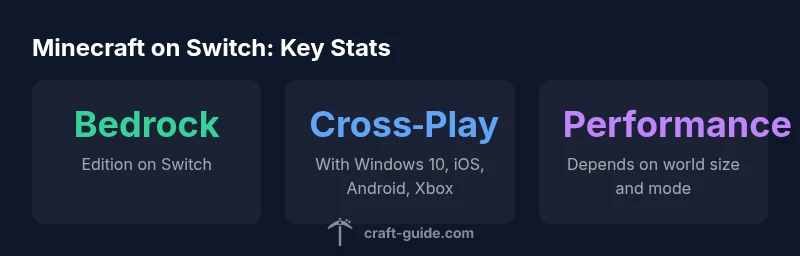
The Nintendo Switch hosts the Bedrock Edition, making it possible to play Minecraft on the go and docked. For many players, the question is is minecraft on switch, and the answer is yes—the Bedrock Edition is available on the platform. This edition enables cross‑platform play with Windows 10, iOS, Android, and Xbox consoles, while Java Edition remains unavailable on Switch. Since its arrival on the Switch, Mojang and Microsoft have delivered routine updates, prioritizing core gameplay, marketplace content, and cross‑platform play. Craft Guide analyzes show that Switch users can expect a solid, portable Minecraft experience, with performance tuned for handheld hardware. The section that follows clarifies what this means for everyday play, whether you’re building in Creative or surviving in Survival.
What Minecraft Bedrock on Switch Includes (and Excludes)
Bedrock on Switch delivers the essential Minecraft experience: Creative and Survival modes, access to the Marketplace for skins and texture packs, and cross‑platform play with other Bedrock editions. It does not run Java Edition, and some PC‑exclusive features or experimental additions may be unavailable on Switch due to platform constraints. The core gameplay remains consistent across Bedrock platforms, with the Switch version optimized for handheld play and local co‑op sessions. If you’re migrating from another platform, the Microsoft account linkage ensures access to your friends list and shared worlds where possible, though occasional parity gaps can occur.
How to Install Minecraft on Nintendo Switch
To play, purchase Minecraft from the Nintendo eShop and sign in with a Microsoft account to enable cross‑play and Realms. After purchase, download the Bedrock Edition, launch the game, and link your Microsoft account if prompted. If migrating from another platform, use the same Microsoft account to access your existing worlds and friends list. This setup is straightforward, but you’ll want a stable internet connection for online features and cloud saves. Craft Guide recommends verifying your Nintendo account settings to avoid login hiccups and to keep your progress synchronized across devices.
Cross-Platform Play and Realms on Switch
Bedrock on Switch supports cross‑play with Windows 10, iOS, Android, and Xbox consoles. This broad compatibility enables multiplayer sessions across devices, though PlayStation systems are not part of Cross‑Play in this ecosystem. Realms and Realms Plus remain viable options for hosting persistent worlds with friends, simplifying invitations and ongoing collaboration. Craft Guide analyses indicate that cross‑platform play expands the Minecraft community on Switch, even as some features and third‑party mods are platform‑dependent.
Performance and Graphics on Switch: What to Expect
The Switch edition is optimized for handheld and docked play, delivering a smooth baseline experience for most builds. Performance varies with world size, redstone activity, lighting, and render distance. Players can tailor settings to balance frame rate, battery life, and visual fidelity: lower render distance and chunk load distance can significantly improve stability on larger or more complex builds. While not identical to PC or console versions, the Switch release remains a solid option for portable Minecraft play.
Realms, Local Multiplayer, and Server Options on Switch
Realms provide a managed, cross‑platform server environment for Switch players, while local multiplayer remains possible with two players sharing Joy‑Cons or a Pro Controller. For more ambitious multiplayer experiences, you can invite friends on other Bedrock platforms, or use a hosted World/Server approach where supported. This section clarifies how Realms, local co‑op, and third‑party servers interplay on Switch, helping you plan multiplayer sessions without surprises.
Controls, UI, and Comfort for Switch Players
Joy‑Con input and screen size can influence long sessions; many players prefer a Pro Controller for extended building or exploration. The in‑game controls are designed for both button and touch input, and you can customize the hotbar and inventory short‑cuts for efficiency. If you play primarily in handheld mode, consider enabling simplified UI elements and reducing render distance to maximize comfort and battery life while preserving essential visibility and control.
Common Limitations and Practical Workarounds
While the Bedrock edition on Switch offers a robust experience, limitations exist: parity gaps with PC in some features, occasional cross‑play constraints, and world loading times in large builds. Practical workarounds include starting with smaller seed worlds, leveraging chunk loading settings, and selectively using offline play when network issues arise. This approach helps ensure smooth play both at home and on the go, aligning with the flexibility that Switch users expect from Minecraft.
Getting the Most from Minecraft on Switch: Pro Tips
- Prefer a Pro Controller for comfort during long sessions.
- Use Realms or hosted servers for stable multiplayer experiences.
- Plan builds in smaller chunks to reduce load times and keep performance steady.
- In handheld mode, adjust brightness and render distance to maximize battery life while retaining visibility.
- Keep the game and the Switch firmware up to date to minimize compatibility issues.
These practical tips help players of all skill levels enjoy a durable, portable Minecraft experience on Switch.
Cross-platform availability by platform
| Platform | Edition | Notes |
|---|---|---|
| Nintendo Switch | Bedrock Edition | Cross-platform play with Windows 10, iOS, Android, Xbox |
| Windows PC | Bedrock Edition | Cross-platform play with Switch, mobile, and Xbox |
People Also Ask
What edition is on Switch?
Switch uses Minecraft Bedrock Edition; Java Edition is not available on Switch. This ensures cross‑play with other Bedrock devices, while maintaining Switch‑specific controls and performance considerations.
Switch runs Bedrock Edition, not Java. Cross‑play with Bedrock devices is supported.
Can I play with friends on other platforms?
Yes, Switch players can cross‑play with Windows 10, iOS, Android, and Xbox players on Bedrock Edition. Cross‑play with PlayStation platforms is not generally supported.
Yes, with other Bedrock platforms like Windows, iOS, Android, and Xbox.
Do I need a Microsoft account to play on Switch?
Yes. A Microsoft account is required to access online features, save progress to the cloud, and enable cross‑play and Realms.
Yes, you’ll need a Microsoft account for online features.
Is there split-screen on Switch?
Yes, local multiplayer with split-screen is supported on Switch when using compatible controllers.
Yes, you can play locally with a friend on the same screen.
Will Switch receive feature parity with PC?
Features are generally aligned with Bedrock across platforms, but parity can lag behind PC for some updates or experimental features.
Updates come to Bedrock across platforms, but parity can vary.
How can I transfer worlds between platforms?
World access is tied to your Microsoft account. Sign into the same account on Switch and other devices to access compatible worlds and invites.
Sign in with the same Microsoft account to access your worlds.
“Minecraft on Switch gives players access to Bedrock across platforms, but understanding platform parity helps manage expectations and maximize the experience.”
The Essentials
- Switch hosts the Bedrock Edition for portable Minecraft play.
- Cross‑play exists across Windows 10, iOS, Android, and Xbox on Switch.
- Parity with PC features may vary; expect platform‑specific limitations.
- Realms offers a managed multiplayer option on Switch.
- Optimize controls and settings for handheld sessions to maximize performance.