How to Use a Minecraft Map: Step-by-Step Guide
Learn how to use Minecraft maps to navigate, plan builds, and explore efficiently. This comprehensive guide covers crafting, reading, expanding maps, and practical strategies for solo and multiplayer play.


By the end of this guide, you will know how to craft an empty map, activate and read it, and expand your coverage with zoomed-out maps. You’ll also learn locator maps for your position, tips for marking points of interest, and best practices for navigating large worlds. This quick answer sets the stage for a deeper, practical tutorial.
What is a Minecraft map and why use it?
Maps in Minecraft are a dynamic tool that records the terrain you have explored. A map starts blank and fills in as you travel, creating a two-dimensional snapshot of your world. Players use maps to avoid getting lost, plan ambitious builds, and coordinate exploration with friends. According to Craft Guide, understanding how maps work is a foundational skill for both casual players and builders who want to optimize their routes and inventory management. In practice, a map acts like a guide you can hold in your hand; it doesn’t reveal things you haven’t seen, but it shows color-coded terrain, landmarks, and your present location when using a locator map. Whether you’re traversing a dense forest, crossing deserts, or charting a cavern system, maps turn wandering into purposeful exploration.
Map types and versions in Java vs Bedrock
Maps function the same at their core across editions, but there are practical differences you should know. A standard map is created by surrounding a compass with eight pieces of paper, then activated to fill as you move. On both Java and Bedrock editions, a locator map adds a glowing dot showing your position, which is essential for marking your starting point. In multiplayer worlds, maps can be shared or kept private, and players can copy maps to create multiple covering areas. The scale of maps is consistent across editions: maps can zoom out as you craft higher-level maps by combining them. Understanding these nuances helps you decide when to start with a single map, when to create a multi-map grid, and how to maintain situational awareness during long expeditions. Crafting and using maps effectively reduces backtracking and makes it easier to coordinate with teammates on large projects.
Getting started: crafting and equipping a map
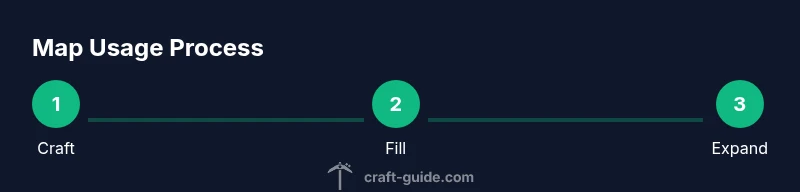
To get your first map, you’ll need sugar cane for paper, iron ingots for a compass, redstone for the compass center, and a crafting table. The classic route is to craft a compass first, then craft an empty map by surrounding a compass with eight sheets of paper. Once the map is in your inventory, right-click (or the appropriate use button) to activate it and start filling it as you move. If you plan to navigate with a friend, consider making a locator map by combining a map with a compass—this displays your current location on the map, making it easier to keep pace in shared worlds.
Reading the map: icons, coordinates, and coverage
A filled map shows terrain, landmarks, and your position, colored blocks representing different biomes and features. Distinct icons mark villages, temples, and other points of interest; the more you explore, the more detail appears. In Java Edition, coordinates aren’t shown directly on the map itself, but you can use your HUD coordinates to cross-reference locations. Locator maps add a live dot showing your position, which is invaluable for reorienting when you lose track of where you are. Reading a map effectively means recognizing terrain features (rivers, mountain rims, forests) and using them as anchors to plan routes, set milestones, and avoid retracing steps.
Expanding your map: combining and zooming out
As soon as you have a filled map, you can expand its coverage by crafting and combining maps of the same scale. Place four maps of the same scale in a 2x2 block with a blank map in the center to produce a larger map that covers more area. This “zoom out” process lets you survey entire regions, build a road network, or lay out settlements with fewer maps. When you reach a new biome or cross into an unexplored valley, repeat the process to keep your overview current. Keeping multiple zoom levels organized in a map chain makes long expeditions far more manageable.
Practical mapping strategies for different game modes
Solo survival tends to benefit from precise, incremental mapping: fill one map, then zoom out gradually as you push into new zones. Creative mode invites rapid mapping for planning sprawling builds, road systems, and city layouts. In multiplayer, coordinated maps help teams stay aligned: assign map sections to players, share locator maps for team movement, and use maps as a common planning surface during builds. Regardless of mode, map workflows should prioritize consistency: keep your maps linked to the same scale, log discoveries in your notes, and return periodically to update the coverage. Craft Guide’s approach emphasizes practice and repetition to make map usage second nature for seasoned players.
Common mistakes and how to fix them
Mistake: forgetting to bring paper when starting a map project. Fix: stock up on sugar cane beforehand and plan a dedicated mining or farming trip to harvest enough material. Mistake: activating a map without enough paper around the compass—this yields an incomplete map. Fix: double-check your crafting layout. Mistake: not using locator maps in dense areas. Fix: craft locator maps to keep track of position. Craft Guide’s experience shows that small planning steps lead to large gains in navigational efficiency.
Map-based builds and planning ideas
Maps aren’t just navigation tools; they’re planning canvases. Use large maps to sketch a city layout by placing blocks to mark districts and roads. Create map rooms in your base with map frames and signs, labeling each sector. For exploration-based builds, map data helps you identify resource-rich regions and spread out mining operations. You can also design a treetop village by following a map route that winds through trees and cliffs, turning exploration into a guided tour for visitors.
Authority sources
Below are foundational references on map concepts and navigation that complement in-game guidance:
- https://www.usgs.gov
- https://www.nationalgeographic.com/maps
- https://www.britannica.com/topic/map
mainTopicQuery2NoteUsedFor WikidataLookup? e.g.
Tools & Materials
- Compass(Needed to craft the empty map and locator map)
- Paper x8(Made from sugar cane; 8 sheets needed for the empty map around the compass)
- Sugar cane(Harvest along rivers or beaches to convert into paper)
- Iron ingots x4(Used with redstone to craft the compass)
- Redstone(Center in compass recipe)
- Crafting table(Needed for all map-related crafting)
Steps
Estimated time: 45-60 minutes
- 1
Gather resources
Collect 8 paper, 4 iron ingots, 1 redstone, and sugar cane to produce paper. Establish a safe, well-lit crafting area near your base to minimize backtracking.
Tip: Plan a quick farming or mining run to gather materials in one session. - 2
Craft a compass
Open a 3x3 crafting grid and place redstone in the center with four iron ingots at the north, south, east, and west positions. This yields a compass.
Tip: Keep a spare compass in your hotbar for quick map crafting later. - 3
Craft an empty map
In the same crafting grid, place a compass in the center and surround it with eight sheets of paper. This creates an empty map.
Tip: Ensure you use the same map scale when expanding to larger maps. - 4
Activate the map
Select the empty map in your hotbar and right-click to activate. Move around the world to begin filling the map with terrain details.
Tip: Walk systematically to cover adjacent areas and avoid gaps. - 5
Craft a locator map
Combine one map with one compass in the crafting grid. The resulting locator map shows your current position on the map.
Tip: Locator maps are invaluable for staying oriented in expansive biomes. - 6
Read the map
Use the map to identify biomes, landmarks, and your current position. Compare map features with terrain and plan your next waypoint.
Tip: Use natural landmarks (rivers, cliffs) as anchors for navigation. - 7
Expand coverage
To zoom out, craft additional maps of the same scale and combine them with existing maps to create larger view areas.
Tip: Build a map ladder: start with a small map, then progressively zoom out as you explore. - 8
Apply strategies for your mode
Adapt your mapping approach to survival, creative, or multiplayer. Coordinate with teammates, label regions, and maintain updated maps for big projects.
Tip: Regularly rotate through purchased maps to keep your overview current.
People Also Ask
How do you craft a map in Minecraft?
To craft a map, surround a compass with eight pieces of paper in a crafting table. Activate it by right-clicking to fill the map as you explore.
Craft a map by placing a compass in the center with eight papers around it, then activate to begin filling as you move.
What is a locator map?
A locator map shows your position on the map while you explore. Craft one by combining a map with a compass.
A locator map shows where you are on the map; combine a map with a compass to get it.
How do you zoom out a map?
To zoom out, craft and combine maps of the same scale to create a larger map that covers more area.
Zoom out by combining maps of the same size to cover a bigger area.
Can maps be used in multiplayer?
Yes. Players can share maps, coordinate exploration, and mark locations for team projects. Privacy is personal.
Maps work in multiplayer and are great for teamwork; coordinate and share where needed.
Where do coordinates appear on a map?
Maps show terrain and landmarks; coordinates are shown in the game HUD or enhanced by map mods. Read the map carefully.
Coordinates show up in the HUD or with mods; use landmarks to navigate.
How do you mark locations on a map?
Use signs or build landmarks near the map; stash markers along your exploration path and note them on the map.
Mark locations by placing landmarks and using overlays to remember spots.
Watch Video
The Essentials
- Craft maps with compass + 8 paper; study map coverage
- Locator maps show your position for navigation
- Expand coverage by zooming out with multiple maps
- Use maps for efficient exploration and planning
- Coordinate maps in multiplayer for teamwork