How Is Minecraft Played: A Practical Beginner's Guide
Learn how is minecraft played with a practical, step-by-step beginner's guide. Covering modes, survival basics, crafting, building, and multiplayer tips to help new players start strong and progress confidently in 2026.


In this guide, you’ll learn how is minecraft played across the main modes—Survival, Creative, Adventure, and Spectator—along with the core loop of gathering, crafting, and building. You’ll discover starting strategies, early-game tips, and how to approach progression from day one. By the end, you’ll know where to start, what to learn first, and how to enjoy Minecraft with confidence.
What is Minecraft and why you should learn to play
Minecraft is a sandbox game where players explore, gather resources, craft items, and build within a procedurally generated world. The broad appeal is that there is no single path to success—the game adapts to your goals, whether that means survival challenges, creative builds, or technical experiments. The question how is minecraft played has a simple answer: you manipulate a blocky world using tools, redstone contraptions, and clever planning to achieve your objectives. According to Craft Guide, beginners who focus on small, repeatable tasks build confidence quickly and reduce overwhelm. You’ll move between modes—Survival, Creative, Adventure, and Spectator—each offering a different pace and set of rules. In Survival, you must manage hunger, health, and safety; Creative lets you design without combat; Adventure emphasizes exploration with custom rules; Spectator is for observation. As you learn, you’ll discover that the game rewards curiosity, experimentation, and consistent practice. This article walks you through the core ideas, so you can enjoy building, exploring, and learning without guesswork. Craft Guide’s team emphasizes starting small—build a simple shelter, gather basic tools, and gradually extend your world. This approach minimizes headaches and makes you comfortable with the game's logic before chasing grand projects. By the end of this guide, you’ll know how to play Minecraft with intent, not just impulse.
note
Tools & Materials
- Minecraft game edition (Java or Bedrock)(Choose Java Edition for PC; Bedrock if playing on consoles or mobile)
- A device to play on (PC, laptop, tablet, console, or phone)(Ensure it meets the minimum system requirements for your edition)
- Account and launcher(Microsoft/Xbox account required for Bedrock; optional for some offline modes in older editions)
- Stable internet connection(Needed for updates, online authentication, and multiplayer features)
- Input devices(Keyboard and mouse for PC or an appropriate controller for consoles/mobile)
- Notes for planning(A notebook or digital document to sketch plans for builds)
Steps
Estimated time: 30-60 minutes
- 1
Choose edition and set up the launcher
Decide between Java Edition or Bedrock, based on your device and preferences. Install the official launcher, create or sign in to your account, and verify your game files are up to date. This foundation ensures you can access the tutorial worlds, servers, and modding tools later.
Tip: Starting with the base launcher and an up-to-date version reduces start-up issues and ensures you can access online resources quickly. - 2
Create a new world with sensible defaults
Open a new world with default settings first. Choose Survival mode to learn resource gathering and combat, and enable structures to see how villages and fortresses generate. Set difficulty to Easy or Normal to avoid overwhelming early-game threats.
Tip: Early accessibility matters—stick to default settings initially, then tweak difficulty or seed if you want a specific world feel. - 3
Collect basic resources and craft your first tools
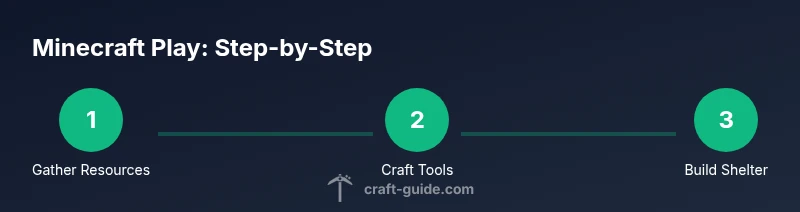
Punch trees to collect wood, craft planks, then build a crafting table. Create basic wooden tools and consider upgrading to stone tools as soon as possible. This establishes a reliable workflow for mining, building, and survival.
Tip: Aim to upgrade to stone tools quickly; they dramatically speed up resource gathering and reduce repetitive farming. - 4
Build a simple shelter for your first night
Construct a small, safe shelter with a door or ceiling to keep monsters out. Light the interior with torches to prevent hostile spawns. A basic bed lets you skip a night if you’re playing in Survival.
Tip: Prioritize visibility and safety over size—small, secure habitats reduce risk and mental load. - 5
Explore nearby resources and smooth progression
Venture to nearby caves and biomes to locate essential ores, coal, and food sources. Craft a furnace to smelt ores, enabling better tools and armor. Gradually expand your base with walls, floors, and a storage system.
Tip: Keep a simple note of where you find key resources to avoid retracing your steps. - 6
Develop a basic crafting and farming loop
Learn core recipes: crafting table, sticks, torches, furnace, wooden or stone pickaxe. Start a small crop farm for food security and a chest system to organize items.
Tip: Organized storage reduces time spent looking for items and makes progress more enjoyable.
People Also Ask
What is the basic goal of Minecraft?
The basic goal is to survive, explore, and create in a blocky world. Players collect resources, craft tools, build shelters, and progress by upgrading gear and expanding their base. Your objectives are flexible and evolve with your interests.
In Minecraft, you survive and build—your goals grow with your imagination.
Which edition should I choose as a beginner?
If you’re on a PC, Java Edition offers full mod support and a classic experience. Bedrock is best for consoles and mobile with smoother cross-platform play. Pick based on your device and desired features.
Java is great for mods on PC; Bedrock works well for consoles and mobile.
Do I need an internet connection to play Minecraft?
You can play in offline mode, but most features—updates, online multiplayer, and real servers—require internet access. A stable connection makes progression faster and more enjoyable.
You can play offline for basics, but the internet unlocks servers and updates.
How do you craft items in Minecraft?
Open your crafting interface, place materials in the correct pattern on the 2x2 or 3x3 grid, and retrieve your crafted item. A crafting table expands to a 3x3 grid for more complex recipes.
Use a crafting table for bigger recipes; place materials in the right pattern.
Can I play solo or offline for a long time?
Yes. Minecraft supports long-term solo play with ongoing progress, base-building, and exploration. You’ll miss online features like servers, but you can still enjoy a complete game at your own pace.
Absolutely—solo play is fully supported with lots to do offline.
Where can I learn more effectively?
Start with official guides, build recipes, and watch beginner-focused tutorials. Practice by repeating core tasks until you’re comfortable then gradually try more advanced projects.
Start with guides, then practice basic tasks until you’re confident, then level up.
The Essentials
- Master the basics: gather, craft, and build consistently
- Choose a mode that matches your goals and stick with it
- Protect your base with light and boundaries to survive the first nights