How to Make a Map in Minecraft: A Practical Guide
Learn how to make a map in Minecraft with a practical, beginner-friendly approach. Gather materials, craft a blank map, expand and copy maps, and display them for exploration and planning.


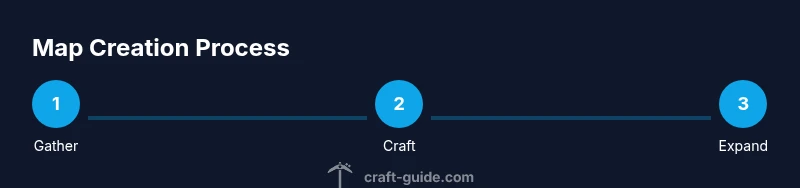
This quick answer shows how to make a map in minecraft: gather the required materials, craft a blank map, and reveal the terrain by exploring. Start with paper from sugar cane and a compass from iron ingots and redstone, then place the compass and eight papers in the crafting grid to create the map. Expand, copy, and display maps using a cartography table for larger areas.
Understanding Maps in Minecraft
In Minecraft, a map is a visual tool that shows the terrain you have explored. For many players, learning how to make a map in minecraft is a game-changing step because it lets you navigate large biomes, coordinate builds, and plan resource routes. A map records the terrain around the player who created it, updating as you explore new areas. According to Craft Guide, mastering basic map mechanics unlocks strategic ways to explore efficiently and document your world.
Maps come in two practical forms: the blank map you craft from a compass and paper, and filled maps that depict explored regions. As you walk, your position marker appears on the map, and newly explored tiles light up in brighter colors. This makes maps invaluable for long treks, base logistics, and coordinating actions in multiplayer worlds.
Materials and Preparation
Before you craft anything, gather the items you need for a map. At a minimum, you will require paper (produced from sugar cane), a compass (crafted from iron ingots and redstone), and a crafting table. You will also want iron ingots to produce the compass and access to sugar cane near water to keep your supply steady. If you plan to expand or duplicate maps later, add a cartography table to your setup. The Craft Guide team recommends organizing materials in chests near your work area to streamline the process. Crafting paper from sugar cane is a straightforward farming task, and you can grow a steady supply with a simple irrigation setup. Crafting a compass requires four iron ingots and one redstone; keep an extra redstone on hand for future recalibrations. Once you have the base components, you are ready to assemble a map and begin your exploration journey.
Crafting a Basic Map
To craft a basic map, you need a compass and eight pieces of paper. In the 3x3 crafting grid, place the compass in the center and surround it with eight papers. This arrangement yields a blank map item. The map itself does not show terrain until you begin to explore; carrying it while moving will gradually fill in surrounding terrain. For best results, work at a crafting table to ensure exact placement, then hold the map in your hand to begin filling in your world.
Tip: If you accidentally place items in the wrong slots, simply break and re-place them on a fresh crafting grid. This avoids wasting materials while you learn the layout.
Activating and Exploring to Fill the Map
Once you have a blank map, hold it in your main hand and walk around your world. The map updates in real time with the landscape you reveal, turning gray areas into colored terrain as you cover more ground. For early exploration, start near your spawn location and move outward in gradually expanding circles to efficiently cover more area without backtracking. If you return to your base and still see large blank regions, take the map with you and continue detailing new zones. Craft Guide analysis shows that deliberate exploration patterns minimize backtracking and maximize coverage over time.
Remember that maps show the terrain up to your current explored radius and do not memorize distant locations you haven’t reached yet. This makes maps excellent planning tools for building routes, resource gathering corridors, and safe travel paths across biomes.
Expanding and Copying Maps with a Cartography Table
To extend a map’s coverage, you use a cartography table. Place the blank map or an existing map in the left slot and paper in the right slot to upgrade its scale. Each expansion increases the area the map covers but reduces the level of detail. Copying maps is straightforward: place an existing map in one slot and a second blank map in the other to create a duplicate you can share with teammates. This workflow is ideal for coordinating large builds or multiplayer expeditions without losing your original reference.
If you don’t have a cartography table yet, you can still expand maps by crafting with a regular crafting table, but the cartography table streamlines the process and keeps your originals intact. Craft Guide Team notes that using a dedicated cartography table helps maintain order when managing multiple maps.
Displaying and Organizing Your Maps
After expanding or copying maps, you’ll want to organize them for quick access. Maps can be displayed on a wall using item frames, or you can carry several in your inventory for fast reference. Group maps by region, biomes, or quest lines to minimize confusion during exploration. Creating a map wall near your base provides a visual overview of your surroundings and helps plan future expansions. Keeping a centralized collection also makes it easier to compare changes over time as you explore new territories.
Pro tip: Use consistent naming conventions or color-coded banners for map regions to quickly locate the right map during busy adventures.
Common Mistakes and How to Fix Them
A frequent mistake is attempting to expand maps without first mastering the basic blank map. Always start by crafting the blank map, then practice expansion with a single map before scaling up to several. Forgetting to explore with the map in hand leads to a blank display that feels unhelpful. If your map shows distorted edges or blank space in the corners, ensure you are using the correct cartography table upgrade path and that you haven’t mixed up paper and maps. Finally, remember to back up your most important maps by duplicating them before major expeditions.
Map-Driven Build Ideas and Practice Scenarios
Use maps to plan large aesthetic builds like a map-themed gallery, fortress layout, or city planning hub. A well-organized map collection helps you map out districts, water features, and transportation routes. For practice, create a “world tour” loop around your favorite biomes, expand the map to cover each area, and then copy the entire set for a friend or server. These exercises reinforce map-handling skills while offering a tangible creative outlet for your Minecraft projects.
Next Steps: Practice and Mastery
The best way to master maps is consistent practice. Start small with a single map, then gradually add more maps to cover your world. Use the cartography table to expand and duplicate maps as your map wall grows. Finally, experiment with different display layouts to discover what helps you navigate most efficiently during long adventures. Remember, a well-managed map system makes exploration more enjoyable and your builds more cohesive.
Quick Recap: What You Learned about Maps
- Craft a blank map from a compass and eight papers.
- Explore to reveal the terrain on your map.
- Use a cartography table to expand and copy maps.
- Display maps on a wall or in frames for easy reference.
- Plan and execute map-driven builds with confidence.
Tools & Materials
- Sugar cane(Grow near water; convert to paper)
- Paper(Eight sheets per map)
- Compass(Craft from four iron ingots and one redstone)
- Iron ingots(Smelt from iron ore)
- Redstone(Used in compass)
- Crafting table(Required for map assembly)
- Cartography table(Optional for expanding/copying maps)
Steps
Estimated time: 60-90 minutes
- 1
Gather materials
Collect all required items: paper, compass, iron ingots, redstone, and a crafting table. Organize them in your workspace so you can work efficiently without backtracking. Having everything on hand reduces trips to storage and speeds up the process.
Tip: Double-check quantities before starting to prevent material waste. - 2
Craft a compass
Place four iron ingots around the compass pattern with redstone in the center slot to craft a compass. This tool is essential for locating your map’s center and for future expansions.
Tip: Save an extra redstone for later adjustments or compass maintenance. - 3
Craft eight paper
Convert sugar cane into paper using the crafting grid. You will need eight sheets per map—arrange them around the center to prepare for the blank map.
Tip: Keep a small sugar cane farm nearby to maintain a steady supply. - 4
Create the blank map
In the 3x3 crafting grid, place the compass in the center and surround it with eight sheets of paper. This yields a blank map that captures your immediate surroundings when used.
Tip: Use a crafting table to ensure proper placement. - 5
Activate and fill the map
Hold the blank map and begin exploring. Terrain fills in gradually, and your position marker updates as you move. Start near your base and expand outward to maximize coverage.
Tip: Move methodically in outward rings to avoid missing areas. - 6
Expand the map's coverage
Use a cartography table to upgrade the map’s scale by combining it with paper. Each expansion increases coverage but reduces detail. This is ideal for long-range exploration.
Tip: Work on one map at a time to keep your results organized. - 7
Copy maps for sharing
In the cartography table, place the map on one side and a blank map on the other to create a duplicate. This makes sharing with teammates easy without altering your original.
Tip: Label duplicates with region notes in your mind to avoid confusion. - 8
Display and organize maps
Mount maps on a wall with item frames or carry several maps for quick reference. Group maps by region or quest, and keep a centralized collection for easy navigation during adventures.
Tip: Use a consistent layout to speed future planning.
People Also Ask
How do I craft a map in Minecraft?
Craft a compass and eight sheets of paper, then place the compass in the center with paper around it in a 3x3 grid to create a blank map. Hold the map to reveal terrain as you explore.
To craft a map, center a compass in the grid and surround it with eight papers. Hold the resulting map to begin filling in terrain as you explore.
Can I expand a map's coverage?
Yes. Use a cartography table to upgrade the map’s scale. Each expansion covers more area but reduces detail. You can continue expanding as you explore new regions.
You can expand a map's coverage with a cartography table; more area, less detail.
How do I copy maps for sharing?
Place the map on one side of a cartography table and a blank map on the other to duplicate it. Duplicates make it easy to share maps with friends or teammates.
Copy maps using a cartography table to create duplicates for sharing.
Best way to store and display maps?
Display maps using item frames on a wall or keep a compact collection in chests. Group by region for quick reference and motivation for future expansion.
Show maps on a wall or keep them organized in chests for quick access.
Do maps work in multiplayer worlds?
Maps function in multiplayer like single-player, showing shared terrain. Players can explore together and update maps, syncing regions as you discover them.
Yes, maps work in multiplayer and update as the group explores together.
Are maps different between Java and Bedrock editions?
Core map behavior is similar across editions, but some UI and feature details may differ. Always check edition-specific guides for any quirks.
Maps work similarly across editions, but there may be minor differences in UI.
The Essentials
- Craft a blank map using a compass and eight papers.
- Explore to fill the map and reveal terrain gradually.
- Use a cartography table to expand and copy maps for larger coverage.
- Display maps on walls or carry them for planning trips.
- Organize maps by region to speed navigation during builds.