Playing Minecraft: Practical Beginner Guide
A practical, beginner-friendly guide to playing Minecraft, covering edition choices, controls, survival basics, building ideas, and learning resources.


You're about to learn how to start playing Minecraft: choose your edition, install the game, and set up a safe world. You’ll master basic controls, gather resources, craft essential tools, and build your first shelter. This guide also covers safety, exploration, and how to use community tips for steady progress.
Getting Started with Playing Minecraft
Getting started means choosing an edition, creating your account, and launching the game on your device. The two main routes are Java Edition for PC players who love mods and customization, and Bedrock Edition for cross-platform play on consoles and mobile. According to Craft Guide, your first decision should be edition based on your device and play style. Java offers deep tweaking and community-made content; Bedrock provides smooth performance and broad multiplayer. Set up a safe, stable environment by updating your game and backing up saves from the start.
Basic Controls and UI
Understanding the basics of movement, looking around, and interacting with blocks is your first step. On PC, use W A S D to move, space to jump, and left mouse to break blocks or place items. In Bedrock on consoles or mobile, the controls map to your platform’s inputs. Open your inventory with E (PC) or the inventory button (console/mobile). The UI shows hunger/health, the hotbar, and your crafting screen. Practice basic actions in a safe world to build muscle memory before you start a longer survival run. Pro tip: customize brightness and hotbar shortcuts to fit your screen and hand position.
Core Survival Mechanics
In survival mode you manage health, hunger, and stamina while exploring challenges like hostile mobs and rough terrain. Gather basic resources—wood, stone, and fiber crops—to craft essential tools and shelter. Crafting opens new options: a wooden pickaxe to mine stone, a crafting table to assemble more complex items, and torches to light dark caves. As Craft Guide Analysis, 2026 notes that beginners who focus on safe basics tend to learn faster and strengthen confidence. Start small, secure a base, and gradually widen your resource network to avoid common pitfalls.
World-building and Exploration Tips
Minecraft rewards curiosity with diverse biomes and structures. Start with a compact base near a water source for easy travel and farming. Lighting is essential to keep mobs away at night; place torches high and low. Collect seeds, saplings, and ores during early mining trips. Build a simple farm and a storage system to organize materials. When exploring, mark your path with torches or a map to prevent getting lost, and always carry a functional toolset and a reliable weapon.
Redstone and Automation for Beginners
Redstone is Minecraft’s power system. Begin with simple circuits like a piston door, a hidden light, or a basic turning mechanism. Learn the core components: redstone dust, repeaters, comparators, levers, and pistons. Create small projects to understand loops and timing. As you gain comfort, integrate redstone into housing designs and farms to automate repetitive tasks. Remember, practical builds excel when you keep plans simple and test increments frequently.
Safety, Modding, and Online Play
Online play expands options but introduces safety considerations. Use official servers, enable parental controls if needed, and avoid sharing personal information. If you’re using mods, install from trusted sources and keep backups. Update your game regularly to patch security and bug fixes. Practice safe collaboration by using private servers or friends-only worlds until you’re confident in public spaces. Craft Guide suggests balancing curiosity with caution to maximize enjoyment.
Early Projects and Build Ideas for Beginners
Start with attainable projects to build confidence: a small wooden house, a compact storage room, and a 2–3-room tunnel for mine access. Practice landscaping by creating a simple garden with fences and lighting. Try an art wall with contrasting blocks or a decorative staircase that connects levels. Each project teaches resource planning, symmetry, and how to use space efficiently. Save your designs as blueprints or seed world ideas for future sessions.
Progression: From Survival to Creative
Once you’re comfortable surviving, switch to creative mode to experiment without resource constraints. Use this freedom to prototype large builds, redstone experiments, and complex landscaping. A disciplined progression helps: practice farming, design efficiencies, and modular rooms that can be repurposed. Community challenges and build battles offer motivation and feedback. Keep a habit of documenting your builds with screenshots to track improvements over time.
Getting Help and Learning Resources
A wide range of guides, communities, and official documentation can accelerate learning. Official Minecraft support pages cover basics, updates, and safety. Community tutorials on YouTube and forums offer diverse perspectives and project ideas. Use in-game tutorials and maps to practice specific skills. Remember to pace yourself, ask questions, and apply what you learn in small, repeatable steps.
Tools & Materials
- Device capable of running Minecraft (PC, console, or mobile)(Check minimum specs for your chosen edition)
- Minecraft launcher/apps(Install from official store or website)
- Microsoft/Mojang account(Needed to sign in and access features)
- Input peripherals (keyboard and mouse) or compatible controller(Comfortable setup improves navigation)
- Internet connection (optional for offline play)(Needed for multiplayer and syncing saves)
- Backup storage (external drive or cloud)(Back up worlds regularly)
- Notebook or digital planner(Jot down seeds, builds, and progress)
- Start seed or inspiration map (optional)(Guided start if desired)
Steps
Estimated time: 1-2 hours
- 1
Prepare your Minecraft setup
Download and install the edition you want, sign in with your account, and configure basic settings (graphics, controls, and audio) to your comfort level.
Tip: Verify installation path and version to avoid compatibility issues - 2
Create your first world
Choose a world name, select Survival or Creative as your starting mode, and set a sensible seed or use a default to begin.
Tip: Rename worlds to keep track of different experiments - 3
Harvest your first resources
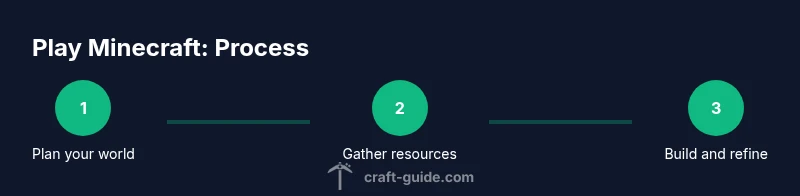
Punch trees to collect wood, then craft basic tools and a crafting table to unlock more items.
Tip: Gather more wood than you think you’ll need for flexibility - 4
Craft essential tools
Craft a wooden pickaxe first, upgrade to stone, and craft a crafting table for complex items.
Tip: Repair or combine tools in the crafting grid to extend durability - 5
Build a simple shelter
Construct a small hut with a door, windows, and a torch-lit interior to protect you from night mobs.
Tip: Place torches to deter mobs and mark your base perimeter - 6
Explore safely and manage hunger
Eat regularly, avoid risky drops, and bring water or ladders when caving.
Tip: Torches, weapons, and a basic shield improve safety - 7
Expand gradually with small projects
Add a farm, storage area, and a mine entrance to support growth without overwhelming you.
Tip: Plan each project on paper or in your notes before starting
People Also Ask
Do I need to buy Minecraft to play?
Yes, Minecraft is a commercial game and you purchase it on your platform. Different editions affect features and cross-play options.
Yes, you need to buy Minecraft. It’s sold by edition and platform.
Which edition should a new player start with?
Bedrock tends to be easier for cross-platform play and performance, while Java offers deeper modding and customization on PC. Choose based on your device and goals.
Bedrock for easy cross-play, Java for PC customization.
Can I play Minecraft offline?
Yes, you can play single-player offline. Online multiplayer requires an internet connection and potentially a server.
Yes, offline play is available in single-player; multiplayer needs internet.
Is Minecraft safe for kids?
The game is generally safe with parental controls and private servers. Avoid sharing personal information and use age-appropriate settings.
Yes, with supervision and privacy settings, it’s suitable for many ages.
What’s the fastest way to get started?
Focus on gathering wood, crafting basic tools, building a shelter, and learning survival basics before complex projects.
Gather wood, craft tools, build shelter, and learn the basics first.
Can I mod Minecraft safely?
Mods can enhance gameplay, but only download from trusted sources and keep backups in case of conflicts.
Yes, with caution; use trusted sources and backups.
Do I need an internet connection to play.
Offline single-player is possible; online features and servers require internet access.
Offline is fine; multiplayer needs internet.
Watch Video
The Essentials
- Choose your edition wisely.
- Master basic controls and crafting early.
- Balance safety with exploration.
- Back up worlds regularly.