Minecraft: A Practical Step-by-Step Beginner Guide
Learn Minecraft basics with a clear, step-by-step guide for beginners. Build, craft, and explore confidently with practical tips, troubleshooting, and hands-on activities.


By following this guide, you will learn how to start a new Minecraft world, gather basics, craft essential tools, and build a simple shelter. You'll understand core concepts, controls, and beginner strategies to survive your first night and beyond. This plan covers Java and Bedrock basics, with time estimates and hands-on steps you can try in creative or survival mode.
What Minecraft Teaches and Why It Matters
According to Craft Guide, Minecraft is a versatile learning platform that turns curiosity into practical problem-solving. It is more than a game; it is a sandbox where players translate ideas into real-world-like systems. By exploring, gathering resources, and solving challenges, you develop planning, organization, and creative thinking. The game rewards experimentation and persistence, teaching how to break a big goal into smaller, achievable tasks. For learners of all ages, this makes Minecraft a powerful tool for hands-on education. The core ideas extend beyond building blocks to systems that reinforce logic, resource management, and collaboration. As you play, you’ll encounter items, mobs, biomes, and redstone, each offering new opportunities to apply your growing skill set. In short, Minecraft can be a practical stepping-stone from playful exploration to structured, repeatable projects that reinforce how people learn best.
Core Concepts You Need to Master
Minecraft is built on a handful of core concepts that beginners should grasp before building complex machines or ambitious structures. First, you’ll learn the inventory system and how to move items between your hand, hotbar, and backpack-like spaces. Next, crafting enables you to create tools, weapons, and blocks from basic resources. The crafting table expands your grid from 2x2 to 3x3, unlocking dozens of recipes and a sense of progression. Collecting wood, stone, and coal teaches resource management, while building teaches spatial planning and geometry. The day-night cycle affects strategy: you’ll want lighting to prevent hostile mobs at night. Finally, the basic world physics—gravity, fall damage, and block placement—will shape how you design shelters and mechanisms. Throughout, keep an eye on biomes, mobs, and weather as you plan your explorations and builds.
Starting a New World: Your First 30 Minutes
Starting strong sets the tone for your Minecraft journey. Begin by selecting Create New World, choosing a game mode (Survival to learn planning, Creative to practice freely), and setting a difficulty you’re comfortable with. Decide on a seed or let the game generate one to explore different landscapes. In the early minutes, your goal is simple: punch a few trees for wood, collect basic stones from surface rocks, and avoid or outsmart early threats. Lighting is important; place torches to illuminate your shelter. Remember to name your world for easy identification and consider turning on coordinates so you can navigate back to key locations. The first hour is about establishing a safe, predictable space where you can practice the basics and build confidence.
Essential Tools and Crafting for Beginners
Getting the right tools early accelerates your progress. Start with a crafting table (4 wooden planks arranged 2x2), then craft basic wooden tools: a wood pickaxe, a wooden sword, and a wooden axe. Upgrade to stone tools as soon as you can smelt or mine enough stone. A furnace helps you smelt ore and cook food, increasing your resilience. Basic recipes to memorize include: 1) wooden planks, sticks, and a crafting table for toolkits; 2) stone pickaxe using 3 stone and 2 sticks; 3) torches using sticks and coal or charcoal. Keep your inventory organized with dedicated chests and labeled storage so you don’t lose track of essential materials. Having a simple plan ensures you’re not overwhelmed by the day-one grind and can focus on building.
Build Your First Shelter: A Simple Home Plan
A basic shelter provides safety from hostile mobs and a place to organize your resources. A compact 5x5 or 6x6 stone or wood hut with a door and a roof is enough to start. Step-by-step: 1) lay a flat floor and raise walls to at least two blocks high; 2) place a door and add windows for visibility; 3) install a simple roof with a slant to shed rain. Inside, place a crafting table, a furnace, and a chest for early storage. Lighting is key, so surround the space with torches at regular intervals. This small project teaches you how to plan space, manage resources, and protect your base as you explore further.
Basic Redstone Concepts (Beginner Friendly)
Redstone introduces simple automation and logic. Start with visible, safe experiments like a basic repeater clock or a pressure plate that opens a door. Don’t rush into complex machines; instead, learn how circuits connect from button to lamp or door to pressure plate. For newcomers, the most important ideas are power, timing, and states. Redstone is a great way to practice problem-solving and to imagine more ambitious builds later. If you’re curious, document your patterns and test variations in a safe, unshared world to avoid losing progress.
Troubleshooting Common Issues
Minecraft can be generous, but it sometimes presents challenges like performance lag, crashes after updates, or inventory mismanagement. Start by updating your game to the latest stable version and ensure your device meets minimum requirements for the chosen edition. If FPS drops, reduce render distance and turn off graphics options that aren’t essential. For world performance, regular backups help prevent loss of progress. If you experience a bug, check official forums or support pages for known issues and potential fixes. Remember that persistence and incremental learning are the most reliable ways to overcome these hurdles.
Practice Scenarios to Expand Your Skills
To continue growing, try structured practice scenarios that build on what you’ve learned. Scenario ideas include: 1) Build a small farm with automated crop harvesting; 2) Create a shelter with two rooms and a hidden storage area; 3) Craft a set of tools and materials for a short expedition; 4) Design a basic redstone lamp circuit and test it in a controlled environment. Each scenario teaches planning, resource management, and iterative improvement. Use Creative mode to prototype and Survival mode to test your skills under pressure. As you gain confidence, you’ll find ways to combine these skills into larger projects and more sophisticated mechanisms.
Tools & Materials
- Minecraft game (Java Edition or Bedrock)(Choose edition and platform (PC, console, or mobile).)
- Computer/Console with Minecraft installed(Ensure the device meets system requirements.)
- Mouse and keyboard (or controller)(Precision controls aid movement and building.)
- Internet connection(For updates and access to official guides (optional offline play is possible in single-player).)
- Notebook or in-game map for planning(Helpful for sketching builds or recording seed coordinates.)
Steps
Estimated time: Estimated total time: 2-3 hours
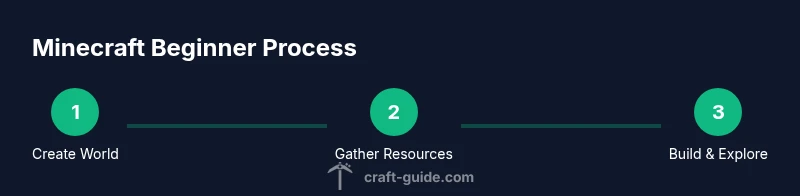
- 1
Create a fresh world
Open Minecraft, click Create New World, choose Survival to learn resource management or Creative to practice freely, and set a difficulty you’re comfortable with. Decide on a seed or let the game generate one. This establishes your starting point and pace for learning.
Tip: Name your world and enable coordinates to navigate later. - 2
Learn the basic controls
Familiarize yourself with movement, sprinting, jumping, crouching, and interacting with blocks. Practice quick switching between items and using the inventory to keep essential resources accessible.
Tip: Use sprint-jump combos in open spaces to move efficiently. - 3
Gather basic resources
Punch trees for wood, then craft planks and sticks. Use wood to build a crafting table, which unlocks new recipes. Collect stone by mining with a stone tool as soon as you can, to upgrade basic gear.
Tip: Always seed a safe path back to your starting point in case you get lost. - 4
Craft essential tools
Create a basic wooden pickaxe, then upgrade to stone tools as resources allow. Craft torches for visibility and a furnace to smelt ores or cook food. These tools accelerate progress and improve survival odds.
Tip: Keep a small reserve of torches for exploration at night. - 5
Build a simple shelter
Construct a small 5x5 or 6x6 house with a door and roof. Place a crafting table, furnace, and chest inside. Provide adequate lighting to prevent hostile mobs from spawning near your base.
Tip: Place doors on opposite sides to create a simple airflow and easy access. - 6
Explore and expand safely
Venture out to locate additional resources, biomes, or a second base. Keep food stocked, carry basic tools, and set a day-night plan to return before darkness falls. Record locations that look promising for future expansion.
Tip: Travel with a map or marker to avoid getting lost.
People Also Ask
Which Minecraft edition should I start with?
Begin with the edition that matches your device: Java Edition on PC or Bedrock on consoles and mobile. Both offer similar core mechanics, but Java supports more mods and customization. Start with Bedrock if you want cross‑platform play and easier setup.
Start with the edition matching your device, Java on PC or Bedrock on consoles and mobile. They share core mechanics, but Java offers more mods, while Bedrock supports cross‑platform play.
Is Creative mode better for learning than Survival?
Creative mode is excellent for learning layout, movement, and redstone concepts without resource limitations. Survival teaches resource farming, danger management, and planning under pressure. A mix of both modes often yields the best long-term understanding.
Creative lets you experiment freely, while Survival builds problem-solving under real constraints. Many learners benefit from both.
How long does it take to learn basic crafting?
Basic crafting becomes instinct after a few sessions of play. Regular practice with simple recipes—tools, torches, a crafting table—leads to faster crafting and better planning within hours.
With steady practice, you’ll pick up common recipes within a few gaming sessions.
Can I play Minecraft offline?
Yes. You can play in single-player offline mode, which is ideal for practicing builds and farming at your own pace. Online multiplayer adds challenges and collaboration benefits but requires a stable internet connection.
You can play offline in single-player, which is great for practice. Online play adds teamwork and shared projects.
Where can I find reliable learning resources?
Official Minecraft guides, community tutorials, and structured how-tos from reputable outlets like Craft Guide provide reliable learning paths. Look for step-by-step walkthroughs, visual guides, and sanity checks before starting a new project.
Check official guides and trusted community tutorials for clear, step-by-step learning.
Watch Video
The Essentials
- Master core mechanics: gathering, crafting, and building.
- Plan your builds in small steps to avoid overwhelm.
- Practice safe exploration with lighting and backups.
- Use structured tutorials to accelerate learning.