Minecraft Without Blocks: A Practical, Block-Free Guide
Discover how to enjoy Minecraft with minimal block placement by using terrain, natural resources, and commands. This block-free guide covers tools, step-by-step methods, practical tips, and a sample project suitable for beginners to advanced players.


Goal: complete a minecraft without blocks project with minimal block placement. You’ll rely on existing terrain, natural resources, and command-based tools to shape spaces, explore, and survive. This guide provides a step-by-step plan, recommended tools, safety notes, and practical approaches for players from beginner to advanced, helping you experience creative play without building with new blocks.
Concept and goals
Minecraft without blocks challenges you to design and explore using the world as-is, rather than adding new blocks. The core idea is to craft visually appealing spaces, functional systems, and immersive experiences by leveraging terrain, natural resources, and command-based tools. This approach values planning, observation, and restraint; it encourages you to reuse what already exists and to exploit environmental storytelling. Think about lighting, textures, acoustics, and player flow as design elements just as important as any block. By focusing on constraints, you often discover more elegant solutions than when you are free to place anything anywhere. The goal is to create coherent spaces: peaceful courtyards carved from canyons, outdoor rooms shaded by trees, or vertical viewpoints built from natural ledges. Survival, creative, and exploration modes can all fit a block-minimal workflow if you commit to it. As you experiment, compare notes with other players who enjoy constrained-build challenges; their tactics can inspire your own. Craft Guide has found that well-tuned constraints spark creativity when pace, scale, and intent are deliberate.
Core principles: working with terrain, not blocks
The essence of a block-free approach is to treat the terrain as your primary material. Use cliffs, rivers, plateaus, caves, and biomes as the skeleton of your design. Elevation changes become architectural features without adding new blocks. Natural lighting—torches placed on pre-existing blocks, glowstone embedded in rock seams, or daylight through open canyons—creates mood without introducing constructed walls. Texture is about contrast: combine rock, sand, and foliage to delineate zones; use water reflections and fog to guide players. Movement planning matters too: consider sightlines, safe paths, and vantage points so players can navigate intuitively. Finally, convey storytelling through the landscape itself—abandoned trails, wind-swept plains, or hidden alcoves carved by erosion—all without placing a single new block.
Tools and methods: commands, structure blocks, and world edit
To achieve block-free outcomes, you’ll lean on world-generation tools and cautious command use. Commands can spawn ambient particles, light up paths, or temporarily alter visuals without permanent blocks. Structure blocks and schematic tools enable you to capture and reproduce scenes built with the world’s own geometry rather than manual placement. World-editing plugins or editors let you copy, rotate, or align natural features to form a cohesive space. When planning, practice in a controlled test world to minimize unintended terrain changes. Always document changes and note which elements rely on terrain rather than new blocks, so you can reproduce or adjust later.
Step-by-step framework for a block-free project
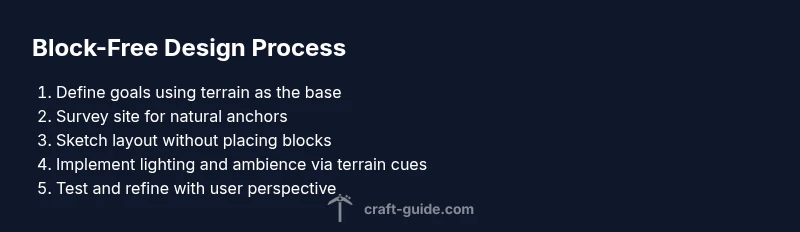
- Define goals: Decide the scene, mood, and scale you want to achieve using existing terrain. Why this matters: clarity prevents accidental block placement during execution.
- Survey the site: Map the terrain to identify natural anchors like ledges, caves, and riverbanks. Why this matters: these anchors guide your layout and flow.
- Sketch the layout: Outline zones or viewpoints using the landscape’s natural geometry. Why this matters: planning reduces on-the-fly changes that add blocks.
- Choose non-block tools: Plan lighting, particles, sound, and atmosphere via commands or structure-based adjustments. Why this matters: atmosphere sells the experience without adding blocks.
- Implement changes with care: Apply effects and decorations that rely on terrain, not new blocks. Why this matters: keeps adherence to the block-free constraint.
- Test and refine: Play through the scene, adjust sightlines, and tweak lighting for mood. Why this matters: ensures the design reads well under different weather and times.
- Document and share: Record your process and outcomes, noting what relied on terrain versus what required commands. Why this matters: helps others replicate the approach.
Sample project: canyon overlook built from existing terrain
Imagine a natural canyon with a broad cliff face and a river below. Your goal is to create an elevated viewing platform using the canyon’s natural ledges and stone outcrops. Position viewing points along existing rock faces, suspend lighting from natural crevices, and use water reflections to enhance ambiance. No new blocks are placed; instead, you guide players with lighting cues, perspective lines, and subtle terrain refinements such as tram-like paths following natural ridges. The result is a cinematic overlook that feels crafted, not built.
Visual storytelling and ambience without building blocks
Ambience is a narrative tool. Use weather effects, biomes, and ambient sounds to convey story beats without constructing anything. A shaded grotto with stalactites formed by existing rock textures, a sunlit ridge framed by towering pines, or a moonlit canyon with glow from natural minerals can communicate mood and theme. Sound design matters: distant caves, wind in tall grass, and water drips heighten immersion. The goal is to tell a story through the landscape itself, guiding players through discovery rather than through architecture.
Common pitfalls and how to avoid them
- Over-relying on obvious terrain tricks: diversify geographies to avoid repetitive visuals. - Use lighting strategically: poor lighting breaks atmosphere. - Forgetting pathing cues: players may get lost if sightlines aren’t clear. - Not documenting constraints: you may forget which elements relied on terrain vs. commands. Craft Guide notes that documenting decisions helps maintain consistency and repeatability.
Authority sources and further reading
For readers who want deeper context on constrained design and environment-driven storytelling, check reputable sources that discuss world-building under constraints, design thinking, and game studies. While this piece focuses on Minecraft, the core ideas apply broadly to spatial design and terrain-based storytelling. Always verify tools and commands with the latest game version to ensure compatibility and safety.
Tools & Materials
- Minecraft: Java Edition (or equivalent) in latest version(Ensure you are on the latest patch to access command features and structure tools.)
- Access to command blocks or command permissions(Needed for non-block-based ambience effects and lighting cues.)
- Structure blocks or schematic editor(Optional for recording and reusing terrain-based setups; not necessary if you rely solely on terrain.)
- World-editing utilities or plugins (optional)(Helpful for previewing or revising landscapes without placing blocks.)
- Screen recording or screenshot tool(Capture processes and share your block-free design for tutorials or showcases.)
Steps
Estimated time: 60 minutes
- 1
Define goals
Decide on the scene, mood, and scale you want to achieve using existing terrain. Establish success criteria and what elements will rely on terrain vs. commands.
Tip: Write a one-sentence aim and a two-sentence success metric before you begin. - 2
Survey the site
Walk the chosen area to identify natural anchors like ledges, caves, rivers, and plateaus. Note elevation changes and potential sightlines for dramatic viewpoints.
Tip: Mark spots with in-game signs or map markers for reference during execution. - 3
Sketch the layout
Draft a layout that uses terrain geometry to define zones, paths, and viewpoints without adding blocks. Consider how players will move and what they should notice first.
Tip: Use a simple grid or line of sight diagrams to plan routes. - 4
Plan non-block tools
Decide where lighting, particles, and ambient sounds will be applied via terrain-oriented cues or commands. Keep a list of effects to deploy.
Tip: Prefer ephemeral effects over permanent structural changes, so the terrain remains the focus. - 5
Implement changes
Apply atmosphere and cues using your chosen tools, staying faithful to the terrain. Avoid placing new blocks; lean on lighting, particles, and natural features.
Tip: Test frequently to ensure effects look natural in different times of day. - 6
Test and refine
Play through the space as a user would. Adjust sightlines, lighting, and pacing to ensure readability and immersion.
Tip: Invite a friend to test and give feedback on clarity of the experience. - 7
Document and share
Record decisions, note constraints, and prepare a short write-up or video describing how terrain-based design was achieved.
Tip: Include before-and-after visuals to illustrate the block-free approach.
People Also Ask
What does 'minecraft without blocks' mean in practice?
It means designing and presenting spaces by leveraging existing terrain, lighting, and ambient effects rather than placing new blocks. The goal is a block-minimal experience that relies on environment and commands for atmosphere.
It means you craft and guide a space using terrain and effects rather than adding new blocks, relying on lighting and ambience to tell the story.
Can you still survive in a block-free plan?
Yes, you can focus on non-building goals such as exploration, resource discovery, and navigation. When survival is needed, rely on the terrain for shelter cues and use commands to assist without block placement.
Yes. You can survive by using terrain for shelter cues and guiding resources, with commands helping without adding blocks.
Which tools are essential for a block-free build?
Commands, structure blocks for non-permanent changes, and optional world-edit plugins help you create ambiance and scenes without placing blocks. A screen capture tool is helpful for sharing your process.
Commands and structure blocks are key, with optional editors to preview terrain-based setups.
Is this approach only for creative mode?
No. You can adapt block-free concepts to survival or adventure maps by emphasizing exploration and environment-driven progression while minimizing new constructions.
Not just creative mode; you can apply block-free ideas to survival or adventures by focusing on terrain and atmosphere.
How do I share a block-free project with others?
Document decision points, provide a tour of key viewpoints, and include a brief tutorial on how you used terrain and commands. Screenshots and a short video help others understand the method.
Showcase your terrain-driven design with visuals and a quick walkthrough so others can replicate it.
Watch Video
The Essentials
- Plan around terrain, not blocks.
- Use lighting and ambience to guide players.
- Document decisions for repeatable results.
- Test across times of day to ensure consistency.
- Share your process to inspire others.