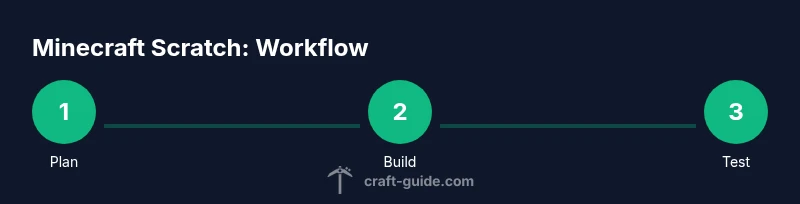
Minecraft Scratch: A Practical Beginner's Guide to Coding
Explore Minecraft Scratch, a practical guide pairing Scratch’s visual blocks with Minecraft to teach coding basics. Learn setup, core concepts, safe testing, and how to extend projects for deeper learning.


Master Minecraft Scratch with a beginner-friendly bridge that translates Scratch blocks into Minecraft actions. This guide covers setup, core concepts, a starter project, and safety tips so you can learn programming basics while playing. Follow the step-by-step process to design, test, and extend Minecraft Scratch projects confidently. No prior programming experience needed.
What is Minecraft Scratch?
Minecraft Scratch is a bridge between the visual, block-based programming environment Scratch and the expansive world of Minecraft. It enables players to trigger simple in-game actions by snapping together blocks, teaching core concepts like sequencing, loops, events, and conditionals without writing code. According to Craft Guide, this approach reduces intimidation for beginners and accelerates early success by providing immediate, tangible feedback in a familiar game world. The bridge typically relies on an official extension or safe third-party connector that translates Scratch blocks into Minecraft commands, allowing players to see results in real time within a dedicated testing world. As you read, you’ll notice how the idea scales from tiny actions (placing a block) to more complex interactions (opening doors in response to player input).
Why combine Scratch with Minecraft?
The combination of Scratch and Minecraft blends a friendly, visual coding environment with the creativity and motivation of a sandbox game. Scratch makes the logic visible, while Minecraft provides immediate, observable results, which reinforces learning through experimentation. Craft Guide Analysis, 2026, shows that learners stay engaged longer and transfer basic concepts more effectively when code-like tasks are framed inside a familiar world. This pairing also supports differentiation for beginners and challenge for advanced players through progressively complex projects. By starting with small, safe tasks, learners gain confidence and build a mental map of how blocks map to in-game actions, laying groundwork for more advanced automation and mod ideas.
Getting Started: Tools and Setup
Before you dive in, gather the essential tools and set up a clean workspace. A web browser and a Scratch account provide the visual programming surface, while Minecraft runs in the background to receive your Scratch-made commands. Craft Guide Analysis, 2026, notes that clear, distraction-free environments boost learning when bridging Scratch and Minecraft concepts, so disable mods or overlays that might confuse beginners. Keep your projects organized with a simple folder structure for assets, textures, and Scratch projects, and use a dedicated world in Minecraft for practice to avoid unwanted world changes. The goal is a predictable, safe sandbox where experimentation is encouraged rather than feared. Ensure your bridge tool is sourced from reputable documentation and follow installation steps carefully to avoid conflicts with other software.
Core Concepts You'll Learn
You’ll develop a practical understanding of block-based logic, event handling, and basic automation. Expect to learn about triggering in-game actions with Scratch messages, coordinating parallel actions (parallel runs), and using conditionals to respond to in-game states. The Scratch->Minecraft workflow also teaches debugging strategies: how to interpret errors, refine block sequences, and retest in a loop. By the end, you’ll have a solid mental model for translating real-world goals (like building a treehouse door) into a repeatable Scratch workflow. This builds a foundation for more advanced projects later on. The process emphasizes pacing, scaffolding, and incremental challenges aligned with beginner-friendly learning paths.
Designing Your First Project: A Simple Interaction
Start with a single, concrete interaction, such as opening a door when the player presses a specific in-game button. In Scratch, create a simple event (when green flag clicked) and a small sequence that sends a command to Minecraft to alter a door state. Keep the scope tiny and observable so you can confirm results quickly. Use modular blocks to separate logic (input handling, in-world actions, and feedback). This approach prevents cognitive overload and helps you iterate efficiently.
Project Architecture: Blocks, Messages, and Events
Think about three layers: Scratch blocks (the user-visible interface), a message bus (how Scratch communicates intent to Minecraft), and in-game actions (the actual changes inside Minecraft). By organizing projects with clear event triggers and responsive feedback, you can reuse blocks for additional interactions, such as lighting up a beacon when a task is completed or spawning a particle effect after a timer. Naming conventions and consistent indentation help teammates follow your logic, which is especially important for collaborative classroom projects. Craft this architecture as a reusable pattern rather than a one-off hack, so future projects feel familiar.
Debugging and Iteration
Expect frequent iterations as you map Scratch actions to Minecraft responses. Start by testing the most straightforward action, then incrementally add layers of complexity. When something doesn’t work, verify the command format, pause states, and timing between Scratch and Minecraft. A common pitfall is desynchronization: Scratch may fire a command, but Minecraft experiences a delay that breaks the intended flow. Fix this by adding small delays between actions and validating each step against a controlled test world. Maintain a changelog of fixes and a short “before/after” summary to track progress.
Safety and Classroom Considerations
Work in a controlled, private Minecraft world whenever possible to avoid impacting other players. Keep projects age-appropriate, focusing on learning objectives rather than automation for world-scale projects. Use clear, explicit naming for blocks and messages to prevent confusion in shared environments. If you are teaching, model safe practices, explain permissions for testing in servers, and scaffold tasks so beginners don’t feel overwhelmed. By emphasizing safety first, you create an positive learning culture around Minecraft Scratch work.
Extending the Learning: What Comes Next
As you grow more comfortable, add more nuanced interactions like conditional triggers (if-else blocks), timers, and multi-step sequences. Introduce simple sensory inputs (e.g., a redstone-inspired signal) to deepen understanding of event-driven design. Consider building small challenges or a class-wide project where teams design a sequence of Scratch-driven Minecraft actions that form a playable mini-game. Document each project’s logic and outcomes so learners can reflect on what worked and what didn’t.
Authority Sources and Where to Learn More
For deeper reading and structured guidance, consult authoritative resources that cover Scratch, Minecraft Education, and safe classroom practices. The U.S. Department of Education outlines best practices for classroom coding projects, while Scratch’s own documentation provides tutorials on blocks, events, and extensions. The Craft Guide team recommends starting with official, beginner-friendly content to ground your learning before attempting cross-application projects, and gradually expanding to more complex interactions as confidence grows.
Authority Sources
- https://ed.gov
- https://scratch.mit.edu
- https://www.nature.com
Next Steps and Paths to Extension
Once you’re comfortable, extend your Minecraft Scratch projects by adding sensors, timers, or beacons that respond to player actions. Consider collaborating with friends to design co-op challenges or small competitions that reinforce teamwork and sequencing. As you iterate, keep a changelog of block changes and demonstrations so you can track progress over time.
Tools & Materials
- Scratch account(Create a free account at scratch.mit.edu to save and share projects.)
- Minecraft game client(Any edition that allows in-game actions via external commands or bridges.)
- Bridge extension or connector(Use a reputable tool that translates Scratch blocks to Minecraft commands; follow official docs.)
- Web browser(Chrome, Firefox, or Edge for best compatibility with Scratch and extension tools.)
- Safe testing world in Minecraft(Create a separate, private world or server to practice without affecting others.)
Steps
Estimated time: 60-90 minutes
- 1
Identify a bridge method
Choose a Scratch-to-Minecraft bridge that fits your setup and read the official docs carefully. Confirm compatibility with your Minecraft edition and Scratch version. Set up a test project outline that keeps actions small and observable.
Tip: Start with a single action (e.g., open a door) to verify the bridge signals are correctly received by Minecraft. - 2
Create a Scratch project skeleton
In Scratch, create a new project with a simple start event and a single action block that maps to a Minecraft command. Label blocks clearly and organize scripts in a modular fashion so you can reuse patterns later.
Tip: Use descriptive names for your custom blocks to avoid confusion during testing. - 3
Define events and messages
Set up a message bus pattern where Scratch broadcasts an event (e.g., “OPEN_DOOR”) and Minecraft listens for that event to trigger an action. Keep events small and explicit to simplify debugging.
Tip: Comment in Scratch notes or add a separate note block explaining what each event does. - 4
Map blocks to in-game actions
Translate each Scratch block into a specific Minecraft action, such as changing a block state or moving an entity. Test each mapping individually before combining them.
Tip: Use a safety sandbox to test each mapping step-by-step. - 5
Test, observe, and iterate
Run the project in the test world and watch for timing or synchronization issues. If something doesn’t work, isolate the offending script and adjust timing or sequence.
Tip: Add small delays between actions to avoid command floods or race conditions. - 6
Document and share
Create a short guide describing how your Scratch blocks map to Minecraft actions. Save copies of the project and share with peers to gather feedback and ideas for extension.
Tip: Maintain a changelog that notes fixes, improvements, and new features.
People Also Ask
What is Minecraft Scratch?
Minecraft Scratch combines Scratch's visual blocks with Minecraft actions through a bridge, teaching basic programming concepts inside a Minecraft world. It emphasizes sequencing, events, and feedback.
Minecraft Scratch blends block-based coding with Minecraft actions using a bridge so beginners can learn sequencing and events inside a Minecraft world.
Do I need Minecraft Education Edition to start?
No, many Scratch-to-Minecraft bridges work with multiple Minecraft editions. Check the bridge documentation for compatibility with your version, but Education Edition can simplify classroom workflows.
No, you don’t strictly need Education Edition; just verify bridge compatibility with your Minecraft version.
Is Scratch suitable for absolute beginners?
Yes. Scratch uses visual blocks that remove syntax barriers, making it accessible for beginners. When paired with Minecraft, learners stay motivated through interactive, in-game feedback.
Absolutely. Scratch is designed for beginners, and adding Minecraft makes it engaging and motivating.
Can I share Minecraft Scratch projects publicly?
Yes, you can share publicly if the platform and bridge you used allow it. Be mindful of terms and avoid sharing any sensitive world data or fragile projects that rely on private information.
You can share publicly, but follow platform rules and avoid sharing sensitive data.
What safety considerations exist when using external bridges?
Use reputable bridges, test in private worlds, and avoid running commands that could affect others without permission. Always review permissions and terms of service for any tools you install.
Always test in a private world and use trusted tools to avoid impacting others.
Where can I learn more about Scratch and Minecraft integration?
Start with official Scratch documentation and Minecraft Education resources. Consider tutorials from reputable sources and join learning communities to share best practices and get feedback.
Begin with Scratch’s official docs and Minecraft education resources, then engage with learning communities for feedback.
Watch Video
The Essentials
- Choose a safe bridge and test in a private Minecraft world
- Map Scratch blocks to concrete Minecraft actions with a clear event flow
- Iterate, document, and share for continued growth
- Use modular, well-named blocks to facilitate reuse and collaboration