Minecraft Play Guide: Practical Steps for Beginners
Learn to start and thrive in minecraft play with practical, beginner-friendly steps. From setting up a world to building, exploring, and collaborating, this guide covers essentials for survival, creativity, and play across editions.


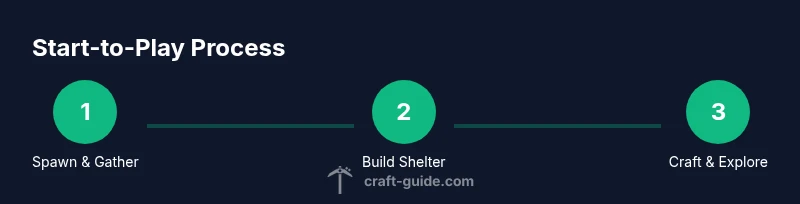
In minecraft play, you will learn how to start a new world, gather essential resources, craft basic tools, and establish a safe base. This quick guide highlights a practical path: set up your world, collect wood, create tools, build shelter, and begin exploring. By following these steps, you’ll gain confidence and momentum in any mode or edition.
What is Minecraft Play and why it matters
Minecraft play is a versatile, sandbox experience where players shape terrain, craft tools, and build structures in a procedurally generated world. Whether you prefer survival challenges, creative experimentation, or cooperative play, the core loop remains consistent: gather resources, craft items, craft upgrades, and expand your base. This section introduces the mindset for steady progress, emphasizing practical, repeatable patterns that work for beginners and seasoned players alike. According to Craft Guide, a deliberate, step-by-step approach reduces overwhelm and accelerates learning curves, making minecraft play accessible to a broad audience. You’ll notice that success comes from routine, not luck, and from balancing safety with curiosity as you explore diverse biomes and adapt your strategy to your goals.
Craft Guide analysis shows that players who practice a simple, repeatable early-game routine tend to gain confidence faster and sustain momentum longer. By embracing small, incremental improvements—like optimizing your inventory and planning builds ahead—you’ll make meaningful progress without feeling stuck. The takeaway is clear: start small, stay consistent, and let your world evolve with your growing skill.
As you dive in, remember that play is about experimentation and personal style. You can chase big builds, redstone systems, or efficient farms—or mix elements to craft your own unique play style. The key is to keep things manageable and repeatable so you stay motivated and ready for the next session.
Tools & Materials
- Minecraft game (Java Edition or Bedrock)(Choose the edition you own or prefer for cross-play and performance considerations.)
- Account and launcher(Log in with a valid Minecraft account to access your world and servers.)
- Computer, console, or mobile device(Ensure minimum system requirements are met for a smooth experience.)
- Stable internet connection(Necessary for multiplayer and server access; offline play is also viable in single-player modes.)
- Basic input device(Keyboard and mouse for PC, or a compatible controller for consoles.)
Steps
Estimated time: 2-6 hours
- 1
Create a new world
Launch Minecraft and choose a new world or create a fresh survival world with default settings. This establishes your playground and sets the first milestones for resource gathering and shelter building.
Tip: Name your world clearly and consider a seed that spawns in a favorable biome for early exploration. - 2
Punch a tree and gather wood
Use your bare hands to punch a tree until it drops logs, then convert logs into planks and sticks. Wood is your most reliable early resource for tools, doors, and basic structures.
Tip: Aim for at least 20 logs in the first 10 minutes to ensure you can craft a craft bench and several essential items. - 3
Craft basic tools
Open your inventory and craft a wood pickaxe and a wooden sword, then upgrade to stone tools as soon as you mine cobblestone. Tools accelerate resource collection and protect you from danger.
Tip: Prioritize upgrading to stone tools quickly to save time and avoid early hazards like hostile mobs. - 4
Build a simple shelter
Construct a small shelter near your spawn with a door, a roof, and basic lighting to keep mobs at bay. A dependable base improves safety during night cycles and offers a place to store items.
Tip: Place torches at entry points and inside to prevent hostile spawns; a bed lets you set a respawn point. - 5
Establish food and farming
Gather food by hunting animals or farming crops, and set up a basic farm to provide a renewable food source. Food sustains health and hunger, enabling longer play sessions.
Tip: Plant a mix of crops suited to your biome and set up a simple irrigation system if possible to maximize yields. - 6
Expand storage and infrastructure
Create a dedicated chest room and organization system for resources, with labeled chests and a planned layout. Clear storage reduces waste and speeds up crafting.
Tip: Use categorized stacks (wood, stone, ores) and build a simple mine rail or stair system to access deeper resources efficiently. - 7
Explore safely and map your surroundings
Ventured exploration reveals biomes, caves, and resources. Carry a map, compass, and basic gear, and return to base before nightfall to avoid wandering mobs.
Tip: Always carry torches and a trusted weapon; note points of interest to plan future builds. - 8
Learn crafting recipes and upgrades
Synthesize new tools and items using a crafting bench: charcoal from wood, torches for light, and a furnace to smelt ores. Upgrading your gear accelerates progress.
Tip: Memorize a few core recipes (crafting table, furnace, pickaxe, sword) to speed early-game crafting. - 9
Set goals and iterate
Define achievable milestones (base, farm, storage) and gradually add features like farming automation, improved lighting, or decorative builds. Iteration keeps play engaging.
Tip: Keep a simple to-do list for each session to maintain momentum and avoid losing focus.
People Also Ask
What is minecraft play and who is it for?
Minecraft play is a versatile sandbox where players explore, craft, build, and survive. It suits beginners who want structure, as well as seasoned players seeking creative freedom and cooperative challenges.
Minecraft play is a sandbox where you explore, craft, and build, great for beginners and seasoned players alike.
How do I start a new world in survival mode?
Open Minecraft, select Create New World, choose Survival mode, and adjust world options as desired. You’ll spawn in a random location and begin gathering resources immediately.
Open Minecraft, create a new world in Survival mode, and start gathering resources right away.
What are the essential early-game goals?
Gather wood, craft basic tools, build a safe shelter, secure a food source, and establish a storage system. These steps create a stable base for longer play sessions.
Your early goals are wood, tools, shelter, food, and storage.
How can I play with friends on a server?
Choose a server or host one locally; ensure all players use compatible editions and versions. Share the server IP or invite friends directly within the game.
Pick a server, join with friends, and share the server address.
What common mistakes should beginners avoid?
Overextending builds without planning, neglecting food, and ignoring safety lighting. Start small, stay organized, and iterate.
Common mistakes are overbuilding, skipping food, and poor lighting. Start small and stay organized.
What resources help early survival the most?
Wood, stone, basic food, and a reliable shelter are foundational. Prioritize tools and lighting to reduce risk at night.
Wood, stone, food, shelter, and lighting are the core early resources.
Watch Video
The Essentials
- Plan and start small, then scale up.
- Prioritize shelter, food, and basic tools early.
- Organize resources to speed crafting and exploration.
- Play steadily to build confidence and momentum.