How to Minecraft for Free on PC: Legal Trial Options
Learn legal, beginner-friendly ways to try Minecraft on PC for free, including official demos, browser play, and promotions. Safe paths explained with setup steps, tips, and comparisons to help you decide on a future purchase.


This guide shows you how to play Minecraft for free on PC through legal options. You’ll discover official demos, browser-based classics, and promotions that let you try the game before buying. We explain what’s allowed, how to set up the trials, and how to transition to a full, paid copy if you love it.
Why this topic matters for new players
If you’re wondering how to minecraft for free on pc, you’re not alone. This guide focuses on safe, legal options that let you explore the world of Minecraft without committing to a purchase upfront. According to Craft Guide, many new players start with official demos or browser-based access to get a feel for the game's mechanics, explore biomes, and decide whether to invest in the full version. Craft Guide Analysis, 2026, shows that the majority of players who try a legitimate option before buying report higher satisfaction and fewer concerns about scams.
Official free trial options for PC
Minecraft maintains official paths to try the game at no cost for a limited time or in a restricted mode. The primary route is an official Java Edition demo accessible through the Minecraft site and launcher. These options are designed for new players to evaluate core mechanics, world generation, and controls before making a purchase decision. Always use the official site to access trials and avoid third-party downloaders, scams, or altered installers. Craft Guide emphasizes sticking to authorized channels to protect your computer and your account.
Browser-based Minecraft Classic and free play options
Minecraft Classic is a browser-based version that runs in most modern browsers without a purchase. It’s a great way to explore basic building, crafting, and redstone concepts in a nostalgia-driven mode. While it lacks the full feature set and updates of the current editions, Classic remains a legitimate, zero-cost entry point for new players to learn the vibes and basic mechanics. If you love the feel, you can migrate to a paid edition later.
Promotions and bundles you can legitimately use
From time to time, official promotions, bundles, or partnership programs provide opportunities to access Minecraft at reduced cost or free for a trial period. These promotions are typically offered through licensed retailers, hardware bundles, or platform-specific stores. Always verify that the offer comes through legitimate channels—unauthorized sites or “free download” scams can expose you to malware and stolen credentials. Craft Guide’s guidance underscores prioritizing official promotions and reading the terms carefully.
Setting up a safe trial path: first steps
To begin a trial legally, head to the official Minecraft site and locate the trial or demo option. Sign in with a valid Microsoft account if prompted, then download and install the official launcher. The launcher will guide you to the appropriate trial, whether Java Edition or the browser-based option. Keep your antivirus active and avoid downloading executables from unfamiliar sites. This setup ensures you stay within the boundaries of the license while exploring the game’s core features.
What to expect during a trial and how it differs from a full purchase
Trials are intentionally limited in playtime, features, or access to persistent saves. You’ll get a taste of survival, creativity, and exploration without full progression. The experience is designed to help you decide if you want to invest in the full game. If you decide to buy, you’ll unlock full updates, multiplayer servers, and cross-platform access. Craft Guide notes that trials are an excellent low-risk way to evaluate performance on your PC before committing to purchase.
Common myths about getting Minecraft for free (and why they’re false)
A frequent misconception is that there are safe, legal ways to obtain the full game for free outside official channels. In reality, only official demos, browser classics, and sanctioned promotions qualify as legitimate paths. Piracy or third-party downloads violate terms of service, can expose you to malware, and undermine developers. The Craft Guide team emphasizes using legitimate options to protect both you and the Minecraft community.
Safest practices and keeping things legal as you learn
Always download through the official site or store, use a recognized launcher, and keep backups of your save files. Don’t share accounts or credentials, and beware phishing attempts that mimic the Minecraft brand. If you’re unsure about a link or offer, verify the publisher and check reviews from trusted sources. Staying within official channels is the simplest way to learn safely and legally.
Taking the next step after a successful trial: planning ahead
If you enjoyed the trial and want ongoing access, consider purchasing the edition that best fits your playstyle (Java or Bedrock) and explore multiplayer options and community servers. The decision should factor in your hardware, preferred game mode, and whether you want cross-platform play. Remember, you’re investing in a complete, supported experience, with ongoing updates and a large community to join. Craft Guide reminds players to plan ahead and educate themselves on licensing terms before buying.
Tools & Materials
- Official Minecraft Launcher(Download from the official site; keep it updated.)
- Microsoft account(Needed to access trials and store purchases.)
- PC with internet access(Stable connection recommended for downloads and updates.)
- Web browser(Needed for browser-based Minecraft Classic option.)
- Antivirus/anti-malware software(Keep your system safe when downloading installers.)
Steps
Estimated time: 15-30 minutes
- 1
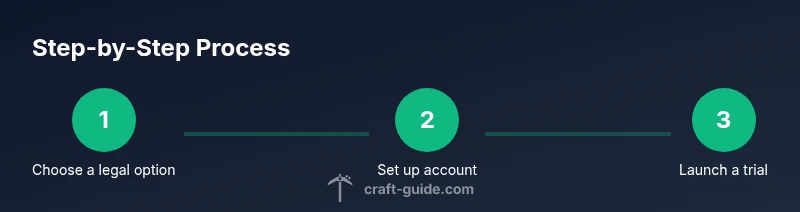
Choose a legal trial option
Review the official options on the Minecraft website and select the one that matches your setup (Java Edition demo or browser Classic). This upfront choice helps avoid scams and ensures compliance with licensing terms.
Tip: Always use the official site; avoid third-party installers and suspicious links. - 2
Create or sign in with a Microsoft account
If prompted, sign in with a Microsoft account to access the trial. This account also connects you to the store if you decide to buy later.
Tip: Use a new or dedicated account for trials to keep your main account secure. - 3
Download and install the official launcher
Download the launcher from the official site and run the installer. Follow on-screen prompts to complete the setup.
Tip: Disable any unexpected third-party add-ons during installation. - 4
Launch the trial and start a safe test world
Open the trial, create a new world, and explore basic mechanics (building, farming, exploring). Note any time limits or save restrictions.
Tip: Make a separate test world to avoid interfering with any full-game saves. - 5
Decide on continuing or purchasing
If you enjoyed the experience, compare editions and consider purchasing from the official store for ongoing access and updates.
Tip: If you buy, back up your saves and choose the edition that supports your preferred play modes.
People Also Ask
Is there a free full version of Minecraft for PC, legally?
No, Minecraft’s full game isn’t legally free. Legal options include official demos, browser classics, and promotions that let you try the game at no upfront cost. These paths are designed to help you decide before purchasing a license.
No—only demos and official promotions let you try Minecraft legally before buying.
What’s the difference between Java Edition and the browser Classic option?
Java Edition offers the full, regularly updated Minecraft experience with mods and multiplayer servers. Browser Classic is a nostalgic, limited version that runs in your browser and doesn’t receive the same updates or features.
Java Edition is the full game; Classic is a limited browser option.
How long do trials typically last?
Trial durations vary by option but are designed to be short enough to sample gameplay without purchase. Always check the current terms on the official site before starting a trial.
Trial lengths vary; check the official site for exact limits.
Can I play multiplayer during a free trial?
Some trials allow limited multiplayer access, while others focus on single-player experiences. The official site will specify what is available during the trial period.
Multiplayer access is sometimes limited during trials; verify on the official page.
Do I need to install third-party software to try Minecraft for free?
No—stick to the official launcher and browser options. Third-party installers may expose you to malware or compromise your account.
Use only the official launcher and browser options.
What happens after the trial ends?
After a trial ends, you can either purchase the game to continue playing with full features or delete the launcher. Your saved data may be retained only if you choose to buy the full game.
The trial ends; you can buy to continue or stop playing.
Watch Video
The Essentials
- Try official demos first to gauge interest
- Use browser-based options for a quick start
- Avoid piracy and unsafe downloads
- Choose a licensed option to unlock full features later