How to Get Minecraft for Free: Legit Options and Tips
Discover safe, legal ways to try Minecraft without paying upfront. This guide covers official demos, browser options, and promotions while teaching you how to avoid scams.


There are legitimate ways to try Minecraft for free. Start with the official demo for Java Edition, explore the browser-based Minecraft Classic, and watch for time-limited promos or bundles that include access. If you enjoy it, purchase a license to unlock the full game. These options are official and safe; avoid unofficial downloads or cracks which violate terms and risk malware.
Why obtaining Minecraft for free legally matters
According to Craft Guide, respecting licensing supports ongoing development, fair play, and secure gameplay. If you’re asking how to get minecraft for free, know that there are legitimate routes you can pursue before considering a purchase. The game’s creators rely on sales to fund updates, servers, and new features. Using official options keeps you safe from malware and helps the community grow. This article focuses on safe, legal access paths that let you explore the game while you decide whether to buy.
Legitimate ways to try Minecraft for free
There are multiple official routes to experience Minecraft without an upfront purchase. The most common are the Java Edition demo, the browser-based Classic version, and occasional promotions or bundles announced by the publisher. The Java Edition demo lets new players explore a time-limited sandbox, while Minecraft Classic runs in a web browser with a simplified feature set. Promotions may appear through events, partnerships, or platform-specific offers. Craft Guide recommends verifying demos on the official site and avoiding any third-party installers. By sticking to official channels, you protect your device from malware and stay within the game’s licensing terms. Remember, these options are temporary and designed to help you decide if you want to buy the full game.
Minecraft Java Edition demo vs Minecraft Classic browser
The Java Edition demo and the browser-based Classic version offer different experiences. The Java Edition demo is installable and provides a near-full feel of modern Minecraft with some restrictions, while Classic is an ultra-light browser-only experience from older game versions. Java Edition focuses on current mechanics, blocks, and features, whereas Classic showcases the original block-building concept without modern updates. If you’re asking how to get minecraft for free, start with Classical browser access for quick testing, then move to the Java demo if you want a deeper look before deciding on a purchase.
How to find promotions and bundles responsibly
Promotions are legitimate paths to get access without paying full price, but you should only use offers from official sources. Track the publisher’s announcements, sign up for official newsletters, and watch partner storefronts for bundle deals that include Minecraft. Be wary of rumors or discount codes from unverified sites; these often lead to scams or malware. Craft Guide emphasizes patience and verification: verify the source, read the terms, and confirm that the discount applies to the product you intend to download.
What to expect after a free option ends
Free options are designed as a teaser, not a substitute for purchase. When a demo or Classic session ends, you’ll be prompted to buy the game to continue playing with full features or to access multiplayer servers. If you enjoyed your time, the decision to purchase should consider the value of ongoing updates, server infrastructure, and cross-platform play. Keep an eye on legitimate sales events throughout the year, as these can provide meaningful savings without compromising safety.
Safety and security: avoid scams
Never download software from unverified sites or installers promising “free Minecraft” outside official channels. These downloads frequently bundle malware, adware, or mining software. Always use the official Minecraft site or its sanctioned partners for any free trial or promo. Use reputable security software, enable two-factor authentication for your accounts, and back up important files in case of security issues. Craft Guide stresses that security is a key part of a healthy gaming setup, especially when exploring free options.
Tools & Materials
- Official Minecraft Java Edition demo access(Sign in with a Microsoft/Xbox account; follow on-site prompts to start the demo.)
- Browser for Minecraft Classic(Open classic.minecraft.net in a supported browser.)
- Compatible device(PC, Mac, tablet, or mobile—check platform-specific options.)
- Stable internet connection(Needed for authentication and loading worlds during demos.)
- Official promo or gift card (optional)(If you anticipate a future purchase, use only legitimate promotions.)
- Security software(Keep your device protected while testing demos and promos.)
Steps
Estimated time: 30-60 minutes
- 1
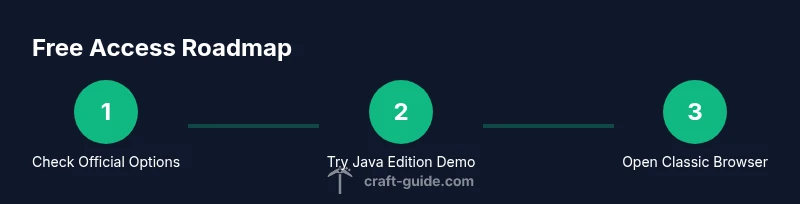
Check official options
Visit the official Minecraft site to locate the Java Edition demo and browser Classic. Read the terms and limitations so you know what to expect. This step ensures you’re starting from legitimate sources.
Tip: Only use links from the official site or trusted publisher pages. - 2
Access the Java Edition demo
Sign in with your Microsoft/Xbox account and launch the Java Edition demo via the official page. Take note of the playtime limits and any world-saving requirements.
Tip: Save your progress frequently in case the session ends. - 3
Try Minecraft Classic in a browser
Open the browser version at classic.minecraft.net and click Play to enter a world. This test runs without a full install and gives you a quick feel for the core building mechanics.
Tip: A slower computer or browser can affect performance; lower graphic settings help. - 4
Look for legitimate promotions
Check official announcements and partner storefronts for bundles or giveaways that include access. Confirm the offer is active and applies to the edition you want.
Tip: Subscribe to official channels to get notified about sales. - 5
Decide whether to purchase
If you enjoyed the demos, compare the value of ownership against your budget. Owning the game unlocks full content, cross-platform play, and ongoing updates.
Tip: Set a price-check reminder if a sale is advertised. - 6
Stay safe and secure
Avoid third-party downloads claiming free access. Use two-factor authentication and keep your antivirus updated.
Tip: Only download from official sources to minimize risk.
People Also Ask
Is Minecraft truly free, and what options exist?
Minecraft isn’t gratis in full; there are official demos and browser versions that let you try the game before buying. Stick to official channels to avoid scams and malware.
Minecraft isn’t free in full; you can try official demos first through trusted sources.
How long does the Java Edition demo last?
The Java Edition demo typically runs with time or world-size limits as defined by the official page. Check the terms on the demo page for exact constraints.
The Java demo has built-in limits; check the official page for exact duration and restrictions.
Can I play Minecraft for free on mobile?
There isn’t a standard free mobile demo from Mojang. Your safest option is to test via official desktop demos or browser Classic before considering a purchase.
There isn’t a standard free mobile demo; desktop demos are your best bet.
Are there legal risks with unofficial downloads?
Yes. Unofficial downloads can be illegal and may expose devices to malware or scams. Always use official sources and trusted partners.
Unauthorized downloads can be illegal and dangerous; use official sources only.
What happens after a free option ends?
Once a free option ends, you’ll usually need to purchase the game to continue. If you enjoyed it, consider a legitimate purchase during a sale.
After the free option ends, buy the game to continue, preferably during a sale.
Are there promotions that include Minecraft for free?
Promotions can provide legitimate access but are time-limited and tied to official channels. Verify the offer and ensure it applies to the edition you want.
Promotions can offer free access but are usually temporary and official.
Watch Video
The Essentials
- Try official demos first before buying.
- Minecraft Classic in-browser is a quick test option.
- Promotions can provide legitimate access to Minecraft.
- Purchasing the game unlocks full features and cross-platform play.
- Always use official sources to stay safe and legal.