Minecraft House Plan: A Detailed Step-by-Step Build Guide
Learn to design a practical house plan for Minecraft with layout ideas, materials, and a step-by-step build guide suitable for beginners to advanced builders.


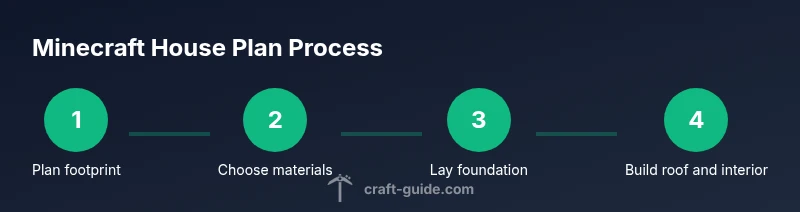
With this guide, you’ll learn how to design a house plan for minecraft that fits your map, resources, and play style. You’ll sketch layouts, select materials, and translate plans into efficient builds. This quick answer points you to a step-by-step process and planning tips from Craft Guide to help you start strong.
Planning your Minecraft house: goals, scale, and constraints
According to Craft Guide, a thoughtful house plan for minecraft begins with clear goals: what function the space serves, how big the map allows, and which resources are readily available. Start by outlining essential rooms (living area, storage, crafting space) and decide on the footprint that fits your terrain. The Craft Guide team found that beginners who sketch layouts before placing blocks save rework time and make interiors feel cohesive. In this section, we’ll translate those ideas into a practical blueprint, from initial sketch to a buildable outline. You’ll learn how to balance aesthetics with practicality, ensuring your design remains enjoyable to expand as you acquire more materials.
Throughout, consider the mood you want to evoke—cozy cottage, sleek modern, or rugged frontier—and how that affects your material choices and room proportions. Craft Guide’s approach emphasizes iterative refinement: start with a rough footprint, then test rooms in-game to verify scale against your map. This mindset keeps you from overbuilding in the wrong hemisphere of your world and helps you keep a clear path from concept to completion.
Core elements of a house plan in Minecraft
A solid plan includes several non-negotiables that keep builds efficient and playable:
- Foundation and footprint: define your walls on a grid, reserving space for stairs, doors, and corridors.
- Walls and insulation: choose a main material and secondary accents to create depth, while keeping lighting practical.
- Roof design: plan slope or flat options that complement the footprint and allow easy access to the attic or upper floors.
- Entrances and flow: place doors and pathways to minimize wasted space and ensure smooth navigation between rooms.
- Storage and utility zones: allocate spot for chests, crafting tables, furnaces, and anvils without blocking movement.
- Lighting and safety: balance ambient lighting with mob-spawn prevention to keep interiors usable at night.
These elements serve as the skeleton of your build; everything else fills in style, texture, and personality. Craft Guide analysis shows that a well-structured layout reduces backtracking and speeds up the building phase, especially for larger homes.
Layout options: compact vs sprawling designs
Minecraft users often start with a compact footprint and gradually add layers or wings as they collect resources. Compact designs (like a 7x9 footprint) teach efficient space planning, encourage smart furniture placement, and simplify elevation changes. In contrast, sprawling designs offer grand façades, multiple rooms in separate wings, and dramatic rooflines—great for role-playing or showcasing different build styles.
When choosing a layout, consider terrain constraints: a hillside site benefits from terrace floors, a riverside plot invites water-feature aesthetics, and flat plains welcome extended porches. Hybrid designs work well: a compact core with expandable wings allows you to grow as your world evolves. The goal is to maximize usability without turning your build into an overambitious project that stalls progress.
Material choices: aesthetics and performance
Material selection shapes both look and performance. Start with a dominant block type (wood, stone, brick) and select a secondary accent for contrast—trim around windows or add a contrasting corner block for visual interest. Wood is warm and versatile; stone reads sturdy and timeless; bricks offer a robust, craft-friendly appearance. Consider resource abundance on your map when choosing materials to minimize backtracking.
Lighting decisions influence perceived texture as well. Use transparent or glow-related blocks judiciously to highlight architectural features without creating glare. Glass panes add sleek lines to modern homes, while cobblestone can evoke rustic charm. Remember that some materials render differently under various lighting, so test combinations in a small model section before committing to full walls.
Elevation and roof styles in Minecraft
Roof design defines the silhouette of your house. A simple gabled roof with wooden beams signals classic charm, while a modern flat roof with stair-step edges creates clean lines. Sloped roofs require careful planning of supports and gaps to avoid awkward seams. For practicality, plan roof sections that allow you to access the attic or upper spaces for storage or decorative purposes.
If you’re new, start with a basic pitched roof using a few layers of stairs and slabs to create a smooth slope. As you gain confidence, experiment with dormers, skylights, or cantilevered sections to add depth and character. Roofs not only dress a home; they channel rainwater and can influence interior ceiling heights and room proportions.
Interior planning: rooms, storage, and furniture
An organized interior makes a house feel usable from day one. Prioritize core rooms: a kitchen or crafting area near the workbench, a lounge for comfort, a bedroom with a bed and storage, and a practical entrance hall. Storage should be proximate to crafting zones: place chests and barrels near workstations to minimize movement.
Furniture and decor—rugs, carpets, and furniture blocks—enhance atmosphere. Plan routes that avoid dead ends, creating a natural flow from the doorway to the main living area. Consider future expansions like a second floor or basement when outlining the initial blueprint. A clear plan helps you place lighting and resources efficiently while preserving space for personalization.
Lighting and mob safety considerations
Good lighting is essential for both aesthetics and safety. Plan a lighting grid that eliminates dark spots where mobs spawn, especially around entrances and stairwells. Use a mix of torches for quick, flexible lighting and glowstone or sea lanterns for permanent fixtures that look polished. Indirect lighting can create ambiance without exposing your build to frequent mob intrusion.
Consider the height of ceilings and the number of light sources per room to maintain consistent brightness. Avoid excessive shadow borders by spreading light evenly across floors and walls. A well-lit interior feels inviting and reduces the need for last-minute design changes to accommodate mobs sneaking indoors.
Example starter plan you can copy
Here is a practical starter design you can reference and adapt. Start with a rectangular footprint, such as 7 blocks wide by 9 blocks long, with a single-story layout to simplify early building. Use 3-block-thick walls for sturdiness, a central entryway, and two small windows on opposite walls for cross-ventilation and light. The interior is divided into three zones: a compact living area, a small kitchen and crafting space, and a cozy bedroom with a storage alcove. This starter plan keeps the build approachable while leaving room for expansion as your resources grow. As your world evolves, you can add a second story, a porch, or a detached workshop to scale up the design without losing the original layout’s cohesion.
AUTHORITY SOURCES
- https://www.nationalgeographic.com
- https://www.sciencenews.org
- https://www.nasa.gov
These sources offer broad, design-oriented perspectives on space planning, architecture, and safety—principles you can translate into Minecraft builds for more cohesive and educational experiences. While not game-specific, they provide useful concepts about scale, light, and structure that improve in-game planning.
Why planning saves time and enhances creativity
A well-thought-out plan minimizes wasted blocks and rework. By visualizing each room, you can estimate resource needs, anticipate access points, and ensure your build remains coherent across the map. A planned layout helps you quickly decide where to place doorways, windows, stairs, and furniture, speeding up construction and enabling you to focus on creative details. Craft Guide highlights that iterative prototyping—test-build a room, adjust dimensions, and refine textures—yields higher-quality results with less frustration. The payoff is a home that feels intentional, balanced, and ready to live in from day one.
Tools & Materials
- Graph paper or digital planning tool(Sketch layout, scale: 1 block = 1 square; mark entrances and room proportions)
- Pencil and ruler(Draft initial footprint and room sizes on paper)
- In-game building blocks (primary materials of choice)(Select 2-3 main materials (e.g., wood planks and cobblestone) for walls and accents)
- Doors, windows, and stairs(Plan for at least one entry, light sources, and vertical access)
- Torches or alternative lighting(Ensure even lighting and mob prevention)
- In-game crafting table and storage(Allocate space near work zones for convenience)
- Bed and furniture blocks(Add interior personality and allow respawn points)
Steps
Estimated time: 2-4 hours
- 1
Define goals and footprint
Write down the primary function of the house (e.g., storage hub, living space, farm access). Sketch a rectangular footprint on graph paper, reserving space for doors and pathways. Confirm the footprint fits the terrain and map orientation.
Tip: Back up your plan by projecting it onto a small mock-up in-game to verify scale. - 2
Choose materials and colors
Select a primary material for walls and a contrasting accent for trimming. Consider map resources and performance—dense stone can look striking but may be heavier to collect.
Tip: Test combinations in a 3x3 block patch before applying them to the whole structure. - 3
Lay the foundation
Mark the outer perimeter with the chosen blocks and clear space for doors. Maintain consistent corner alignment to ensure straight walls.
Tip: Count blocks along each edge to keep the rectangle exact; use temporary markers at corners. - 4
Build walls and openings
Raise walls to the planned height, insert door and window openings, and ensure interior rooms align with the layout plan.
Tip: Leave a small gap for wiring lamps or Glowstone if you plan advanced lighting. - 5
Add flooring and ceilings
Install the floor blocks and create a ceiling above each room. Consider raised ceilings for larger spaces or skylights for ambiance.
Tip: Use stairs or slabs to craft interesting ceiling profiles without increasing block counts dramatically. - 6
Install roof and exterior details
Design the roof with a gentle slope and add eaves or pergola elements for character. Add exterior accents like trim, stairs, or contrasting corners.
Tip: Keep roof overhangs balanced to prevent awkward block gaps at edges. - 7
Arrange interior zones
Place workstations (crafting table, furnace), storage (chests), and sleeping areas. Create logical flow from entrance to living areas.
Tip: Position the crafting area near the entry for quick access when returning from adventures. - 8
Test lighting and finalize
Check every room for gaps in lighting and adjust as needed to prevent mob spawns. Add decorative lighting to highlight textures.
Tip: Walk through your build at night to ensure comfort and visibility.
People Also Ask
What is a house plan in Minecraft and why should I use one?
A house plan is a blueprint that outlines the layout, materials, and furniture of your Minecraft home before building. It helps you stay organized, optimize space, and reduce rework by visualizing rooms and flow.
A house plan in Minecraft is a blueprint that guides where rooms go and what blocks you’ll use, so you can build faster with less backtracking.
Which materials are best for beginners?
Beginners should start with readily available, low-cost materials like wood and cobblestone. Use a contrasting accent block to add depth, and reserve glass or concrete for features you want to highlight.
For beginners, start with wood and cobblestone, then add accents and light sources for a polished look.
How big should a starter Minecraft house be?
A practical starter house is compact enough to build quickly but large enough to store essential workstations and a bed. A footprint of around 7x9 blocks works well for a single-story layout.
A good starter size is small but sturdy, about seven by nine blocks, with room to add workstations and a bed.
Should I design for future expansion?
Yes. Leave space for wings, a second floor, or a basement. Modular design makes it easy to add rooms without reworking the whole structure.
Yes—plan with expansion in mind so future growth can happen without major redesign.
What lighting strategy prevents mob spawns?
Spread light evenly across rooms using a mix of torches and permanent light sources like glowstone or sea lanterns to eliminate dark spots where mobs could spawn.
Keep lights evenly distributed to stop mobs from spawning inside your home.
Where can I find reliable inspiration for house plans?
Look to architectural guides and Minecraft build communities for layout ideas and texture palettes. Experiment with different styles to find what fits your map best.
Check architecture guides and fellow builders for layout ideas and feel.
Watch Video
The Essentials
- Plan before you place blocks to save time.
- Choose a cohesive material palette for a unified look.
- Design for expansion and future improvements.
- Balance functionality with aesthetics for a livable home.