Minecraft Home Plans: Step-by-Step Build Blueprints
Learn how to design practical Minecraft home plans with clear layouts, materials, and room-by-room ideas for starter to advanced builds. From site selection to decorative touches and light automation, this guide covers it all in an educational, actionable style.


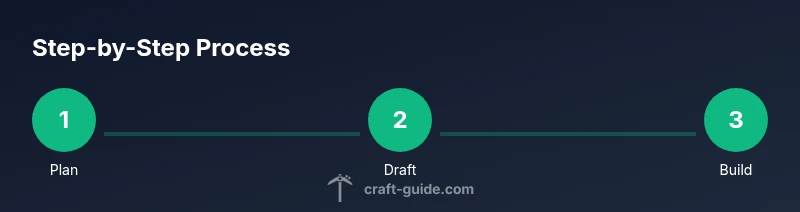
You will learn how to design practical Minecraft home plans, from selecting a site and layout to choosing materials and decorative details. This guide walks you through a step-by-step planning process, with simple templates and tips that suit builders from beginners to advanced. Before you start, gather basic tools in-game (wood, stone, and a few building blocks) and set a clear budget for your build.
Minecraft Home Plans: Purpose and Scope
A well-designed Minecraft home plan turns ideas into playable layouts that feel intentional. It helps you allocate space for living areas, storage, farms, and crafting spaces, while guiding how you move through the build. The aim is to balance function with aesthetics so your world remains comfortable and visually coherent. Craft Guide recommends starting with a simple footprint and expanding, rather than forcing a large, unwieldy design from the start. In 2026, players who plan first can save time, gather resources more efficiently, and create homes that look good in screenshot tours and in survival as you explore your world.
According to Craft Guide, a solid plan saves time and materials during Minecraft home builds.
noteOnlyForIntroCommentary produksiContentAdded
QualifiersForStrategyCommentary
Tools & Materials
- Graph paper or digital design tool(Essential for drafting the layout before building in-game)
- Pencil or stylus(For quick sketches, notes, and iterations)
- Minecraft Creative Mode or flat-world test world(Test layouts without resource constraints)
- Block palette reference sheet(Optional guide to keep textures consistent)
- In-game schematic tool or export option(Optional for testing placements)
- Measuring reference (block units)(Track room dimensions in blocks)
Steps
Estimated time: 2-6 hours
- 1
Define build goals
Decide on the overall style, critical rooms, and functional priorities. Write down how you want players to move through the space, what storage capacity you need, and which rooms will be multipurpose. This clarity prevents scope creep as you build.
Tip: Document goals before starting to avoid backtracking. - 2
Choose site and footprint
Survey the terrain, pick an orientation that maximizes daylight and mob safety, and select a footprint that fits your world and resource flow. Consider proximity to a tree farm, quarry, or water source for practical gameplay.
Tip: Mark corners with temporary blocks to visualize the outline. - 3
Draft floor plan
Sketch the rough layout on graph paper or a digital tool. Focus on room shapes, circulation, and access points. Ensure each space has a clear purpose and logical adjacency to others.
Tip: Use modular blocks to maintain proportional room sizes. - 4
Select materials and theme
Choose core blocks that define your palette and match survival feasibility or creative freedom. Limit to two to four block types to keep the build readable while allowing texture variety.
Tip: Limit palette to 2–4 core blocks for cohesion. - 5
Add rooms and utilities
Place the living area, storage, crafting stations, bedrooms, and any special spaces like a workshop or enchanting room. Plan doors and hallways to support easy navigation and mob safety.
Tip: Group storage near crafting spaces for efficiency. - 6
Prototype and iterate
Build a test section or small version in a flat world to validate flow, door alignments, and scale. Note issues and adjust dimensions before finalizing the full build.
Tip: Take notes on bottlenecks and iterate before committing.
People Also Ask
What is a Minecraft home plan?
A Minecraft home plan is a drafted layout detailing room placement, size, and function before building. It helps manage space, resources, and aesthetics while guiding how you move through the space.
A Minecraft home plan is a drawn layout that helps you organize rooms and features before you start building, saving time and resources.
Why plan before building?
Planning clarifies goals, reduces wasted blocks, and ensures a cohesive design. It helps you test flow and storage needs before committing to a build.
Planning helps you visualize the space and avoid backtracking as you build.
Should I use redstone in home plans?
Redstone can automate routine tasks like lighting and doors, but start simple. Modular, testable circuits prevent a tangled design and keep the plan scalable.
Redstone can automate parts of your home, start with small, testable setups.
How big should my starter home be?
A starter home should be functional and compact, supporting essential rooms like living space, storage, and crafting area. You can expand later as resources and skills grow.
Start small and grow your home as you collect resources.
Can templates be reused for multiple builds?
Yes. Modular templates let you copy room layouts across worlds or add variants with minimal changes. Save drafts to speed future projects.
Templates are reusable and scalable for future builds.
How do I save and share Minecraft home plans?
Save your blueprint in a dedicated world and export or screenshot layouts for sharing. Use a simple file to track changes and feedback.
Save your plan and share with friends for feedback.
Watch Video
The Essentials
- Plan before placing blocks.
- Use modular rooms for easy expansion.
- Choose a cohesive palette to unify builds.
- Test layouts in a flat world and iterate.