Can You Play Minecraft on Mac? A Practical Guide for 2026
Learn whether Minecraft runs on Mac, which editions work, how to install, performance tips, and troubleshooting for macOS players.


Yes. Minecraft runs on macOS primarily via the Java Edition with the official launcher. Bedrock Edition isn’t natively supported on Mac, so Mac players generally use Java Edition or run Windows to access Bedrock. This guide focuses on getting Java Edition up and running smoothly on a Mac.
Minecraft on
Editions and compatibility
Minecraft offers two main editions that are relevant to Mac users: Java Edition and Bedrock Edition. Java Edition runs on
How to install Minecraft Java Edition on Mac
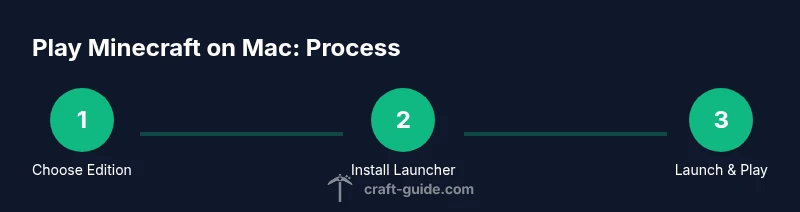
To install Java Edition on a Mac, download the official Minecraft Launcher from the official site. The launcher will guide you through the installation and will include a compatible Java runtime. After installation, sign in with your Minecraft account and click Play to download the latest Java Edition files. For newcomers, this process is streamlined and avoids separate Java installs. If you run into issues, ensure you’re downloading from the legitimate site and keep
Running on Apple Silicon vs Intel Macs
Apple Silicon Macs (M1/M2) run
Bedrock Edition on Mac: options and limitations
Bedrock Edition does not have a native Mac release. Some players explore Windows-based paths to access Bedrock, such as virtualization or Windows on a separate partition, but these routes require licensing and additional setup. If multiplayer with friends across platforms is your goal, Java Edition with supported servers often provides broad cross-play with other Java players. This limitation is a key factor when planning your Minecraft setup on
Performance optimization for smoother gameplay
To improve Minecraft performance on a Mac, start with high-level system hygiene: keep
Mods, launchers, and compatibility
Java Edition modding on Mac uses launchers like Forge or Fabric. These tools enable a vast ecosystem of mods, texture packs, and utility addons. When using Mac, always download mods from trusted sources, back up your worlds, and verify compatibility with your game version and launcher. Some older mods may not work with newer Java builds, so plan to test on a clean profile before applying mods to your main worlds.
Troubleshooting common issues
Problems on
Alternatives and final tips for
Tools & Materials
- Mac computer with macOS 10.14 or newer(Ensure hardware meets basic Minecraft requirements)
- Internet connection(Broadband recommended for downloads and multiplayer)
- Minecraft account(Needed to sign in and activate the launcher)
- Minecraft Launcher(Download from official site; avoids manual Java setup)
- Optional: Forge/Fabric mod loaders(Only if you plan to use mods with Java Edition)
- Backup storage(World backups before mods or large changes)
Steps
Estimated time: Total time: 60-90 minutes
- 1
Download the official launcher
Visit the Minecraft official site and download the macOS launcher. This launcher provides a bundled Java runtime and updates. Save the installer to a convenient location and prepare to run it.
Tip: Verify the download is from the legitimate site to avoid scams. - 2
Install the launcher
Open the downloaded file and follow the on-screen prompts to install the launcher. Allow macOS security prompts if they appear.
Tip: If prompted, grant necessary permissions so the launcher can extract files. - 3
Sign in and access Java Edition
Launch the installer and sign in with your Minecraft account. The launcher will fetch the Java Edition files automatically.
Tip: If you’re new, create a free account first and keep your credentials secure. - 4
Adjust video settings for your Mac
In-game, go to Settings > Video and adjust render distance, graphics, and smooth lighting to balance quality and performance. Restart with changes as needed.
Tip: Lower render distance first if you notice FPS drops. - 5
Consider mods or launchers
If you plan to use mods, install Forge or Fabric loaders compatible with your edition. Use caution, as mods can introduce instability on macOS.
Tip: Test mods on a separate profile to protect your main save games. - 6
Enable multiplayer access
From the launcher, select Multiplayer and add servers that support Java Edition. Ensure you meet server rules and version compatibility.
Tip: Beware of untrusted servers; use reputable communities. - 7
Troubleshoot startup issues
If the game won’t start, recheck the launcher version, verify your internet connection, and try a fresh profile. Consult Craft Guide troubleshooting notes for Mac-specific tips.
Tip: Sometimes a clean reinstall fixes stubborn startup problems. - 8
Evaluate alternatives for Bedrock
If Bedrock cross-play is essential, consider Windows-based options or cloud gaming services where permitted. For most Mac players, Java Edition remains the simplest path.
Tip: Keep legal licenses in mind when choosing Windows virtualization alternatives.
People Also Ask
Can Minecraft Java Edition run on Mac?
Yes. Java Edition runs natively on macOS with the official launcher, which includes a bundled Java runtime. Most Mac users play Java Edition without needing to install Java themselves.
Yes, Mac users can run Minecraft Java Edition with the official launcher, which includes the necessary runtime.
Is Bedrock Edition available on Mac?
Bedrock Edition does not have a native macOS release. Mac players who want Bedrock usually run Windows via virtualization or cloud gaming solutions.
Bedrock isn’t natively available on Mac; Windows options are the alternative.
Do I need Java installed on macOS to play?
If you use the official launcher, Java is bundled and does not require a separate install. Some mods or older launchers may need a compatible Java runtime.
The launcher provides Java; separate Java installation is rarely needed.
How do I update Minecraft on Mac?
Updates are delivered through the official launcher. Open the launcher and click Play to download the latest Java Edition files when available.
Update Minecraft on Mac via the official launcher by clicking Play for the latest files.
Can I play with Windows players on Mac?
Cross‑play is supported across platforms within the same edition. Mac players can join Java Edition servers; Bedrock cross-play requires Bedrock on Windows or other devices.
Cross‑play depends on the edition; Java Edition Players play with Java players.
Are mods and Forge/Fabric available on Mac?
Mods are available for Java Edition on Mac via Forge or Fabric. Always verify version compatibility and backup your worlds before modding.
Yes, Mac supports Java Edition mods through Forge or Fabric, with care.
Watch Video
The Essentials
- Verify Mac compatibility and edition choice before installing.
- Install the official Java Edition launcher for a smooth start.
- Tune in-game settings to balance performance on your Mac.
- Consider Windows virtualization only if Bedrock features are essential.
- Back up worlds and verify mods carefully to avoid data loss.