Roller Coaster on Minecraft: A Practical Step-by-Step Guide
Learn how to design, build, and test a thrilling roller coaster in Minecraft with practical, beginner-friendly steps, redstone tips, and safety considerations. This guide from Craft Guide covers planning, materials, lifts, loops, and multiplayer sharing.


You will design and build a functional Minecraft roller coaster, including track layout, lift mechanisms, powered rails, and a safe station for loading minecarts. Start with a solid plan, gather rails, powered rails, detector rails, minecarts, redstone, and building blocks, then follow a step-by-step layout, test for smoothness, and refine spacing and safety.
What a Roller Coaster Delivers in Minecraft
A roller coaster on Minecraft isn’t just about going fast; it’s a creative engineering puzzle that combines rail placement, redstone power management, and careful spacing. In this guide, you’ll learn how to translate a real-world coaster concept into a scalable in-game build. According to Craft Guide, a well-designed coaster combines propulsion, safe turns, and a clear loading station to deliver a satisfying ride experience for players, whether in single-player or shared servers. The core idea is to balance excitement with reliability, so your track remains functional across different terrain and world sizes while still looking visually impressive.
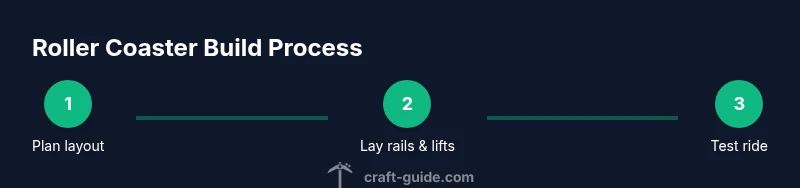
Begin with a rough map that identifies entry and exit points, then sketch major features like hills, curves, and corkscrews on paper or a planning tool. This keeps momentum and energy consistent as riders travel along sections that challenge their perception of speed. A practical coaster should be enjoyable to ride repeatedly, easy to extend, and simple enough to repair if a block shifts after updates or resource changes.
Below we cover the essential design principles, required materials, and a tested workflow to ensure your build remains enjoyable for you and your friends.
Design Principles for an Engaging Ride
In Minecraft, the thrill comes from rhythm and anticipation. Plan a sequence that alternates elevation changes with gentle curves to maintain speed without overwhelming the rider. Use a lift hill early in the track to guarantee momentum, then introduce drops and twists that maximize airtime and immersion. Keep transitions smooth by aligning rail segments on the same vertical plane as you approach turns, preventing sudden jolts that break immersion. For multiplayer servers, consider wide lanes or parallel tracks so groups can ride side-by-side, which also simplifies loading times for players joining mid-ride. Craft Guide’s approach emphasizes modular design: build a core loop you can copy and modify, rather than starting from scratch each time.
Key Concepts: Lifts, Rails, and Safety
A successful coaster relies on three pillars: power, track geometry, and safe loading points. Powered rails provide propulsion on ascents and maintain speed on long straightaways. Detector rails coordinate braking or slow sections, while a dedicated loading station ensures riders know where to queue and how to board. In terms of safety, avoid overly abrupt drops that could eject players or collide with block structures; use gradual curves and a predictable cadence. Remember, a well-lit station reduces confusion and helps players understand where to wait for the next ride, especially on multiplayer maps. Craft Guide’s analysis shows that clear wayfinding and consistent spacing dramatically improve rider experience and reduce maintenance tasks over time.
Practical Layout Considerations for Your Map
Terrain awareness matters. If you’re building on uneven ground, level the track bed early and use supports that mirror real-world engineering to keep the rails aligned. Build a starter loop that you can replicate across different sections of your map; this modular approach speeds up development and ensures consistency. Document coordinates for each major segment so you can refine later without losing track of your original plan. Finally, plan for expansion by leaving room for extra station platforms or parallel tracks. By keeping these principles in mind, you’ll create a coaster that scales well as your Minecraft world grows.
Tools & Materials
- Rails (regular)(Basic track pieces)
- Powered Rails(Provide propulsion and maintain speed)
- Detector Rails(Coordinate braking and triggers)
- Minecarts(At least 4 for test groups; more for crowds)
- Redstone components(Power sources, torches, repeaters as needed)
- Building blocks(Planks, stone, or concrete for support and scenery)
- Scaffolding or ladders(For easy access during build)
- Signs or markers(Crew instructions and loading cues)
- Lighting blocks(Ensure visibility along the track)
Steps
Estimated time: 6-8 hours
- 1
Prepare the build site
Clear a flat area or create a flat plateau. Mark entry and exit points, and lay down a simple baseline to guide later track placement. This prevents misalignment as you extend the coaster.
Tip: Use a grid or map outline to keep symmetry across sections. - 2
Lay the initial track
Place regular rails for the baseline path, ensuring straight segments are perfectly aligned. This establishes the primary route and helps you gauge spacing for curves and hills.
Tip: Keep track segments in the same plane to avoid uneven turns later. - 3
Install powered rails for propulsion
Insert powered rails on the uphill sections and every few blocks along long straightaways to preserve momentum. Connect them to a reliable power source and test heat distribution.
Tip: Place redstone torches or a simple lever-based boost to keep power stable. - 4
Add detector rails for control
Place detector rails at key points to trigger braking zones or to start a secondary lift if you design multiple loops. Wire detectors to a redstone mechanism that activates when a minecart passes.
Tip: Keep detector rails away from corners to avoid false triggers. - 5
Create supports and landscaping
Build vertical supports under elevated track sections using stone or wood blocks. Add decorative elements around the track to blend it with the environment while keeping the rails clear of obstructions.
Tip: Use a repeating pattern for supports to improve visual consistency. - 6
Design the lift hill
Construct a gentle lift ramp that provides a reliable start to the ride. Ensure the vertical rise matches your coaster length and that powered rails cover the ascent.
Tip: Test the lift with multiple carts to confirm consistent propulsion. - 7
Add curves and hills
Integrate smooth bends and rolling hills to create excitement without abrupt jolts. Align curves with the earlier straight sections to maintain speed and rider comfort.
Tip: Use longer arc radii for smoother turns; abrupt 90-degree corners feel jarring. - 8
Install a loading station
Build a dedicated station where players board and exit. Include rails that guide carts into the platform and a signposted queue to reduce crowding.
Tip: Place nearby lighting to avoid mobs and ensure safe boarding at night. - 9
Implement safety brakes
Place braking sections after steep drops or sharp turns to reduce runaway carts. Wire brakes to detector rails for automatic activation as needed.
Tip: Test at low speed first to fine-tune braking strength. - 10
Test the ride
Run multiple test carts through the entire route, checking for speed consistency, rail alignment, and potential collisions with terrain or scenery.
Tip: Have a friend ride in creative mode to observe safety gaps and visibility. - 11
Fine-tune spacing and visuals
Adjust track spacing, upgrade blocks for aesthetics, and ensure lighting keeps the ride readable from all angles. Replace any misaligned rails.
Tip: Document changes to revert if needed. - 12
Publish and share
If building on a multiplayer map, document the design and provide a quick-start guide so others can replicate or remix your coaster.
Tip: Offer blueprints or schematic screenshots for easier sharing.
People Also Ask
What materials do I need to start a Minecraft roller coaster?
Begin with rails, powered rails, detector rails, minecarts, redstone components, and building blocks. These form the core track, propulsion, and loading station. As you expand, add lighting and decorative blocks to enhance the ride experience.
You’ll start with rails, powered rails, detector rails, minecarts, redstone, and basic building blocks; these build the core track and propulsion, then you add lighting and decorations as you expand.
How do I power a lift hill effectively?
Place powered rails on the ascent at regular intervals and connect them to a reliable power source. Test with several carts to ensure consistent propulsion up the hill.
Power the lift with regular powered rails and a steady power source; test with multiple carts to ensure it climbs reliably.
Can I build roller coasters in survival mode?
Yes, but expect more grind leveling terrain and collecting resources. Creative planning helps minimize resource waste and keeps the build manageable in survival.
Absolutely, just be prepared for more resource gathering and terrain work in survival.
What’s the best way to test and fix issues quickly?
Run the ride with multiple carts, look for misaligned rails, unexpected gaps, and braking inconsistencies. Use detector rails and logging to pinpoint problem areas and adjust.
Test with several carts, check for alignment and braking, then tune those spots.
Are there common mistakes to avoid on first builds?
Overly sharp turns, inconsistent rail height, and underpowered lifts cause jams. Plan spacing, keep sections level, and test early to prevent rebuilds.
Avoid sharp turns and weak lifts; plan spacing and test early.
Should I use mods or commands for a smoother experience?
Mods and commands can enhance builds, but the core principles stay the same. Start with vanilla mechanics to learn the basics, then add enhancements as you grow.
Mods can help later, but start with vanilla to learn the basics.
Watch Video
The Essentials
- Plan modular sections before laying rails
- Use powered rails to maintain momentum
- Test ride and refine for smoothness
- In multiplayer, optimize for performance and safety