Minecraft Coaster Build: Step-by-Step Minecart Ride
Design and build a minecraft coaster: a minecart ride with powered rails, curves and scenery. A step-by-step guide covering planning, materials, testing, and tuning for a smooth ride.


By the end of this guide you'll design and build a working minecraft coaster: a minecart roller coaster with smooth curves, powered rails, boosters, and decorative elements. You’ll plan the layout, gather materials, lay track, install powered rails with redstone, run tests, and fine-tune for speed and safety. This step-by-step approach works in creative or survival and scales from small rides to large parks.
Why Minecraft Coasters Matter
A minecraft coaster stands at the intersection of engineering, creativity, and play. A well-designed coaster turns static rails into a dynamic ride that players can experience firsthand, testing your redstone timing, track geometry, and aesthetic choices. According to Craft Guide, thoughtful coaster design rewards experimentation, balancing speed, safety, and spectacle. The best designs invite exploration, encourage repeated rides, and become memorable landmarks in your Minecraft world. When you plan a coaster, think about the ride’s pacing, how often players will be launched, where they can pause, and how scenery reinforces the theme. A strong concept—like a sci‑fi launch or a medieval twilight ride—gives you both direction and motivation.
Craft Guide tip: start with a simple loop or short stretch to validate your track’s flow before expanding into longer, more elaborate sections.
Core Concepts: Rails, Redstone, and Ride Flow
A successful minecraft coaster hinges on three core ideas: track layout, booster timing, and rider comfort. Rails come in two basic types: regular rails carry minecarts along the path, while powered rails provide acceleration or deceleration when paired with redstone. Redstone timing controls booster bursts; your goal is to maintain a smooth rhythm rather than abrupt jolts. Detector rails can trigger visual and audio cues, helping players feel the ride’s momentum. Craft Guide analysis shows that consistent booster spacing, gentle curves, and predictable transitions reduce derailing and enhance enjoyment. For a long coaster, plan anchor points for stations, brakes, and scenic segments to keep pacing coherent from start to finish.
Key takeaway: balance speed with control by distributing boosts and curves so that the ride remains exciting but manageable.
Planning Your Coaster: Layout and Theme
Planning begins with a rough map of the ride. Sketch the route on graph paper or in-game coordinates, identifying stations, launch zones, and key visual moments. Theming matters: color blocks, signage, and environmental details heighten immersion and make the coaster feel intentional rather than random track. Place straightaways for acceleration, then weave in curves with ample radius to avoid sharp turns. For larger builds, consider multi-section experiences: a tranquil ascent, a fast hill, a banked turn through a canyon, and a finale with lights or decorative blocks. Remember to include safe boarding areas and avoid head-on conflicts with other structures in your world.
Craft Guide notes the importance of a coherent flow; a well-planned path reduces testing time and yields a more polished result.
Materials and Tools You'll Need
Gather essential rails (regular and powered), minecarts for testing, redstone components, building blocks for supports, and scenery items. You’ll also want optional detector rails to trigger interactive moments and signs for guidance. Keep spare rails and a handful of extra minecarts in your inventory for quick fixes during testing. A compact workstation near your coaster saves trips between storage and the build site. If you’re planning a large park, set up a modular approach—the first module should prove your booster spacing, then you can replicate it with variations.
Craft Guide recommends having a dedicated stash of rails, a small redstone toolkit, and a variety of blocks to simulate different themes without rebuilding the mechanism each time.
Design Patterns: Loops, Turns, and Safety Features
Loops and curves should use generous radii to minimize the risk of derailment. For turns, avoid 90-degree corners; instead, implement sinuous, spiraling bends that feel natural. Elevation changes—gradual rises and gentle drops—create drama without pharmacologically increasing risk. Station design should include a loading area, a visible start indicator, and a braking segment at the end or mid-course. Safety features include ensuring an accessible emergency stop, clear boarding lines, and well-lit areas for maintenance. Decorative lighting and block choice reinforce the ride’s mood and help visibility on dim Minecraft nights.
Incorporate small storytelling elements—signs, banners, or themed blocks—to enhance the experience without compromising mechanics.
Testing and Refinement
Testing is the heart of a great minecraft coaster. Run short test runs after every major adjustment, noting where speed spikes or jolts occur. Tweak booster spacing and curve radii based on actual minecart performance, not just theoretical layouts. If the cart bounces or derails on a turn, widen the curve or adjust booster timing slightly. Use a simple measurement routine: record the ride’s duration, peak speeds, and any stalls; then iterate. Once the line feels smooth and predictable, extend your test to longer sections and more complex segments.
Craft Guide stresses that incremental testing saves time and reduces frustration, especially when you scale to larger circuits. Share a test with friends to gather feedback on pacing, aesthetics, and fun factor.
Tools & Materials
- Rails (regular)(Provide straight and curved segments for the main path.)
- Powered rails(Place where you want boosts; connect to a redstone source.)
- Minecarts(For testing and riding; keep a few spares.)
- Redstone dust(Powering rails; run from a switch or daylight sensor.)
- Construction blocks(Supports, stations, and scenery; choose durable blocks.)
- Detector rails(Optional triggers for effects or stops.)
- Scenery blocks and signs(Theme elements and wayfinding.)
Steps
Estimated time: 2-4 hours
- 1
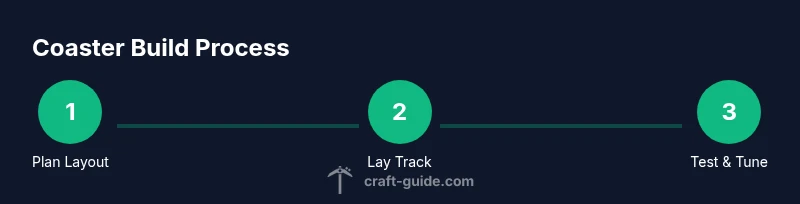
Plan the layout and theme
Define the ride path, station placement, and overall theme before placing any tracks. Create a rough map of boosts, curves, and key visuals to guide construction. Consider how the rider will experience each moment and where pacing will shift.
Tip: Sketch the route on paper or in-game coordinates to keep the plan clear. - 2
Collect materials and prepare the world
Gather rails, powered rails, redstone, minecarts, and blocks for supports and scenery. Clear a flat area or a gentle slope to start with a prototype section. Organize your inventory so you can place track pieces quickly during building.
Tip: Have extra rails and minecarts on hand for quick fixes during tests. - 3
Lay baseline track along the planned path
Begin by laying a straight baseline that follows your map. Leave space for curves and ensure the path remains at a consistent height where possible to reduce gravity-induced jolts. Check alignment with the station exit and entry to avoid collisions with scenery.
Tip: Place a temporary marker block at the start to confirm alignment before committing. - 4
Install powered rails and boosters at intervals
Insert powered rails at intervals appropriate for your total length and desired speed. Connect them to a redstone source and test with a minecart to verify boost timing. Too many boosts can feel rushed; sparse boosts can feel sluggish.
Tip: Test each booster individually before combining sections. - 5
Create curves and bank turns for smooth ride
Replace sharp angles with gentle curves using longer radii. Banked turns add drama and reduce the chance of derailing. Ensure the cart has a comfortable line through each turn with adequate clearance from scenery.
Tip: Stiffen curves by using repeated gradual sections instead of single sharp bends. - 6
Add station, loading area, and safety brakes
Design a welcoming loading area with clear signs. Include a braking segment or gentle roll into the station to prevent abrupt stops. Ensure there’s space for players to disembark safely and observe the track ahead.
Tip: Test braking under different cart speeds to ensure reliability. - 7
Decorate and build scenery
Enhance the ride with thematic blocks, lighting, and occasional suspense visuals. Keep decorations cohesive with the overall theme to avoid distraction from the ride mechanics. Balance color and contrast for visibility at night.
Tip: Use contrasty lighting to guide the eye along the track path. - 8
Test, refine timing, and finalize
Run repeated full-length tests, record timings, and adjust booster spacing and track elevation as needed. Once consistent, document the build so others can mimic or remix it. Celebrate with a public or private ride in your Minecraft world.
Tip: Invite a friend for objective feedback on pacing and enjoyment.
People Also Ask
What is a minecraft coaster?
A minecraft coaster is a minecart roller ride built with rails, boosters, and scenery. It uses track design and Redstone timing to create a smooth, engaging experience.
A minecraft coaster is a fun minecart ride made with rails and boosters to create speed and turns.
How many powered rails do I need for a turn?
The number depends on your ride’s length and slope. Place powered rails at regular intervals to maintain momentum without overspeeding, and test with minecarts to fine-tune spacing.
Spacing depends on length and incline; test with a cart to adjust.
Can I build this in survival mode?
Yes, but plan resource gathering and storage. A modular approach helps you collect rails and redstone in stages while testing sections along the way.
You can, just plan for resource gathering and test stages as you go.
How do I prevent minecarts from derailing on sharp turns?
Avoid sharp angles; use long, curved radii. Space booster sections and make sure turns have adequate clearance from scenery to prevent derailments.
Use gentle curves and space boosts to keep carts on track.
What themes work best for minecraft coaster?
Themes like fantasy, sci‑fi, or medieval can guide block choices and scenery. A cohesive color palette and signage elevate the experience.
Choose a clear theme and stick with colors and signs that fit it.
Watch Video
The Essentials
- Plan the ride layout before placing rails.
- Use spaced boosters for smooth acceleration.
- Test early and iterate on timing and curves.
- Incorporate consistent theming and signage.
- Share the finished coaster with friends for feedback.