Minecraft Castle Plan: Step-by-Step Build Guide for Builders
Learn to design and build a Minecraft castle with a practical plan. This step-by-step guide covers layout, defenses, and interior ideas for a sturdy fortress.


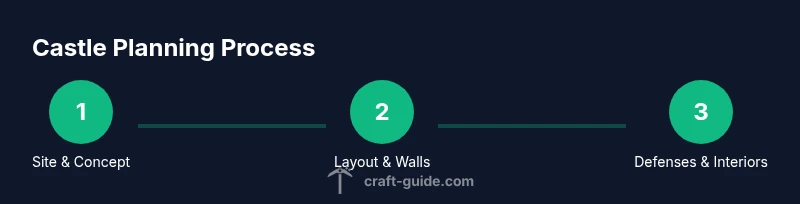
You will design and draft a complete Minecraft castle plan, then build it in accessible stages. This guide covers site choice, layout, tower placement, wall design, gate defenses, and interior rooms. You’ll get practical tips for scaling, materials, and landscaping to create a fortress that fits your world and play style.
Why a Minecraft Castle Plan Pays Off
Before you place the first block, a clear castle plan saves time and materials, and helps you build something that looks intentional rather than random. When you design with purpose, you’ll see opportunities to reuse structures and scale the fortress to fit your world. According to Craft Guide, planning increases cohesion across the build, from tower placement to inner courtyards. A solid plan also makes it easier to communicate your vision with teammates in a multiplayer server. In this guide, you’ll learn how to translate a concept into a workable blueprint, including size, shape, and major components. Start by imagining your fortress as a compact core with surrounding walls, then expand outward in logical stages. As you document decisions with a simple sketch, you’ll avoid wandering blocks and misaligned corners. Use a map or grid to map zones for defense, storage, and living quarters. The castle's silhouette—whether square, circular, or irregular—should reflect terrain and intended use. The goal is readability: a fortress that feels imposing from a distance and practical up close.
Choosing the Right Site
Terrain matters more than you might expect. Elevation affects line-of-sight and defense, while nearby trees or water affect aesthetics and access. Look for a flat or gently rolling area where you can lay out a hex or square plan without excessive digging. In Craft Guide's experience, choose a site with a commanding view of approaches and room for courtyards, stables, or a keeps wing. If you play on a multiplayer server, coordinate with teammates to place shared walls or gatehouses to avoid overlap. Finally, consider resource proximity: near stone and iron veins helps you gather materials faster while minimizing travel time during builds.
Layout Fundamentals: Walls, Towers, and Gate
A castle plan should balance defense, access, and sightlines. Start with a main curtain wall forming a rough rectangle or circle, then place towers at corners for flank coverage. Gates should be narrow enough to defend and wide enough for carts or groups to pass, with a defensive corridor between gate and inner ward. For beginners, symmetry provides clarity; advanced builders can experiment with asymmetry for character. Think in layers: outer wall, inner courtyard, keep, and living quarters. Map the routes your viewers or teammates would use to reach key areas, like armories, stables, and the great hall. This mental model helps you decide where doors, windows, and crenellations belong.
Materials and Aesthetic: Stone Choices and Details
Material selection defines the castle's look and durability. Stone bricks create a strong, classic silhouette, while cobblestone adds texture and a rugged feel. Mix textures with sandstone accents for contrast, and use wood planks for interior floors and scaffolding. Incorporate crenellations, arched doorways, and decorative banners to add character without complicating construction. Craft Guide recommends planning material layers ahead of time to ensure consistency across towers, gates, and walls. Remember to balance form and function: heavy walls deter mobs but should not obstruct your field of view or accessibility.
Defensive Features: Moat, Entrances, and Tower Design
Defenses aren’t just about blocking mobs; they shape how you move through the fortress. A moat or ditch around the outer wall adds a dramatic barrier and can influence wall placement. Position towers at corners for optimal crossfire and to create strong flanking options. Design gates with a secondary gateway and reinforced doors to withstand sieges. Include arrow slits and battlements for defense without sacrificing visibility. Craft Guide notes that thoughtful defense layout improves pacing and makes the castle feel more believable on survival worlds.
Interior Planning: Rooms and Storage
Plan core interiors first: great hall, armory, kitchens, and living quarters. Create a logical flow from the main gate to the keep, with clear routes to storage rooms and workshops. Allocate dedicated spaces for chests, crafting benches, and item sorting to reduce indecision during actual build time. Use area zoning to keep dungeon-like basements separate from radiant halls, which helps with lighting and acoustics in your design. The goal is practicality: a beautiful exterior paired with well-organized interiors that support long, multi-session builds.
Landscaping and Surroundings: Setting the Scene
The castle should feel integrated with its surroundings. Build a raised terrace or garden near the main gate, plant trees to frame the fortress, and create a gravel or cobblestone approach that guides the eye toward the entrance. Water features, such as a small pond or fountain, can soften the fortress edges while reflecting light. A well-planned approach path makes your castle feel intentional and drop-dead gorgeous in screenshots. Craft Guide emphasizes that environment matters as much as the stone used in construction.
From Plan to Build: Iteration and Troubleshooting
Begin by translating your blueprint into a rough, low-resolution build block by block. Check sightlines, accessibility, and balance between exterior and interior spaces. If a tower feels too tall or a wall too long, adjust in your plan before placing any blocks. Use a temporary scaffolding system to test dimensions without committing to permanent blocks. Expect to iterate: your first version will reveal improvements for a refined final fortress. Craft Guide recommends documenting changes and keeping a simple reference map to track decisions.
Tools & Materials
- Stone bricks(Primary exterior material; use in combination with cobblestone for texture)
- Cobblestone(Texture for base walls and detailing; pairs well with stone bricks)
- Wood planks(Interior floors, doors, scaffolding; choose a wood type for vibe)
- Stone stairs(Tiers and accents for battlements and seating areas)
- Glass panes(Windows and arrow slits for light and defense visibility)
- Doors (oak or dark oak)(Front gate, inner doors, and tower access)
- Torches or lanterns(Lighting to prevent mob spawns and highlight features)
- Water buckets(For moat or decorative water features)
- Ladders(Access to upper levels and towers)
Steps
Estimated time: 2-3 hours
- 1
Define the site
Choose a suitable plot based on terrain, view corridors, and resource proximity. Mark rough boundaries and a preferred orientation for the fortress.
Tip: Use a simple block map or grid to sketch the footprint before placing any blocks. - 2
Draft a rough layout
Create a basic outline of walls, towers, and gates. Focus on major zones: keep, courtyards, storage, and living areas.
Tip: Keep the outer wall readable from a distance; balance wall length with tower spacing. - 3
Choose primary materials
Decide your stone combination early to maintain a cohesive look. Plan where texture shifts occur and why.
Tip: Limit to 2-3 stone textures to avoid visual chaos. - 4
Position towers and gates
Place towers at corners or strategic angles for coverage. Position gates to funnel movement toward the inner ward.
Tip: Test sightlines with a simple lantern or torch to confirm lines of fire and visibility. - 5
Plan interior rooms
Outline the great hall, armory, kitchens, and living quarters. Ensure easy access from the main gate and keep.
Tip: Design storage zones near workshop areas to optimize sorting. - 6
Incorporate defense features
Add battlements, crenellations, and arrow slits. Ensure pathways stay clear for movement during defense.
Tip: Keep airspace above doors and windows free of obstructing blocks. - 7
Add exterior landscaping
Integrate a moat, bridge, terrace gardens, and approach paths. Use landscaping to guide the eye toward the main entrance.
Tip: Use subtle elevation changes to break the monolith feel. - 8
Review and iterate
Walk through the plan, refine dimensions, and simulate builds at 1:1 scale in your world. Adjust as needed before finalizing.
Tip: Document changes and keep a single reference layout for consistency.
People Also Ask
What is a good starting size for a castle?
A practical starter size is a compact footprint with a central keep and surrounding wall. Start with a simple 2-3 tower layout and expand as you gain confidence.
A practical starter size is a compact footprint with a central keep and surrounding wall. Start with a simple 2-3 tower layout and expand as you gain confidence.
Should I prioritize exterior symmetry for a castle?
Symmetry helps readability and planning, especially for beginners. As you gain skill, you can introduce asymmetrical features for character without sacrificing balance.
Symmetry helps readability and planning, especially for beginners. You can introduce asymmetrical features later if you want character.
How can I add interior space without increasing the complexity?
Group related rooms into wings connected to a central corridor. Prioritize essential rooms first and add decorative spaces later.
Group rooms into wings and connect them with a central corridor. Start with essential rooms and add decoration later.
What materials are best for beginners?
Start with durable stone textures like stone bricks and cobblestone for walls. Add wood for warmth and contrast in interior areas.
Start with sturdy stone textures for walls, and add wood to warm interiors.
How long does planning take before you begin building?
Expect 1-3 hours to draft a solid plan, depending on complexity and familiarity with Minecraft builds.
Plan for one to three hours, depending on how complex your castle will be.
Watch Video
The Essentials
- Plan first, build later to save materials
- Maintain clear sightlines and functional flow
- Limit textures for cohesive visuals
- Iterate based on testing and feedback
- Integrate terrain for realism