Banner Minecraft Maker: A Complete How-To Guide
Learn how to design and craft eye-catching banners in Minecraft using dyes, a loom, and patterns. This step-by-step guide covers planning, materials, pattern building, and placing banners to elevate any base or project.


By the end of this guide you will know how to design and craft banner patterns in Minecraft using dyes, a banner, and a loom. You’ll plan colors, choose motifs, and apply multiple patterns step-by-step to create eye-catching banners for any base. This quick start covers materials, setup, and the core pattern-building workflow, so you can start decorating your home, fort, or server base today.
What is a banner Minecraft maker?
A banner Minecraft maker refers to the craft of designing decorative banners in Minecraft by combining dyes, a banner, and optional tools like a loom. Banners serve as visual identifiers for bases, clans, or events, and they can elevate a build without consuming heavy resources. The Craft Guide team notes that banners are a practical, flexible way to communicate a base’s theme and personal style within the game. When you design banners, you’re blending color theory with geometric patterns to create small artworks that endure in the world and on screenshots. This section sets the stage for beginners and helps seasoned builders refine consistent banner aesthetics across multiple creations, from simple crests to complex insignias.
Craft Guide analysis highlights that a well-planned banner system saves time during large builds, making it easier to maintain a unified look across multiple structures. Your banner work also doubles as a quick visual shorthand for visitors, indicating faction, purpose, or mood. Keep this goal in mind as you move forward with your designs.
Why banners matter in Minecraft builds
Banners act as portable, color-rich signage that can be used on walls, entrances, banners stands, or even as decorative accents on armor in the form of shields. They allow you to convey identity, themes, and stories with minimal resources. A cohesive banner program helps unify a base’s color palette and motif, making your world feel intentional rather than random. Craft Guide’s guidance emphasizes that planning ahead—selecting a palette and a few motifs before you start—reduces backtracking and dye waste. With banners, a simple crest or stripe pattern becomes a signature feature that players will recognize, inspiring teammates and visitors alike.
Planning your banner design
Before you touch a loom or crafting table, map out your banner design on paper or in your mind. Start with a color palette that complements your build’s overall theme. Consider whether you want high contrast for visibility or a subtle, harmonious look. Sketch a rough layout: main field color, several pattern layers, and a final accent color. This forethought helps you sequence pattern applications efficiently and avoid wasted dyes. Include a few variants you can switch between to suit different builds or seasons. The goal is a design language you can reuse across banners for consistency across bases and server events.
Gather materials and tools
To begin your banner project, collect the essentials: a banner, dye in your chosen colors, a loom (recommended for pattern layering), a crafting table, and a few glass panes or item frames for display ideas. Optional but helpful items include glow-like dyes for accents and color separators to manage palette diversity. Prepare a small dye reserve for testing patterns before committing to the final banner. With these basics, you can experiment safely and iterate quickly without depleting your world’s resources. As you proceed, remember Craft Guide’s advice: keep a simple starter design and expand it gradually for best results.
The loom vs crafting table: when to use each
The loom is the preferred tool for applying banner patterns because it visualizes color layering step-by-step, making it easier to manage multiple motifs. The crafting table remains useful for assembling the base banner from six wool and one stick and for quick dye placement in the early stages. If you’re new to banners, start with the loom to learn pattern stacking; switch to the crafting table if you want to generate base banners quickly. The loom also helps you preview how patterns will interact, saving materials and avoiding misaligned results. Over time, you’ll develop a clean workflow that balances speed with precision.
Step-by-step design workflow (visual guide)
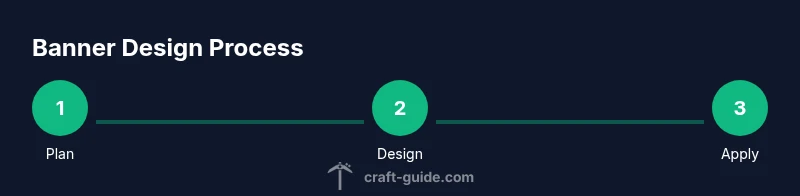
Follow a clear workflow to minimize errors and maximize consistency. Start by crafting the base banner with the six wool and one stick pattern. Then place a primary dye to create the first field and apply a basic pattern. Add secondary patterns in logical order, testing color contrast after each addition. Finally, save the design by naming the banner and placing it prominently in your build. This structured approach reduces trial-and-error and ensures your banners look intentional and polished.
Patterns and color composition
Understanding how colors and patterns interact is crucial for banner quality. Use a limited palette (two to four colors) to prevent visual noise. Common motifs include stripes, crosses, diamonds, and diagonal bars; stacking patterns can create heraldic-like designs. For color composition, arrange bold colors on the outer patterns and reserve lighter or darker hues for interior accents. Symmetry often yields the most striking results, but asymmetric patterns can look modern and dynamic when planned with intent. Practice with sample banners to build an internal library of reliable motifs.
Example crest banner design: step-by-step overview
Let’s design a crest banner representing a hypothetical Minecraft faction. Step 1: craft a white banner base. Step 2: apply a black border using a loom and black dye. Step 3: add a red stripe through the center. Step 4: place a small gold emblem in the upper-left quadrant. Step 5: test the contrast by viewing the banner against different backgrounds in your base. This practical example demonstrates how simple shapes can convey identity while remaining adaptable for future updates or color swaps.
Common mistakes and fixes
Mistakes often involve dye misselection, misordered patterns, or uneven color balance. Fixes include reordering patterns to improve symmetry, choosing higher-contrast color pairs for readability, and starting with a base pattern before adding overlays. If you notice a color clash, swap one color and re-test in the loom preview. Don’t be afraid to rebuild from a simpler version if the design feels cluttered. Remember, iteration is part of the process, and small refinements can dramatically improve the final result.
Showcasing your banners in builds
Display banners where they’re most visible: gate entrances, hallways, or atop banners stands near key rooms. Lighting matters; place banners where ambient light highlights their patterns without washing out the colors. Consider aligning banners with architectural lines for a cohesive look and using shields or item frames to pair banners with related blocks. If you create a banner set for a server event, store each variant in a shared gallery or inventory so teammates can reuse patterns consistently.
Craft Guide's beginner-friendly tips and color theory
The Craft Guide team recommends starting with two colors and a simple motif, then gradually layering patterns as you grow more confident. A consistent color theme across banners helps maintain visual harmony in large builds. For color theory, keep the palette cohesive and test with screenshots to verify how colors read in-game. Craft Guide’s experience shows that an iterative approach yields the most satisfying results, especially when designing banners to match seasonal or event-based themes.
Authoritative sources and color theory for banners
For broader design principles, refer to color theory basics and accessibility best practices:
- https://www.nist.gov
- https://mit.edu
- https://colorado.edu These sources provide foundational guidance on color contrast and palette selection that you can adapt to Minecraft banner design, ensuring visibility and aesthetic appeal across monitors and lighting conditions.
Process summary and next steps
Now that you understand the banner maker workflow, practice with a few base designs. Save your favorite combinations as templates, then remix them for different builds or server events. Share your banners with friends or on community forums to gather feedback and ideas for future iterations.
Tools & Materials
- Banner (base)(Craft 6 wool + 1 stick in a crafting table)
- Dye (assorted colors)(Choose 2-4 colors to start; add more for variety)
- Loom(Recommended for step-by-step pattern layering)
- Crafting table(Use for base banner and initial dye placement)
- Glass panes or display props(For testing contrast on banners in-world)
- Screenshot tool or notes(Capture designs for a personal gallery)
Steps
Estimated time: 15-25 minutes
- 1
Gather materials
Collect a banner base, your chosen dyes, and a loom. Prepare a crafting table for initial banner creation and a small dye reserve for testing patterns.
Tip: Organize colors by contrast to streamline testing. - 2
Craft the base banner
Create the base banner from 6 wool and 1 stick on a crafting table. This establishes the banner’s canvas and field color.
Tip: Choose a field color that complements your planned palette. - 3
Set up loom and dyes
Place the loom and load it with your first dye. The loom lets you visualize subsequent pattern layers clearly.
Tip: Test a simple stripe pattern first to learn pattern layering. - 4
Apply first pattern
Use the loom to apply the primary motif (e.g., border or stripe) with your chosen color.
Tip: Aim for symmetry for a balanced look. - 5
Add secondary patterns
Layer additional motifs one by one, checking how each color interacts with the existing design.
Tip: Keep patterns readable by avoiding overly busy combinations. - 6
Refine color order
Adjust the color order to create contrast where you want emphasis or to quiet elements you don’t want to stand out.
Tip: Bold colors should frame the design, while lighter hues fill details. - 7
Test in-world contrast
Place the banner in your build to see how it reads in different lighting and against various blocks.
Tip: Take screenshots to compare under sun, torches, and glowstone. - 8
Name and finalize
If you plan to store or trade banners, name it and add a persistent tag in your stash.
Tip: Keep a reference sheet of designs you’ve created for future reuse. - 9
Display and iterate
Place the banner prominently and solicit feedback from teammates to iterate on further versions.
Tip: Treat banners as evolving visuals rather than one-off items.
People Also Ask
What is the quickest way to learn banner patterns in Minecraft?
Start with a base banner and two simple patterns, then gradually add layers. Practice with a few color swaps to see how patterns interact. This incremental approach builds familiarity without overwhelming you.
Begin with a base, add two basic patterns, then layer colors and shapes as you gain confidence.
Can banners be used on shields or armor?
Yes. You can transfer banner patterns to shields by applying banner patterns in the loom onto a shield, creating a personalized defensive emblem for players and teams.
You can apply banner patterns to shields to customize your gear.
Are banners only decorative or do they signal teams?
Banners primarily decorate, but players often use them to indicate team themes, bases, or events within a server, serving as visual signals to teammates and visitors.
They’re decorative and can signal base themes or events.
What if I mess up a pattern?
If a pattern doesn’t look right, backtrack by removing the last pattern with the loom (or re-dye the specific layer) and reapply it in a different order. Practice makes perfect.
Undo the last layer and reapply; practice helps you get it right.
Do banners lose their patterns when dyed again?
Applying new dyes over existing patterns is possible on the loom, but you’ll often be layering rather than overwriting. It’s best to test on a sample banner first.
You can add new dyes to modify patterns, usually in layers.
Watch Video
The Essentials
- Plan color palettes before pattern building
- Use the loom for layering, not just crafting
- Test designs in-world under different lighting
- Aim for clear, balanced banners with simple color contrasts