Why Does Minecraft Keep Disconnecting Me? Practical Troubleshooting Guide
A comprehensive, step-by-step guide to diagnosing why does minecraft keep disconnecting me and how to fix it fast, covering network checks, server status, mods, and router settings. Learn quick fixes and long-term solutions to minimize interruptions in multiplayer and single-player sessions.


Why the disconnects happen in Minecraft (why does minecraft keep disconnecting me)
In the wild world of Minecraft, disconnects happen for a handful of reasons. The phrase why does minecraft keep disconnecting me pops up when networks hiccup, servers go down, or clients miscommunicate with servers. Most common this results from your home internet, router settings, or one of the servers you connect to. Understanding the root cause helps you pick the right fix quickly. In practice, players report fewer disconnects when their baseline network is stable and their game files are clean and up to date. We'll walk through a pragmatic, step-by-step approach to diagnose and resolve these interruptions, starting with the simplest checks.
Check your internet connection
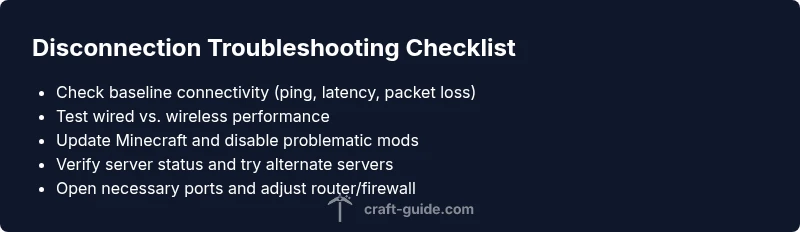
Your first suspect is the local network. Test your connection’s stability with a quick speed test and monitor latency, jitter, and packet loss. Consistently high latency or sporadic packet loss can trigger disconnections even if the server is healthy. Try a wired Ethernet connection instead of Wi‑Fi, and restart your router and modem. Pause other bandwidth-heavy activities, disable VPNs or proxies for gaming, and ensure your router isn’t blocking Minecraft traffic. If your ISP has outages in your area, that can explain repeated drops too. A stable baseline is foundational to any fix.
Check your Minecraft version and mods
Running outdated software or incompatible mods can cause disconnects in multiplayer. Verify you’re on the correct edition for the server and that any installed mods or shaders are compatible with that version. Temporarily disable mods to see if the problem resolves, then re-enable one by one to identify culprits. Consider a clean reinstall of Minecraft or validating game files to repair corrupted assets that provoke dropouts, especially after a mod update.
Server status and IP connectivity
Sometimes the issue isn’t your setup but the server itself. Check the server’s status page or Discord announcements for outages, maintenance, or regional routing issues. Try connecting to other servers to determine if the problem is isolated or widespread. If only one server disconnects you, the fault is likely server-side or network routing to that server. If many servers disconnect you, focus on your client and home network.
Network equipment and settings
Routers and modems can degrade gaming performance due to firmware glitches or misconfigurations. Power-cycle your equipment, enable UPnP if supported, and consider port forwarding for Minecraft (default port 25565). Review QoS rules that could deprioritize game traffic, and disable ISP-provided devices’ “security” features that block gaming. If devices are old, upgrading to a newer router can dramatically improve stability. Consider changing DNS to a fast, reliable provider as a lightweight tweak.
Common pitfalls that trigger disconnects
Background software like cloud backups, streaming services, or large downloads can saturate your connection and cause drops. VPNs and proxies add extra latency and routing steps that Minecraft dislikes. Cross-region play and routing quirks can also produce intermittent disconnects. If you recently installed a new firewall rule or antivirus, ensure it isn’t incorrectly blocking Minecraft traffic. Small misconfigurations can create big instability."
How to test connectivity like a pro
Treat connectivity like an experiment. Run ping tests to your server addresses, perform traceroutes to observe where latency spikes occur, and check for packet loss on different routes. Compare performance during peak hours versus off-peak times. Document the exact moments of disconnections with timestamps and symptoms to help you and any support staff pin down the root cause quickly.
Long-term fixes to reduce future disconnects
Aim for lasting stability rather than quick one-off fixes. Keep your network gear and computer drivers up to date, and consider upgrading your internet plan if latency is a persistent bottleneck. Use a wired connection where possible, allocate gaming priority in QoS settings, and keep Minecraft and all mods up to date. If you share a network with others, coordinate usage during peak times to avoid congestion. For persistent problems, a professional line test or a router upgrade may be necessary.
When to seek help
If you exhaust these steps and minecraft keeps disconnecting you, don’t hesitate to seek help from your ISP or server admins. They can confirm if there’s an outage, a regional routing issue, or server-side protections causing the disconnects. If you’re on a console or cross‑platform setup, verify crossplay settings and firewall allowances. The goal is a stable connection and a smooth gaming experience.