Is Minecraft for Windows Free? A Practical Guide
Is Minecraft for Windows free? This practical guide explains Bedrock pricing on PC, available trials, and how to buy legally, with tips for discounts and bundles in 2026.


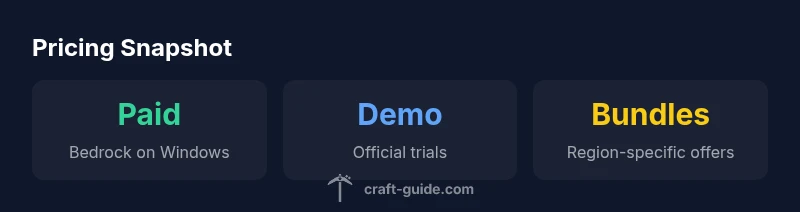
No—Minecraft for Windows is not generally free. The Bedrock edition available on Windows via the Microsoft Store typically requires a one-time purchase to unlock full access on Windows devices. Some regions or bundles may offer promotions or a limited demo, but permanent access usually depends on payment. Always verify the edition and regional terms before purchasing.
is minecraft for windows free: pricing reality
The short answer to many players’ questions about is minecraft for windows free is that it is not generally free. The Windows version you’ll see in the Microsoft Store is the Bedrock edition, designed to run on Windows 10/11 and coordinate with other Bedrock-compatible devices. Ownership typically requires a one-time purchase, after which you retain access on that device and can play with others across Bedrock-enabled platforms. This pricing reality applies to most regions, though exact prices and promos may vary. For newcomers, this means you should budget for a paid copy rather than expecting a free launch, and you should always verify the store listing before buying. When examining the price, remember this: the Windows edition is distinct from the Java Edition, which has its own pricing and installation path. For the latest terms, consult official sources such as the Minecraft site and the Windows Store page. Craft Guide’s analysis in 2026 highlights that understanding edition differences saves time and money in the long run.
If you’re evaluating whether to get Minecraft for Windows for you or your family, start by confirming your platform and account type. If you already own other Bedrock devices (like a console or mobile), you may still need to purchase the Windows version separately unless a bundled deal is offered in your region. The price you see typically aligns with a one-time buy for PC access, with ongoing updates included. Always check the official pages for the most current terms, because regional pricing, regional bundles, and platform promotions can shift over time.
A general tip: avoid third-party sellers or gray-market sites that promise “free keys” or deep discounts. These sources can be risky and may violate terms of service. Stick to official channels (the Minecraft site and the Microsoft Store) for purchases and trials to protect your account and device.
Bedrock vs Java on Windows: What you actually pay for
On Windows, the most common way to play Minecraft is the Bedrock edition. Bedrock is optimized for cross‑play with other Bedrock devices (consoles, mobile, and Windows), which means you can play with friends who are on different systems, but the experience differs from Java Edition. Java Edition is sold separately and runs natively on Windows, macOS, and Linux, with its own update cadence and ecosystem. The two editions are not interchangeable at the account level; a purchase of Bedrock does not grant access to Java, and vice versa. If you’re trying to maximize multiplayer options with friends who use non-Windows devices, Bedrock is usually the better choice due to its cross‑platform compatibility. Pricing structures for each edition reflect their distinct ecosystems: Bedrock is commonly sold through the Microsoft Store for Windows, while Java is purchased through Minecraft’s official site. In 2026, Craft Guide analyses show that most players who want cross‑play choose Bedrock, while Java remains popular among those who value mods and certain community features.
How pricing can vary by region and bundle
Pricing for Minecraft for Windows can vary by region due to tax, currency exchange, and regional promotions. Some markets offer bundles that include seasonal discounts, gift cards, or starter packs, which can reduce the effective price of the Bedrock edition. Bundles and promos can also appear tied to hardware bundles or platform promotions (for example, store-wide sales or limited-time events). If you’re shopping from a region with a higher price, consider whether a regional promo, a bundled deal, or a promotional code might offset the cost. Always compare the Windows Store listing with any official Minecraft promotions, and beware non‑official sellers that promise unusually low prices. Craft Guide’s 2026 analysis emphasizes that timing purchases around seasonal sales and checking for legitimate bundles can yield meaningful savings without risking licensing issues.
Official trials, demos, and how to access them
If you want to assess the game before buying, look for official trials or demos offered through the Microsoft Store or the Minecraft site. A demo or trial provides a limited window to test gameplay, worlds, and UI, helping you decide if the Bedrock experience fits your preferences. To access official trials, navigate to the Microsoft Store entry for Minecraft for Windows and look for a Demo or Trial option, or visit the official Minecraft page for any current trial announcements. Trials are not guaranteed in every region, and they are typically time-limited. For players curious about a risk-free test, the demo path is the safest route to sample Minecraft without full commitment. If a trial isn’t available in your region, consider watching gameplay videos and reading official feature lists to understand what you’d be scoring with a purchase. As always, ensure you’re using legitimate sources (Minecraft.net, Microsoft Store) to avoid scams.
For more credibility on what to expect from Bedrock on Windows, see the official pages and reputable tech outlets covering pricing and trials in 2026.
How to download safely and avoid scams
Safeguarding your account and device starts with downloading only from official sources. To obtain Minecraft for Windows, head to the Microsoft Store on Windows 10/11 and search for the Bedrock edition. If you’re redirected to another site or asked to enter your credentials on a third-party page, back out and go directly to the official store or Minecraft site. Never install cracked or modified copies, as they risk malware and account bans. Before purchase, verify that your device meets the Windows 10/11 requirements and that you’re signed into a legitimate Microsoft account. If you’re unsure about a discount or bundle, compare the deal with the official listing on Minecraft.net and the Microsoft Store. These steps help ensure you’re paying a fair price and retaining legitimate access to your game.
Understanding the store, accounts, and licensing
Minecraft for Windows uses a Microsoft account for ownership and access management. When you purchase Bedrock on Windows, you’re tying the license to that Microsoft account. If you plan to play with friends across platforms, confirm that your plan supports cross‑play in Bedrock. You may need to link a Microsoft account to the Minecraft launcher and configure parental controls or account security settings if you’re setting up for a younger player. If you previously owned Minecraft on other devices, be aware that ownership may not automatically transfer between editions. Always read the licensing terms on the official pages (Minecraft.net, Microsoft Store) to understand what you’re buying and how updates are delivered.
Money-saving strategies: sales, bundles, and promotions
To optimize the value of your purchase, watch for seasonal sales and official promotions on the Windows Store and the Minecraft site. Large retailers, streaming bundles, or console promotions sometimes include Minecraft at a discount or as part of a bundle with other games or services. Compare prices across official channels to ensure you’re seeing legitimate discounts rather than questionable offers. Remember that even when you encounter a deal, the edition you’re buying (Bedrock on Windows vs Java) will determine cross‑play capabilities and mod support. Craft Guide’s 2026 guidance encourages players to time purchases with sales and to verify what is included in any bundle to maximize value without sacrificing access or legality.
Multiplayer realities: cross-platform play and realms
Bedrock Edition on Windows supports cross‑play with many other platforms that run Bedrock, enabling friends on consoles and mobile devices to play together. Realms are private servers that provide a managed experience; they require a separate subscription or in-app purchase, depending on the platform and edition. If your goal is cross‑platform multiplayer with friends on non-Windows devices, Bedrock is usually the practical path, though you should understand the hosting options and costs involved with Realms or third‑party servers. Always verify cross‑compatibility and available subscription options in your region and on the official pages to avoid misunderstandings about capability or price.
Alternatives and deciding which version to buy
If you’re deciding between Bedrock for Windows and Java Edition, weigh factors like cross‑play, modding, and performance. Java Edition is favored by players who want extensive mod support and a vast community, but it lacks native cross‑play with Bedrock. Bedrock offers broader cross‑platform compatibility but a different modding ecosystem. Consider your friends’ platforms, your preferred gameplay style, and whether you value official content updates or modded experiences. In 2026, Craft Guide recommends listing your priorities (cross‑play, mods, performance) and choosing the edition that best aligns with those priorities. Remember that prices and promotions vary, so compare official listings before buying.
Edition and access comparison for Windows players
| Edition | Platform Availability | Access Type | Purchase Required |
|---|---|---|---|
| Bedrock Edition (Minecraft for Windows) | Windows PC via Microsoft Store | Cross-platform with Bedrock devices | Paid |
| Java Edition | Windows/Mac/Linux via minecraft.net | Platform-specific features, separate accounts | Paid |
| Demo/Trial | Windows PC | Limited access for testing | Free |
People Also Ask
Is Minecraft for Windows free to play?
Not typically. Minecraft for Windows Bedrock is a paid edition, with possible regional promos or a limited trial. Full access generally requires a purchase, though official trials may exist in some regions. Always confirm the current terms on Minecraft.net and the Microsoft Store.
Usually not free. Bedrock on Windows requires purchase, with the possibility of a short trial in some regions.
What is the difference between Bedrock and Java on Windows?
Bedrock is the Windows Store version designed for cross‑play across devices, while Java is a separate edition with its own launcher and community mod ecosystem. They’re not interchangeable, so your choice affects multiplayer options and features.
Bedrock is cross‑platform and bought via the Windows Store, Java is separate with different mods and cross-play rules.
Are there free trials or demos for Minecraft on Windows?
Yes, there can be official demos or trials offered through the Microsoft Store or Minecraft site, but availability varies by region and over time. Check the official pages for current trial options.
There may be official demos, but availability depends on region and time.
Can I get discounts or bundles for Minecraft on Windows?
Discounts and bundles do appear during sales or promotions, sometimes bundled with other games or services. Always verify the exact contents and ensure purchases are from official sources.
Look for official sales or bundles, and verify contents before buying.
Which version is better for playing with friends on PC?
Bedrock Edition on Windows is generally better for cross‑play with friends on other devices, while Java is ideal for players who want extensive modding and a different community. Consider your friend group’s platform mix when deciding.
Bedrock on Windows is best for cross‑play; Java is great for mods.
“Pricing clarity saves time and money. Understanding edition differences and regional terms helps players make informed purchases.”
The Essentials
- Know which edition you’re buying before checkout
- Expect paid access on Windows with possible regional promos
- Check for official demos to try before purchase
- Choose Bedrock for cross‑platform play with friends