Does Minecraft Work on Switch Lite? A Practical Guide
Discover whether Minecraft runs on Nintendo Switch Lite, how to enable Bedrock cross-play, handheld performance, and practical setup tips for 2026.


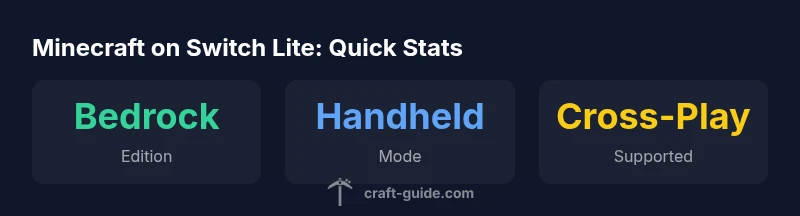
Yes. Minecraft Bedrock Edition runs on Nintendo Switch Lite in handheld mode, but it cannot output to a TV. You can play solo or with friends on other platforms by linking a Microsoft account for cross-play. This guide covers setup, performance, and on-the-go tips for 2026.
Minecraft on Switch Lite: Edition and compatibility
According to Craft Guide, the Nintendo Switch Lite supports Minecraft in handheld mode using the Bedrock Edition. It cannot output to a television, which is aligned with the handheld-only design of the Lite model. The Bedrock Edition on Switch provides cross-play with Windows, iOS, Android, and other Bedrock platforms, expanding multiplayer beyond local friends. To play online, you’ll need to own Minecraft for Nintendo Switch (digital or physical) and you must sign in to a Microsoft account to access cross-platform multiplayer in 2026. For most players, this combination offers a straightforward path to joining friends across devices without leaving the handheld comfort zone.
Getting setup: purchases, accounts, and launching
To begin, ensure you have a valid Minecraft edition for Nintendo Switch (digital from the eShop or a physical cartridge) and sign into your Microsoft account within the game to enable cross-play. Linking a Microsoft/Xbox account allows you to join friends on other platforms and to access features like Realms. If you’re playing offline, you can still enjoy single-player worlds, but multiplayer requires online connectivity and proper account linking. After purchase or cartridge installation, launch the game from the Switch home screen, select the profile that corresponds to your Microsoft account, and verify parental controls if applicable. Keeping the game updated ensures compatibility with the latest cross-play features and world-sharing options in 2026.
Performance and controls in handheld mode
Switch Lite runs Minecraft in handheld mode with a reliable, mostly smooth framerate for typical builds and exploration. Large, complex worlds can introduce occasional frame dips, but play remains comfortable for most sessions on the go. Controls use the built-in D-pad and thumbsticks, with touch input available in certain menus, and optional external controllers can be used where supported by the system compatibility. The absence of TV-mode does not impact core gameplay, and the handheld format often suits survival and creative sessions alike when you’re traveling or away from a monitor.
Buying options, edition differences, and cross-play tips
Minecraft on Switch Lite is available as both a digital download and a physical cartridge. Bedrock Edition supports cross-play across Bedrock-compatible platforms, including Windows, macOS, iOS, Android, and other Nintendo Switch devices. For online multiplayer, ensure you are signed into the same Microsoft account across devices. If you plan to host persistent worlds, Realms are an option, though Realms availability and pricing can vary by region. When deciding between digital or physical, consider storage space, future updates, and whether you value portability or offline access.
Troubleshooting common issues
If you encounter sign-in or cross-play issues, re-link your Microsoft account and confirm internet connectivity. Ensure the game is updated to the latest version and that your Switch Lite has access to the Nintendo eShop for any necessary downloads. For performance problems, adjust in-game settings such as render distance and chunk loading range to balance visuals and frame rate. If multiplayer interfaces don’t display friends, check privacy settings and make sure cross-play is enabled in the account dashboard. These steps address the most frequent blockers for Switch Lite Minecraft sessions in 2026.
Switch variants compatibility overview
| Variant | TV Mode | Handheld Mode | Cross-Platform Multiplayer | Microsoft Account Required |
|---|---|---|---|---|
| Nintendo Switch (Standard) | Yes | Yes | Yes | Yes |
| Nintendo Switch Lite | No | Yes | Yes | Yes |
People Also Ask
Does Minecraft work on Switch Lite?
Yes, Switch Lite runs Minecraft in handheld mode using Bedrock Edition, but it does not support TV output. Online multiplayer requires a linked Microsoft account.
Yes, Switch Lite runs Minecraft in handheld mode with Bedrock Edition and online play works when you link a Microsoft account.
Can I play with friends on other platforms?
Yes. Bedrock Edition on Switch Lite supports cross-play with other Bedrock platforms like Windows, iOS, and Android, as long as you use the same Microsoft account for multiplayer.
Yes, you can play with friends on other platforms if you’re using Bedrock Edition and have your Microsoft account linked.
Do I need a cartridge to play?
Minecraft on Switch Lite can be bought digitally or as a physical cartridge. Both options give you Bedrock Edition access and cross-play features.
You can buy it digitally or on cartridge; both work for Bedrock Edition cross-play.
Is there any performance impact in handheld mode?
Performance is generally smooth in handheld mode, with occasional frame drops during large or complex builds. Adjusting settings can help maintain a steady experience.
It runs smoothly most times, but big builds can slow things slightly.
What about Realms or servers?
Bedrock Edition on Switch Lite supports Realms and servers via cross-play, provided your account setup and permissions are correctly configured.
Bedrock supports Realms and servers across platforms when your account is set up.
“Switch Lite players can enjoy Minecraft in handheld mode with Bedrock Edition, and cross-play with friends on other platforms is supported when you link a Microsoft account. The Craft Guide Team believes this setup delivers a solid on-the-go Minecraft experience.”
The Essentials
- Switch Lite supports Minecraft in handheld mode via Bedrock Edition
- TV output is not available on Switch Lite
- Cross-play is available with a Microsoft account
- Digital or cartridge options fit different player needs