What Minecraft Can You Play on Switch: Bedrock Edition Guide
Learn which Minecraft version runs on Nintendo Switch, how cross-play works with Bedrock Edition, Realms, and setup tips for Switch players.


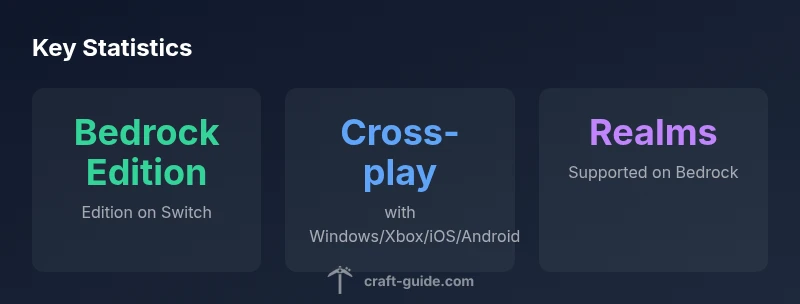
On Nintendo Switch, you can play Minecraft using the Bedrock Edition. This version supports cross-platform multiplayer with other Bedrock devices (Windows 10, Xbox, iOS, Android) and offers access to Marketplace content and Realms. Java Edition is not available on Switch, so Switch players can't join Java-only servers. For most players, Switch Bedrock provides a smooth, couch-friendly way to play with friends.
What Minecraft on Switch Really Means
When you ask what minecraft can you play on switch, the straight answer is that Nintendo Switch supports Minecraft through the Bedrock Edition. This edition is designed for cross-platform compatibility, meaning Switch players can join friends who play on Windows 10, Xbox, iOS, and Android, as long as everyone is using Bedrock. This cross-play capability makes the Switch version a practical choice for families and friend groups that own different devices. Beyond cross-play, the Switch edition also gains access to the Marketplace, where you can download character skins, texture packs, and add-ons. It’s important to note that Java Edition, the PC-exclusive version, is not available on Switch. This distinction matters for players hoping to transfer worlds from PC Java to Switch or to join Java-only servers. For many players, Bedrock on Switch offers a familiar, approachable Minecraft experience that stays connected to the larger Bedrock ecosystem.
Craft Guide analysis highlights that the Switch version emphasizes portability and couch co-op play, making it ideal for living room sessions or travel gaming. You’ll notice performance is tuned for console gameplay, with controls optimized for the Joy-Con and Pro Controller. While you’ll miss some of Java’s mods or the same modding ecosystem, Bedrock’s marketplace and cross-platform play create frequent, shared experiences across devices. In 2026, the general consensus from Craft Guide remains that Switch players benefit from reliable cross-play and a curated content library that keeps the experience fresh and accessible.
Getting Started: Accessing Bedrock Edition on Switch
To play Minecraft on the Nintendo Switch, you’ll want to start with the Bedrock Edition downloaded from the Nintendo eShop. After purchase, launch the game and sign in with a Microsoft account. Linking your Microsoft account is a one-time setup that unlocks Realms, cross-play, and the ability to access the Marketplace. If you don’t already have a Microsoft account, you can create one through Microsoft’s sign-up flow and then link it within the game. The process is straightforward and designed to minimize friction for players who primarily use Nintendo accounts. Additionally, ensure your Switch is connected to the internet, and consider enabling auto-update so you always have the latest Bedrock features and fixes. For younger players, an adult can help configure parental controls and privacy settings tied to the Microsoft account.
From a practical standpoint, you’ll want to decide whether you’ll play online with friends or keep things local. Local multiplayer on Switch allows couch co-op with multiple players on the same console, while online play opens the door to cross-platform adventures with friends on other devices. If you plan to play with a group, Realms is a reliable hosted world option that keeps your world synced across devices without relying on one host’s connection. Craft Guide’s guidance in 2026 emphasizes that a stable account setup is the foundation for a smooth Bedrock experience on Switch.
Cross-Platform Play: What You Can Connect To
Cross-platform play is a cornerstone of the Bedrock Edition strategy on Switch. With Bedrock on Nintendo Switch, you can connect to players on Windows 10, Xbox consoles, iOS devices, and Android phones and tablets. This connectivity means you can form cross-device parties, share builds, and join each other’s worlds regardless of platform, provided everyone is playing the Bedrock edition and has cross-play enabled. It’s also worth noting that cross-play isn’t exclusive to multiplayer only; it extends to Realms, which offer a persistent world that you can access from any Bedrock device. If you’re migrating from another platform, you’ll find that your progress can remain accessible across devices, subject to the limitations and settings of Realms or hosted servers. In short, Switch users aren’t boxed into a single ecosystem; Bedrock unlocks broader multiplayer opportunities than ever before on a console.
A practical tip is to confirm your in-game privacy and friend settings before inviting players from other platforms. This helps avoid accidental exposure or restricted access when joining sessions across devices. The Craft Guide team notes that in 2026, cross-platform play remains one of Bedrock’s strongest selling points—for Switch players seeking a connected Minecraft experience.
Realms, Marketplace, and Content: What’s Available on Switch
Realms and the Marketplace are central to the Switch experience. Realms provides a persistent, hosted world that you and your friends can access on any Bedrock platform. This means you can start a Realm on Windows or Xbox and continue playing it on Switch, keeping your progress and world settings consistent. The Marketplace is where you’ll find a rotating catalog of skins, texture packs, and adventure maps—perfect for freshening up your builds without writing code or hunting for external mods. While Bedrock on Switch excels for content breadth, there are still differences compared with Java and other Bedrock platforms, such as some platform-specific add-ons or performance considerations. For many players, Marketplace purchases on Switch feel like a natural extension of the console Minecraft experience, offering curated content with regular updates. As with any ecosystem, keeping your content and real-world expectations aligned will ensure you get the most out of your Switch sessions.
From a broader perspective, the ability to access Realms and Marketplace on Switch makes Bedrock Edition truly multi-device. If you’re shopping for a family-friendly setup, consider a Realm for shared adventures and simple-to-use content streams that don’t require heavy PC customization.
Performance, Controls, and Settings on Console
Performance on Switch is generally solid for Minecraft Bedrock, with stable frame rates in standard builds and consistent gameplay across common worlds. The control scheme is designed around the Joy-Con and Pro Controller, giving players a comfortable feel whether you’re building a simple house or exploring a sprawling biome. For serious builders, the precision of a larger controller can reduce fatigue during longer sessions. Settings such as brightness, field of view, render distance, and resource packs (from the Marketplace) can be adjusted to optimize performance on the Switch hardware. A few tips: if you’re playing on a smaller screen, use a higher field of view to reduce motion sickness, and disable resource packs that are too heavy for your device to keep the game running smoothly. In addition, ensure you’re running the latest Bedrock update to maximize stability and compatibility with recent content from the Marketplace.
The Craft Guide team highlights that, by 2026, Switch players who optimize their settings and use a Pro Controller often report a smoother, more precise building experience than with Joy-Cons alone. This is especially true for larger builds and landscaping projects that demand precise placement and longer play sessions.
Tips for New Switch Players: Quick Wins and Best Practices
If you’re new to Minecraft on Switch, start with a speed-run approach to learn the basics quickly: learn basic controls, set up a simple survival world, and explore a small biomes area to understand terrain generation. A practical approach is to join a friend on a cross-platform world so you can learn by observing. Use the Marketplace to select beginner-friendly skins and texture packs that help you distinguish tools and blocks clearly, especially in fan-made worlds where textures differ from vanilla. Create a local multiplayer session to practice building together before attempting online co-op on Realms or servers. Finally, bookmark the Bedrock edition’s settings for performance (render distance, bandwidth, and resource packs) so you can preserve battery life while maintaining visual quality. As always, keep your Microsoft account secure and review your privacy options as you expand your online Minecraft footprint on Switch.
Craft Guide’s practical stance in 2026 emphasizes that small, consistent adjustments—like enabling battery-saving features and choosing balanced resource packs—can dramatically improve your Switch Minecraft experience.
What to Expect from Future Updates on Switch Bedrock
Minecraft Bedrock on Switch continues to receive updates alongside other Bedrock platforms, focusing on performance polish, bug fixes, and new content bundled through the Marketplace. While Switch-specific features may lag behind PC or console updates, the cross-platform framework ensures you won’t miss major content drops due to platform differences. Players should expect ongoing improvements to loading times, world generation, and user interface tweaks, with additional content from the Marketplace and Realms integration. The general trend across Bedrock platforms is a steady cadence of content and compatibility enhancements, making Switch sessions feel more connected to the broader Minecraft community. For players, this means more reasons to keep playing on Switch as the Bedrock ecosystem evolves.
Bedrock on Switch vs Java PC: cross-play and content access
| Edition/Platform | Cross-Play Availability | Notes |
|---|---|---|
| Bedrock Edition (Switch) | Yes (Windows, Xbox, iOS, Android) | Cross-platform play via Bedrock |
| Java Edition (PC) | No on Switch | PC-only; not compatible with Switch |
| Realms (Bedrock) | Yes | Hosted world sync across devices |
People Also Ask
Can I play Minecraft Java Edition on the Nintendo Switch?
No. Java Edition runs on PC and is not available on Nintendo Switch. Switch players should use Bedrock Edition to play with others.
Java Edition isn’t available on Switch; Bedrock Edition is the version you’ll use for cross-play.
Do I need Nintendo Switch Online to play online?
Yes, online play on Switch typically requires Nintendo Switch Online membership, in addition to any Microsoft account requirements for Bedrock cross-play.
Yes, an online service is needed to play with others online.
Can Switch players join PC servers or only Bedrock servers?
Switch players can join Bedrock servers and Realms, but not Java-only servers. Cross-play is limited to Bedrock-compatible servers.
Only Bedrock servers are accessible from Switch.
Are there differences between Switch Bedrock and other Bedrock platforms?
There can be minor differences in performance and add-on availability, but core Bedrock features, cross-play, and Realms work similarly across platforms.
Core cross-play and Realms work similarly, with minor platform differences.
How do I link my Microsoft account on Switch?
In Minecraft on Switch, choose Sign in with Microsoft and follow the prompts to link your account. This enables Realms and cross-play features.
Sign in with Microsoft in-game to link your account.
Can I download skins or add-ons on Switch?
Yes. The Bedrock Marketplace on Switch provides skins, textures, and some add-ons, all accessible through the in-game store.
Yes, via the Marketplace in-game.
“Bedrock on Switch provides broad cross-platform multiplayer and a robust content library, making it a strong choice for mixed-device groups.”
The Essentials
- Use Bedrock Edition on Switch for cross-platform play
- Java Edition is not available on Switch
- Link a Microsoft account to enable Realms and Marketplace
- Switch Online is required for online play