Can You Put Minecraft on iPad? A 2026 Guide
Discover how Minecraft runs on iPad, how to install Bedrock Edition, cross‑play options, performance tips, and common issues for Minecraft on iPad in 2026.


Yes. Minecraft Bedrock Edition runs on iPadOS devices and can be downloaded from the App Store. This edition is designed for cross‑platform play, so you can join friends on Windows, Xbox, Switch, or other mobile devices. According to Craft Guide, the iPad version supports the same core features as other Bedrock builds, with adjustments for touch controls. To get started, ensure you have a supported iPad model, a reliable internet connection, and a Microsoft account to access your worlds and cross‑play features. This quick answer sets the stage for installation steps, compatibility notes, and practical performance tips so you can jump into a shared world quickly, without needing a PC.
Can You Put Minecraft on iPad?
If you’re wondering can you put minecraft on ipad, the answer is yes. Minecraft Bedrock Edition runs on iPadOS devices and can be downloaded from the App Store. This edition is built for cross‑platform play, so you can join friends on Windows, Xbox, Switch, or other mobile devices. According to Craft Guide, the iPad version supports the same core features as other Bedrock builds, with adjustments for touch controls. To get started, make sure you have a supported iPad model, a reliable internet connection, and a Microsoft account to access your worlds and cross‑play features. This article will guide you through installation steps, compatibility notes, and practical performance tips so you can jump into a shared world quickly, without the need for a PC. By understanding edition differences and setup steps, you’ll have a smoother entry into a multi‑platform community.
Understanding Minecraft Editions on iPad
Minecraft on iPad uses the Bedrock Edition. Minecraft Java Edition is not available on iPadOS, so players on Mac or Windows who use Java cannot natively run Java on iPad. Bedrock Edition is designed for cross‑platform multiplayer, including mobile, console, and Windows platforms. The iPad version shares core mechanics like world generation, exploration, crafting, and survival challenges, but the interface and control schemes are optimized for touch input. For builders and creators, Bedrock on iPad supports the same creative tools and world sharing options as other Bedrock platforms, plus the ability to use Realms for persistent multiplayer sessions. This clarification helps set expectations before you install and start playing.
How to Install Minecraft Bedrock on iPad
To install Minecraft Bedrock on iPad, open the App Store, search for Minecraft, and confirm you’re selecting the Bedrock Edition. Purchase or download it as required by your region and device, then launch the app. Sign in with a Microsoft account to access your saved worlds and enable cross‑play features. After installation, check for updates and ensure you have a stable internet connection. Finally, open a world or Realms world to verify multiplayer access and that your friends can join from their devices. The process is straightforward, and most players can start within a few minutes.
Cross‑Play, Realms, and Connectivity on iPad
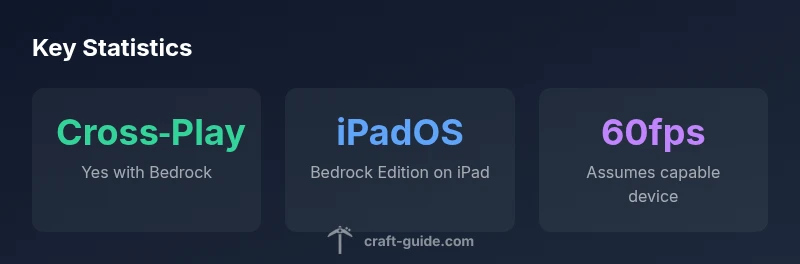
Bedrock Edition on iPad supports cross‑play with other Bedrock platforms, enabling multiplayer with Windows, Xbox, Switch, and mobile players. Realms offer a managed server where you can run a persistent multiplayer world without hosting locally. To maximize cross‑play, ensure you sign in with a Microsoft account and that friends have the same or compatible Bedrock editions. On iPad, you may experience minor input lag or UI differences compared to console or PC, but core multiplayer functionality remains consistent across devices. Craft Guide’s guidance emphasizes keeping software up to date and using Realms for stable, ongoing multiplayer experiences.
Performance and Settings for iPad
Performance on iPad depends on model and world complexity. Start with default settings and adjust for smoother gameplay:
- Graphics: Fast or Fancy depending on device capability
- Render Distance: Moderate for larger worlds to reduce load
- Framerate: Lock to 60fps if available on your device
- Touch Controls: Consider using larger UI scale for easier building
If you notice stuttering, try reducing distance, lowering particle effects, and closing background apps. Newer iPad models generally provide smoother performance and quicker world loading, while older devices may require more conservative settings. Regularly updating Minecraft and iPadOS helps keep performance consistent.
Common Issues and Troubleshooting on iPad
Common issues include login problems with the Microsoft account, download or update failures, and occasional cross‑play connection drops. Start by verifying your internet connection, ensuring the App Store is current, and signing back into your Microsoft account. If multiplayer fails to load, check that your friend’s world is accessible and that you’re using compatible Bedrock versions. If touch controls feel imprecise, recalibrate the screen, adjust control sensitivity, or pair a compatible controller for easier navigation. For persistent issues, visit the Minecraft support page or Craft Guide’s troubleshooting section for device‑specific guidance.
Creative Build Ideas for iPad Players
iPad players have a wide range of build opportunities, even on touch screens. Try compact starter houses that fit three to five rooms, vertical farms that utilize height, or floating islands connected by bridges. For large projects, plan a grid or modular approach to simplify building on a small screen. Use the touch interface to place blocks with precision and take advantage of Creative Mode to experiment with redstone circuits, beacons, and lighting. Save frequently and back up worlds to avoid losing progress on mobile hardware.
The Craft Guide Approach to iPad Minecraft
Craft Guide emphasizes practical, beginner‑friendly builds and clear, step‑by‑step instructions for playing Minecraft on iPad. This guide prioritizes accessibility, touch‑friendly controls, and reliable cross‑play setups so you can enjoy multiplayer without friction. By focusing on common setup steps, performance tips, and approachable build ideas, Craft Guide helps players of all skill levels make the most of Minecraft on iPad. The goal is to empower you to jump in, build confidently, and connect with friends across platforms.
Minecraft on iPad: quick compatibility overview
| Aspect | iPad Compatibility | Notes |
|---|---|---|
| Edition | Bedrock Edition on iPad | Available via App Store on iPadOS |
| Multiplayer | Cross‑play with Bedrock editions | Windows, Xbox, Switch, and mobile supported |
| Input Method | Touch controls | Consider a controller for comfort during long sessions |
| Performance | Device‑dependent | Newer iPads run smoother; older devices may need lower settings |
People Also Ask
Is Java Edition available on iPad?
Java Edition is not available on iPad. The iPad uses Bedrock Edition, which is designed for cross‑platform multiplayer. If you want Java, you’ll need a PC or Mac.
Java Edition isn’t available on iPad; you’ll need Bedrock Edition or play on another device.
How do I install Minecraft on iPad?
Open the App Store, search for Minecraft, and install the Bedrock Edition. Sign in with a Microsoft account to access saves and cross‑play.
Open the App Store, install Minecraft Bedrock, and sign in with your Microsoft account.
Can I play with friends on PC or consoles?
Yes. Bedrock Edition on iPad supports cross‑play with Windows, Xbox, Switch, and other mobile devices when everyone is on compatible Bedrock versions.
Yes, you can play with friends on PC or consoles using Bedrock Edition.
Do I need a Microsoft account to play on iPad?
Yes. A Microsoft account is required to access saved worlds, Realms, and cross‑play features on iPad.
Yes, you’ll need a Microsoft account for cross‑play and saves.
Does iPad performance affect gameplay?
Performance depends on the model. Newer iPads handle higher render distances and more complex worlds better; older models may require reduced settings.
Performance varies by model; newer iPads run smoother.
Is there a free trial or free version for iPad?
Minecraft Bedrock Edition on iPad is typically a paid app; price and availability vary by region. Check the App Store for current pricing.
It's usually a paid app; check your App Store for the current price.
“Minecraft on iPad unlocks cross‑platform play with a touch‑friendly interface, making it easier for players to jam into shared worlds.”
The Essentials
- Install Bedrock Edition from the App Store.
- Sign in with a Microsoft account for cross‑play.
- Check device performance and adjust settings as needed.
- Use Realms for stable multiplayer experiences.
- Keep Minecraft and iPadOS updated for best results.