Block Command Minecraft: Master the Command Block Guide
Master block command minecraft basics: set up command blocks, power with redstone, and build automations. A practical, beginner-friendly guide from Craft Guide.


Block command minecraft: this guide explains how to use command blocks, choosing impulse/chain/repeater types, powering with redstone, and building simple automations. You’ll obtain a command block with /give, then test and iterate to create robust setups. This deep dive is designed for beginners through advanced builders, with practical examples and safe testing practices.
What is a Command Block in Minecraft?
According to Craft Guide, command blocks are special blocks that run commands automatically when triggered. In block command minecraft explorations, you control what happens in your world without manual player input. This guide covers how command blocks work, the different block types (Impulse, Chain, Repeater), and practical examples to help you build automated systems. Whether you're a beginner or an experienced builder, understanding command blocks opens up new possibilities for redstone projects and creative maps.
How to Obtain and Prepare Command Blocks
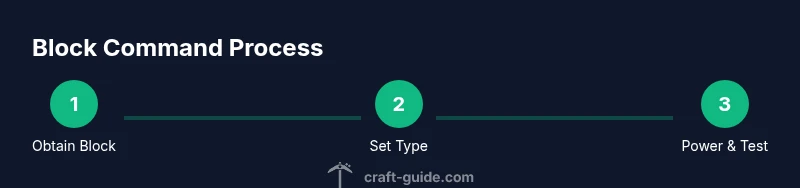
To work with block command minecraft, you first need access to a command block. In Java Edition, command blocks are not available in survival without cheats; you can obtain one with the command: /give @p command_block. In Bedrock Edition you may need to enable cheats or use a world with creative permissions. After you have a block, place it on a solid surface and ensure you have space to wire up redstone. Prepare by planning a simple test circuit and jotting down the first command you’ll try.
Basic Block Command Minecraft: Impulse, Chain, and Repeater
Minecraft command blocks come in three types: Impulse (single execution), Chain (execution in a sequence), and Repeater (delays). In block command minecraft, choose Impulse for a one-off action, Chain for multi-step workflows, and Repeater to create timed delays. Set the block types in the block's interface, and configure the 'Always Active' vs 'Needs Redstone' options according to your design.
Writing Commands: Syntax Essentials
A command block runs a Minecraft command like /say, /give, or /tp. In block command minecraft, keep commands simple at first: example /say Hello, world! and /give @p minecraft:stone 64. Use selectors ( @p, @a, @r, @e ) and coordinates to target players or entities. Remember to escape quotes if your command requires text, and always test in a controlled area.
Redstone Power and Activation Methods
Powering command blocks requires a redstone signal. In block command minecraft, you can trigger a block with a lever, button, pressure plate, or redstone dust from a clock or comparator circuit. Decide between 'Always Active' and 'Needs Redstone' settings. For frequent automation, a redstone clock or daylight sensor can repeatedly trigger a chain of blocks.
Common Setups and Project Ideas
Try these beginner-friendly projects to practice block command minecraft: a simple broadcast message when a player enters a room; an auto-smelting system that gives items after a detect; a mob grinder or item sorter using chain blocks. Document each step to ensure you can replicate later, and use vanilla commands to keep things stable.
Debugging, Safety, and Best Practices
Test your commands in a controlled area before deploying them in the main world. Start with harmless commands, keep backups, and use /summon or /kill with care to avoid unintended consequences. Watch for lag; run complex chains in small batches and review your commands for syntax errors. Always label your command inputs for future updates.
Tools & Materials
- Command Block(Obtain via /give @p command_block in Creative mode; usable in Creative or with cheats enabled.)
- Redstone Components(Dust, Repeater, Lever, Button for wiring and activation.)
- Solid Placement Surface(Flat, unobstructed area with room for wiring.)
- Testing Area (Creative/Server with cheats)(Safe space to test commands without affecting your main world.)
- Reference Sheet(Optional notes with command examples and syntax.)
- World Backups(Always backup before running advanced command chains.)
Steps
Estimated time: 25-40 minutes
- 1
Prepare and obtain a Command Block
Switch to Creative or enable cheats, then grant yourself a command block with the /give command. Place it on a solid block with space around for wiring. This step ensures you have the right tool and the room to test basic commands.
Tip: Verify you have Creative or cheats enabled before executing /give to avoid confusion later. - 2
Set the block type to Impulse
Open the command block interface and set the block type to Impulse (default). This makes the block execute a single command when powered. Leave 'Needs Redstone' off for initial testing.
Tip: Start with a simple command like /say Hello to confirm activation works. - 3
Enter your first command
Type a straightforward command such as /say Hello, world! or /give @p stone 1. Confirm the command syntax is correct and that you understand what the command will do when triggered.
Tip: Copy-paste a known-good command from a trusted source to avoid typos. - 4
Power the block
Attach a redstone lever or button to trigger the Impulse block. Flip the lever or press the button and observe the result on-screen. If nothing happens, recheck the syntax and ensure the block is powered.
Tip: Keep your test area isolated to avoid accidental changes elsewhere. - 5
Experiment with Chain and Repeater blocks
Place additional command blocks in a line and set them to Chain (for multi-step sequences) or Repeater (to add a delay). Ensure the first block outputs to the next and test each link incrementally.
Tip: Use a small delay to ensure actions occur in the intended order. - 6
Test, iterate, and document
Test your setup repeatedly, adjust commands as needed, and document each step for future updates. Keep backups before making major changes.
Tip: Create a simple changelog to track improvements and fixes. - 7
Scale up with safe practices
Once confident, extend your design to more complex workflows, but monitor server performance and avoid large, untested chains in active worlds.
Tip: Test in a controlled environment before applying to a live map.
People Also Ask
What is a command block in Minecraft?
A command block is a special block that executes commands automatically when triggered by redstone signals or other events, enabling automation in your world.
Command blocks run commands automatically when activated, so you can automate tasks in Minecraft.
How do I obtain a command block?
In Creative mode, use /give @p command_block to add a command block to your inventory. In survival with cheats enabled, you can also enable commands to access it.
You get a command block by using /give in Creative or enabling cheats in your world.
What are the three command block types and when to use them?
Impulse blocks execute a single command, Chain blocks run a sequence, and Repeater blocks add delays. Use Impulse for simple tasks, Chain for multi-step actions, and Repeater to time actions.
Impulse is single-use, Chain is for sequences, Repeater adds timing.
Can command blocks be used in survival mode?
Yes, but only if cheats are enabled or you are in a world designed to allow command blocks. In standard survival without cheats, command blocks are unavailable.
In vanilla survival, command blocks aren’t accessible unless cheats are enabled.
How should I test my command block setups safely?
Create a separate testing area or copy of your world, test each block individually, and back up your world before large setups to prevent data loss.
Test in a copy or separate area and back up first.
Are command blocks server-friendly for large maps?
Command blocks can be server-friendly if used judiciously. Avoid large, unoptimized chains, monitor TPS, and implement safeguards to prevent lag.
Use caution on servers; optimize chains and monitor performance.
Watch Video
The Essentials
- Master basic command blocks before scaling up
- Choose Impulse, Chain, or Repeater based on flow needs
- Test in a controlled space and back up your world
- Use redstone wisely to balance performance