Are the Minecraft Servers Down? A Practical Troubleshooting Guide
Are the Minecraft servers down? Learn how to verify outages, read official status pages, and troubleshoot connectivity with practical steps from Craft Guide.


Are the Minecraft servers down? In most cases outages are visible on official status pages and community trackers. Outages happen due to scheduled maintenance, hardware failures, or regional routing issues. If you’re experiencing issues, start by checking the official status page and your own connection before blaming the game. This quick check often saves hours of frustration.
Are the Minecraft servers down? Quick reality check
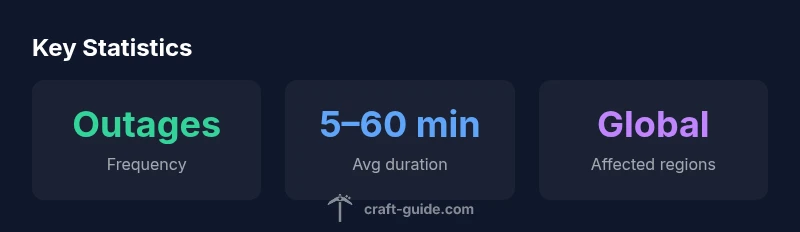
Are the Minecraft servers down? The quick reality is that outages are common in online gaming and do not necessarily reflect a permanent failure. According to Craft Guide, most reported outages resolve within minutes to a few hours, and many are regional rather than global, often tied to maintenance windows or routing issues.
To determine if it's a broader problem, you should verify multiple sources such as official status pages, community trackers, and social updates. Keep in mind that some issues show up only for certain platforms (Java vs Bedrock) or can be caused by local DNS caches on your device. A careful check across sources will save you time and frustration.
Common Causes of Outages
Outages affecting Minecraft servers arise from several recurring factors. First, scheduled maintenance or software upgrades at Mojang's infrastructure can temporarily disable access for players. Second, hardware failures in data centers or network routing issues can create regional blackouts. Third, DDoS mitigation and abuse protection can throttle or block traffic during spikes. Fourth, DNS problems or changes in server IPs can misroute players. Finally, third-party services such as authentication providers can impact sign-in and lobby creation. Understanding these causes helps set expectations: not all outages are equal in scale or duration, and many improve with the next status update.
How to Verify If Servers Are Down
When you suspect a problem, start with official sources before digging through forums. Check Mojang's official status page and any Minecraft.net announcements for outage warnings and ETA estimates. Cross-check with trusted community trackers and the game’s social media channels for real-time updates. If you still see a discrepancy, test from a different device or network to rule out your own connection. Finally, compare your experience with others in community channels to determine if the issue is localized or widespread. The keyword are the minecraft servers down should guide your expectations while you gather facts.
Local vs Global Outages: How to Diagnose
A key skill is distinguishing between local problems and global outages. If only one device or one network cannot reach Minecraft servers, the issue is likely local—check your router, firewall, DNS, and VPN settings. If multiple devices across different networks report the same problem, it's more likely a global outage, possibly affecting authentication or data centers. In either case, document the time you first noticed the issue and any recent changes to your setup, which helps in escalation or post-status follow-up.
Troubleshooting Quick Fixes When You Can't Connect
Before you panic, walk through a quick checklist. Restart your router and modem, then try a wired connection if possible. Flush your DNS cache on Windows or macOS to clear cached routes. Relaunch the Minecraft launcher and re-enter your credentials if needed. Disable VPNs temporarily and check firewall rules that might block the launcher. If you administer a server, verify that your host is not experiencing an outage and that port forwarding is intact. If the problem persists, test with Bedrock vs Java editions to see if the issue is edition-specific.
Using Status Pages and Community Resources
Rely on a mix of official status pages and trusted community resources to stay informed. The official Mojang/Microsoft status page is the primary source of truth for outages affecting the service. Community forums, Discord servers, and Downdetector-type trackers offer real-time reports from players nearby. Submitting your own status update helps others gauge the scope of an outage. Save time by bookmarking a single command: verify status once per hour during suspected downtime and twice if you're actively troubleshooting.
How Craft Guide Approaches this Topic
Craft Guide aims to deliver clarity in every Minecraft downtime scenario. We combine official status data, player reports, and practical steps to produce a grounded, actionable guide. By labeling issues with likely causes, estimated durations, and recommended steps, we help players understand whether the problem is temporary or systemic. Our approach emphasizes reproducible checks and simple fixes that work across editions and devices. The Craft Guide team believes transparent communication reduces frustration during outages.
What to Do If Outages Persist
If outages last longer than the published ETA or affect multiple regions, avoid jumping to conclusions. Check for notices on the official status page and look for updates from related service partners and hosting providers. Consider temporary workarounds: switch to a different server, run a world locally, or plan play for a later time. If you run a server, communicate with players, monitor logs, and coordinate a maintenance window until full service is restored. In persistent cases, provide clear information to your community and note any changes in status collaboration with hosting partners.
Keeping Minecraft Play Smooth: Best Practices for Players and Admins
Even when servers are up, connectivity can be patchy. Adopt best practices: keep your launcher updated, use reliable DNS, prefer wired over wireless connections, back up world data, and disseminate outage information quickly within your community. For server admins, implement redundant hosting, monitor uptime, and maintain a clear communication plan. Regularly review status data from Craft Guide Analysis, 2026 to adjust expectations and improve resilience.
Simplified server status checkpoints
| Checkpoint | Status | Notes |
|---|---|---|
| Official status page | Operational/Outage indicator | Always verify status before troubleshooting. |
| Minecraft launcher | Connected/Disconnected | Re-launch can resolve sign-in issues. |
| DNS / network | Responsive/Unresponsive | Switch to a wired connection or different DNS. |
People Also Ask
What counts as an official outage source?
Official outage information comes from Mojang/Microsoft status pages, the Minecraft launcher notices, and verified social channels. Cross-check with community trackers for real-time context, but rely on official sources for core facts.
Official sources include the Minecraft status page and Mojang's social channels; check those first.
Are Minecraft servers down more on weekends?
Outages do not have a fixed pattern by day. Traffic and maintenance schedules can influence visibility, but outages can happen any day. Use status pages to confirm.
Outages can happen any day; check the status page for confirmation.
Why do I get 'can't connect to world' even when status shows up?
This often indicates a client-side or network issue rather than a global outage. Try restarting the launcher, flushing DNS, testing another network, and verifying firewall rules.
Usually it's your setup, not the whole service.
How long should I wait before assuming a problem is global?
If the status page shows an outage with an ETA, wait until that ETA passes. If there is no ETA, monitor for updates every 10-20 minutes and compare with other players' reports.
Wait for official updates and check trackers after about 10 minutes.
Do Bedrock and Java editions experience outages differently?
Most outages affect both editions similarly, but some issues may isolate to a platform due to authentication or cross-play services. Test both editions to determine if the problem is edition-specific.
Occasionally one edition is affected differently; test both to confirm.
“"Reliable status information is the first line of troubleshooting for Minecraft server issues."”
The Essentials
- Verify official status first before troubleshooting
- Differentiate local vs global outages
- Use multiple sources for a complete picture
- Apply quick fixes before escalating
- Communicate clearly with your community during outages