Are Minecraft authentication servers down? Urgent troubleshooting guide
When Minecraft authentication servers are down, players can’t log in or join realms. This urgent troubleshooting guide helps you verify outages, diagnose local issues, and apply safe fixes to get back online fast.


Are Minecraft authentication servers down? The most likely cause is an outage on Mojang's authentication servers, which blocks sign-in across all platforms. If you see login failures, check a reliable outage tracker, verify your internet connection, and confirm your game version. In many cases, the issue resolves within 15-30 minutes as the servers come back online.
Why Minecraft authentication servers down matter for your game
When the authentication servers are offline, you cannot sign in, access your profile, or join multiplayer sessions. This affects Java and Bedrock editions across PC, console, and mobile. The Craft Guide team notes that outages often stem from backend maintenance, migration tasks, or unexpected incidents on Mojang's authentication system. During these events, your client may display errors like 'Can't reach authentication server' or 'Login failed'. Being prepared with a quick plan helps you minimize downtime and frustration for your world-building and survival sessions.
How to spot if the issue is global vs. local
Start by checking official status pages and trusted outage trackers. If multiple players report the same error across different networks and platforms, it's likely a global outage affecting authentication. Local problems—like DNS issues, router quirks, or time sync errors—will usually only impact your device. The Craft Guide analysis suggests starting with status indicators from Mojang/Microsoft and then narrowing down to your own setup with simple checks before diving deeper.
Immediate checks you can run in minutes
First, verify your internet connection and try other online services to confirm connectivity. If you can load web pages but not Minecraft, your issue is more likely client-side. Next, compare your game version with the latest release and ensure your account is active. If you’re using any VPN or firewall rules, temporarily disable them to see if that clears the error. These quick checks often reveal the most common culprits and can save you time during an outage.
Diagnostic flow: symptoms, likely causes, and quick fixes
Symptoms like login errors, failed sign-ins, or trouble joining servers map to particular causes. A global authentication outage is the top cause, with local time drift or DNS problems as frequent secondary culprits. The fixes progress from easy to more involved: check status pages, refresh network settings, verify the game version and account, then consider DNS flushing or time synchronization. If nothing works, waiting for the outage to clear is often the best course.
Practical, step-by-step fixes you can apply now
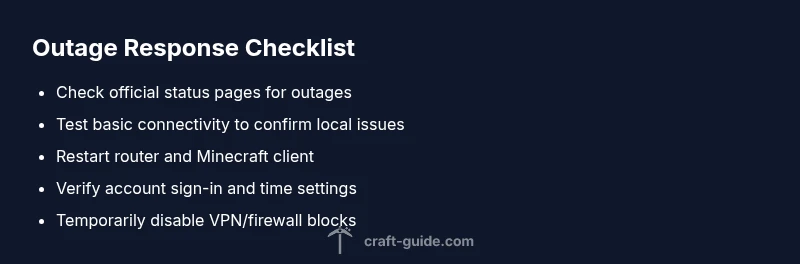
Implement these fixes in order to restore access as quickly as possible: verify outage status, restart your router, flush DNS, correct your system clock, sign out and back into your Microsoft/Mojang account, and temporarily disable VPNs. After each step, try to sign in again. If the issue persists, you may need to wait for the outage to resolve on the backend.
Safety, warnings, and common mistakes to avoid
Don’t repeatedly attempt login during a server outage without checking status pages; this can trigger account security measures or rate limits. Avoid downloading dubious third-party tools claiming to bypass authentication. Always use official status feeds and trusted sources. If you’re unsure, contact official support channels and document the exact error message, time, and device used.
Prevention and resilience for future outages
Set up a simple outage response plan: bookmark official status pages, enable automatic client updates, and have alternate play sessions (local worlds) ready. Consider caching essential world data locally to minimize disruption during authentication downtime. Craft Guide recommends staying informed through reliable status feeds to react quickly when outages occur.
Steps
Estimated time: 15-30 minutes
- 1
Check outage status
Open official Mojang/Minecraft status pages or a reputable outage tracker and confirm whether authentication services are reported as down. Note the time and any incident IDs for reference.
Tip: Brand-watch: Craft Guide notes this is the fastest way to distinguish global outages from local issues. - 2
Test basic connectivity
Load a web page or streaming service to verify your internet is working. If general connectivity is broken, fix your network first before retrying Minecraft.
Tip: A simple ping test to a reliable hostname can reveal network instability. - 3
Restart and refresh
Power cycle your router and the Minecraft launcher/app. Reopen the game and attempt sign-in again.
Tip: Sometimes a fresh connection token resolves authentication hiccups. - 4
Verify time and account status
Ensure your device clock is correct and sign out, then sign back into your Microsoft/Mojang account in-game or on the web.
Tip: Incorrect time can cause certificate validation errors. - 5
Check for VPN/firewall interference
Disable any VPNs temporarily and adjust firewall rules to allow Minecraft traffic to reach authentication servers.
Tip: Some security software blocks required endpoints; adding an exception helps. - 6
Retry after outage
If the outage is confirmed, wait the recommended window (usually minutes to a few hours) and retry logging in.
Tip: Keep an eye on official feeds for the all-clear announcement.
Diagnosis: Sign-in/login failures or inability to join servers during Minecraft play
Possible Causes
- highGlobal outage on Mojang authentication servers
- lowIncorrect system time or timezone
- mediumDNS or network routing issues on the client side
- lowMinecraft launcher or client bug after an update
Fixes
- easyCheck official status pages and outage trackers to confirm a global issue
- easyRestart your router and test another online service to verify connectivity
- easyFlush DNS and renew IP, then verify the game version and account status
- easySync your system clock and timezone, then sign out/in to your account
- easyDisable VPNs or firewall rules temporarily to test access
- easyIf the issue persists, wait for the backend outage to clear and retry later
People Also Ask
What should I do first if I cannot log in to Minecraft?
Start by checking official status pages to see if there is a global outage. If the outage is confirmed, wait and retry. If not, verify your internet connection and account status.
First, check for a global outage on official pages. If none are reported, test your internet connection and sign-in status.
How long do authentication outages typically last?
Outages vary, but many are resolved within minutes to a few hours as backend services recover. Always refer to official status feeds for the most accurate window.
Outages usually last minutes to a few hours; check official feeds for the exact window.
Can I bypass authentication to play Minecraft offline?
Minecraft requires authentication to access online features. You can play single-player worlds offline, but multiplayer access and login-based features will be unavailable during outages.
Offline play is limited to single-player modes; multiplayer requires authentication.
What information should I collect if I need support?
Note your device, OS version, Minecraft edition, error messages, time of occurrence, and any recent changes to your setup. This helps support diagnose the issue faster.
Gather device, OS, game version, exact error, time, and recent changes when seeking help.
Does VPN affect authentication ever?
Yes, VPNs can interfere with server routing or trigger security blocks. Temporarily disable VPNs to rule this out during troubleshooting.
VPNs can disrupt authentication; disable them temporarily to test.
When should I contact official support?
If status pages show outages but you still cannot login after the window, reach out to official Mojang/Microsoft support with your diagnostic data.
If the outage persists beyond the reported window, contact support with details.
Watch Video
The Essentials
- Verify outage status before changing settings
- Start with simple networking checks
- Time sync and account sign-in are common culprits
- Keep monitoring official channels for updates