Minecraft Server Downloads: A Practical 2026 Guide
Explore safe minecraft servers downloads options for Java and Bedrock editions. Compare official sources, trusted third‑party builds, and hosting tips to run a smooth multiplayer world.


Definition: Minecraft servers downloads cover the official server software for Java and Bedrock editions, plus trusted third‑party builds (like Spigot or Paper). This guide defines what to download, where to get it safely, how to verify integrity, and how to install and maintain a reliable multiplayer server for players and administrators.
Understanding minecraft servers downloads
Minecraft servers downloads encompass the core software you install to host a multiplayer world. For most players, the decision comes down to two major editions: Java Edition and Bedrock Edition. The Java edition uses a server jar that runs on Java, supporting robust community tooling, plugins, and cross‑play with players on compatible launchers. Bedrock Edition uses the Bedrock Dedicated Server (BDS), optimized for performance on Windows and cross‑platform play with consoles and mobile devices. Beyond these official routes, trusted third‑party builds like Spigot and Paper extend server capabilities with plugin ecosystems. When evaluating minecraft servers downloads, prioritize sources with verifiable integrity checks, clear licensing, and transparent update schedules. Evading shady mirrors reduces risk of malware and corrupted world data, preserving player trust and server stability. This article focuses on practical, safe pathways to obtain, verify, and deploy server software for modern Minecraft communities.
Choosing the right edition and source
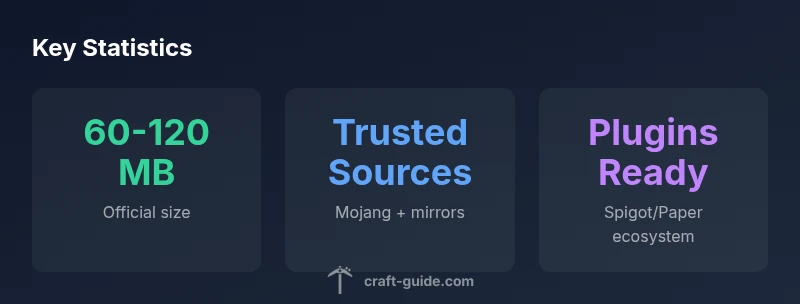
Choosing between Java Edition and Bedrock Edition is the first step in any minecraft servers downloads plan. Java Edition offers a wide plugin landscape through Spigot, Paper, and other forks, which means you can tailor gameplay, admin tools, and world management with plugins. Bedrock Edition, via BDS, emphasizes cross‑play and performance optimizations for different device ecosystems. For most home and small‑to‑medium servers, starting with the official Mojang distribution (Java Edition server jar or Bedrock Dedicated Server) is recommended. If you want plugins, plugins ecosystems, and frequent feature updates, plan to use Java Edition with a trusted fork like Paper. Always download from official sources or well‑regarded mirrors that provide checksums and license clarity, and avoid insecure download sites that could compromise your world data or server security.
Safe download habits and verification
With minecraft servers downloads, safety hinges on source trust and verification. Always prefer official sites or widely trusted distributors. After downloading, verify the integrity with checksums if provided, and compare file sizes against official release notes to catch tampering. Keep your client and server software up to date to patch security vulnerabilities and ensure compatibility with the latest world formats. Use HTTPS downloads and enabling two‑factor authentication on accounts where available. Back up server data before updates, especially when moving between major Minecraft version changes or introducing plugins and mods. A minimal risk approach pays off by preserving world integrity and reducing downtime.
How to install a basic server
Installing a basic minecraft servers downloads starts with choosing the edition. For Java Edition, download the official server jar and place it in a dedicated folder. Run the jar with the command java -jar server.jar to generate initial files, then edit server.properties to customize settings like server port and game mode. Accept the EULA by setting eula=true in eula.txt, then restart the server. For Bedrock Edition, download the Bedrock Dedicated Server package, extract it, and run the bedrock_server binary. Adjust server.properties and ensure your firewall allows the port. Finally, test from a client on the same network before inviting players across the internet. Document your setup and keep a clean backup routine.
Modded and plugin-enabled servers
If you want plugins or mods, you’ll likely lean toward a Java Edition setup with Spigot, Paper, or another fork. Spigot and Paper build on the official server jar and add a plugin API, enabling features like economy systems, minigames, and advanced world management. Install plugins by placing them in the plugins folder and restarting the server. Compatibility matters: always check plugin versions against your server’s Minecraft version, and use a test world for plugin heavy deployments. For Bedrock, mods are less common, and you’ll generally focus on add‑ons rather than full plugin ecosystems. Always vet plugins for security and performance impact before enabling them on production worlds.
Performance and scale considerations
Performance planning for minecraft servers downloads involves understanding player count, world size, and plugin load. For small communities (a handful of players), allocate modest RAM and a fast SSD if possible, since disk speed affects world loading times and chunk generation. As player counts rise, increase memory and CPU headroom to prevent lag spikes. Network bandwidth matters: ensure your hosting environment provides sufficient upload speed to support simultaneous clients, especially in PvP or resource‑intensive maps. Regular backups and staged updates help maintain stability during peak hours, while monitoring tools reveal which plugins or scripts are the main culprits for resource contention. With thoughtful capacity planning, you can scale smoothly without sacrificing performance.
Troubleshooting downloads and initial setup
Common issues when dealing with minecraft servers downloads include mismatched Java versions, incorrect EULA acceptance, and port forwarding problems. Verify you’re running the correct Java version for your server build and that your EULA is accepted. If the server doesn’t start, check the log files for errors like missing dependencies or port conflicts. For connectivity problems, ensure your firewall allows the server port and perform a local network test before exposing the server to the internet. Documentation helps: maintain a changelog of server and plugin updates, and back up worlds before major changes. With patient troubleshooting and methodical testing, you’ll achieve a reliable, accessible multiplayer environment.
Comparison of server download sources by edition
| Edition | Official Source | Typical Setup | Notes |
|---|---|---|---|
| Java Edition | Mojang official server jar | Download -> run jar -> configure -> start | Best for plugins and cross‑play |
| Bedrock Edition | Bedrock Dedicated Server (BDS) | Download -> extract -> run bedrock_server -> configure | Cross‑play with Windows, consoles, mobile |
| Modded/Plugins (Java) | Spigot/Paper | Download -> drop plugins -> restart | Requires Java; plugin compatibility varies |
People Also Ask
What is the safest place to download a Minecraft server?
The safest downloads come from official Mojang sources or well‑known, reputable distributors that provide checksums and licensing information. Avoid shady mirrors that could host malware or tampered files.
Stick to official sources or trusted distributors to avoid malware and corrupted files.
Are there differences between Java and Bedrock server downloads?
Yes. Java Edition uses server jars and supports plugins like Spigot or Paper, while Bedrock uses Bedrock Dedicated Server with a different world format and is built for cross‑platform play.
Java and Bedrock servers are separate; choose based on edition and cross‑play needs.
Can I run a server on low-end hardware?
Yes, for small communities. Start with minimal world size and allocated RAM, then scale as activity increases. Monitor CPU, memory, and disk I/O to avoid bottlenecks.
You can run a small server on modest hardware; scale up as needed.
Do I need plugins or mods to host a server?
Plugins are optional but add features. For Java Edition, Spigot or Paper enables plugins; vanilla servers require no plugins. Bedrock servers have fewer plugin options.
Plugins aren’t required, but they can boost features on Java servers.
What are common mistakes when downloading server software?
Mistakes include downloading from unverified sources, skipping integrity checks, and ignoring backups. Always verify, update responsibly, and keep regular backups.
Avoid unverified sources and keep backups up to date.
“Downloading the right server software means matching edition, player expectations, and a clear plan for updates and security. Always favor trusted sources and careful testing.”
The Essentials
- Choose edition first: Java or Bedrock
- Always download from official sources or trusted mirrors
- Back up worlds before updates or plugin changes
- Test locally before opening to the internet
- Monitor plugin and mod compatibility for stability