Minecraft Server Hosting: A Practical Guide for 2026
A practical, beginner-friendly guide to Minecraft server hosting: choosing providers, setting up a server, optimizing performance, and maintaining security for smooth multiplayer worlds in 2026.


By the end of this guide, you will know how to choose reliable Minecraft server hosting, set up your server, and manage performance for players across platforms. You'll compare hosting types, estimate costs with a realistic budget, and implement essential security and backup practices. This step-by-step approach helps beginners get running quickly while giving advanced players a framework to scale.
What is Minecraft server hosting and why it matters
Minecraft server hosting refers to renting hardware in a data center or cloud to run a world that players can connect to online. It frees you from relying on a home PC, which can struggle with 24/7 operation, variable internet, or stubborn routers. A good host handles the heavy lifting: reliable hardware, fast network paths, and robust backups. According to Craft Guide, the defining traits of excellent hosting are low latency, high uptime, scalable resources, and straightforward administration. These factors translate directly into gameplay quality: faster world loading, smoother chunk generation, and steady chat performance. For players who are building a community, the right hosting plan grows with your project—from a small map with a handful of friends to a bustling server with dozens of concurrent players. This section sets the foundation: what hosting is, what options exist, and how to evaluate providers before you commit your money and time. The goal is to avoid common missteps and to pick a setup that matches your ambition without overspending.
Hosting types and how to choose
There isn’t a one-size-fits-all answer to where to host a Minecraft world. Shared hosting is the cheapest entry point and works for tiny communities, but it shares CPU and memory with others, which can cause spikes during peak play. A VPS isolates resources and gives you more control, typically with a modest price increase. Dedicated servers deliver the most consistent performance and customization options, but require more technical skill and a larger investment. Cloud hosting is the middle ground, offering on-demand resources that scale with your player base. Many players run optimized server software such as PaperMC or Spigot to improve performance and plugin support without changing the core game. When evaluating providers, prioritize stable resource allocation, clear upgrade paths, easy access to a control panel, and honest maintenance windows. Consider regional latency: hosting closer to your players reduces travel time for data and improves responsiveness. Craft Guide recommends testing a plan for a few weeks and then upgrading as your community grows rather than overprovisioning from day one.
Understanding latency, bandwidth, and hardware
Latency is the time it takes for a packet to travel between a client and the server, and it is the opponent you want to minimize for a snappy experience. Bandwidth matters when many players load chunks at once or download plugins and maps. The hardware you choose—CPU power, memory, and a fast storage system—has a direct impact on TPS (ticks per second) and world stability. In practice, a well-sized host provides consistent CPU headroom and enough RAM to accommodate your plugin set and the size of your world. Storage type matters too: solid-state drives deliver faster world loading and fewer lag spikes than spinning disks. When you are comparing providers, ask for baseline hardware specs and how often they upgrade hardware, as well as the network path between data centers. A proactive approach, guided by Craft Guide, helps you avoid surprises during a launch or peak events.
Setting up your first server: prerequisites and account setup
Before you click install, ensure you have a clear plan. Start by choosing the server type (vanilla, PaperMC, or another optimized fork) and confirming the version compatibility with your plugins. Create an administrator account with strong security practices and enable two-factor authentication where possible. Gather your important details: the hosting provider, the control panel URL, and your SSH credentials if you will administer remotely. In many cases, you can deploy a starter image or a ready-made server jar to speed things up. Once you have access, test the network port to ensure it is reachable from your location and that no firewall blocks players from connecting. Finally, map out a backup strategy and a maintenance window so you can roll back changes if something goes wrong.
Installing and configuring the server software
The installation phase is about getting the game server up and running with sensible defaults. If you are using a fork like PaperMC, install the jar and accept the license, then adjust the server.properties file to set the game mode, difficulty, and maximum players. Install any required plugins or mods in an organized way, keeping compatibility in mind. It helps to maintain a clean plugins folder and to document each addition. For performance, enable memory-friendly settings, tweak view distance, and consider enabling a dedicated world environment (such as a separate world for tests) to avoid impacting players. Test the setup with a few local connections before inviting friends online. Keep a rolling changelog so you can track updates and revert if a plugin causes instability. The overall aim is a stable, well-documented configuration that minimizes surprises when players join.
Basic security practices and user management
Security starts with the basics: strong passwords, role-based access, and restricted consoles. Ensure only trusted admins have access to the server and the management panels, and configure firewalls to allow only necessary ports. Use server-side permissions plugins to control what different players can do, and keep plugins up to date to reduce vulnerabilities. Regularly review active users and remove inactive accounts. For backups, store snapshots in a separate location to prevent data loss in case the primary server fails. Finally, educate your community about safe behavior and phishing attempts, as social engineering can compromise even well-protected servers. A thoughtful approach to security keeps your world open for players while protecting your data and your time.
Performance tuning: memory, plugins, and world data
Performance tuning is a balance between resource allocation and gameplay quality. Start with conservative memory settings and adjust after observing TPS and memory usage under load. Plugins and mods can boost features, but each addition increases memory and CPU usage, so test them individually. For large builds, consider chunk loading strategies and optimizing world data layout to reduce disk I/O. Regularly prune unused worlds and clean up old backups to save space. Enable server-side optimization flags where appropriate and monitor with lightweight tools provided by your host. Documentation helps you maintain consistent results as your world evolves.
Backups, restoration, and disaster planning
Backups are your safety net for accidental deletions, corruption, or world-altering bugs. Schedule automatic backups at regular intervals and keep multiple restore points. Practice restoration by performing a test recovery on a staging environment to verify integrity. Document recovery steps and ensure backups are offline or encrypted if possible to protect against ransomware. A disaster plan should specify who does what, how to communicate with players during an outage, and how to reintroduce players to the world after a fix. Having a robust backup and restoration process reduces downtime and builds trust within your community.
Maintenance cadence and when to scale
Maintenance is not a one-off task but an ongoing routine. Establish a regular schedule for updates, security checks, and backups. Monitor key indicators such as player count, world size, and plugin health to determine when resources are approaching limits. Plan for scale by choosing a host that supports quick upgrades to CPU, RAM, and storage without downtime. Communicate with your players about maintenance windows and expected impacts on gameplay. As your server grows, consider clustering or shifting to a more capable hosting tier to maintain a smooth experience for every participant. A proactive maintenance cadence keeps your Minecraft world stable and engaging over time.
Tools & Materials
- Computer or admin workstation(Should be capable of running a local test server and admin tasks; at least quad-core CPU and 8 GB RAM for testing.)
- Reliable internet connection(Wired Ethernet preferred; stable bandwidth with low jitter.)
- Hosting account (provider + plan)(Choose a plan that supports your expected players and allows easy upgrades.)
- Java Runtime Environment (JRE) or JDK(Minecraft runs on Java; ensure a compatible version with your server software.)
- Minecraft server software (PaperMC/Spigot/Vanilla)(PaperMC is recommended for performance and plugin support.)
- SSH client or control panel access(Used to administer remote servers; examples include PuTTY, SSH/OpenSSH, or a hosting dashboard.)
- Backup storage or snapshot capability(Regular automated backups to recover from corruption or loss.)
- Firewall rules and port management plan(Open only necessary ports (default 25565) and restrict admin access.)
Steps
Estimated time: 60-180 minutes
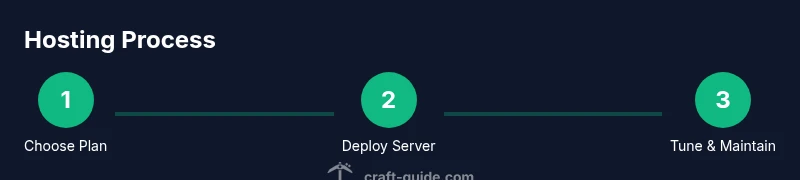
- 1
Choose a hosting plan
Assess expected player count, map size, and plugin load. Pick a plan that provides enough RAM and CPU headroom, with clear upgrade options as the community grows. Validate uptime policies and support responsiveness before committing.
Tip: Start with a plan that allows easy scaling without downtime. - 2
Prepare your environment
Set up your admin account, enable two-factor authentication, and collect all provider details. Confirm version compatibility for the server software and plugins you plan to use. Prepare your backup schedule and firewall rules.
Tip: Document credentials and access URLs in a secure note. - 3
Deploy a starter server
Deploy a vanilla or optimized fork jar to a clean directory. Verify jar integrity, accept licenses if required, and start the server to confirm baseline operability. Check console for errors and note default settings.
Tip: Use a staging environment for initial tests before public play. - 4
Configure server properties
Edit server.properties to set game mode, difficulty, max players, and view distance. Install essential plugins in a controlled folder and document each change. Restart after each significant adjustment.
Tip: Keep a changelog to trace issues caused by specific plugins. - 5
Secure access and open ports
Lock down admin access, use strong passwords, and restrict consoles. Open only the ports needed for players to join and for administration. Test connection from multiple networks to verify reachability.
Tip: Never expose the admin panel to untrusted networks. - 6
Set up automated backups
Configure automatic, scheduled backups to a separate storage location. Include a test restoration in your routine to verify recovery capability. Document the restore steps for non-technical teammates.
Tip: Backups should be immutable or encrypted if possible. - 7
Test with real players
Invite a small group to test stability, plugin compatibility, and chat moderation. Monitor for lag spikes and adjust resource allocation as needed. Collect feedback for future tweaks.
Tip: Use a staging world to avoid disrupting active players. - 8
Plan for growth
Create a scaling plan that anticipates higher player counts and larger world data. Choose a host that supports upgrading CPU, RAM, and storage without major downtime. Communicate growth plans to your community.
Tip: Schedule periodic reviews of resource usage.
People Also Ask
What is Minecraft server hosting?
Minecraft server hosting is a service that runs your world on remote hardware, letting players connect online. It removes dependence on a home PC and provides consistent network access, backups, and management tools. This allows you to focus on gameplay and community building rather than hardware maintenance.
Minecraft server hosting means running your world on remote hardware so players can join online, with reliability and tools that simplify management.
Is shared hosting good for Minecraft?
Shared hosting can work for very small communities but often struggles under higher plugin load or more simultaneous players. For growing servers, a VPS, cloud, or dedicated plan offers more predictable performance and control.
Shared hosting can be okay for tiny groups, but for growth you’ll want VPS or cloud hosting.
What causes lag on a Minecraft server?
Lag stems from insufficient CPU or memory headroom, insufficient RAM for plugins, high world data load, or poor network routing. Optimizing view distance, chunk loading, and plugin efficiency helps; choosing a host near your players also reduces latency.
Lag comes from limited resources, heavy plugins, or long network routes; optimize settings and pick a nearby host.
Do I need a domain name for my server?
A domain name is not required to run a Minecraft server, but it makes access easier for players and helps branding. You can start with the IP and migrate to a domain later when you settle on a name.
A domain isn’t required, but it makes it easier for players to find your server.
How much does Minecraft server hosting cost?
Costs vary widely based on resources and provider. Entry plans are typically affordable, while larger, scalable cloud or dedicated options cost more as you add RAM, CPU, and storage.
Prices vary; expect a range based on resources and provider, with higher costs for growth.
How often should I back up?
Backups should be automatic and frequent enough to cover the scale of your world and player activity. Maintain multiple restore points and test recovery periodically to ensure data integrity.
Automate backups with multiple restore points and test recovery regularly.
What should I monitor for performance?
Monitor player count, TPS, memory usage, and plugin health. Keep an eye on world size growth and storage availability to decide when to scale resources.
Watch player counts, TPS, memory, and plugins to signal when to scale.
Watch Video
The Essentials
- Define your hosting needs before selecting a plan.
- Prioritize latency and uptime when evaluating providers.
- Test configurations before inviting players online.
- Plan backups and scaling early to prevent downtime.