What Minecraft Edition Is PS4? Bedrock vs Legacy Explained
Discover which Minecraft edition PS4 players use, why Bedrock replaced the legacy PS4 edition, cross‑play options, and upgrade guidance in a practical, data‑driven guide.


On PS4, you play Minecraft Bedrock Edition. The original PlayStation 4 Edition was replaced by Bedrock to align with other platforms, offering cross‑play with Windows 10, Xbox, Nintendo Switch, and mobile devices. Java Edition and Bedrock Edition do not cross‑play, and PS4 Bedrock updates come through the same cadence as other Bedrock platforms.
What Minecraft edition is PS4? A clear, practical answer
What minecraft edition is ps4? The concise answer is that the PlayStation 4 version now runs Bedrock Edition rather than the older PlayStation 4 Edition that existed at launch. On the PS4, the Bedrock edition shares a common codebase with Windows 10, Xbox, Nintendo Switch, and mobile devices, enabling cross‑play and a unified marketplace. According to Craft Guide Team, this shift is part of Mojang's broader strategy to align console experiences with other Bedrock platforms. In practice, this means most players on PS4 will access the same features, add-ons, and realms as players on other Bedrock platforms.
While the Bedrock edition on PS4 is the current standard, it's helpful to understand the historical context. The original PS4 Edition arrived alongside the game's early console launch, offering a closed ecosystem unique to PlayStation consoles. Over time, Mojang migrated users to Bedrock to unify updates and support cross‑play. This migration is important for players who want to participate in cross‑platform servers or purchase content from the Minecraft Marketplace. The result is a more consistent experience across devices, though some legacy features may differ between editions.
The two PS4 editions in context: legacy vs Bedrock
From a practical standpoint, PS4 players used to navigate two paths. The legacy PlayStation 4 Edition offered a PlayStation specific feature set and a distinct update cadence. In late 2019, Mojang shifted toward Bedrock Edition on consoles, including PS4, to unify the experience with other platforms. Bedrock brings cross‑play, Marketplace access, Realms, and a shared ecosystem that reduces fragmentation. This transition means new content, bug fixes, and gameplay tweaks arrive in a single sequence across supported devices. For builders and creators, Bedrock on PS4 also means consistent toolsets and add‑on availability, though a handful of legacy assets may no longer be duplicated exactly as before.
Cross‑play and platform compatibility on PS4 Bedrock
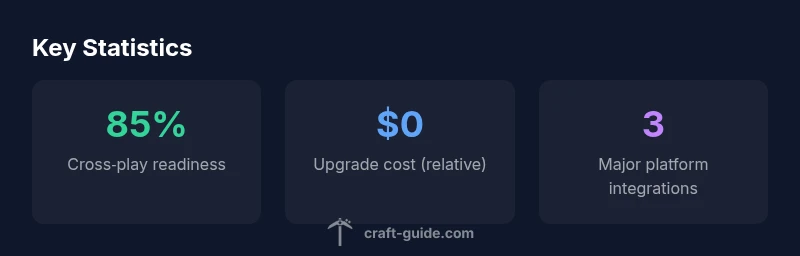
Bedrock on PS4 unlocks cross‑play with Windows 10, Xbox, Switch, and mobile devices. This means you can join friends on other devices without purchasing separate copies or worlds. Java Edition remains separate and cannot directly join Bedrock servers from PS4. If your crew spans multiple platforms, Bedrock is the path that makes cooperative play practical. Realms and the Marketplace are accessible from PS4 Bedrock, enabling you to host sessions or buy curated content that travels with you across platforms.
How to check your PS4 edition and upgrade options
To confirm which edition you have, start Minecraft on PS4 and open the main menu; look for the version string in the lower corner of the screen. If you see Bedrock Edition, you can connect to cross‑play and use the Marketplace. If you see a legacy PS4 Edition label, you are on the old branch and may need to switch to Bedrock to participate in cross‑platform play and access current features. Upgrade options, if available, appear in the in‑game store or the PlayStation Store; always verify your account status and current licenses before purchasing.
Pro tip: check your in‑game achievements and Marketplace access to confirm you are on Bedrock. If you’re unsure, contact PlayStation support or consult the Minecraft in‑game help section for the latest upgrade policy.
Bedrock features on PS4 and what you might miss from Java edition
Bedrock on PS4 includes cross‑play, Realms compatibility, and the Marketplace for community and creator content. While Bedrock delivers broad access and cross‑device play, Java Edition remains a different codebase with unique mods and scripting that do not transfer to PS4. Builders on PS4 can leverage Bedrock’s add‑ons and resource packs, while Java fans may miss some command blocks and mod ecosystems. For most PS4 players, Bedrock offers the practical, up‑to‑date experience with ongoing support and a unified content catalog.
Practical tips for builders and world design on PS4 Bedrock
On PS4 Bedrock, optimize your world for performance by using stable chunk loading and avoiding excessively large redstone contraptions. Use blocks and textures available in the Marketplace to avoid asset loading delays. When planning builds, think about cross‑platform compatibility; what looks good on PS4 may render differently on other devices, so test designs in multiple environments if you have access. Enable performance‑friendly settings such as reduced render distance and smooth lighting to maintain steady framerates on mid‑range PS4 models.
Next steps for PS4 players: getting the most from Bedrock
If you are joining a mixed‑platform group, ensure your PS4 edition is Bedrock and your friends are on Bedrock as well. Explore Realms, join community servers, and sample content from the Marketplace to expand your creative toolkit. Keep an eye on update notes for Bedrock on PS4, as cross‑platform features can change with new releases. For builders, consider subscribing to community tutorials and creator channels that focus on Bedrock resource packs and add‑ons to stay current.
PS4 Minecraft Edition overview
| Aspect | PS4 Edition Status | Notes |
|---|---|---|
| Edition name | Bedrock Edition on PS4 | The PS4 edition now uses Bedrock and shares features across platforms |
| Cross‑play | Supported with Windows 10 / Xbox / Switch / mobile | Cross‑platform play exists on Bedrock; Java Edition excluded |
| Upgrade path | Legacy PS4 Edition retired | Players should migrate to Bedrock for cross‑play and updates |
People Also Ask
What Minecraft edition is available on PS4?
PS4 runs Bedrock Edition, not the legacy PS4 Edition. Bedrock supports cross‑play with Windows 10, Xbox, Switch, and mobile, and it shares content via the Marketplace and Realms.
PS4 uses Bedrock Edition, which supports cross‑play with other Bedrock devices.
Can PS4 players play with Java Edition?
No. Java Edition is a separate codebase and does not cross‑play with Bedrock on PS4. If you want cross‑platform play, you need Bedrock on all involved devices.
Java and Bedrock can't cross‑play on PS4.
Is there a free upgrade from PS4 Edition to Bedrock?
Upgrade policies vary by platform. Check your in‑game store or PlayStation Store for Bedrock upgrade options and eligibility.
Upgrade options depend on your account; verify in‑store details.
How do I know which edition I have on PS4?
Open Minecraft on PS4 and review the version string in the main menu. If you see Bedrock, you’re on Bedrock; legacy PS4 Edition will appear with an older label.
Check the game version in the menu to confirm Bedrock or legacy PS4 Edition.
What features are unique to Bedrock on PS4?
Bedrock adds cross‑play, Realms, and Marketplace access. Some Java‑only features, modding, and scripting are not present in Bedrock.
Bedrock adds cross‑play and marketplace content; Java features differ.
“Understanding which Minecraft edition your PS4 uses is essential for cross‑play and future updates. Bedrock on PS4 unifies gameplay across platforms, offering broader access while preserving core features.”
The Essentials
- Identify the PS4 edition as Bedrock
- Cross‑play is available with major platforms
- Legacy PS4 Edition is superseded by Bedrock
- Check your game version in the PS4 menu
- Upgrade to Bedrock for ongoing updates and cross‑play