What Minecraft Version Is PS4? Bedrock Edition Explained
Discover which Minecraft version runs on PS4, how Bedrock Edition differs from Java, cross‑play capabilities, and practical tips for PS4 players in 2026. A Craft Guide deep dive.


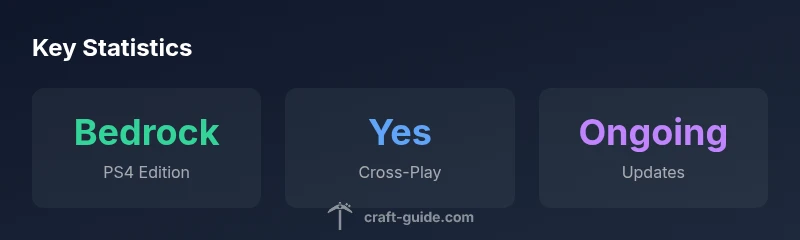
What minecraft version is ps4? On PlayStation 4 you run the Bedrock Edition of Minecraft, not Java. The old PS4 Edition was replaced when Bedrock arrived on PS4 in 2019, delivering cross‑play with Windows 10, Xbox, Switch and mobile. To verify your version, check the in-game 'About' screen or the PSN store listing.
What version is PS4 Minecraft today? Bedrock Edition overview
From the perspective of maintaining a concise answer to what minecraft version is ps4, the PlayStation 4 platform runs Minecraft Bedrock Edition today. This version replaces the earlier PlayStation 4 Edition and aligns console players with cross‑platform play across Windows 10, Xbox, Nintendo Switch, and mobile devices. Bedrock on PS4 keeps core gameplay intact while expanding access to add-ons, Marketplace content, and shared worlds. For players new to Minecraft on PS4, this edition delivers the modern, regularly updated experience that the Java edition players have enjoyed on PC, but with controls and ecosystems tailored to console play. As of 2026, the PS4 Bedrock edition remains the standard for Sony’s console users, ensuring a consistent feature set with other Bedrock platforms. The Craft Guide team notes that this continuity helps players collaborate and compete more easily across devices, which is a central reason many players prefer Bedrock on PS4. If you’ve been curious about the exact version string, you can verify it through the in‑game menu or your console’s library listing. At its core, what minecraft version is ps4 is simple: Bedrock Edition on PS4 with ongoing updates and cross‑play support.
Cross-play and ecosystem on PS4 Bedrock
The PS4 Bedrock edition enables cross‑play with Windows 10, Xbox One, Nintendo Switch, and compatible mobile devices. This means you can join friends on other platforms without needing separate purchases or transfers, as long as everyone runs Bedrock. Marketplace content, Households, and Realms support extend across platforms, letting PS4 players access skins, texture packs, and adventure maps shared by others in the ecosystem. The ability to join a Realm or a friend’s world irrelevant of their device is one of the most frequently cited benefits of moving to Bedrock on PS4. Moreover, achievements and progression largely sync across Bedrock platforms, subject to platform-specific limitations. Craft Guide’s analysis notes that cross‑play is a major driver of continued engagement for console players who want to play with friends on PC or mobile while staying on PS4.
How to verify and update your PS4 Minecraft version
If you’re trying to confirm exactly which build you’re on, start by launching Minecraft on PS4 and navigating to the in‑game settings or About screen. The current Bedrock Edition on PS4 will display as the version string associated with the Bedrock line rather than the legacy PS4 Edition. Updates are delivered via the PlayStation Network as part of Minecraft’s patch process; you don’t usually need to purchase a separate upgrade. If you don’t see features you expect, check for pending downloads or reinstall the game from your library. Craft Guide recommends ensuring your PS4 system software and game have automatic updates enabled to stay on the latest Bedrock builds without manual checks.
Bedrock Edition on PS4 vs Java Edition on PC
A common question is how PS4 Bedrock compares to Java on PC. Bedrock on PS4 shares most core gameplay and world features with Windows 10/Console Bedrock, but Java Edition remains distinct in terms of mods, server architecture, and certain performance optimizations. Bedrock excels with cross‑play, Marketplace content, and smoother patch delivery across platforms, while Java enthusiasts value customization, mods, and a longer history of community tools. For PlayStation players, Bedrock provides a more inclusive ecosystem, where your worlds and friends can exist across devices, but it won’t run the Java‑only API or mod framework you might find on PC. The Craft Guide team emphasizes that understanding these differences helps set expectations when choosing where to play and how to expand your Minecraft experience.
Migration notes for players coming from PS4 Edition
Players transitioning from the legacy PS4 Edition to Bedrock on PS4 should be aware that there is no direct automatic world migration between the two editions. Old PS4 worlds can sometimes be moved or duplicated through manual processes, but you should expect to recreate or port builds using seeds and manual transfer of resources. Bedrock worlds will be compatible with other Bedrock platforms if you choose to continue the journey elsewhere, but not automatically across the exact same file. The Craft Guide guidance is to back up existing worlds and plan a staged transition using Bedrock’s features, such as Realms or local PS4 worlds, to ease the switch.
Performance, controls, and best practices on PS4
On PS4, you’ll want to leverage the Bedrock edition’s optimization and control schemes designed for console play. Use a comfortable control layout, enable HDR if your display supports it, and consider adjusting render distance and graphical settings to balance performance with visuals. The Marketplace offers add‑ons and texture packs that suit a broad range of playstyles, from vanilla‑style recreations to enhanced shaders via community packs. Turn on auto‑updates to ensure you’re always on the latest Bedrock features, and use Realms if you want a persistent world shared with friends. Craft Guide notes that PS4 Bedrock is robust for both casual builds and more ambitious redstone projects when settings are tuned appropriately.
Getting started: tips for PS4 Bedrock players
New PS4 players should start with a few practical steps: create a simple starter world to learn the basics, explore the Marketplace for free content to customize your experience, and invite a friend to a Realm or a local world to practice multiplayer mechanics. If you’re migrating from older editions, set expectations about build ports and world boundaries. Consider using seeds to experiment with different biomes and landscapes, read map seeds shared by the community, and join Craft Guide’s exploration guides for beginner-friendly projects. By focusing on fundamentals first—resources, simple builds, and cooperative play—you’ll quickly adapt to the Bedrock ecosystem on PS4.
Common misconceptions about PS4 versions
There are several myths about PS4 Minecraft versions that deserve debunking. Some players assume Java features automatically transfer to PS4; they do not because Java and Bedrock are separate ecosystems. Others expect every mod from PC to work on PS4; Bedrock relies on Marketplace add-ons rather than traditional mods. Another misconception is that the PS4 edition can be swapped freely with mobile or console versions without any setup; while cross‑play exists, players still need Bedrock on each device. Craft Guide clarifies that Bedrock on PS4 is optimized for cross-platform play and content sharing while preserving a console-friendly experience.
PS4 Minecraft editions comparison
| Edition | Initial Release | Cross-Play | Marketplace Access | Update Status |
|---|---|---|---|---|
| PS4 Edition | 2014 | Limited | Available on PS4 (before upgrade) | Discontinued; last update prior to Bedrock migration |
| Bedrock Edition (PS4) | 2019 | Yes | Yes | Ongoing updates |
People Also Ask
Is the PS4 version Java Edition?
No. The PS4 uses Bedrock Edition. Java Edition remains a separate PC-specific version with different features and modding options.
No—PS4 runs Bedrock Edition, not Java. Java is a PC‑only version with its own mods.
Can PS4 Bedrock play with PC Bedrock players?
Yes. Bedrock on PS4 supports cross‑play with Windows 10, Xbox, Switch, and mobile devices, provided everyone is on Bedrock.
Yes, PS4 Bedrock supports cross‑play with PC and other Bedrock platforms.
Will my old PS4 Edition world transfer to Bedrock?
There is no automatic world transfer from PS4 Edition to Bedrock. You may need to recreate or port content manually or use seeds to rebuild your world.
Worlds don’t transfer automatically; you’ll likely rebuild or port content in Bedrock.
Can I mod Minecraft on PS4?
Bedrock on PS4 supports add-ons from the Marketplace, not traditional PC mods. Mods are typically not compatible with PS4 Bedrock.
PS4 uses Marketplace add-ons, not PC-style mods.
How do I update Minecraft on PS4 to the latest Bedrock version?
Updates on PS4 are delivered through the PlayStation Store as part of Minecraft patches. Ensure automatic updates are enabled for smooth access to the latest Bedrock build.
Updates come via PlayStation Store; enable auto‑updates for convenience.
Are there any platform-specific differences in achievements?
Achievements exist across Bedrock platforms but may have platform-specific constraints. Check the in-game achievement list for your version.
Achievements exist on Bedrock, but some are platform‑specific.
“The PS4 transition to Bedrock unified Minecraft for console players, enabling cross‑play with other platforms while preserving a strong, console‑friendly feature set.”
The Essentials
- PS4 currently runs Bedrock Edition of Minecraft.
- Bedrock enables cross‑play across platforms.
- Legacy PS4 Edition is discontinued and no longer updated.
- Use the Marketplace for add-ons and Realms for shared worlds.