Does Minecraft Need Nintendo Switch Online? A Quick Guide
Explore whether Minecraft on Nintendo Switch requires Nintendo Switch Online for online play, how cross‑play works with Bedrock, and practical tips to plan multiplayer sessions.


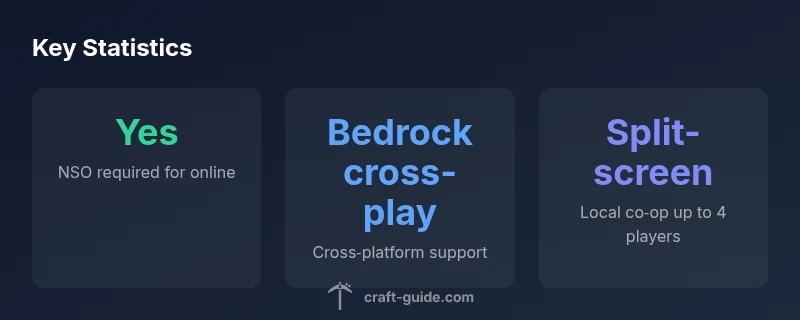
Does Minecraft on Nintendo Switch require Nintendo Switch Online to play online? Yes. Online multiplayer on the Switch Bedrock Edition requires an active NSO subscription. Local split-screen play does not need NSO. Cross‑play with other Bedrock platforms is supported, but you must use NSO to connect Switch players to online games.
Why Nintendo Switch Online matters for Minecraft on Switch
According to Craft Guide, the online experience on the Nintendo Switch is tightly bound to Nintendo Switch Online (NSO). If you plan to play with friends over the internet, does minecraft need nintendo switch online? The short answer is yes: NSO provides the network services, matchmaking, and friend system that the Switch version of Minecraft relies on to connect players across regions. Without NSO, you can still play locally, but online sessions will be unavailable or limited. This reality shapes how you schedule multiplayer sessions, invites, and even how you manage servers or realms. In practice, if your goal is to join a world with others remotely, you must ensure your NSO subscription is active before you launch Minecraft on the Switch. The Craft Guide team examined user reports and console policy pages to confirm that NSO is a prerequisite for online play on Switch for Minecraft Bedrock edition.
- Local multiplayer on a single console does not require NSO, but it does not enable online matchmaking or cross‑platform lobbies.
- NSO grants access to online services, friend lists, and multiplayer matchmaking, which are needed to join realms, servers, and hosted worlds.
- If you encounter connectivity issues, verify NSO status first, then check game version compatibility across your devices.
Bedrock Edition on Switch: Online Play Mechanics
Minecraft on the Nintendo Switch runs the Bedrock Edition, which supports cross‑platform play with other Bedrock systems such as Windows, Xbox, iOS, and Android. However, to access online multiplayer features from the Switch, NSO must be active. In practice, this means you’ll see your friends list appear only when NSO is connected, and you’ll be able to join online worlds, servers, or Realms when everyone in the party has an active NSO account. Bedrock’s cross‑play is enabled by Microsoft’s account ecosystem, but the Switch user experience still depends on NSO for online connectivity. If you’re planning a group session with friends on other platforms, confirm that all participants have Bedrock installed and NSO active on their Switch devices as needed.
- Cross‑play is possible between Switch and other Bedrock platforms, but you must coordinate versions and regional settings.
- Some servers or Realms may have version requirements; ensure your Switch copy is updated to the latest Bedrock build before attempting to connect.
- Always check Nintendo’s NSO status and the Minecraft in‑game account settings prior to a session to minimize last‑minute issues.
Cross‑Play and Platform Interoperability
Cross‑play is a core feature of Minecraft Bedrock, and Switch players can join friends on Windows, Xbox, PlayStation (where supported), iOS, and Android. The caveat is that NSO is still necessary to initialize online sessions from the Switch. The Trade‑off is worth it for many players, because Bedrock’s architecture makes it possible to share a single world across many devices. In practice, you’ll create or join a world from Switch, then invite others from their respective platforms. If someone on Switch cannot connect, the likely culprit is NSO status or an out‑of‑date edition. The Craft Guide Team emphasizes testing cross‑play with a small group before inviting a larger audience.
- Confirm your friends are on compatible Bedrock versions.
- Use in‑game invites rather than external messaging to prevent invite failures.
- Double‑check parental controls and privacy settings that can block online play.
Local multiplayer: Split‑Screen and Living Room Play
Split‑screen local multiplayer remains a valuable feature for Minecraft on Switch. You can play together on the same console without NSO, making it ideal for family sessions or quick creative builds. The local co‑op experience supports up to four players depending on the game mode and screen resolution. While NSO isn’t required for local play, any form of online collaboration or venture into shared worlds with distant friends will require NSO for the Switch. Consider using a large TV and multiple controllers for an optimal local session, and save builds frequently to avoid data loss when multiple players contribute at once.
- Set up a dedicated local world to avoid interruptions caused by online matchmaking.
- Use local LAN techniques if you want a pseudo‑server experience without online services.
- Manage controller assignments at the start to keep everyone engaged and reduce confusion during gameplay.
NSO pricing, regional considerations, and value decisions
NSO is a separate subscription that unlocks online features on the Switch, including Minecraft online play. Pricing is region‑based and can vary over time, so your decision to subscribe should consider how often you plan to play online, how many players will join, and whether cross‑platform play adds value for your group. The Craft Guide Analysis (2026) notes that NSO pricing is competitive for casual players but can add up for frequent online sessions. If you’re primarily playing solo or locally, NSO may not be necessary, but for online co‑op and cross‑play, it remains a practical requirement. Compare NSO plans with your usage pattern and consider family or multi‑user options if you have several Switch players at home.
- Keep NSO in a shared family account to optimize cost per player.
- Watch for promotions or bundled offers that include NSO with other Nintendo services.
- Regularly review your online activity to decide whether NSO remains a good long‑term choice.
Practical tips for planning Switch Minecraft online sessions
Planning multiplayer sessions on Switch benefits from a clear preflight checklist. First, confirm that all participants have an active NSO subscription if they intend to play online. Next, ensure everyone is running the latest Bedrock edition and that their account settings permit online play. Create a session in a Realm or a server with an explicit version requirement, and send invites through the in‑game interface to minimize delays. When hosting on Switch, test latency by performing a short practice run with a small group before inviting a larger audience. Finally, document your session rules and building expectations to keep the group aligned and reduce in‑game conflicts. By following these steps, you can maximize enjoyment and minimize the friction of cross‑platform play on Nintendo Switch.
Common misconceptions about Switch Online and Minecraft
A frequent misconception is that NSO only matters for competitive multiplayer. In reality, NSO unlocks the online infrastructure used by Minecraft to connect players across platforms. Some players assume that Bedrock’s cross‑play works without NSO licensing; this is not the case for Switch. Another misconception is that you can rely on local play for long‑term multiplayer worlds; while split‑screen is great for quick sessions, it does not provide persistent online worlds unless NSO is active and the group connects through a compatible server or Realm. Finally, many players overlook version alignment; mismatched Bedrock versions can prevent cross‑play entirely, even when NSO is active. Craft Guide emphasizes keeping your game updated and validating that all players meet the NSO requirement before attempting large online gatherings.
Online play requirements by platform
| Platform | Requires NSO for Online? | Cross-Play Availability |
|---|---|---|
| Nintendo Switch | Yes | Bedrock cross-play with other platforms |
| Windows / PC (Bedrock) | No | Yes (Cross-play with Switch) |
| PlayStation / Xbox | No | Yes (Cross-play with Switch) |
People Also Ask
Does Minecraft Switch online require Nintendo Switch Online even for private servers?
Yes. Online gameplay on Switch and Bedrock requires NSO. Private servers accessed online will also require NSO. Local play remains NSO-free. Always verify NSO status before attempting to join or host online sessions.
Yes, NSO is needed for online play, including joining private servers. Local play does not require NSO.
Can I play Minecraft on Switch offline without NSO?
Yes, you can play solo or with split-screen locally without NSO. Online multiplayer, however, requires NSO. If you want to invite friends online, ensure NSO is active.
Yes, offline and local split-screen work without NSO, but online play does require NSO.
What about cross‑play with Bedrock across platforms?
Bedrock supports cross‑play across Windows, Xbox, PlayStation, iOS, Android, and Nintendo Switch. NSO is still necessary to connect Switch players online. Coordinate versions and accounts for a smooth session.
Bedrock cross‑play is available on Switch, but NSO is still required for online play from Switch.
Does NSO pricing affect my Minecraft sessions?
NSO pricing varies by region and plan. If you play online frequently with friends, the subscription cost may be justified. If you rarely play online, reassess whether NSO adds value for your group.
NSO pricing varies by region; consider how often you’ll play online before subscribing.
Are there any alternatives to NSO for Switch online play?
No official alternative allows online multiplayer on Switch Minecraft. NSO remains the required route for online connectivity. For offline play, there are several local options such as split-screen.
There isn’t an official NSO alternative for online play; only offline/local options avoid NSO.
“"For Switch players, NSO determines whether online multiplayer can happen at all. Bedrock enables cross‑play, but you still need NSO to connect anyone online from Switch."”
The Essentials
- Understand NSO is required for online play on Switch Minecraft.
- Bedrock cross‑play enables joining friends on other platforms.
- Local split-screen works without NSO, but online sessions need NSO.
- NSO pricing is region-based and should be weighed against usage.
- Plan sessions with version checks and in‑game invites to minimize issues.